
Batch Conversion Engine
Process multiple MBOX files simultaneously. Handles archives containing tens of thousands of emails efficiently, maintaining consistent formatting and folder hierarchy across all outputs.
 Univik MBOX File Converter

Univik MBOX Converter is professional Windows software to convert MBOX email files exported from Thunderbird, Apple Mail, Gmail Takeout and other email clients into PST, PDF, EML, MSG and 15+ formats with complete attachment preservation. Need Outlook only? See the MBOX to PST converter page.
*Free trial exports first 25 emails per MBOX file. Full version for unlimited conversion.


VirusTotal Verified Safe
Certified Clean by 70+ Antivirus Engines. No malware, spyware or adware.
 Supported Email Clients

Thunderbird

Apple Mail

Gmail Takeout
Eudora

Opera Mail

SeaMonkey

Entourage
Pocomail
 Key Features
Professional-grade software with powerful features designed for efficient email conversion and data management.
Batch Conversion Engine
Process multiple MBOX files simultaneously. Handles archives containing tens of thousands of emails efficiently, maintaining consistent formatting and folder hierarchy across all outputs.
Complete Email Preview
Preview all email content before conversion: complete message body, all headers (From, To, CC, BCC, Date, Subject), attachment list, inline images and raw MIME source view.

Complete Attachment Preservation
All email attachments fully preserved: documents, images, spreadsheets, archives and any other file type. Attachments can be extracted separately or embedded in converted emails.
Folder Hierarchy Preservation
Maintains original email organization structure. Inbox, Sent, Drafts and custom folders replicated in output format. Subfolders and nested structures preserved exactly.

Advanced Email Filtering
Filter emails by date range, sender, recipient, subject keywords, attachment presence or email size. Perfect for legal discovery, compliance audits or creating focused archives.
Email Header Integrity
All metadata preserved with forensic accuracy: routing headers, timestamps, Message-ID, In-Reply-To, References, X-headers and MIME content types. Essential for legal admissibility.
Corrupted File Recovery
Advanced recovery mode extracts readable emails from partially corrupted MBOX files. Handles truncated messages, encoding errors and malformed MIME boundaries.
Full Unicode Support
Complete support for international characters: UTF-8, UTF-16, ISO-8859, Windows codepages. Handles Chinese, Japanese, Korean, Arabic, Hebrew, Cyrillic and European characters perfectly.
 How It Works
Simple Conversion Steps
Step 1: Add MBOX Files
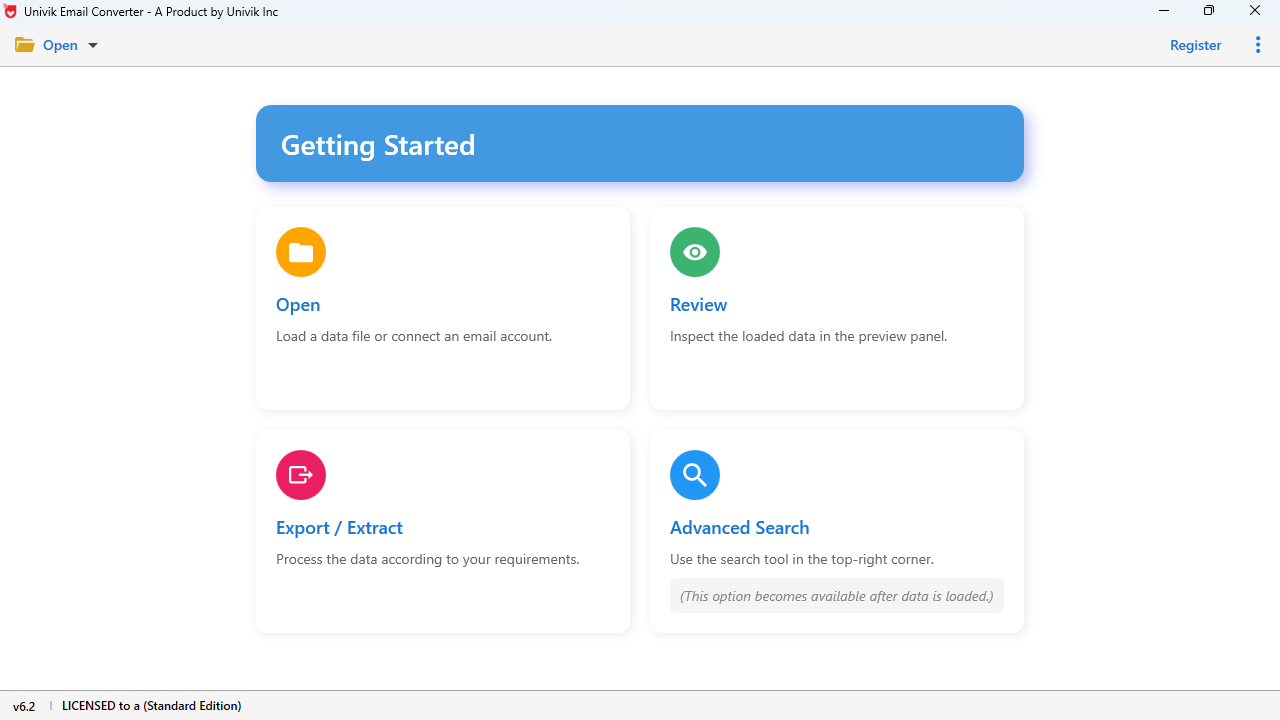
Launch MBOX Converter and click "Add Files" or "Add Folder" to load email archives.
Step 2: Preview Emails
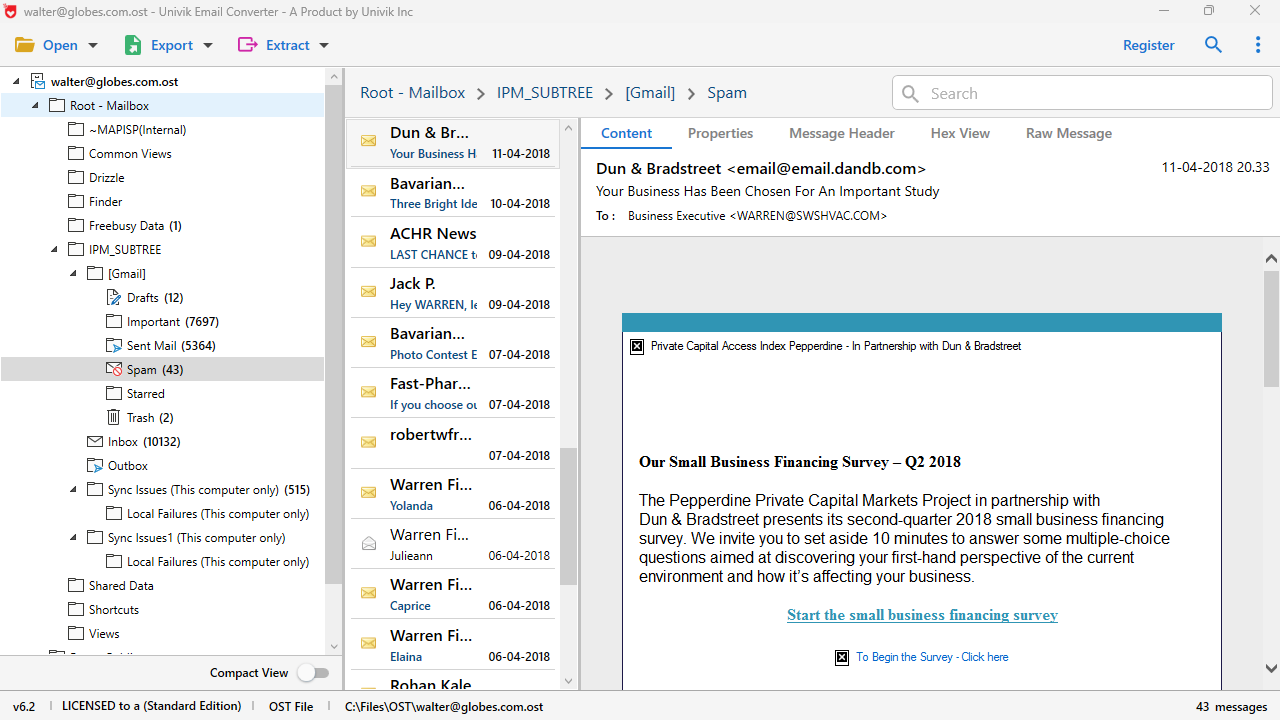
Browse and preview email content, headers, attachments and folder structure.
Step 3: Select Format
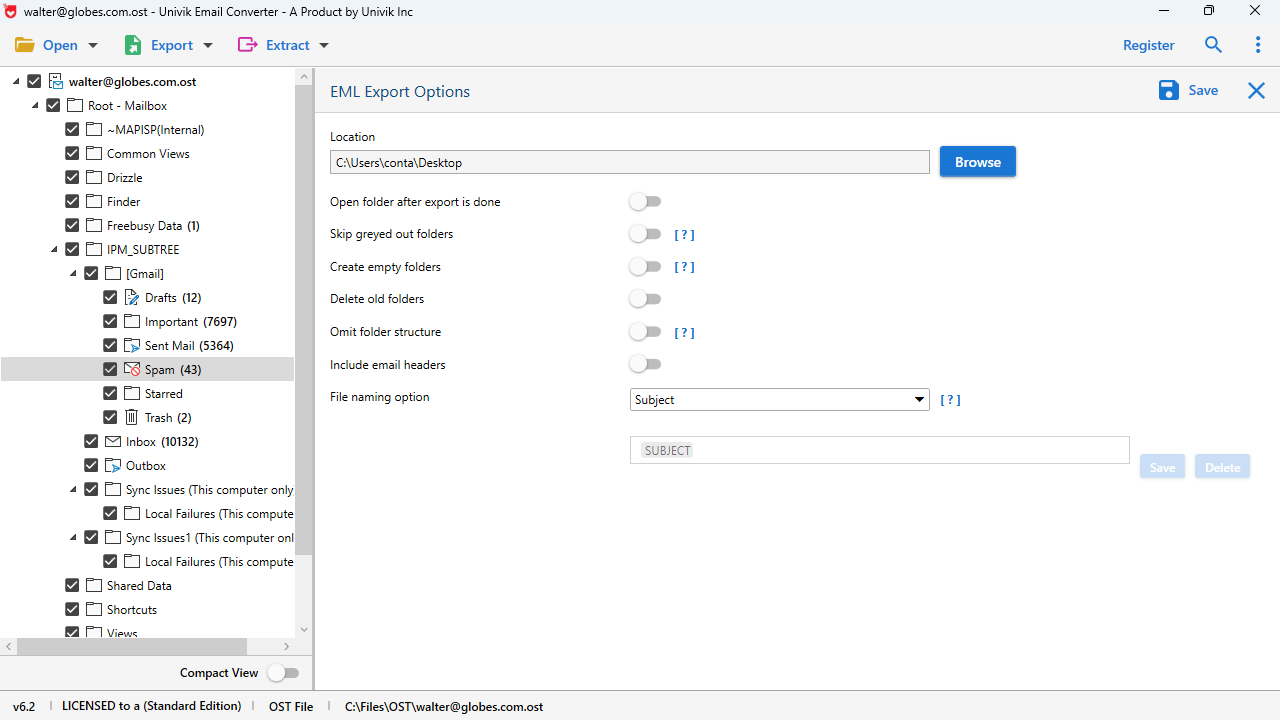
Choose your desired output format from 15+ available options.
Step 4: Convert
Click Convert to export emails to your destination folder.
Quick Start Guide
Export Options
15+ Output Formats
 Available Export Formats
Outlook Formats
PST, MSG
Direct import into Microsoft Outlook with folder structure and attachments preserved.
Email Formats
EML, EMLX, MHT, MHTML
Individual email files compatible with Windows Mail, Thunderbird and web browsers.

Document Formats
PDF, HTML, RTF, TXT
Archival formats for long-term storage, legal discovery or sharing emails.

Cloud Services
Gmail, Office 365, IMAP
Direct upload to cloud email services for online access and synchronization.
 Comparison
Univik vs Other Solutions
Univik MBOX Converter
Other Tools & Online Converters
 Customer Reviews
What Our Customers Say

James R.
IT Manager, Chicago, USA
"We migrated 500+ users from Thunderbird to Office 365. Univik MBOX Converter was the only tool that maintained folder structures and handled our 10GB+ MBOX files without crashing. Excellent enterprise-grade solution!"
Lisa M.
Legal Assistant, London, UK
"Perfect for our eDiscovery needs. We converted MBOX archives to individual EML files for our document review platform. All email headers preserved - crucial for proving email authenticity!"
Robert T.
Freelance Consultant, Sydney, Australia
"Finally converted my 15 years of Gmail Takeout archives to PDF! Now I have permanent backups I can search and read without any special software. Worth every penny!"
 Technical Data Sheet
Technical Specifications
Complete product specifications, system requirements and compatibility information.
VirusTotal Score: Clean
Verified by 70+ antivirus engines. 100% safe to download and use.
Supported Input Files
MBOX - All variants:
• MBOXO (Original Unix format)
• MBOXRD (Reversible quoting)
• MBOXCL (Content-Length based)
• MBOXCL2 (Hybrid format)
• .mbx, .mbs file extensions
Unlimited file size supported.
| Product Name: | Univik MBOX Converter |
| File Size: | 24.5 MB |
| License Delivery: | Instant via Email |
| Free Trial: | Free Download 100% Safe & Secure |
Latest Release
Version 25.1 Features

| Trial Limitations: | Free demo allows unlimited preview. Export limited to first 25 emails per MBOX file. Purchase license for unlimited conversion. |

| Hard Disk: | 100 MB free (500 MB recommended for large conversions) |
| RAM: | 4 GB minimum (8 GB recommended for large files) |
| Processor: | Intel Core i3 or equivalent |

| Platforms: |
|
| Prerequisites: |
|
 Migration Guides
Step-by-Step Migration Paths
Detailed guides for migrating emails from popular email clients to your desired destination.
Thunderbird to Outlook
Source: %APPDATA%\Thunderbird\Profiles\[profile]\Mail\
Apple Mail to Windows
Source: ~/Library/Mail/V[x]/Mailboxes/
Gmail Takeout to Local
Source: Google Takeout ZIP file
 Use Cases
Real-world scenarios where Univik MBOX Converter provides the ideal solution.
Enterprise Email Migration
IT departments migrating thousands of users from Thunderbird to Microsoft 365. Batch processing handles enterprise-scale conversions efficiently.
Digital Forensics & eDiscovery
Forensic investigators and legal teams processing email evidence with complete header preservation for authenticity.
Regulatory Compliance
Organizations meeting email retention requirements (GDPR, HIPAA, SOX) with searchable PDF archives for compliance audits.

Personal Email Backup
Individuals creating permanent backups of Gmail, Thunderbird or Apple Mail archives in future-proof formats.
Cloud Email Integration
Upload legacy MBOX archives to Gmail, Office 365 or corporate IMAP servers for cross-device synchronization.

Estate & Account Recovery
Families accessing email archives of deceased relatives without needing original email client credentials.
 File Locations
Quick reference guide to locate MBOX files from popular email clients.
Mozilla Thunderbird
Windows:
C:\Users\[Username]\AppData\Roaming\Thunderbird\Profiles\[profile.default]\Mail\
macOS:
~/Library/Thunderbird/Profiles/[profile]/Mail/
Linux:
~/.thunderbird/[profile]/Mail/
Look for files without extensions (Inbox, Sent, Drafts)
Apple Mail
macOS:
~/Library/Mail/V[version]/Mailboxes/
Alternative Path:
~/Library/Mail/V[version]/[email]/INBOX.mbox/
Look for .mbox directories containing mbox files
Gmail Takeout
Download Location:
Gmail labels preserved as X-Gmail-Labels header
Eudora
Windows Default:
C:\Program Files\Qualcomm\Eudora\
User Data:
C:\Users\[Username]\AppData\Local\Eudora\
Files have .mbx extension in Eudora
 Help & Support
Frequently Asked Questions
MBOX (Mailbox) is an email storage format used by email clients like Mozilla Thunderbird, Apple Mail, Eudora and Gmail Takeout exports. It stores all emails in a single text file. You need to convert MBOX files when: (1) Migrating from Thunderbird to Microsoft Outlook, (2) Accessing Gmail Takeout archives, (3) Creating PDF archives for legal discovery, (4) Recovering emails from old backups or (5) Moving emails to cloud services like Office 365.
Many popular email clients use MBOX format: Mozilla Thunderbird (files without extension), Apple Mail (.mbox folders), Google Gmail Takeout exports, Eudora (.mbx files), SeaMonkey, Opera Mail, Entourage, Pocomail, The Bat! and most Unix/Linux mail systems. Univik MBOX Converter supports all these sources with automatic format detection.
Yes, absolutely! Converting MBOX to PST is one of our most popular features. The converter creates fully compatible Outlook PST files that preserve all email content, attachments, folder structure and email headers. Microsoft Outlook installation is NOT required on the conversion machine.
Yes, 100% attachment preservation! All email attachments are fully preserved during conversion: documents (PDF, Word, Excel), images (JPG, PNG), archives (ZIP, RAR) and any other file type. Attachments maintain their original filenames, sizes and content.
Yes, unlimited file size support! Univik MBOX Converter is optimized for handling large files. We've tested with MBOX archives exceeding 20GB containing 100,000+ emails. The software uses efficient memory management to handle files of any size without crashes.
Simple 4-step process: (1) Download your Gmail data from takeout.google.com, (2) Extract the downloaded ZIP file, (3) Add the "All mail.mbox" file to converter, (4) Choose your desired output format and convert.
Your data is completely safe and private. Univik MBOX Converter is a desktop application that works 100% offline. Your emails are never uploaded to any server. All processing happens locally on your computer.
All MBOX variants supported with automatic detection: MBOXO, MBOXRD, MBOXCL and MBOXCL2. The software also handles files with .mbox, .mbx, .mbs extensions and Thunderbird's extension-less MBOX files.
Yes, powerful filtering options available! Filter emails by: date range, sender, recipient, subject keywords, emails with attachments only or email size. This is especially useful for legal discovery and creating targeted archives.
The free trial provides full functionality for evaluation: unlimited file loading, complete email preview, all features available. Export is limited to the first 25 emails per MBOX file. Purchase a full license ($29) for unlimited conversion.
Still have questions? Contact support or Live Chat