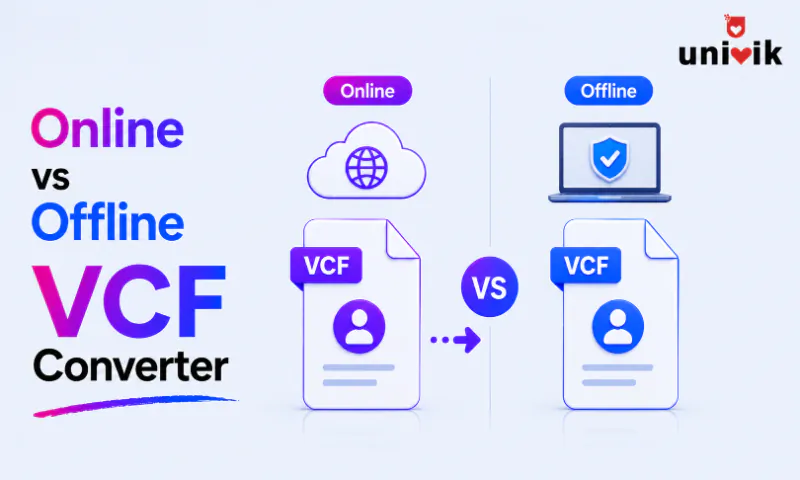
An offline desktop converter is the safest way to convert a VCF file because your contact data never leaves your computer. Browser based converters that process the file locally come second, since nothing uploads, though you should verify that claim yourself. A server side online VCF converter is the least safe option because the file, every name, number, email and address in it, lands on a third party server you cannot audit. Use server side tools for test data only and keep real contacts on an offline or verified browser local route.
Converting a VCF file looks like a small decision. Pick a website or install a program, done. What makes it a real decision is the cargo. A VCF holds names, phone numbers, email addresses, home addresses, birthdays, employers and photos, which is exactly the data identity thieves, spammers and data brokers pay for. Where the conversion happens decides who else gets to see all of it.
One disclosure before the comparison. Univik builds a desktop converter, so we have a stake in this argument. That is also why every claim below comes with a way to check it yourself. We tested privacy behaviour by watching network traffic during conversions on 8 online services and 4 desktop tools, and measured limits and speed with 1 MB, 10 MB and 50 MB test files. The verification steps are in the article, so you do not have to take a vendor’s word for any of it.
The Three Types of VCF Converter
Online versus offline undersells the real split. There are three architectures, and the privacy story is different for each.
A server side online converter uploads your VCF to a remote server, converts it there and hands back a download link. Your contact data travels the internet and sits on someone else’s infrastructure. Zamzar, Convertio and most free converter sites work this way. A browser based converter loads JavaScript into your browser and converts the file on your own device, so nothing uploads. A handful of newer sites advertise this as browser local or client side processing. An offline desktop converter is installed software that reads the file from disk and writes the output to disk, with no network involved in the conversion at all.
Where Your Contact Data Goes with an Online VCF Converter
Server Side Online Converters
Upload a VCF to a server side converter and the service has full access to every contact in the file for as long as it holds the file. Services claim deletion within 24 hours. You cannot verify that claim, and neither can anyone else outside the company. The file could be retained for data mining, folded into a marketing database or exposed in a breach, and HTTPS does not help here, since the encryption protects the transfer and the server decrypts everything for processing.
Scale makes it worse. A file of 500 business contacts is a directory of clients with direct numbers and emails. If those contacts are patients, students or EU residents, the upload itself collides with HIPAA, FERPA or the GDPR, because handing personal data to an unvetted processor is the thing those rules exist to stop.
Browser Based Client Side Converters
A genuine client side converter never transmits the file, which puts it close to desktop software for privacy. The weak point is the word genuine. You are trusting a website’s claim about its own code, and the claim is checkable in two minutes. Press F12 to open your browser’s developer tools, open the Network tab, clear it, then run a conversion. No outgoing request carrying your file data means the processing is local. A POST request with your file in it means the site is server side no matter what the homepage says. A few converters go further and publish their source code, which turns the trust question into an audit anyone can run.
Offline Desktop Converters
Desktop software gives the strongest guarantee because the conversion involves no network. The file is read from your disk, processed in memory and written back to your disk. One honest caveat applies. Some desktop tools phone home for licence checks, updates or analytics. If even that traffic is unwelcome in your environment, disconnect from the internet before converting, and the conversion still runs. For contacts that need protection beyond the conversion itself, encrypting the VCF file covers the file at rest too.
Conversion Accuracy by Converter Type
Privacy aside, the conversions themselves are not equal. Desktop tools parse all three vCard versions, 2.1, 3.0 and 4.0, decode quoted-printable and Base64 text, keep embedded photos and batch process folders of files. The Univik VCF Converter is one example, and its format list and licensing live on the product page rather than here, since this piece is about the architecture choice.
Online converters, server side and browser based alike, run shallower parsers. Names, phones and emails come through. Structured addresses, several numbers per contact, photos and custom X properties get dropped by the basic tools, and browser based converters add JavaScript memory limits on top. For a simple name and number extraction, that is fine. For a CRM export with custom fields or an address book with photos, the shallow parse quietly loses data, and you find out after the original is gone. Whether a free tool or a paid one parses better is a separate argument, and our free vs paid vCard converters comparison takes it up properly.
File Size and Contact Limits
Server side converters cap uploads, with limits between 10 MB and 100 MB depending on the site and tier. A VCF with embedded photos reaches 50 MB with only a few hundred contacts, so the caps bite sooner than they sound. Browser based tools trade upload caps for memory limits. In our tests a machine with 8 GB of RAM handled files up to about 100 MB in the browser, with performance falling apart past 20 MB, and phones hit the wall far earlier. Desktop converters read from disk in chunks and have no practical ceiling, and folder level batch conversion, hundreds of separate VCF files in one run, is standard on desktop and rare online.
Speed and Performance
Server side means upload plus processing plus download. Our 10 MB test file took 10 to 30 seconds end to end on a home connection, and bigger files stretch into minutes. Browser based conversion is instant on small files and single threaded JavaScript slows it to 5 to 15 seconds on the 10 MB file, with the tab freezing while it works. The same file converted in 1 to 3 seconds in desktop tools, which run native code, and batch jobs that would take an afternoon of uploads finish in seconds.
Online vs Offline VCF Converter Compared
| Factor | Server side online | Browser based | Desktop offline |
|---|---|---|---|
| Data privacy | Low, file uploaded | High, stays local | Highest, no network |
| File size limit | 10-100 MB | ~100 MB, memory bound | No practical limit |
| Parsing depth | Basic | Basic to moderate | Full, all versions |
| Photo handling | Stripped | Sometimes kept | Kept |
| Batch processing | Some sites only | Limited | Standard |
| Speed, 10 MB file | 10-30 seconds | 5-15 seconds | 1-3 seconds |
| Cost | Free with ads | Free | Free trial, paid |
| Works offline | No | Once loaded, some | Yes |
| Regulated data | Risk | Verify first | Safe, local only |
When to Use an Online VCF Converter and When to Go Offline
Online tools hold one honest advantage, reach. On a phone, a tablet or a locked down work machine where you cannot install software, the browser is the only door, and that is the scenario where a verified browser based tool beats desktop software on pure practicality.
A server side online converter earns its place for exactly one job, a quick conversion of a file with nothing sensitive in it, a test file, dummy data or a public list. A browser based tool covers the next tier, a small personal file under 10 MB where you have run the Network tab check and the conversion is simple.
Everything else points offline. Real business contacts, files past 10 MB or a few thousand entries, photos and custom fields that have to survive, batch folders and regulated data in healthcare, education or finance. Add any conversion you will repeat as a workflow. The pattern in our support inbox is consistent. People start with an online VCF to CSV converter for a five contact test, and the moment the real 3,000 contact export shows up, the upload cap, the dropped fields or the privacy policy sends them to desktop software. Which desktop tool is a separate question, and our vCard converter software comparison ranks the field.
Red Flags in Online VCF Converters
Four signals separate a careless online converter from a defensible one, and any single one of them is reason to close the tab.
One more tell sits in the marketing itself. A service that promises perfect safety is overpromising by definition, because an upload service cannot eliminate the risk it creates, and several of the top ranking converter sites make exactly that promise. The serious ones describe what they do, retention windows and deletion practice, instead of declaring that nothing can ever go wrong.
The inverse also holds. A clear privacy policy with stated deletion windows, no forced account and download links that expire within hours are the marks of an online service that at least takes the handling seriously, even though the architecture still means they hold your data for a while.
Frequently Asked Questions
Is it safe to upload my contacts to an online VCF converter?
Not for real contacts. A server side converter receives every name, number, email and address in the file and holds them for as long as its retention practice allows, which you cannot audit from outside. For test data the risk is zero because there is nothing to lose. For personal or business contacts, use a verified browser based tool or an offline desktop converter instead.
How can I tell if a browser based converter is truly client side?
Check the network traffic yourself. Press F12, open the Network tab, clear it and run a conversion. If nothing leaves the browser carrying your file data, the processing is local. If a POST request uploads the file, the tool is server side regardless of its marketing. The check takes two minutes and settles the claim for good.
Can online converters handle vCard 2.1, 3.0 and 4.0?
Version 3.0 converts everywhere because it is the most common format. Support for 2.1, with its quoted-printable encoding and CHARSET parameters, and for 4.0, with MEDIATYPE and structured values, is patchy in online tools. Desktop converters ship deeper parsers that read all three, which matters most for old phone exports and enterprise files.
Is the Google Contacts route safer than an online converter?
Safer than an anonymous converter site, yes. Importing the VCF into Google Contacts and exporting a CSV puts your data behind Google’s security and a real privacy policy. Your contacts still land on Google’s servers and stay in the account until you delete them, so the route beats a random upload site and still loses to a converter that never sends the data anywhere.
Do offline VCF converters work without an internet connection?
The conversion itself runs fully offline, disk to disk with no network step. Some tools reach out separately for licence checks or update pings. If policy requires total isolation, activate the software once, disconnect, then convert. The job completes the same way.
Do I need to worry about malware in offline converter downloads?
Only if you download from the wrong place. Get installers from the developer’s own site or an established store, and skip cracked full version downloads on file sharing sites, which are a standard malware channel. A reputable developer signs the installer digitally, and your antivirus verifies the download in seconds.
The Bottom Line
The architecture decides the risk. A server side online VCF converter shows your entire address book to a company you cannot audit, and a browser based tool is safe exactly when its local processing claim survives the F12 check. An offline desktop converter never gives the data a network to leak through.
So route by contents. Test data can go anywhere. A small personal file can ride a verified browser tool. Real contacts, big files, photos, regulated data and repeat workflows belong offline, and the minutes spent installing software buy a guarantee no upload site can offer.