vCard Converter Univik vCard File Converter

New
Excellent 4.9 TrustRating (174 Verified Reviews)

Convert & Export vCard Contacts

Univik VCF File Converter is a professional tool that allows you to convert vCard (VCF) contact files into multiple formats including spreadsheets, documents and cloud services. It supports bulk conversion, preserves complete contact details and works offline to ensure data privacy.

*Free trial exports first 10 contacts per file. Full version for unlimited conversion.

  • Batch Processing: Load multiple VCF files or entire folders and convert thousands of contacts simultaneously.
  • Complete Data Preservation: All contact fields, photos and formatting preserved exactly as in original files.
  • Universal Compatibility: Export contacts compatible with popular spreadsheet apps, CRM systems and email clients.
  • 100% Offline & Secure: Desktop software works without internet - your contacts never leave your computer.

Univik vCard Converter Box

Award

VirusTotal Verified Safe

Certified Clean by 70+ Antivirus Engines. No malware, spyware or adware.

 Supported Contact Fields

 Key Features

Why use Univik VCF Converter

This tool simplifies contact management by allowing fast, accurate and secure conversion of VCF files without data loss or privacy risks.

Batch

Batch Conversion Support

Process multiple VCF files simultaneously by adding individual files or selecting entire folders. The software handles thousands of contacts efficiently, maintaining consistent formatting across all outputs. Essential for migrating large contact databases from phones, email clients or CRM exports.

Preview

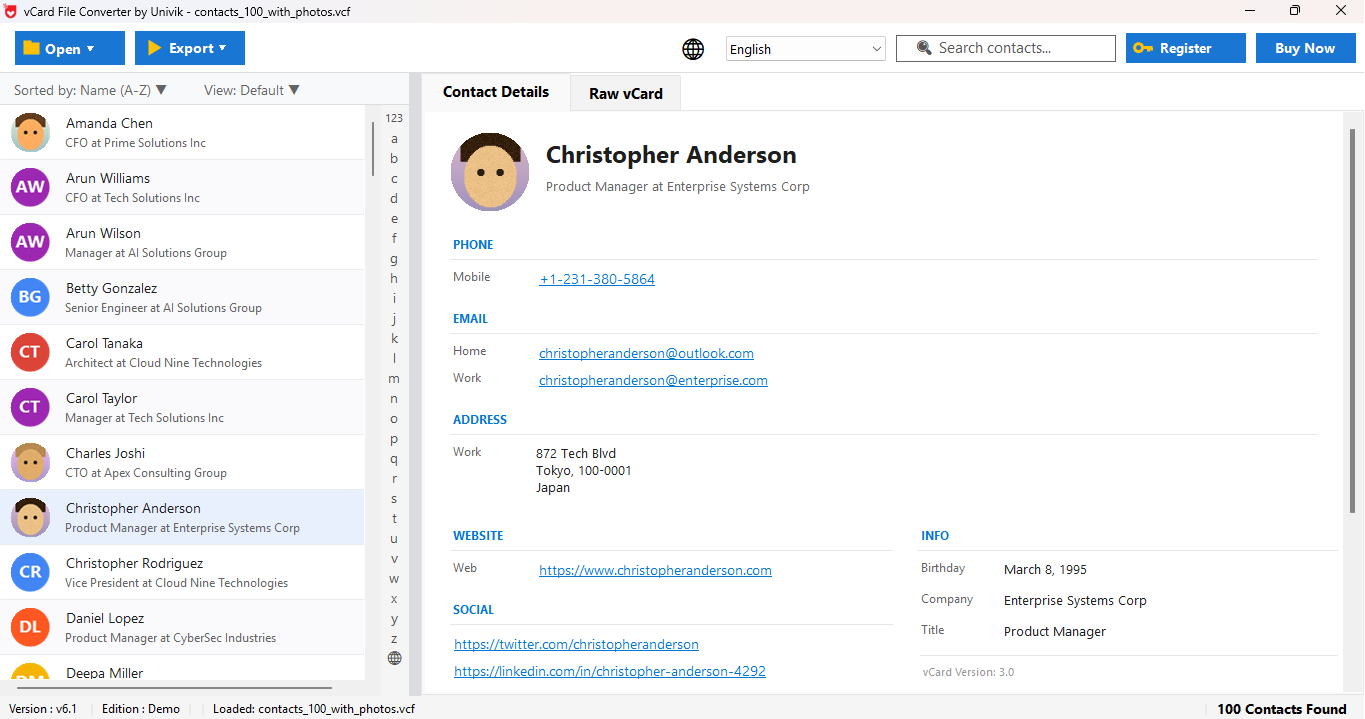
Complete Contact Preview

Preview all contact details before conversion: full name, multiple email addresses, phone numbers (mobile, home, work), physical addresses, organization, job title, birthday, photos, notes and custom fields. Verify data accuracy before exporting to your chosen format.

Selective

Selective Contact Export

Choose specific contacts for conversion using checkbox selection. The software displays all loaded contacts in a sortable list, allowing you to select/deselect individual entries, search for specific contacts or filter by criteria. Export only what you need.

Integrity

100% Data Integrity

Preserves complete contact information during conversion: all email addresses, phone numbers with country codes, addresses with postal codes, organization details, embedded photos, custom fields and special characters exactly as stored in the original VCF.

Versions

All vCard Versions Supported

Automatically detects and processes all vCard format versions: vCard 2.1 (original specification), vCard 3.0 (improved encoding) and vCard 4.0 (latest with extended properties). No manual configuration required.

Photos

Contact Photo Extraction

Export contact photos embedded in vCard files separately. Extracts profile pictures in original format (JPEG, PNG) and saves to your destination folder with contact name identification. Photos also included in PDF and HTML exports.

Search

Advanced Search & Filter

Built-in search enables quick location of specific contacts within large VCF files. Search by name, email, phone or organization. Filter results to export only matching contacts for creating targeted lists.

Unicode

Full Unicode Support

Complete support for international characters: names with accents (é, ü, ñ), Chinese/Japanese/Korean characters, Arabic, Hebrew, Cyrillic, Greek scripts and international phone formats with country codes preserved accurately.

 Simple Steps for Conversion

How to Convert VCF files

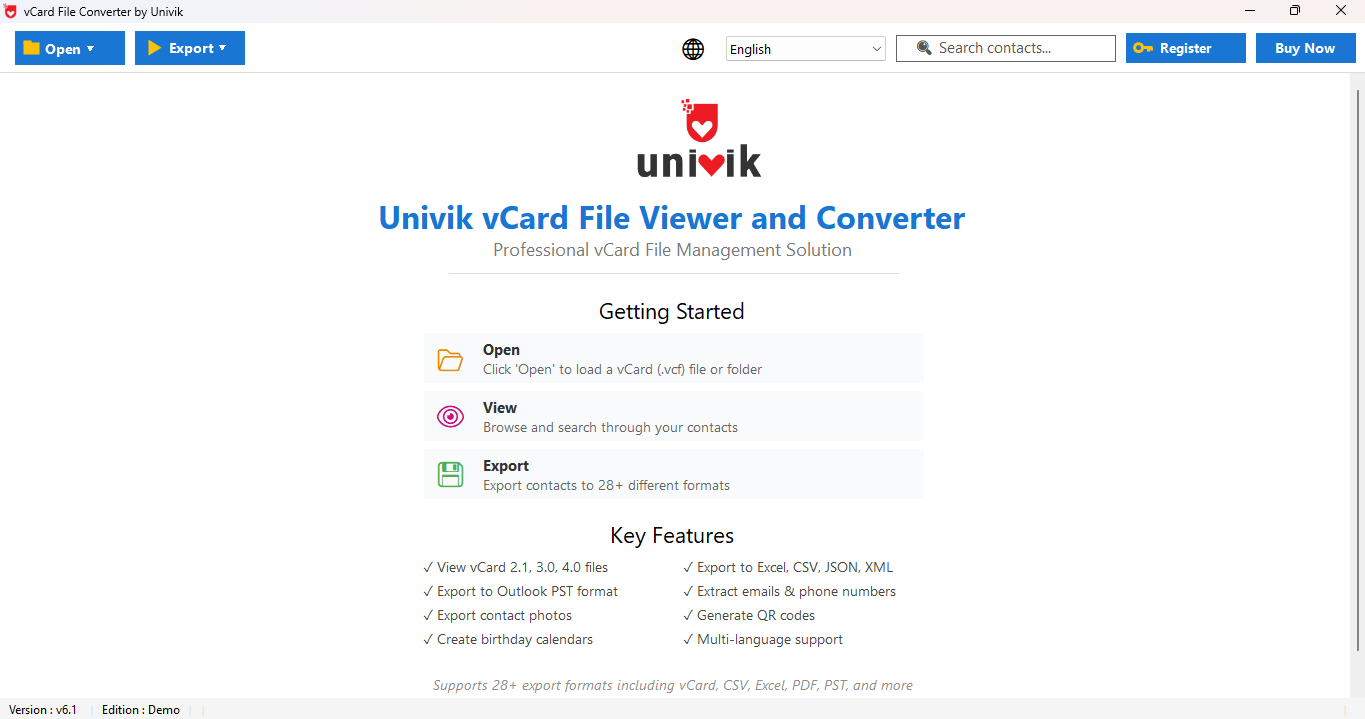
Add one or multiple VCF files, choose the export format, select the destination and start conversion.

Quick Start Guide


  1. Download & Install: Download Univik vCard Converter and install on Windows. Takes less than a minute.
  2. Select VCF Files: Click "Browse Files" for individual files or "Browse Folder" for batch processing.
  3. Preview Contacts: Browse loaded contacts in preview panel. Verify all fields are correct.
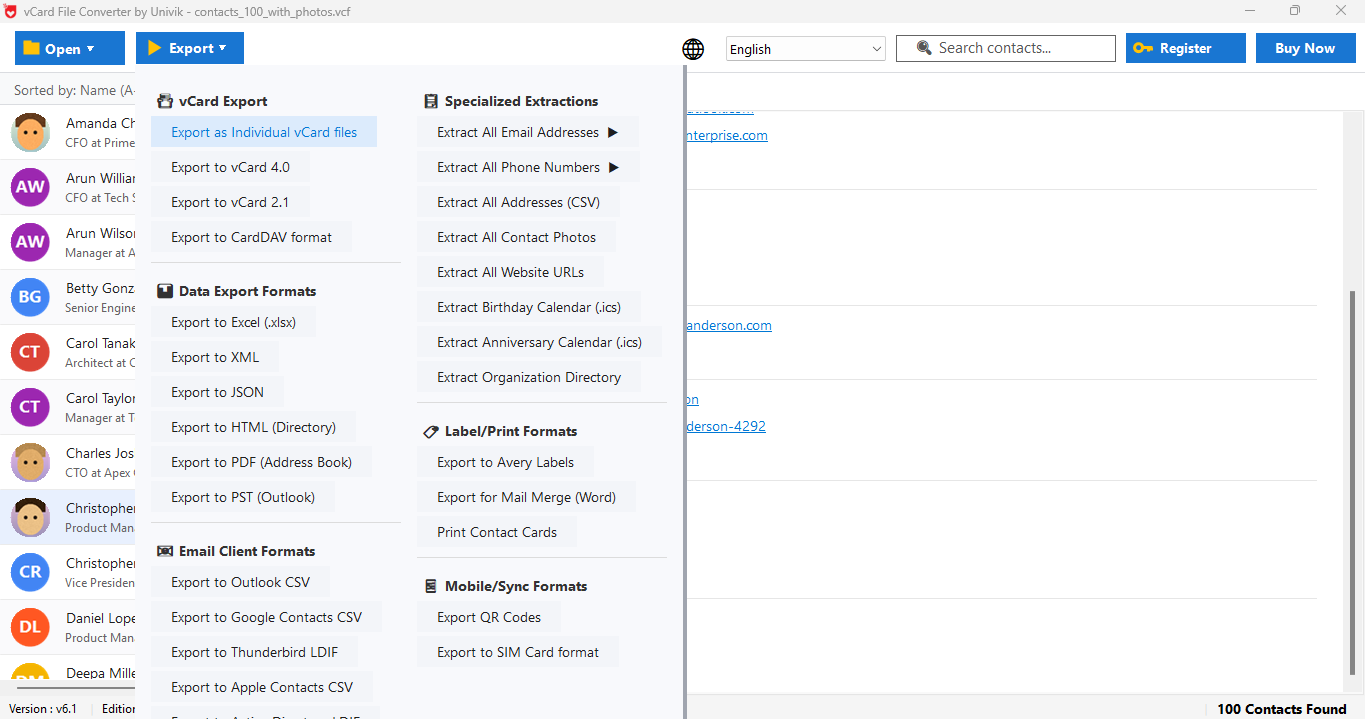
  4. Choose Format: Select output format from Export menu.
  5. Set Destination: Click Browse to select save location. Default is Desktop.
  6. Convert: Click Export button. Progress bar shows status. Files ready when complete.

 Video Tutorial

Learn How to Convert VCF Contacts

Watch our 5-minute step-by-step video guide covering file loading, contact preview, format selection and export process.

Watch Tutorial

Duration: 5:30

 Export Options

Supported Export Formats

Export VCF contacts into formats compatible with spreadsheets, documents, email clients and cloud platforms.

 Available Export Formats

Spreadsheet

Spreadsheet Formats

CSV, Excel XLS, Excel XLSX

Perfect for CRM imports, data analysis and contact management applications.

Document

Document Formats

PDF, HTML, Plain Text

Ideal for printable directories, web address books and text exports.

Cloud

Cloud Services

Google Contacts, Microsoft 365, IMAP

Direct upload to cloud contact management for device synchronization.

vCard

Contact Formats

vCard 2.1, 3.0, 4.0

Convert between versions or split multi-contact files.

 Use Cases

Who Benefits from this Software

Practical scenarios where Univik vCard Converter provides the ideal solution for contact management and migration.

Migration

Email Client Migration

Switching email applications? Export vCard contacts for seamless import into your new email client with all fields preserved during migration.

Backup

Smartphone Contact Backup

Create reliable backups of iPhone or Android contacts. Store exported files in cloud storage as permanent backup that can be restored anytime.

CRM

CRM System Integration

Import business contacts into Salesforce, HubSpot, Zoho CRM with proper field mapping for bulk imports. Maintain data consistency across sales tools.

Print

Printable Contact Directories

Generate professional PDF contact directories for offices, organizations or events with contact photos included for employee directories.

Marketing

Email Marketing Campaigns

Extract email addresses from vCard contacts for newsletters. Export in formats compatible with Mailchimp, SendGrid and other email platforms.

Merge

Consolidate Multiple Sources

Combine contacts from multiple VCF files from different devices or accounts into one unified list for your master contact database.

 Comparison

Why this tool is Better than Online Converter

This tool works offline, has no file size limits, offers better accuracy and ensures complete data privacy.

Univik vCard Converter

  • Complete Preview: View all contact fields including photos, emails, phone numbers, addresses before conversion.
  • Batch Processing: Convert unlimited VCF files and folders simultaneously with consistent formatting.
  • All vCard Versions: Full support for vCard 2.1, 3.0, 4.0 with automatic detection.
  • 10+ Export Formats: Spreadsheets, documents, vCard versions and cloud services.
  • Unicode Support: Perfect handling of international names, accented characters, CJK, Arabic scripts.
  • Contact Photos: Extract and preserve photos in exports or as separate files.
  • Offline & Private: Desktop software works without internet, ensuring data privacy.

Other Tools & Online Converters

  • Limited Preview: Most show only basic info without photos or complete fields.
  • Single File Only: Require manual conversion of each VCF file separately.
  • Version Issues: Often incompatible with vCard 4.0 or older 2.1 files.
  • Few Formats: Usually limited output options without cloud integration.
  • Encoding Problems: Issues with special characters causing data corruption.
  • No Photos: Cannot extract or preserve contact photos.
  • Privacy Risk: Online tools upload your contacts to third-party servers.

 Customer Reviews

What Our Customers Say

Real testimonials from users who converted their vCard contacts using Univik vCard Converter.

 Technical Data Sheet

Technical Specifications

Complete product specifications, system requirements and compatibility information.

100%

VirusTotal Score: Clean  

Verified by 70+ antivirus engines. 100% safe to download and use.

  • Virus free
  • Spyware free
  • Adware free

Supported Input Files

VCF (vCard) - All versions:

  • vCard 2.1 (RFC 2425/2426)
  • vCard 3.0 (RFC 2425/2426)
  • vCard 4.0 (RFC 6350)
  • Single and multi-contact files supported.
Software Box
Product Name: Univik vCard Converter
File Size: 18.5 MB
License Delivery: Instant via Email
Free Trial: Free Download
100% Safe & Secure

Latest Release

Version 25.1 Features

  • Enhanced batch conversion
  • Improved vCard 4.0 parsing
  • PDF with contact photos
  • Better Unicode handling
  • Updated user interface
Limitations
Trial Limitations: Free demo allows unlimited preview. Export limited to first 10 contacts per file. Purchase license for unlimited conversion.
Requirements
Hard Disk: 50 MB free (100 MB recommended)
RAM: 2 GB minimum (4 GB recommended)
Processor: Intel Core i3 or equivalent
Platforms
Platforms:
  • Windows: 11, 10, 8.1, 8, 7 (32 & 64-bit)
  • Server: 2022, 2019, 2016, 2012
Prerequisites
Prerequisites:
  • Standalone: No additional software required
  • Offline: Works without internet after install
Documentation
Documentation:

 Help & Support

Frequently Asked Questions

Find answers to common questions about Univik vCard Converter.

Yes, VCF Converter supports batch conversion, allowing users to add multiple VCF files or entire folders and convert them in a single process. This helps save time when working with large contact lists.

Yes, the tool preserves embedded contact photos and ensures that all contact details remain intact during conversion.

The software supports vCard versions 2.1, 3.0 and 4.0 ensuring compatibility with contacts created on different devices and platforms.

Yes, Univik VCF Converter works completely offline, so your contact data is processed locally on your system and never uploaded to any server.

The free version allows users to preview all contacts but limits the number of contacts that can be exported. To remove export restrictions, an upgraded version is required.

Yes, The tool supports contacts with multiple values like multiple email addresses (personal, work), multiple phone numbers (mobile, home, work, fax) and multiple addresses. All fields are preserved including type labels.

Yes, Full Unicode support is there for international characters. It supports European names with accents (é, ü, ñ), Chinese/Japanese/Korean characters, Arabic, Hebrew, Cyrillic scripts and international phone formats with country codes. All characters preserved accurately.

Still have questions? Contact support or Live Chat