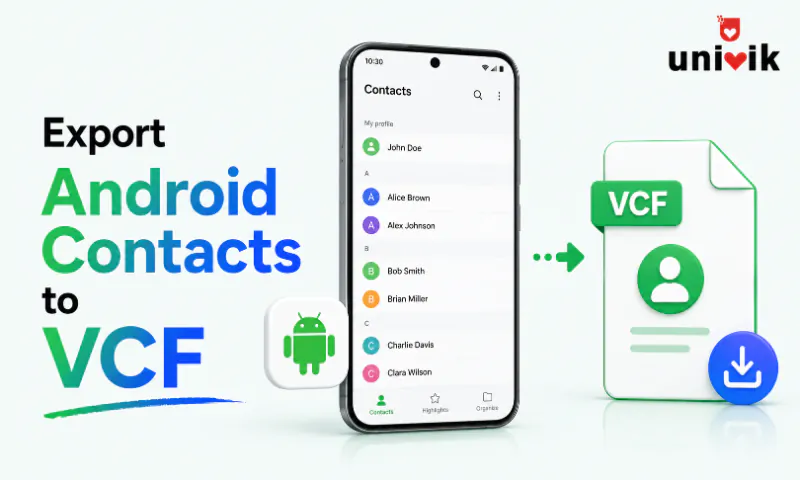
Open the Contacts app, find Export in the menu (Organize or Fix & Manage on Pixel, Manage contacts on Samsung), choose Export to .vcf file and save. The file lands in Downloads as contacts.vcf. Samsung phones write the older vCard 2.1 format, and Univik VCF Converter rewrites it as tidy vCard 3.0 with UTF-8 whenever the destination is strict about formats.
Exporting contacts from Android to a VCF file takes under a minute once you know where your phone hides the option, and that is the catch, since every brand hides it somewhere different. We ran these exports on a Pixel 9, a Galaxy S24, a Xiaomi 14 and a OnePlus 12 while building our vCard tools. Below is the menu path for each brand, plus the two traps that produce incomplete files, missing accounts and stripped photos.
Export All Contacts With the Android Contacts App
The phone itself is the fastest exporter. No computer, no internet and photos come along inside the file. Exporting is also how you create a VCF file from your contacts in the first place, there is no separate create button anywhere in Android.
- Open the Contacts app and find the export option. On Pixel it sits under Organize, called Fix & Manage on older versions, then Export to file. On Samsung, tap the three line menu, Manage contacts, Import or export contacts, Export. On Xiaomi, tap the settings gear, then Import and export. On OnePlus and older Android, the three dot menu holds Import and export.
- Pick the account to export from when asked. Some phones export everything visible without asking, and a few offer a contact picker at this step.
- Choose Export to .vcf file and confirm the save.
- Collect the file from the Downloads folder, saved as contacts.vcf. A few thousand contacts export in seconds.
One format detail matters after the export. Samsung phones write vCard 2.1, an older format that handles non Latin names such as Chinese, Arabic or Korean badly, while Pixel writes vCard 3.0. The Samsung export guide covers the Samsung menus in full, and converting the vCard version to 3.0 takes one pass in VCF Converter.

“Check the version line in the file you exported. Samsung handsets still write vCard 2.1, and a 2.1 file with non-Latin names uses quoted-printable encoding that other apps read as question marks. We see it every week in support.”
Nick Rogers
|Founder, Univik, building file conversion tools since 2013
Check Account Visibility Before You Export
The number one cause of an incomplete export is not the export at all. Android stores contacts in several places on one phone, the Google account, a Samsung account, the SIM card and device storage, and the export only takes what the Contacts app is currently showing.
Before exporting, open the display settings. On Pixel, tap your profile icon and pick Contacts from all accounts. On Samsung, tap the three line menu, Manage contacts, then Contacts to display and set it to All. Do this once and the exported file holds everything the phone knows.
Export Only Selected Contacts by Sharing Them
For a handful of contacts, sharing is quicker than the export menu. Long press a contact to enter selection mode, tick the others you want, tap Share and Android builds one VCF holding just those entries. Pick Save to Files to keep it on the phone, or send it straight out by email, Bluetooth or a chat app. Sharing a single contact works the same way from inside its detail screen.
Export From a Computer With Google Contacts
When the phone’s contacts already sync to a Google account, the export does not need the phone at all. Sign in at contacts.google.com, tick the contacts or select all, click Export and choose vCard for iOS Contacts. The label is misleading, the download is a standard vCard 3.0 file named contacts.vcf that works on every platform, not just Apple’s. Full steps, label selection and group exports are in the Google Contacts export guide.
The web route has one real cost. It leaves contact photos out of the file, so when pictures matter, export from the phone instead.
Where Android Saves the Exported VCF File
The Contacts app writes the export to internal storage at /storage/emulated/0/Download/, which appears as the Downloads folder in the Files app or Samsung’s My Files, under the default name contacts.vcf.
When the file seems to be missing, search the Files app for .vcf and every export on the phone turns up, whatever your brand decided to name it.
What an Android VCF Export Includes and Skips
A VCF export carries the contact card and nothing around it. Knowing the boundary means no surprises when the file lands on the next device.
A quick way to confirm what made it into the file is the free Univik VCF Viewer, which opens the export on Windows and shows every contact and field, photos included, before the file goes anywhere.
Pull the VCF With ADB When the Screen is Broken
When the touch screen is dead but the phone still runs, a computer can still pull the contacts over ADB, as long as USB debugging was enabled before the damage. Export cannot be triggered by touch, so the practical route is pulling a file that already exists, an earlier export sitting in Downloads or a fresh one triggered through a working mirror tool.
adb pull /storage/emulated/0/Download/contacts.vcf .One myth needs clearing up. The raw contacts database, contacts2.db, cannot be pulled from a normal phone because Android protects it, root access is required. On an unrooted phone, an existing VCF in storage is what ADB can reach. If the contacts sync to a Google account, skip ADB entirely and export from the web on a computer.
Fix Common Android Contact Export Problems
Fewer contacts than expected in the file means the app was showing one account, the trap covered above, so set the display to all accounts and export again. Garbled non Latin names mean a vCard 2.1 export, fixed by exporting again from Google Contacts web or by converting the file to 3.0, and the encoding fix guide handles files that are already damaged. Missing photos point to a web export, so run the export on the phone instead. And a Contacts app with no export option anywhere gets one by installing Google’s free Contacts app from the Play Store.
Once the file is clean, it is ready for whatever comes next, importing into another Android phone, moving to an iPhone or sitting in cloud storage as a safety copy, a routine our contact backup guide sets up properly.
Fix the file before it moves on
Univik VCF Converter turns a Samsung vCard 2.1 export into clean vCard 3.0 with UTF-8 on Windows, and its companion Joiner and Duplicate Remover tools merge files and strip repeats, so the contacts arrive intact wherever they go.
Frequently Asked Questions
How do I Export Contacts From Android to a VCF File?
Open the Contacts app and find Export in the menu. On Pixel that is the Organize tab, then Export to file. On Samsung, the three line menu, Manage contacts, Import or export contacts, Export. Pick the account, confirm and collect contacts.vcf from the Downloads folder. The whole job takes under a minute.
Does Exporting Contacts to VCF Remove Them From My Phone?
No. The export writes a copy of the contacts into a file and changes nothing on the phone. Every contact stays where it was, in the app and in the Google or Samsung account behind it. You can export as many times as you like without touching the originals.
Can I Export Only Some Contacts Instead of All of Them?
Yes, two ways. On the phone, long press a contact, tick the others you want, tap Share and pick Save to Files, which builds a VCF of just those entries. On contacts.google.com, tick individual contacts before clicking Export and the file holds only your selection.
Can I Export SIM Card Contacts to a VCF File?
Yes. In the Contacts app’s import and export menu, pick the SIM as the source, or copy the SIM contacts to the phone first and export them with everything else. SIM contacts carry names and numbers only, since the SIM format has no room for emails, addresses or photos.
What vCard Version Comes Out of an Android Export?
It depends on the phone. Samsung’s Contacts app writes vCard 2.1, while Pixel and Google Contacts web write vCard 3.0 with UTF-8 encoding. Both import fine on most platforms, but 2.1 handles non Latin names badly. Converting a 2.1 file to 3.0 with a converter tool clears that up in one pass.
How Many Contacts Fit in One VCF File?
The format itself sets no limit, and a single file holds thousands of contacts with no trouble. Limits come from the platform importing the file, not the file. Our VCF file size guide maps the practical caps per platform and what to do when a file crosses one.