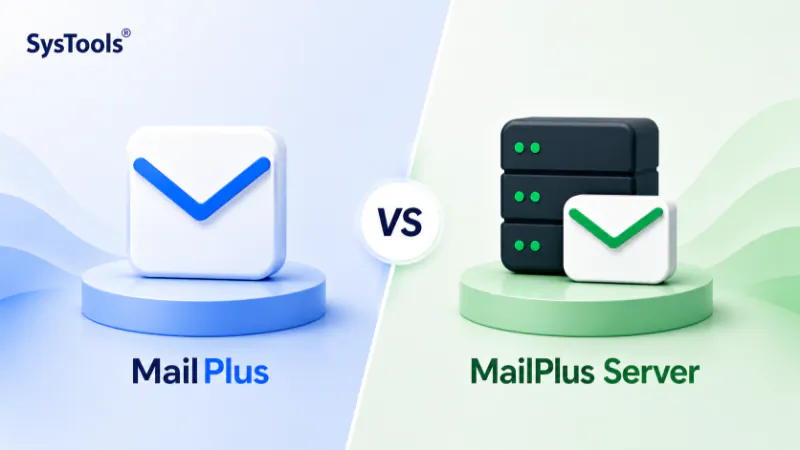
MailPlus is the webmail client the browser-based interface users log into to read and send email. MailPlus Server is the backend email server the Synology package that handles SMTP, IMAP, POP3, spam filtering, routing and storage. You need MailPlus Server to host email on a Synology NAS. MailPlus is how users access it. MailPlus Server requires paid per-user licences. MailPlus client access is free with the server licences. They are installed as separate packages from the Synology Package Center and managed from separate DSM interfaces.
The Short Answer
Synology uses the name “MailPlus” for two related but distinct things. Most people who search “Synology MailPlus” are actually looking for information about MailPlus Server the email server product. MailPlus without the “Server” suffix is just the web client that sits on top of it.
Think of it this way: MailPlus Server is the engine. MailPlus is the dashboard. You need the engine to make any of it work.

“We run MailPlus Server in our own lab, which is the only way to answer this question properly: the two are different things, and the export path depends on which one holds the mail.”
Nick Rogers
|Founder, Univik, building file conversion tools since 2013
Synology MailPlus: The Webmail Client
Synology MailPlus is a webmail application a browser-based email interface installed as a package on DSM. It gives users a way to read, compose, organise and search their email through a web browser or the MailPlus mobile apps without needing Outlook or a mail client installed on their device.
Features of the MailPlus client include:
Three-column layout, conversation view and priority inbox a modern webmail interface comparable to Gmail or Outlook on the web
Custom filters, labels and shared mailboxes for team collaboration
Integration with Synology Calendar, Synology Chat and Synology Drive within the DSM ecosystem
Mobile apps for iOS and Android for accessing email on the go
The ability to export individual mailboxes to PST subject to the export policy configured by the administrator in MailPlus Server
MailPlus client does not host email. It does not handle SMTP delivery, IMAP connections or spam filtering. It simply provides the user interface to email that is hosted and managed by MailPlus Server.
Synology MailPlus Server: The Email Server
MailPlus Server is the actual email server the package that makes a Synology NAS capable of hosting email. It handles everything that happens behind the scenes:
SMTP, IMAP and POP3 protocols receiving incoming email, allowing clients to access mailboxes and handling outgoing mail delivery
Spam and malware filtering Rspamd anti-spam, spam auto-learning and ClamAV anti-malware are all managed here
Domain management multiple domain support, aliases, auto-BCC rules, usage limits and disclaimers
User account management creating and deactivating mailboxes, setting storage quotas, applying group policies
High availability clustering pairing two Synology servers so email service fails over automatically if one goes down
Mail export and audit tools admin-level export of all user mailboxes as MBOX files, mail search and compliance logging
Export policy control administrators configure whether end users can export their own mailboxes via the MailPlus client and in what format
MailPlus Server is where IT administrators spend their time. The MailPlus client is what end users see.
How They Work Together
| Feature | MailPlus (Client) | MailPlus Server |
|---|---|---|
| What it is | Webmail interface | Email server backend |
| Who uses it | End users reading and sending email | IT administrators managing the mail system |
| Installed from | Package Center | Package Center (separate package) |
| Required to host email | No users can also access via Outlook, Thunderbird or any IMAP client | Yes without MailPlus Server there is no email service |
| Handles SMTP/IMAP/POP3 | No | Yes |
| Manages spam filtering | No | Yes |
| Controls mail export policy | No | Yes admins set export policy here |
| Performs mailbox export (admin) | No | Yes MBOX export of all accounts |
| Performs mailbox export (user) | Yes PST export (if admin policy permits) | N/A |
Do You Need Both?
You always need MailPlus Server to host email on a Synology NAS. Whether you also install MailPlus client depends on how your users access email.
Install Both
Most organisations install both packages. MailPlus Server handles the backend and MailPlus client gives users a browser-based interface. Users can access email through the MailPlus web portal or via Outlook and mobile apps simultaneously MailPlus Server supports both.
Server Only
Some IT teams install MailPlus Server without the MailPlus client particularly when all users access email through Outlook, Thunderbird or mobile IMAP apps. The webmail interface is optional. The server is not.
Licensing: Which One Costs Money?
MailPlus Server requires paid per-user licences. The licence model is as follows:
MailPlus Server comes with 5 free licences on qualifying Synology NAS models. Organisations with 5 or fewer users can run MailPlus Server at no licence cost.
Additional licences are purchased in packs 5-user, 20-user and larger licence packs are available from Synology. Licences are added within DSM after purchase.
Licences are perpetual. Once purchased, they do not expire and can be migrated to a new Synology NAS when hardware is replaced.
The MailPlus client has no separate licence cost. It installs free and is included in the MailPlus Server licence.
What About Mail Station and Synology Mail Server?
There are four distinct Synology email packages, which is part of why the naming is confusing:
| Package | What It Is | Current Status |
|---|---|---|
| MailPlus Server | Current email server the one to use | Active and maintained. MailPlus Server 4.x on DSM 7. |
| MailPlus | Current webmail client for MailPlus Server | Active and maintained. |
| Synology Mail Server | Legacy email server (simpler, no per-user licence) | End of availability January 28, 2026. Removed in DSM above 7.3. |
| Mail Station | Legacy webmail client for Synology Mail Server | End of availability January 28, 2026. Removed in DSM above 7.3. |
Synology Mail Server and Mail Station were discontinued in January 2026. Users on those packages had to migrate to MailPlus and MailPlus Server. If you are still running either of those legacy packages, see our Synology Mail Station end of life guide for the migration path.
Exporting Email: Which Package Controls This?
This is where the distinction matters most for anyone planning to migrate or archive MailPlus email data.
There are two different export mechanisms, controlled by different packages:
Admin MBOX export via MailPlus Server. Administrators access this through the MailPlus Server DSM interface. It exports all user mailboxes as MBOX files one folder per account, with each mailbox folder preserved. This is the organisation-wide export path for migration and archiving. It requires admin access to DSM and produces MBOX files suitable for converting to PST, PDF or other formats.
User PST export via MailPlus client. Individual users can export their own mailbox as a PST file from within the MailPlus web interface but only if the administrator has enabled this in the MailPlus Server export policy settings. This is a single-account, user-initiated export. Not suitable for bulk migration.
For any migration or archiving project affecting multiple accounts, the admin MBOX export path (via MailPlus Server) is the correct starting point. See our step-by-step MailPlus Server export guide for the full walkthrough.
Once the MBOX files are exported, use Univik Synology MailPlus Converter to convert them to PST, PDF, EML or any other format on Windows without requiring the NAS to remain connected.
Frequently Asked Questions
Is MailPlus the same as MailPlus Server?
No. MailPlus is the webmail client the browser interface users access to read and send email. MailPlus Server is the email server backend that handles SMTP delivery, spam filtering, mailbox storage and administration. They are separate Synology packages installed independently. You need MailPlus Server to host email. MailPlus client is optional users can access MailPlus Server email through any IMAP client.
Can I run MailPlus Server without the MailPlus client?
Yes. MailPlus Server runs independently as an SMTP and IMAP server. Users can access their mailboxes using Outlook, Thunderbird, Apple Mail or any standard email client via IMAP or POP3. The MailPlus webmail client is an additional layer that provides a browser-based interface useful but not required for MailPlus Server to function.
Do I need licences for the MailPlus client?
No. MailPlus client has no separate licence. Licences are purchased for MailPlus Server on a per-user basis. The first 5 users on qualifying NAS models are included free. MailPlus client access is included within the server licence there is no additional cost for the webmail interface.
What is the difference between Synology Mail Server and MailPlus Server?
Synology Mail Server was the older, simpler email server package with no per-user licence requirement but fewer features. MailPlus Server is the current, actively maintained email server with richer features, per-user licences and regular updates. Synology Mail Server reached end of availability on January 28, 2026 and is no longer available or supported in DSM versions above 7.3.
How do I export email from MailPlus Server for archiving or migration?
Administrators export mailboxes from the MailPlus Server DSM interface as MBOX files. This exports all user accounts in a folder structure that preserves each account’s inbox, sent mail and custom folders. The exported MBOX files can then be converted to PST, PDF, EML or other formats using Univik Synology MailPlus Converter on any Windows machine without requiring the NAS to remain online. For the full step-by-step export process see our MailPlus Server email export guide.
The Short Version
MailPlus Server is the email server. MailPlus is the webmail client. Both use the MailPlus name and both are installed on the same NAS which is why the confusion is understandable. In practice, the distinction matters most when you are configuring, troubleshooting or migrating: the settings you need and the export tools you use live in MailPlus Server, not in the MailPlus client.
If you are planning a migration or need to archive historical email, the admin MBOX export in MailPlus Server is the starting point. From there, the converted files can go anywhere Outlook, Microsoft 365, Google Workspace or long-term PDF archive without requiring the NAS to stay online.
Are you running MailPlus Server yourself or inheriting a setup from someone else? That usually determines how much of the admin interface you have already encountered and which step of the export process you need help with first.