Outlook Formats
PST, MSG, OST
Consolidate thousands of EML files into a single PST for easy Outlook import. Each EML becomes one message.
Univik EML File Converter
Univik EML Converter is professional Windows software to convert individual EML email files from Windows Mail, Outlook Express, Thunderbird and other email clients into 15+ formats. Consolidate thousands of scattered .eml files into organized archives with complete attachment preservation.
*Free trial exports first 25 EML files. Full version for unlimited conversion.


VirusTotal Verified Safe
Certified Clean by 70+ Antivirus Engines. No malware, spyware, or adware.
EML Sources Supported
Windows Mail
Outlook Express
Thunderbird
Windows Live Mail
eM Client
Apple Mail
Postbox
Mailbird
Export Options
Convert your EML files into formats compatible with Outlook, email clients, document archives and cloud services.
Available Export Formats
Outlook Formats
PST, MSG, OST
Consolidate thousands of EML files into a single PST for easy Outlook import. Each EML becomes one message.
Email Archives
MBOX, EMLX, MHT
Convert EML to MBOX for Thunderbird, EMLX for Apple Mail, or MHT for web archives.
Document Formats
PDF, HTML, RTF, TXT
Create searchable PDF archives for legal compliance, or HTML for web-based viewing.
Cloud Services
Gmail, Office 365, IMAP
Upload converted emails directly to cloud services for access from any device.
Key Features
Professional-grade software designed specifically for handling individual EML files at scale.
Batch Processing Engine
Process thousands of EML files simultaneously. Load entire folder trees recursively - the software finds all .eml files automatically, even in deeply nested subdirectories.
Consolidation Mode
Merge thousands of scattered EML files into a single organized archive. Create one PST from 10,000+ individual emails while preserving folder structure based on source directories.
Complete Attachment Preservation
All embedded attachments preserved: documents, images, spreadsheets, archives. Option to extract attachments separately or keep them embedded in converted emails.
Smart Folder Mapping
Automatically creates folder structure in output based on source directory hierarchy. EML files from "Inbox" folder appear in "Inbox" in the PST. Custom mapping rules available.
Advanced Filtering
Filter EML files by date range, sender, recipient, subject keywords, file size, or attachment presence. Convert only the emails you need from large collections.
Email Header Integrity
Complete RFC 822 header preservation: From, To, CC, BCC, Date, Subject, Message-ID, References, X-headers and all routing information. Essential for forensics and legal compliance.
Corrupted EML Recovery
Advanced recovery mode extracts readable content from damaged EML files. Handles encoding errors, truncated messages, missing headers and malformed MIME boundaries.
Full Unicode Support
Perfect handling of international characters: UTF-8, UTF-16, ISO-8859, Windows codepages. Chinese, Japanese, Korean, Arabic, Hebrew, Cyrillic - all preserved correctly.
Format Comparison
Understanding the differences between email file formats helps you choose the right conversion path for your needs.
EML
Electronic Mail
Universal FormatMSG
Outlook Message
Microsoft ProprietaryPST
Personal Storage Table
Outlook ArchiveMBOX
Unix Mailbox
Unix/Linux StandardEMLX
Apple Mail Message
macOS OnlyPortable Document
Archive FormatComplete Format Comparison
| Feature | EML | MSG | PST | MBOX | |
|---|---|---|---|---|---|
| Structure | One file per email | One file per email | Single archive | Single archive | One file per email |
| Format Type | Open Standard | Proprietary | Proprietary | Open Standard | Open Standard |
| Human Readable | ✅ Yes (plain text) | ❌ No (binary) | ❌ No (binary) | ✅ Yes (plain text) | ✅ Yes (visual) |
| Cross-Platform | ✅ All platforms | ⚠️ Windows mainly | ⚠️ Windows mainly | ✅ All platforms | ✅ All platforms |
| Outlook Compatible | ⚠️ Via import | ✅ Native | ✅ Native | ⚠️ Via import | ❌ View only |
| Thunderbird Compatible | ✅ Native | ⚠️ Via addon | ⚠️ Via import | ✅ Native | ❌ View only |
| Attachments | ✅ Embedded (Base64) | ✅ Embedded | ✅ Embedded | ✅ Embedded (Base64) | ⚠️ Embedded/Flattened |
| Legal Discovery | ✅ Excellent | ✅ Good | ⚠️ Needs extraction | ⚠️ Needs extraction | ✅ Excellent |
| Best Use Case | Universal exchange | Outlook workflow | Outlook archival | Unix/Thunderbird | Permanent archive |
Migration Paths
Visual guide showing all supported conversion paths. EML is the universal intermediate format for cross-platform migration.
Popular Migration Scenarios
Windows Mail → Outlook
EML → PST conversion
Thunderbird → Outlook
Export EML → PST
EML → PDF Archive
Legal compliance
Gmail → Outlook
Takeout MBOX → EML → PST
Estimated Conversion Times
~30s
100 EML files
~5min
1,000 EML files
~45min
10,000 EML files
*Times vary based on email size, attachments and system specs
The EML Problem
Unlike other email formats, EML creates one file per email - leading to unique challenges that require specialized solutions.
Scattered File Problem
Pain Point: Thousands of Individual Files
Unlike MBOX or PST which store multiple emails in one file, EML creates separate files for each email. A 5-year email archive can have 50,000+ individual .eml files scattered across folders - impossible to manage or search efficiently.
Orphaned Email Archives
Pain Point: Windows Mail/Outlook Express Discontinued
Microsoft discontinued Windows Mail and Outlook Express, leaving millions of users with EML archives they can't access. Modern Outlook doesn't directly import EML files - conversion to PST is required.
Email Client Migration
Pain Point: No Direct Import Path
Moving from one email client to another often requires format conversion. Thunderbird exports EML but Outlook needs PST. Gmail Takeout creates MBOX which some clients can't read. EML is the universal intermediate format.
Search & Discovery Issues
Pain Point: Can't Search Across Files
Windows Search struggles with thousands of EML files. Finding a specific email means manually opening files one by one. Converting to PST enables Outlook's powerful search across all emails.
Legal & Compliance Requirements
Pain Point: eDiscovery & Audit Trails
Legal teams need email evidence in specific formats. Courts accept PDF with preserved headers. eDiscovery platforms require individual EML or MSG files. Compliance audits need searchable archives.
Long-Term Archival
Pain Point: Future-Proof Storage
EML is plain text and future-proof, but unmanageable at scale. Converting to PDF creates permanent records. Converting to PST enables import into future Outlook versions.
EML Technical Guide
Understanding EML file structure helps you make informed conversion decisions. Here's what's inside every EML file.
EML File Structure
EML (Electronic Mail) files follow RFC 5322 (Internet Message Format) specification. Each file is a plain text document containing:
Why EML is Universal
EML is the most compatible email format because:
Univik EML Converter fully parses and preserves all EML components during conversion.
Sample EML Header Structure
From: [email protected]
To: [email protected]
Subject: Important Business Document
Date: Mon, 20 Jan 2025 10:30:00 -0500
Message-ID: <[email protected]>
MIME-Version: 1.0
Content-Type: multipart/mixed; boundary="----=_Part_123"
------=_Part_123
Content-Type: text/html; charset="UTF-8"
<html><body>Email content here...</body></html>
------=_Part_123
Content-Type: application/pdf; name="document.pdf"
Content-Disposition: attachment; filename="document.pdf"
Content-Transfer-Encoding: base64
JVBERi0xLjQKJeLjz9MKMSAwIG9iago8PC9UeXBlL0NhdGFsb2cvUGFn...
Conversion Scenarios
Real-world scenarios where EML conversion solves specific problems.
Scenario 1 Windows Mail to Outlook Migration
Problem: 15,000 EML files from discontinued Windows Mail need to be imported into Microsoft Outlook 365.
Solution: Use Univik EML Converter to batch convert all EML files to a single PST file. Import the PST into Outlook with File → Open → Import.
Time Saved: ~40 hours of manual drag-and-drop importing
Scenario 2 Legal Discovery Preparation
Problem: Law firm needs to produce 8,000 emails as evidence in PDF format with preserved headers.
Solution: Convert EML files to PDF with "Include Headers" option enabled. Each email becomes a separate PDF with complete metadata visible.
Compliance: Headers provide chain of custody evidence
Scenario 3 Deceased User Email Recovery
Problem: Family needs to access emails from deceased relative's computer running Windows XP with Outlook Express.
Solution: Copy EML files from old computer to USB drive. Convert to PDF on modern computer for easy reading without installing legacy software.
Benefit: No need to resurrect old software
Scenario 4 Thunderbird to Apple Mail Migration
Problem: User switching from Windows PC with Thunderbird to Mac needs to migrate 5 years of emails.
Solution: Export Thunderbird emails as EML (already native format), convert to EMLX for Apple Mail, or import directly using Apple Mail's EML support.
Alternative: Convert to MBOX for direct Apple Mail import
How It Works
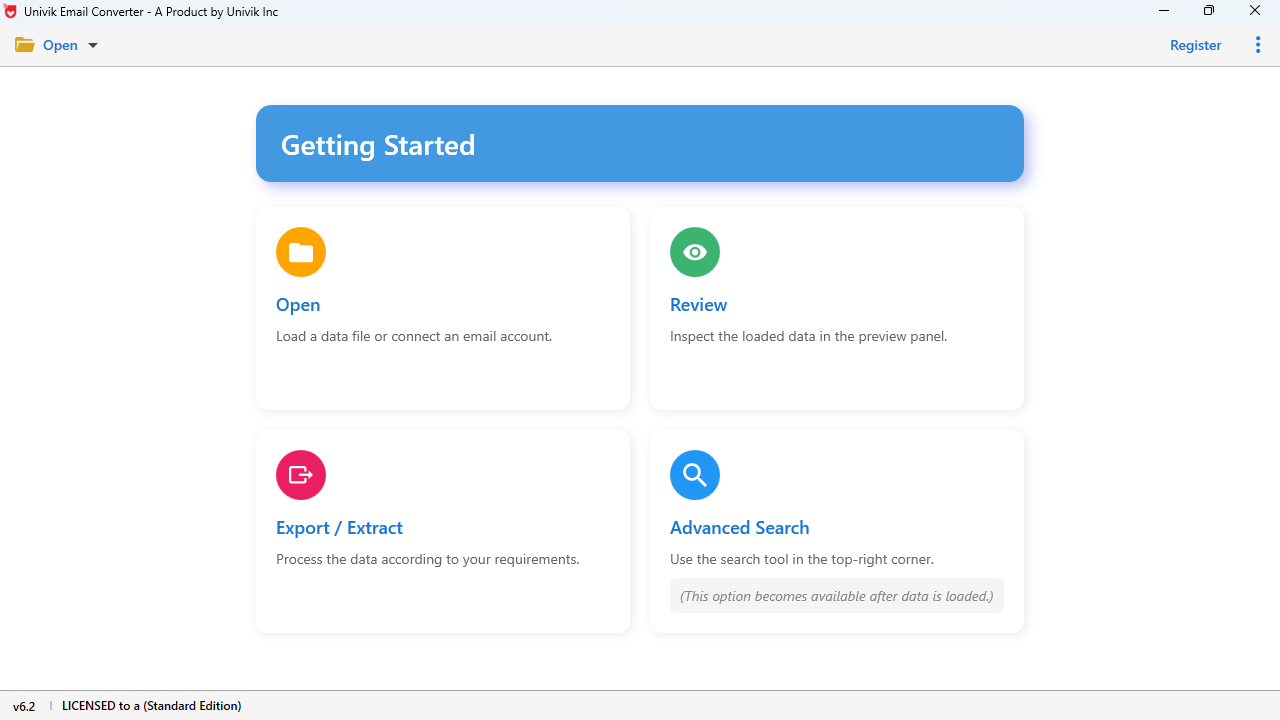
Follow this easy guide to convert your EML email files in minutes.
Quick Start Guide
Video Tutorial
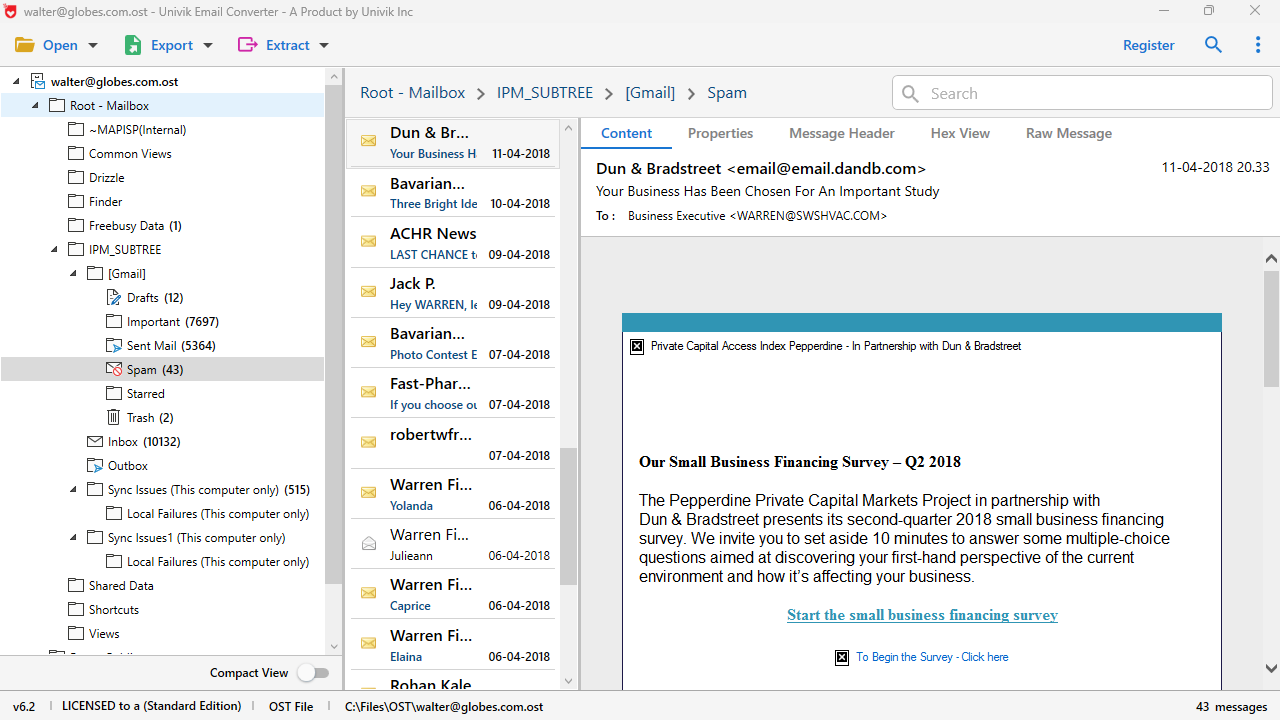
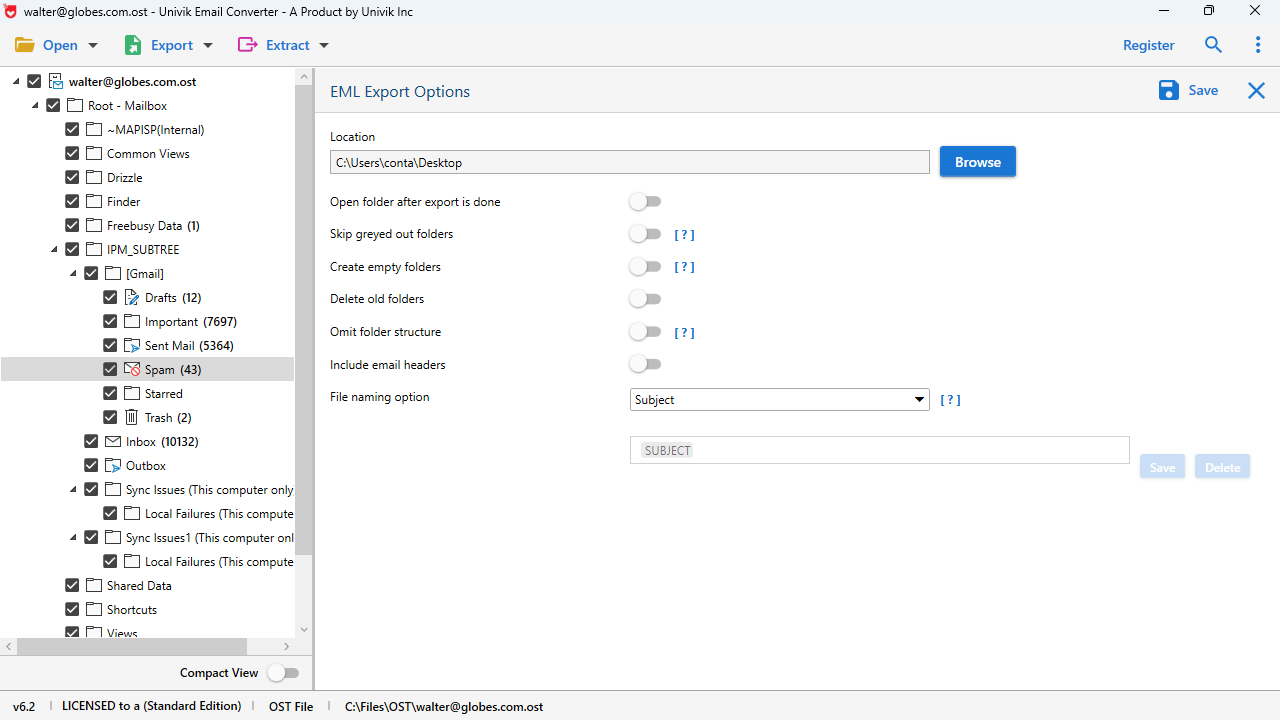
See how easy it is to convert thousands of EML files in minutes. Follow along with our step-by-step video guide.
Video Chapters
Quick Preview Animations
Step 1: Add Files
Drag & drop or browse folders
Step 2: Preview
View content before conversion
Step 3: Convert
Watch progress, done in minutes
Comparison
See how Univik EML Converter compares to manual methods and online tools.
Univik EML Converter
Manual Methods & Online Tools
Customer Reviews
Real testimonials from users who converted their EML email files.
Technical Data Sheet
Complete product specifications, system requirements and compatibility information.
VirusTotal Score: Clean
Verified by 70+ antivirus engines. 100% safe to download and use.
Supported Input Files
EML Files:
• Standard .eml files (RFC 5322)
• Windows Mail / Windows Live Mail
• Outlook Express exports
• Thunderbird exports
• Any RFC-compliant email files
Unlimited file count supported.

| Product Name: | Univik EML Converter |
| Current Version: | 25.1 (January 2025) |
| File Size: | 18.2 MB |
| License Delivery: | Instant via Email |
| Free Trial: | Free Download 100% Safe & Secure |
Latest Release
Version 25.1 Features
| Trial Limitations: | Free demo allows unlimited preview. Export limited to first 25 EML files. Purchase license for unlimited conversion. |
| Hard Disk: | 100 MB free (500 MB recommended for large batch conversions) |
| RAM: | 4 GB minimum (8 GB recommended for 10,000+ files) |
| Processor: | Intel Core i3 or equivalent |
| Platforms: |
|
| Prerequisites: |
|
Use Cases
Real-world scenarios where Univik EML Converter provides the ideal solution.
IT Departments
Migrating legacy Windows Mail or Outlook Express archives to modern Exchange/Office 365 environments. Batch convert thousands of EML files to PST.
Digital Forensics
Processing email evidence with complete header preservation. Convert to PDF for court submissions or individual MSG files for eDiscovery platforms.
Compliance Officers
Creating searchable archives for GDPR, HIPAA, SOX compliance. Convert EML to PDF with preserved metadata for audit trails.
Personal Archival
Individuals organizing years of scattered EML files into consolidated archives. Convert to PDF for permanent storage independent of email software.
Cloud Migration
Moving local EML archives to cloud services. Convert to formats suitable for Gmail, Office 365, or corporate IMAP servers.
Legal Professionals
Preparing email evidence for litigation. Convert EML to PDF with headers for authentication, or to MSG for legal hold systems.
Industry Solutions
Tailored solutions addressing specific compliance requirements and workflows for different professional sectors.
Legal & Law Firms
eDiscovery, Litigation Support, Evidence Production
✓ Supports Relativity, Concordance, Summation
Healthcare & Medical
Patient Records, PHI Protection, Compliance Archives
✓ 100% offline - no cloud uploads
Financial Services
Transaction Records, Regulatory Compliance, Audit
✓ Immutable archive creation
Government & Public Sector
Public Records, FOIA Requests, Agency Migration
✓ Deployed in federal agencies
Education & Academia
Student Records, Faculty Communications, Research
✓ Academic pricing available
IT & Managed Service Providers
Client Migrations, Multi-tenant Support, Automation
✓ MSP partner program available
Compliance & Regulation Matrix
| Regulation | Industry | Requirement | Univik Feature |
|---|---|---|---|
| HIPAA | Healthcare | PHI protection, audit logs | ✅ Offline processing, no data uploads |
| SOX | Financial | 7-year retention, searchable | ✅ PDF archives with full metadata |
| GDPR | All (EU) | Data portability, deletion | ✅ Export to standard formats |
| FRCP | Legal | ESI production format | ✅ Native EML/MSG preservation |
| FERPA | Education | Student record protection | ✅ Local processing, no cloud |
| FOIA | Government | Public records access | ✅ Batch export with filtering |
File Locations
Quick reference guide to locate EML files from popular email clients and exports.
Windows Mail / Windows Live Mail
Windows Mail (Vista/7):
C:\Users\[Username]\AppData\Local\Microsoft\Windows Mail\Local Folders\
Windows Live Mail:
C:\Users\[Username]\AppData\Local\Microsoft\Windows Live Mail\
Each email is stored as a separate .eml file in subfolders (Inbox, Sent, etc.)
Outlook Express (Legacy)
Windows XP Default:
C:\Documents and Settings\[Username]\Local Settings\Application Data\Identities\{GUID}\Microsoft\Outlook Express\
Note: Outlook Express stores emails in .dbx files. Export individual emails as .eml files first using Outlook Express, or use a DBX converter.
Mozilla Thunderbird
Export EML from Thunderbird:
Or use ImportExportTools NG addon for batch EML export from Thunderbird's native MBOX storage.
eM Client / Other Clients
eM Client:
C:\Users\[Username]\AppData\Roaming\eM Client\
Export to EML: Most modern email clients support "Save As" or "Export" to EML format. Select emails and use File → Export or drag-and-drop to a folder.
Export Guide
Step-by-step visual guides to save emails as EML files from the most popular email applications.
Microsoft Outlook
Desktop & Microsoft 365
Method 1: Drag and Drop (Easiest)
Select email(s) in Outlook
Open a folder in File Explorer
Drag emails to folder → Saved as .msg
Method 2: Save As EML
Mozilla Thunderbird
Windows, macOS, Linux
Method 1: Save As (Single or Multiple)
Select email(s)
File → Save As
Choose folder
Saves as .eml
Method 2: ImportExportTools NG (Batch Export)
Gmail
Web & Google Workspace
Method 1: Download Single Email as EML
Open email in Gmail
Click ⋮ (More)
"Download message"
Saves as .eml file
Method 2: Google Takeout (Bulk Export)
Apple Mail
macOS & iOS
Method 1: Drag and Drop
Select email(s) in Apple Mail
Open Finder window
Drag to folder → Saves as .eml
Method 2: File Menu Export
~/Library/Mail/V[x]/ and copy the .emlx files. Use Univik EML Converter to batch convert EMLX to standard EML format.
Yahoo Mail
Web Interface
Method 1: Download Raw Message
Open email in Yahoo
Click ⋯ (More)
"View raw message"
Save page as .eml
Method 2: POP3/IMAP Download
pop.mail.yahoo.com (Port 995, SSL)Quick Reference: EML Export Methods
| Email Application | Native EML Support | Easiest Method | Bulk Export |
|---|---|---|---|
| MSG format | Drag & Drop to folder | Use Univik MSG to EML Converter | |
| Yes ✓ | File → Save As | ImportExportTools NG addon | |
| Yes ✓ | More → Download message | Google Takeout (MBOX) + Convert | |
| Yes ✓ | Drag to Finder | Copy from ~/Library/Mail/ | |
| Limited | View Raw → Save | POP3 download via Thunderbird | |
| Yes ✓ | Already .eml files! | Copy from AppData folder |
Got Your EML Files Ready?
Now convert them to PST, PDF, MSG, or any other format with Univik EML Converter!
Download Free EML Converter Help & Support
Find answers to common questions about Univik EML Converter.
EML (Electronic Mail) is a standard email file format where each file contains exactly one email message including headers, body and attachments. It's used by Windows Mail, Outlook Express, Thunderbird (exports) and many other email clients. You need to convert EML files when: (1) Migrating to Outlook which uses PST format, (2) Consolidating thousands of scattered files into organized archives, (3) Creating PDF copies for legal compliance, (4) Archiving for long-term storage, or (5) Accessing emails without the original email client.
Many email clients use EML format: Windows Mail, Windows Live Mail, Microsoft Outlook Express (exports), Mozilla Thunderbird (exports), Apple Mail (exports), eM Client, Postbox, Mailbird, The Bat! and most email clients that support "Save As" functionality. EML is also the standard format for forensic email acquisition and email exports from web-based services.
Yes, this is one of our most popular features! Univik EML Converter can batch convert thousands of EML files into a single consolidated Outlook PST file. The software preserves folder structure based on source directories, so emails from "Inbox" folder appear in "Inbox" in the PST. You can also create custom folder mappings during conversion.
Yes, 100% attachment preservation! All email attachments are fully preserved during conversion: documents (PDF, Word, Excel), images (JPG, PNG, GIF), archives (ZIP, RAR) and any other file type. You can also choose to extract attachments separately into a folder while converting emails.
Unlimited! Univik EML Converter is designed for batch processing. We've tested with collections exceeding 100,000 EML files. The software uses efficient memory management and processes files sequentially, so you're limited only by available disk space for the output.
Yes, we have advanced recovery mode! The converter can extract readable content from partially corrupted EML files. It handles: encoding errors, truncated files, missing or malformed headers, invalid MIME boundaries and character encoding issues. Files that other tools reject can often be recovered.
Your data is completely safe and private. Univik EML Converter is a desktop application that works 100% offline. Your emails are never uploaded to any server. All processing happens locally on your computer. The original EML files are never modified - only new output files are created.
No, Outlook is NOT required! Univik EML Converter creates PST files independently using its own PST library. You can create PST files on any Windows computer, then transfer the PST to a computer with Outlook for import. This is especially useful for server-side batch processing.
Yes, powerful filtering options available! Filter EML files by: date range (sent/received), sender email address, recipient, subject keywords, emails with attachments only, or file size. This is especially useful for legal discovery, creating targeted archives, or migrating only recent emails.
The free trial provides full functionality for evaluation: unlimited file loading, complete email preview, all features available. Export is limited to the first 25 EML files. Purchase a full license ($39) for unlimited conversion. Volume discounts available for enterprise deployments.
Still have questions? Contact support or Live Chat