Nokia IB Viewer Univik Nokia IB File Viewer

New
Excellent 4.8 TrustRating (87 Verified Reviews)

Open & Read Nokia Phonebook Backup Files

Free Windows software to open Nokia Series 30+ phone phonebook backup files (phonebook.ib) and view contacts with names and phone numbers without needing the original Nokia phone.

*Free viewer for reading Nokia phonebook backups. Nokia IB Converter available for export features.

  • Nokia Series 30+ Support: Open phonebook backup files from Nokia 105, 106, 130, 150, 215, 225, 3310 (2017), 8110 4G and similar phones.
  • View All Contacts: Browse contact names and phone numbers stored in your Nokia phonebook.ib backup file.
  • No Nokia Phone Required: View phonebook contents directly on Windows PC without original phone or Nokia Suite software.
  • 100% Offline & Secure: Desktop software works without internet - your backup data never leaves your computer.


Univik Nokia IB Viewer Box

Award

VirusTotal Verified Safe

Certified Clean by 70+ Antivirus Engines. No malware, spyware or adware.

 What Nokia IB Files Contain

Contact Names
Contact Names
Full names stored in phonebook

Phone Numbers
Phone Numbers
Mobile and landline numbers

Multiple Entries
Multiple Entries
All contacts in backup file

Nokia IB files (phonebook.ib) store phonebook contacts from Nokia Series 30+ feature phones

 Supported Nokia Phones

Supports all Nokia Series 30+ feature phones that create .ib backup files

 Contact Preview

View Phonebook Contacts

Browse all contact entries stored in your Nokia phonebook.ib backup file with detailed previews.

Contact Names

Contact Names

View all contact names exactly as stored in your Nokia phonebook backup.

Phone Numbers

Phone Numbers

Access phone numbers associated with each contact entry in the backup.

Search

Quick Search

Search through contacts by name or phone number to find specific entries quickly.

 Viewer Features

Why Choose Univik Nokia IB Viewer

Professional-grade file viewer with powerful features designed for accessing Nokia phonebook backup data efficiently.

Nokia

Nokia Series 30+ Support

Full support for Nokia Series 30+ feature phone phonebook backups including Nokia 105, 106, 130, 150, 215, 225, 3310 (2017), 8110 4G and all phones using the phonebook.ib backup format.

Preview

Full Contact Preview

Browse all contacts stored in the phonebook backup with complete details: contact names and associated phone numbers displayed in an easy-to-read interface.

Search

Search & Filter Contacts

Built-in search enables quick location of specific contacts within Nokia phonebook backups. Search by name or phone number to find the contact you need instantly.

Integrity

No Nokia Phone Required

View phonebook backup contents directly on your Windows PC without needing the original Nokia phone or Nokia Suite software. Perfect for accessing old backups or recovering contacts from broken phones.

Batch

Multiple Backup Files

Load and browse multiple Nokia phonebook.ib backup files at once. Add files individually or select entire folders containing backups to view contacts from multiple phones or backup sessions.

Unicode

Multi-Language Support

Full Unicode support for international characters in contact names: European names with accents, Chinese/Japanese/Korean characters, Arabic, Hebrew, Cyrillic scripts displayed correctly.

 Use Cases

When You Need Nokia IB Viewer

Common scenarios where Univik Nokia IB Viewer helps you access important contacts from Nokia phonebook backups.

Broken Phone

Broken Phone Recovery

Phone damaged or lost? Access contacts from your Nokia phonebook backup files without needing the original device.

Find Contact

Find Specific Contact

Quickly search through phonebook backup to find a specific phone number or contact name from years ago.

Archive

Old Backup Archives

View contents of old Nokia phonebook.ib backup files. No need to reinstall Nokia Suite or find the original phone.

IT Support

IT Support & Helpdesk

Help users recover contact details from their Nokia phonebook backups without needing physical access to the original phone.

Contacts

Contact Lookup

Find phone numbers and contact names from old Nokia backups. Useful when switching phones or recovering lost contacts.

Multiple Backups

Compare Multiple Backups

Load multiple phonebook.ib files to compare contacts across different backup dates or different Nokia phones.

 How It Works

Simple Viewing Steps

Open and browse your Nokia phonebook.ib backup files in just a few clicks.

Quick Start Guide


  1. Download & Install: Download Univik Nokia IB Viewer and install on Windows. Takes less than a minute.
  2. Add Phonebook Files: Click "Add Files" for individual phonebook.ib files or "Add Folder" to load multiple backups at once.
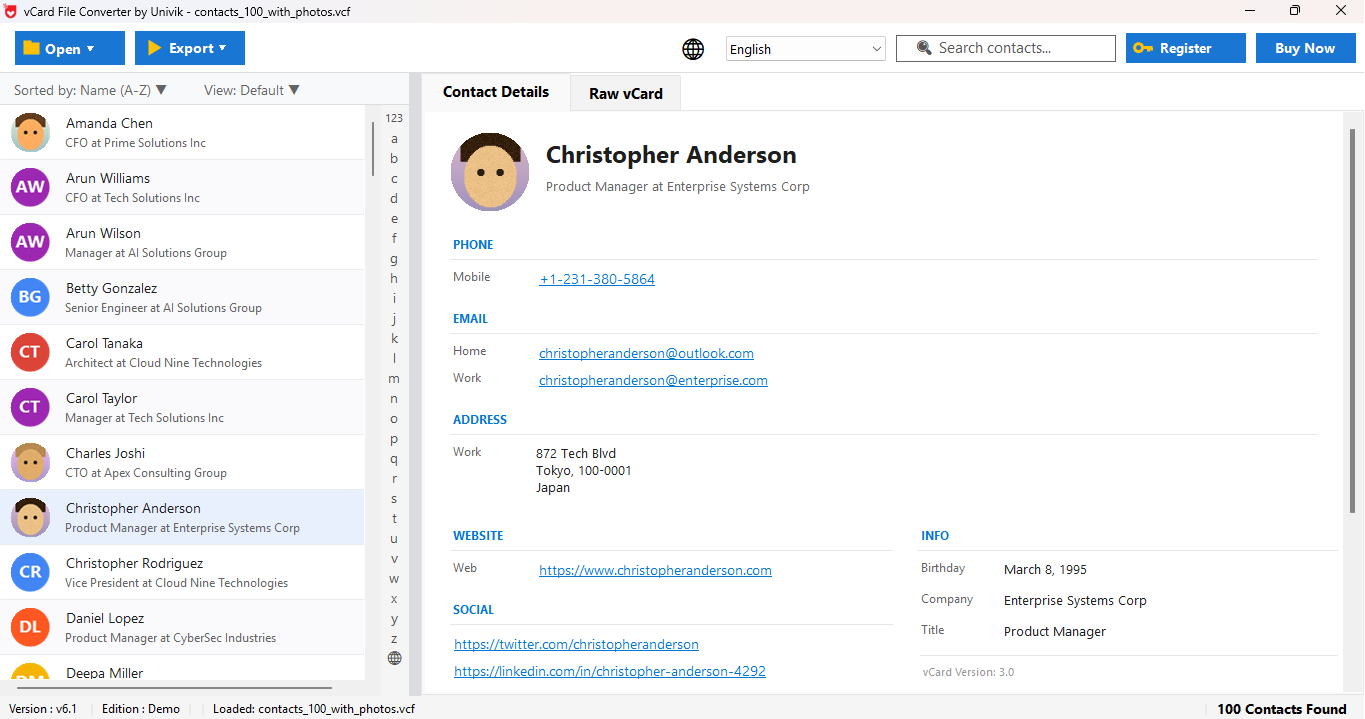
  3. Browse Contacts: View all contacts with names and phone numbers in the main list panel.
  4. Search Contacts: Use the search box to quickly find specific contacts by name or number.
  5. View Details: Click any contact to see full details in the preview panel on the right.
  6. Need Export? Use Nokia IB Converter to export contacts to CSV, Excel, vCard and more.

 Customer Reviews

What Our Users Say

Real testimonials from users who accessed their Nokia backup data using Univik Nokia IB Viewer.

 Technical Data Sheet

Technical Specifications

Complete product specifications, system requirements and compatibility information.

100%

VirusTotal Score: Clean  

Verified by 70+ antivirus engines. 100% safe to download and use.

  • Virus free
  • Spyware free
  • Adware free

Supported Input Files

Nokia IB Backup Files:

  • Nokia Series 30+ backup format (.ib)
  • All Nokia feature phone backups
  • Multiple backup files supported
  • Automatic structure detection
Software Box
Product Name: Univik Nokia IB Viewer
File Size: 18.5 MB
License: Free for viewing
Download: Free Download
100% Free Viewer

Latest Release

Version 25.1 Features

  • Enhanced backup parsing
  • Improved search functionality
  • Better Unicode display
  • Faster file loading
  • Updated user interface
Requirements
Hard Disk: 50 MB free (100 MB recommended)
RAM: 2 GB minimum (4 GB recommended)
Processor: Intel Core i3 or equivalent
Platforms
Platforms:
  • Windows: 11, 10, 8.1, 8, 7 (32 & 64-bit)
  • Server: 2022, 2019, 2016, 2012
Prerequisites
Prerequisites:
  • Standalone: No additional software required
  • Offline: Works without internet after install
  • No Nokia Phone: Original device not needed
Documentation
Documentation:

 Help & Support

Frequently Asked Questions

Find answers to common questions about Univik Nokia IB Viewer.

A Nokia IB file (typically named phonebook.ib) is a phonebook backup file created by Nokia Series 30+ feature phones. It contains contact names and phone numbers stored on the device. To open a phonebook.ib file, download Univik Nokia IB Viewer, click "Add Files" to load your backup and browse all your contacts.

Nokia Series 30+ feature phones create phonebook.ib backup files. This includes models like Nokia 105, 106, 130, 150, 215, 225, 3310 (2017), 8110 4G hand other similar Nokia feature phones. These are the basic Nokia phones (not smartphones) that use the .ib backup format for storing phonebook data.

No, you don't need the original phone. Univik Nokia IB Viewer opens phonebook.ib backup files directly on Windows PC without requiring the original Nokia phone, Nokia Suite software or any other Nokia applications. This is especially useful for accessing contacts from broken, lost or old phones.

Yes, viewing is completely free! Univik Nokia IB Viewer lets you open, browse, search and preview all contacts in Nokia phonebook.ib backup files at no cost. If you need to export contacts to other formats like CSV, Excel or vCard, you can use the Nokia IB Converter which offers export functionality.

Yes! Full Unicode support for international characters in contact names: European names with accents (é, ü, ñ), Chinese/Japanese/Korean characters, Arabic, Hebrew, Cyrillic scripts and international phone formats with country codes. All characters display accurately as stored in the original phonebook.

Yes! You can load multiple Nokia phonebook.ib backup files simultaneously. Use "Add Files" to select multiple individual files or "Add Folder" to load all backup files from a folder at once. This is useful for viewing contacts from different phones or different backup dates together.

Your data is completely safe and private. Univik Nokia IB Viewer is a desktop application that works 100% offline. Your contact data is never uploaded to any server, no internet connection is required for viewing and all processing happens locally on your computer.

Still have questions? Contact support or Live Chat