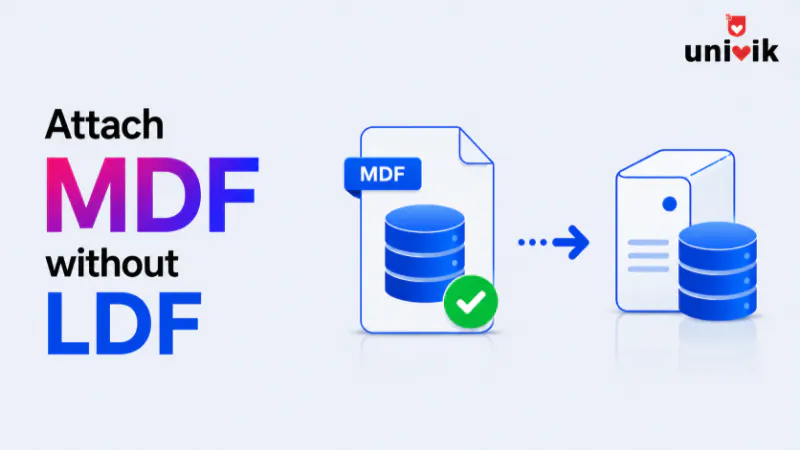
To attach an MDF without the LDF, let SQL Server rebuild the log. Run CREATE DATABASE with FOR ATTACH_REBUILD_LOG, pointing at the MDF, and SQL Server creates a fresh log and brings the database online. This works cleanly and loses nothing when the database was shut down properly. If it was not, the rebuild can discard uncommitted transactions, and if the MDF itself is corrupt no attach method works, which is where the Univik SQL Database Recovery tool reads the MDF directly instead.
Losing the LDF and keeping the MDF is a common way to end up locked out of a database. The log file gets deleted to free space, goes missing after a move, or corrupts in a crash, and suddenly SQL Server will not attach the data file without it. The good news is that a transaction log can be rebuilt from scratch, which is why you can attach MDF without LDF and still get the database online. In most cases the MDF is all you need. The catch is that whether you lose data doing it depends entirely on how the database was shut down, and that is the check most guides skip.
We build SQL recovery tools at Univik and have attached and rebuilt more orphaned MDF files than we can count since 2013. The clean method below loses nothing on a database that closed properly, and the fallback for a database that did not is where the risk lives. Cleanest method first, then the fallback, with no pretending about which one costs you data.
What the LDF does and Why It can be Rebuilt
If you just need the data, you can open MDF in your browser and read it directly, with no attach and no LDF required.
The LDF is the transaction log, the running record of every change in flight before it is fully written to the data file. SQL Server needs it on startup to finish or roll back any work that was mid transaction, which is why it refuses to attach a data file without a log to check. Our guide to the MDF file format covers how the MDF, NDF and LDF relate if you want that background.
Here is the part that makes recovery possible. When a database is closed cleanly, every transaction is already settled, committed and written or rolled back, so there is nothing left in the log that the data file does not already have. A fresh, empty log loses nothing in that case, because there was nothing outstanding for it to hold. SQL Server can build that new log and attach the MDF on its own. The whole question of data loss comes down to whether anything was still in flight when the log disappeared.

“Attaching an MDF without its LDF is a test we run on purpose in every SQL Server version, on databases up to 5 GB. When it fails, reading the MDF directly is the fallback we test next. That path does not need the log at all.”
Nick Rogers
|Founder, Univik, building file conversion tools since 2013
First, Check for a Clean Shutdown
This single check decides whether your recovery is clean or costs you data, and it is the step to make before running any command. A database shut down properly, through a normal SQL Server stop or a clean detach, has no open transactions, so rebuilding its log is free. A database whose log vanished during a crash, a power cut or a forced kill may have had transactions in flight, and rebuilding the log throws those away.
You do not always know how the database was closed, and that is fine, because the clean method below tells you. It succeeds on a cleanly closed database and fails with a clear message on one that was not, so trying it first is safe. It never discards data on its own, it only rebuilds the log when doing so is lossless.
Attach and Rebuild the Log the Clean Way
Before you run anything, copy the MDF somewhere safe, so a failed attempt still leaves you a clean file to try again with. The right first move is then CREATE DATABASE with the FOR ATTACH_REBUILD_LOG option. You point it at the MDF, and any secondary NDF files, and SQL Server builds a new log and attaches the database.
CREATE DATABASE YourDatabase
ON (FILENAME = N'D:\Data\YourDatabase.mdf')
FOR ATTACH_REBUILD_LOG;On a cleanly closed database this finishes in seconds with a new log and no data lost. Once it is online, run DBCC CHECKDB against the database to confirm the rebuilt log left everything consistent, since a fresh log replaces the old one without replaying it. If the database has more than one data file, list the MDF and every NDF in the ON clause, since SQL Server needs all of them to attach. The Management Studio attach dialog does the same thing through a menu, remove the missing log from the file list and it attempts the rebuild for you.
A lighter variant, plain FOR ATTACH, recreates the log on its own when a single log file is missing and the database closed cleanly. FOR ATTACH_REBUILD_LOG is the one to reach for, since it rebuilds the log across more cases. Either way, do not read a file activation failure message naming the old log as a failure, as long as it is followed by a line saying a new log file was created, the attach worked. If you meet older guides using sp_attach_single_file_db for this, it does the same job but is deprecated, so FOR ATTACH_REBUILD_LOG is the current way.
When the database was not shut down cleanly, this command stops and tells you why, with a message that the log cannot be rebuilt because there were open transactions or no checkpoint occurred. That message is not a failure of the method, it is the method protecting your data by refusing to silently discard the work that was in flight. When you see it, move to the next section.
When the Clean Attach Fails
A failed rebuild means the database was mid transaction when the log was lost, so getting it online now means accepting the loss of that unfinished work. The route through is emergency mode, the same one used to bring a suspect database back, and it ends in a repair that can discard data.
In outline, you create a placeholder database with the same name, stop the service, swap your MDF in for the placeholder’s file, and start SQL Server again. The database comes up suspect because its log does not match. From there you set it to emergency mode, put it in single user mode, and run a repair that rebuilds the log while discarding whatever it cannot reconcile.
ALTER DATABASE YourDatabase SET EMERGENCY;
ALTER DATABASE YourDatabase SET SINGLE_USER WITH ROLLBACK IMMEDIATE;
DBCC CHECKDB (YourDatabase, REPAIR_ALLOW_DATA_LOSS);
ALTER DATABASE YourDatabase SET MULTI_USER;
That REPAIR_ALLOW_DATA_LOSS step is the one to understand before you run it, because it forces the database consistent by deleting what it cannot repair. Our explainer on what REPAIR_ALLOW_DATA_LOSS really does covers the risk, and our guide on fixing a suspect database walks the emergency mode sequence in full. This route works, but it is the one that costs data, which is why the clean attach always comes first. A database that only landed in recovery pending from a missing log often comes back through the clean method without any of this.
Common Attach Errors and What They Mean
Two errors come up again and again when attaching an MDF, and each points at a different cause.
Error 5171, the MDF is not a primary database file. The most common innocent cause is pointing the attach at a secondary NDF instead of the primary MDF, since a database with several data files only has one primary. Confirm you are using the primary file. When you are, a 5171 usually means the MDF header is damaged, which is corruption rather than a missing log, and no attach command fixes that.
Error 5120, access denied. This one is a permission problem, not a database one. Grant the SQL Server service account full control of the folder holding the MDF, and copy the file to the default data folder if it sits somewhere SQL Server cannot reach. It attaches once it can read the file.
When the MDF Itself is Corrupt
Every method above assumes the MDF is healthy and only the log is gone. When the data file itself is damaged, a header a 5171 flagged, or corruption that survives a repair, no attach command can help, because there is no valid database for SQL Server to open. This is the point where reading the file outside SQL Server is the path left to the data.
The Univik SQL Database Recovery tool opens the MDF directly, without attaching it and without needing a log at all, reads the tables, indexes and stored procedures from the pages, and recovers them to a new database or an export. Because it never runs SQL Server’s attach or recovery, a file that will not mount can still give up its data. The free MDF Viewer shows what is readable before you commit, and when there is no backup behind any of this, our guide on recovering a SQL database without a backup covers the wider situation.
Frequently Asked Questions
Can I Attach an MDF File Without the LDF?
Yes. Run CREATE DATABASE with FOR ATTACH_REBUILD_LOG pointing at the MDF, and SQL Server builds a new log and attaches the database. On a database that was shut down cleanly this loses nothing. The Management Studio attach dialog does the same thing when you remove the missing log from the file list.
Will I Lose Data by Rebuilding the Transaction Log?
Only if the database was not shut down cleanly. A clean shutdown leaves no open transactions, so a fresh log holds nothing the data file lacks and you lose nothing. A crash or forced shutdown may have left transactions in flight, and rebuilding the log discards that unfinished work. The clean attach refuses to run on a dirty shutdown rather than lose data silently.
What does FOR ATTACH_REBUILD_LOG Do?
It attaches a database from its data files and builds a new transaction log to replace a missing or damaged one. It works only when the database was closed cleanly, since a fresh log cannot recover transactions that were still in flight. When the database was not closed cleanly, the command fails with a message about open transactions rather than attach with lost data.
Why do I Get Error 5171 When Attaching an MDF?
Error 5171 means the file is not a valid primary database file. The common harmless cause is pointing the attach at a secondary NDF instead of the primary MDF, since only one file is primary. When you are using the right file, a 5171 usually means the MDF header is corrupt, which no attach command can fix and which needs a file level recovery tool.
Can I Attach an MDF With Memory Optimized Tables and No Log?
No, the log rebuild is not supported for a database that contains a memory optimized filegroup. FOR ATTACH_REBUILD_LOG and the emergency mode repair both refuse on such a database, so a restore from backup is the route there. This is a firm limit, not a workaround you can talk your way past.
What If the Attach Fails Because the MDF is Corrupt?
When the MDF is damaged rather than just missing its log, no attach method works, because SQL Server has no valid database to open. A tool that reads the MDF directly, such as Univik SQL Database Recovery, recovers the tables from the pages without attaching the file or needing a log. A restore from backup is cleaner when one exists, but this is the route when it does not.
The Bottom Line
Attaching an MDF without the LDF is usually simpler than it looks, because SQL Server can build a fresh log on its own. The one thing that decides your outcome is how the database was closed. On a clean shutdown, FOR ATTACH_REBUILD_LOG rebuilds the log and attaches the database with nothing lost, and it is always the first thing to try since it refuses to run when it would cost you data.
Only when that clean attach fails does the emergency mode route come in, and it trades the unfinished transactions for a working database. And when the MDF itself is corrupt, no attach can help, so reading the file directly is what salvages the data. Try the lossless method first, understand what the fallback costs, and keep tested backups so a missing log is a five minute rebuild rather than a hard decision about what to discard.