The Axis Bank statement PDF password puts your name's first four letters in capital form, followed by your birth date as DDMM. For Rahul, born 15 August, it is RAHU1508.
Some Axis accounts use your name with your customer ID instead. After the statement opens, you can lift the password so it stops asking.
An Axis Bank e-statement reaches your inbox as a sealed PDF, and a password box greets you before any line of the file shows. Axis picks that password itself, from details it already holds on your account, so you never chose it yourself. Learn how Axis shapes the value and the statement opens on the first go. This page gives the exact Axis rule, then walks through how the Univik PDF Unlocker lifts the lock so the file stops prompting you.
What Is the Axis Bank Statement PDF Password?
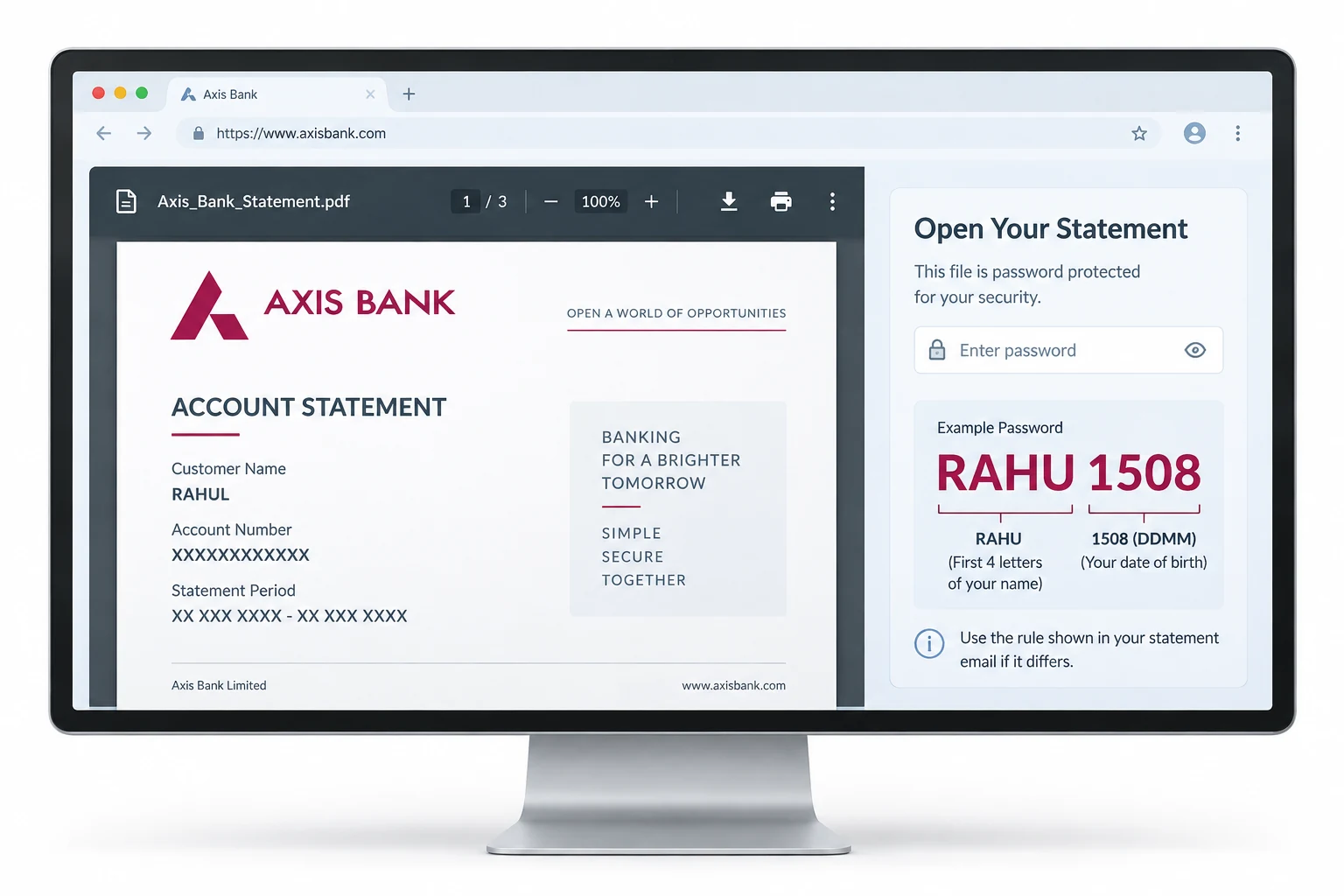
Axis builds the statement password from two of your own details, your name and your birthday. Take your name's opening four letters, set them in capitals, then tack on the day and month you were born as four digits (DDMM). Consider Rahul, whose birthday lands on 15 August. His four opening letters give RAHU and his birthday gives 1508, so the value is RAHU1508. Enter that at the prompt and the Axis statement opens.
A share of Axis accounts follow a second rule. Rather than the birthday, they join your name to your customer ID, the number Axis prints on your welcome kit and inside net banking. The table sets both Axis forms side by side.
| Axis statement rule | How the value is built | Sample for Rahul |
|---|---|---|
| Name plus birthday | Four opening name letters in capitals, then the day and month as DDMM | RAHU1508 |
| Name plus customer ID | Four opening name letters in capitals, then your Axis customer ID | RAHU + customer ID |
Type your name in the case the Axis statement shows and drop any spaces. If the first shape is refused, the covering email from Axis names which of the two your file uses.
Why Is Your Axis Statement Password Protected?
Axis locks the file so your account number and the running balance printed inside stay covered if the PDF drifts to the wrong reader. The lock is an open password, meaning the viewer keeps every page blank until the correct value arrives. Axis mails these statements straight from Axis internet banking, where a file can pass through email servers and shared inboxes on the way to you. Sealing each one keeps a stray copy from spilling your account details to whoever taps it.
The reassuring part is that Axis never picks a random string. It draws on facts you already keep, your name with your birthday or your customer ID, so the prompt is a puzzle with a printed answer rather than a wall.
How Do You Open an Axis Bank Statement PDF?
Opening the Axis file rests on three points: the Axis rule, your own details and the letter case.
- Note the Axis shape for your account, either the name-with-birthday form or the name-with-customer-ID form.
- Assemble the value. Set your four opening name letters in capitals and follow them with either DDMM or your Axis customer ID.
- Open the PDF in any reader and key the value at the Axis prompt. The statement appears at once.
Retyping that value on every single open wears thin fast, which is where clearing the Axis lock earns its place.
How Do You Remove the Axis Statement Password?
A password you punch in each time you open the Axis statement is a monthly chore, and it walls off any software that needs to read the file, such as a loan portal or an accountant's app. Clear it once and the Axis statement opens on a single double-click. First open the file with the Axis value you worked out, then hand it to the tool below, which saves a fresh copy carrying no lock.
The Univik PDF Unlocker clears the password from an Axis statement you have opened and keeps a clean file. Hand it a batch and it works down the list one file at a time.
Free Download See all featuresDoes the Axis Password Still Not Work?
When neither Axis shape opens the document, set the values aside and look closer. Match your name to the exact spelling Axis keeps and hold the four letters in capitals. Confirm the birthday reads day first, then month. If the name-and-birthday form is refused, drop in your Axis customer ID instead. The email that delivered the statement prints the rule Axis applied, so read that line before anything else.
If the file still will not open, reach out to Axis. Their team can send the statement again or tell you the exact rule tied to your account. Keep in mind that a password remover handles only a file that already opens for you, so a value you have truly lost cannot be retrieved. A download that arrived damaged may turn away a correct value too, so pull the Axis statement down one more time in case the first try was incomplete.
- The Axis Bank statement password is your name's opening four letters in capitals plus your birthday as DDMM.
- For Rahul born on 15 August the Axis value is RAHU1508.
- Some Axis accounts swap the birthday for your customer ID.
- Axis mails these statements from Axis internet banking with the lock already applied.
- Open the Axis file with that value, then clear the password so it opens on the first click.
- If neither Axis form works, the covering email or Axis support holds the exact rule.

Axis Bank Statement Password Questions

Penned by Leena Taylor Paul for the Univik team, a maker of Windows utilities running since 2013. Plenty of readers here only need an Axis statement to open for a lender or an accountant without keying the password month after month, so this guide lays out the Axis format and the way to drop the lock. Last checked September 2026. Neither form working? Contact our support team.