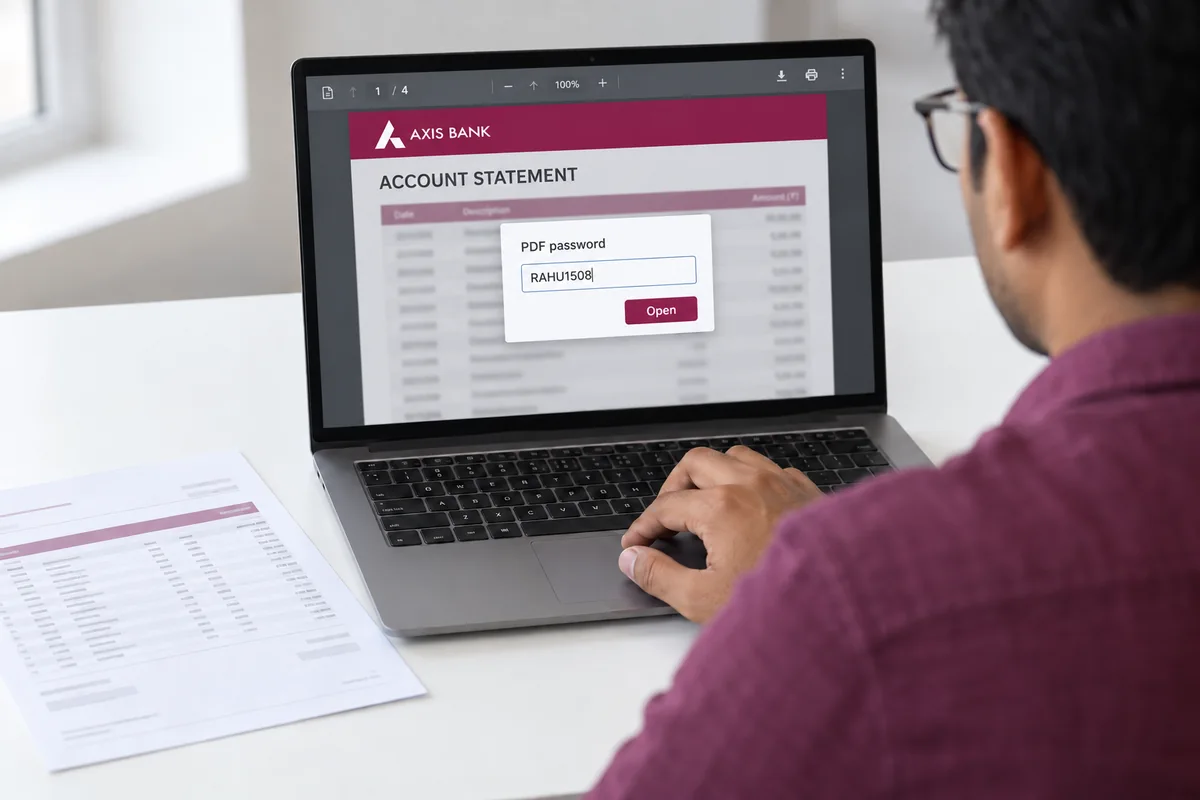
A bank statement PDF opens with a password the bank builds from your own details, most often your date of birth as DDMMYYYY.
Once you know the rule for your bank, the file opens and you can remove the password so it never asks again.
You download a bank statement and the PDF asks for a password every time you open it. Banks add that lock because the file holds your account number and your balances. The password is not random. The bank builds it from details you already have, such as your date of birth, your name or your account number. Once you know the rule for your bank you can open the file, and you can strip the lock for good with the Univik PDF Unlocker so it never asks again.
What Is the Password on a Bank Statement PDF?
The lock on a bank statement is an open password. The file will not show a single page until the right word goes in. Banks turn it on so a statement that lands in an inbox or a shared drive does not reveal account details to whoever opens it. The useful part is that the password follows a fixed rule for each bank. You are not guessing a random string. You are entering your own date of birth, name or account number in the shape the bank chose.
What Is the Bank Statement PDF Password Format for Each Bank?
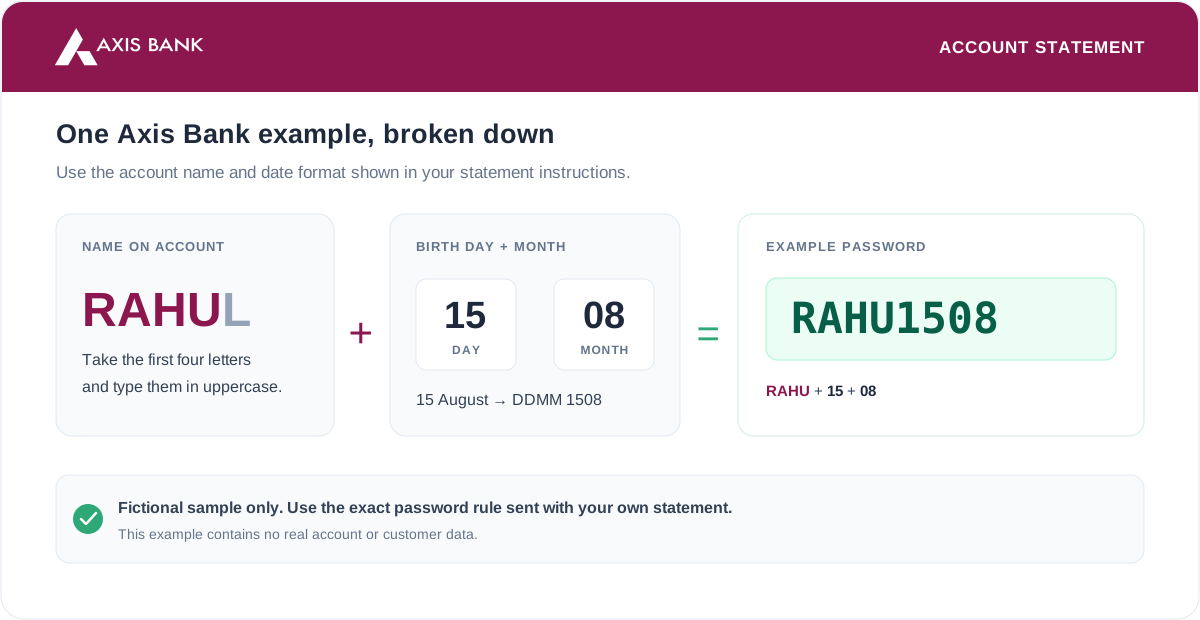
Each bank sets its own rule for the statement password. Here is the format the main Indian banks use for the e-statement PDF. Match your name in the case the statement shows, and drop any spaces.
| Bank | Statement PDF password format | Example |
|---|---|---|
| HDFC Bank | First four letters of your name, then birth date as DDMM | priya0901 (Priya, born 9 Jan) |
| State Bank of India | Net banking: your account number. YONO app: birth date as DDMMYYYY | 15081990 |
| ICICI Bank | Date of birth as DDMMYYYY | 04081991 |
| Axis Bank | First four letters of name in caps plus DDMM, or name plus customer ID | RAHU1508 |
| Kotak Mahindra Bank | Date of birth as DDMMYYYY | 15081990 |
| Punjab National Bank | Date of birth as DDMMYYYY | 15081990 |
| Bank of Baroda | Date of birth as DDMMYYYY | 15081990 |
| Yes Bank | Date of birth as DDMMYYYY | 15081990 |
| IDFC First Bank | Date of birth as DDMMYYYY | 15081990 |
| IndusInd Bank | Date of birth as DDMMYYYY | 15081990 |
| Canara Bank | Date of birth as DDMMYYYY | 15081990 |
Credit card statements use their own passwords, which are close but not identical. The credit card statement password guide covers those.
How Do You Open a Bank Statement PDF?
Opening the file comes down to three things: the rule, your details and the case.
- Find your bank in the table above and read its format.
- Build the password from your own details. For example, use the first four letters of your name plus DDMM or your date of birth as DDMMYYYY.
- Open the PDF in any reader and type the password when it asks. The statement opens.
Typing this on every open gets old fast, which is where removal comes in.
How Do You Remove a Bank Statement PDF Password?
A password you retype on every open is a chore, and it blocks tools that read the file, such as an accountant's software or a loan portal upload. Removing it leaves a clean statement that opens on the first click. Open the file once with the password, then remove the password with the PDF Unlocker.
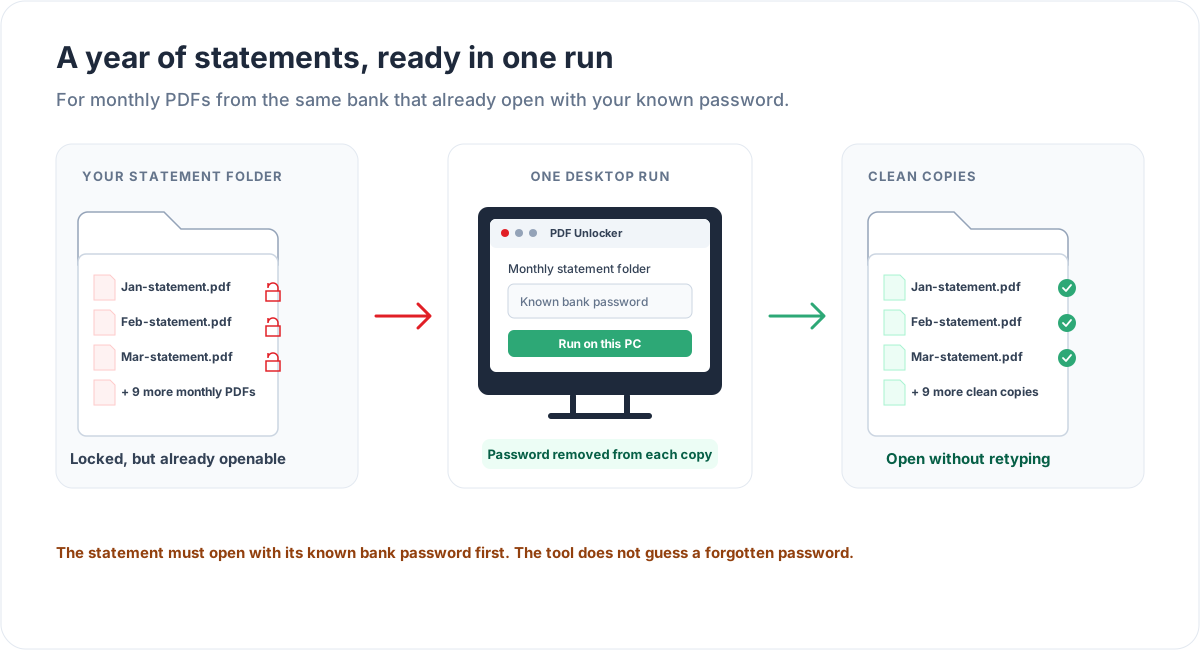
The Univik PDF Unlocker takes the password off a statement you can already open and saves a clean copy. Point it at a folder and a whole year of statements clears in one run.
Free Download See all featuresHow Fast Is Bank Statement Password Removal? Our Lab Test
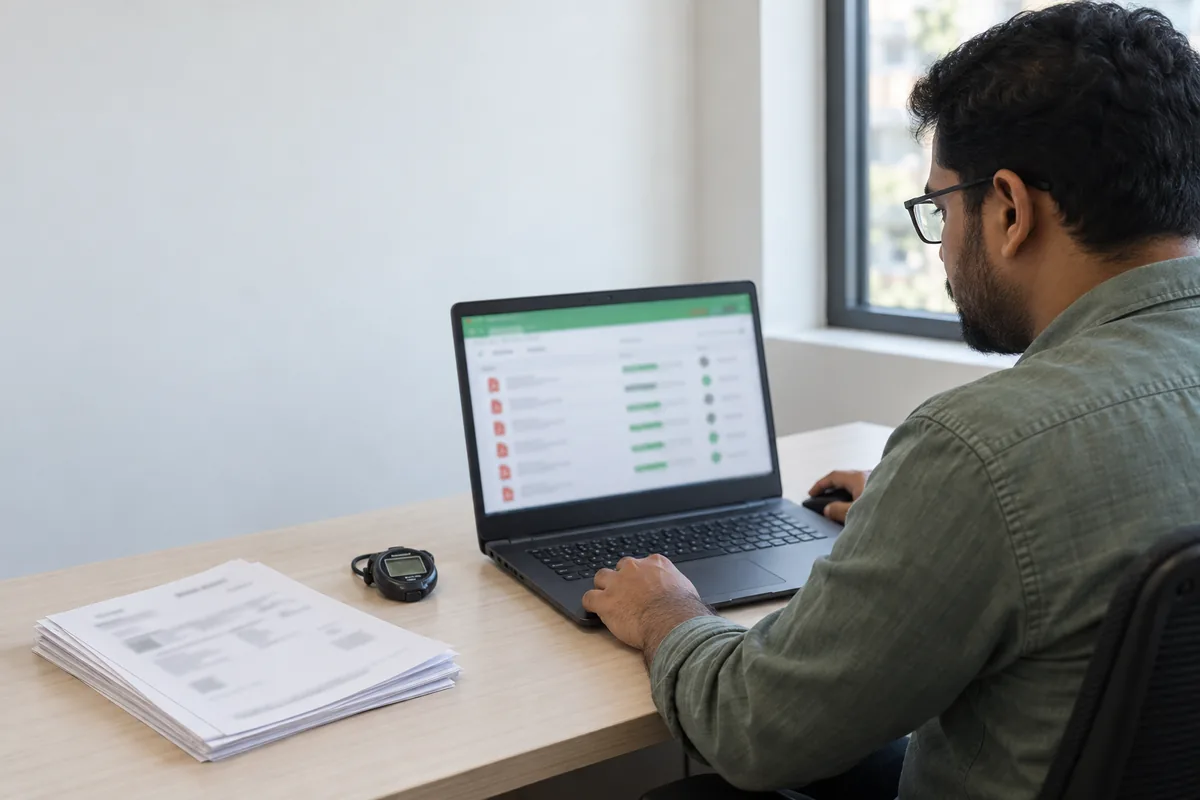
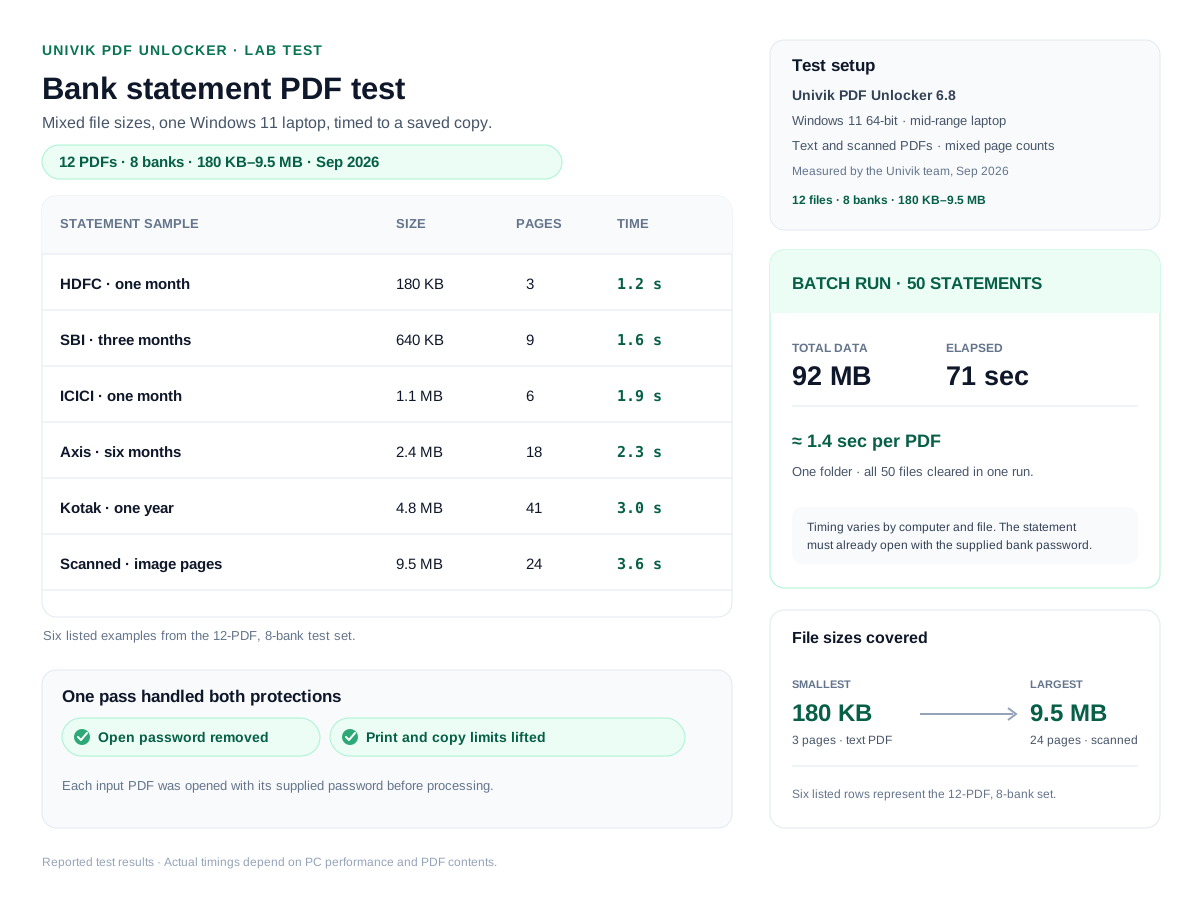
In our own test lab the Univik PDF Unlocker cleared a bank statement in about two seconds. We ran it on a sample of real statements of different sizes, from a one-page HDFC file to a scanned year-long statement. We timed each file from the moment we loaded it to the clean copy landing on disk. The tool removes the open password and lifts the print and copy limits in the same pass, so the times below cover both.
| Bank statement tested | File size | Pages | Time to unlock |
|---|---|---|---|
| HDFC savings, one month | 180 KB | 3 | 1.2 s |
| SBI net banking, three months | 640 KB | 9 | 1.6 s |
| ICICI statement, one month | 1.1 MB | 6 | 1.9 s |
| Axis salary account, six months | 2.4 MB | 18 | 2.3 s |
| Kotak statement, one year | 4.8 MB | 41 | 3.0 s |
| Scanned statement, image pages | 9.5 MB | 24 | 3.6 s |
In a batch run we pointed the tool at a folder of 50 statements that came to 92 MB in all, and it cleared every file in 71 seconds. That works out to about 1.4 seconds a file, because the tool loads the folder once and works through it without stopping. Times vary with your PC and the file. A large scanned statement takes a little longer than a small text one, but even the heaviest file in our set stayed under four seconds.
What If You Do Not Know the Password?
Because the password comes from your own name, birth date or account number, most people can work it out from the table. If it still will not open, two things help. Your bank can resend the statement or confirm the exact format for your account. And if the file is one you locked yourself with a word you have since lost, that is a recovery case, which the PDF Password Recovery service handles. A remover only works on a file that already opens, so it cannot break into a statement whose password is truly unknown.
Is It Safe to Remove a Bank Statement Password?
A bank statement is about as sensitive as a file gets. It carries your account number, your balance and every transaction on the page. That is the reason to keep it off an online unlocker, where the file leaves your computer and lands on a stranger's server. A desktop tool that runs on your own PC and uploads nothing keeps the statement with you. Removing the password on a statement you own is a normal and legal task. If you are weighing an online tool against a desktop one, the safety of online PDF unlockers is worth a read first.
- The lock on a bank statement is an open password the bank makes from your own details.
- Most banks use your date of birth as DDMMYYYY. HDFC and Axis use four letters of your name plus DDMM.
- Open the file with that password, then take the password off so the statement opens on the first click.
- A bank statement holds account numbers, so a desktop tool that works offline is safer than an online site.
- If a password is truly unknown, your bank can resend the file. A remover needs a statement that already opens.

Bank Statement Password Questions

Written and maintained by Leena Taylor Paul with the Univik team, who have built Windows file tools since 2013. Many of the people we help are trying to archive a year of statements without retyping a birth date on every file, so this guide gives the format first and then the clean way to take the lock off. Last verified September 2026. Stuck on a statement you cannot open? Contact our support team.