The ICICI bank statement PDF password is your date of birth in DDMMYYYY form. A birth date of 4 August 1991 gives 04081991.
ICICI uses the same date rule across Internet Banking and the iMobile Pay app. After the statement opens, you can remove the password so it stops asking.
An ICICI bank statement lands in your inbox as a sealed PDF and stops at a password box the moment you tap it. ICICI ties that lock to a single fact about you: the day you were born, keyed as eight straight digits. Learn the shape once and the ICICI file gives up its pages. The Univik PDF Unlocker can then take the lock off for keeps so no ICICI statement prompts you again.
What Is the ICICI Bank Statement PDF Password?
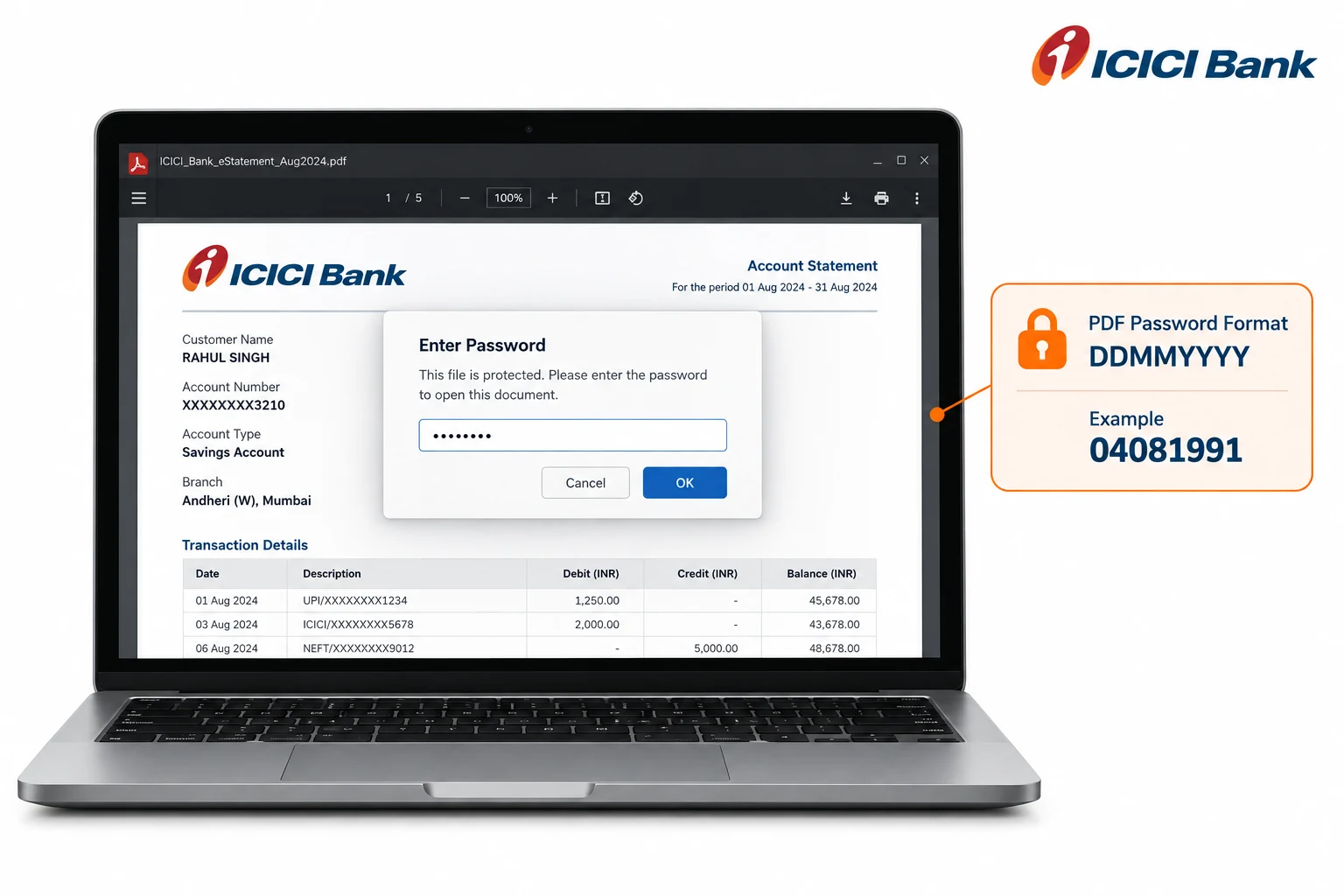
The ICICI bank statement password is your date of birth in day then month then year order, run together as eight digits with no slashes. Someone born on 4 August 1991 types 04081991. ICICI keeps the leading zeros, so a single-figure day or month still fills two places. The rule holds whether the statement reached you by email from Internet Banking or as a download out of iMobile Pay. No name fragment and no account number get mixed in. ICICI leans on the birth date by itself.
| Your date of birth | ICICI statement password |
|---|---|
| 4 August 1991 | 04081991 |
| 9 January 1990 | 09011990 |
| 15 December 1985 | 15121985 |
Read each row as a shape to copy. Slot your own birth date into the eight digits and you have the exact ICICI password for your file.
Why Is Your ICICI Statement Locked?
ICICI locks the statement so the account number and running balance inside it stay hidden if the file ever drifts to the wrong mailbox. An e-statement travels by email and rests in your inbox, where a plain PDF would lay every line before anyone who tapped the attachment. The birth-date lock is what ICICI calls an open password: the reader holds a blank prompt and shows nothing at all until the eight digits go in. Think of it as a privacy guard wrapped around a document about your money, not a warning that something is off with your ICICI account.
How Do You Open an ICICI Bank Statement PDF?
To open an ICICI bank statement, key your date of birth as eight digits at the password box and the file shows straight away. Pull the statement from your ICICI email or export a fresh one out of iMobile Pay, then load it in whatever reader you keep. Punch in the day and the month and the four-figure year with no gaps between them. Where a day or month is a single figure, pad it with a zero up front. The ICICI statement opens the instant those digits line up with the birth date on your record.
How Do You Remove the ICICI Statement Password?
Punching in your birth date on every ICICI statement wears thin fast, and the lock walls the file off from other software, such as a lender's upload form or an accountant's package that has to read it. The cure is to open the ICICI file once with the date, then keep a fresh copy that holds no password. The Univik PDF Unlocker handles that on your own Windows machine and can take a whole folder of ICICI statements in a single sweep.
With your ICICI statement on screen, the Univik PDF Unlocker writes a password-free version beside it. Load a folder and it lifts the lock across the entire set.
Free Download See all featuresICICI Statement Still Not Opening With Your Birth Date?
If your birth date will not open the ICICI statement, look at the shape before anything else. Confirm the order runs day then month then year. Check that a single figure carries a zero up front and that the year shows all four numerals. A birth date ICICI stores differently from your own note can be the catch too, so a mismatch on file is worth ruling out. When the digits still fail, the covering email from ICICI spells out the exact rule. ICICI phone banking can also confirm the date on your account or send the statement over again. A remover is no help with a code you cannot supply, since it acts only on an ICICI file that already opens.
- The ICICI bank statement password is your date of birth as eight digits in DDMMYYYY order.
- Someone born on 4 August 1991 opens the ICICI file with 04081991.
- The same birth-date rule covers ICICI Internet Banking and the iMobile Pay app.
- ICICI uses no name letters and no account number in this password.
- Open the ICICI statement with the date, then strip the lock so it never prompts again.
- If the birth date fails, ICICI can confirm the rule or resend the statement.

ICICI Bank Statement Password Questions

Kept up by Leena Taylor Paul with the Univik team, makers of Windows software since 2013. A lot of readers only want an ICICI statement to open for a form or an accountant without the date prompt, so this guide gives the format and the steps to clear it. Verified September 2026. Date not opening it? Contact our support team.