the IndusInd Bank statement PDF opens to the eight numerals of your birth date, in the day-month-year run. For 27 February 1983 the password is 27021983.
The same birth-date rule covers a file from IndusInd net banking and one saved in the IndusMobile app. Once the pages show, the password can be dropped for good so no box returns on a reopen.
An IndusInd Bank statement comes through as a guarded PDF, and a small prompt sits over the page before any line of the account loads. IndusInd Bank builds that prompt from a fact it already stores against your profile, the day you were born, written out as one string of eight numerals. Get the shape clear a single time and every IndusInd file gives way. The Univik PDF Unlocker can afterwards strip that guard off the file for keeps, so an IndusInd statement never halts you at the prompt twice.
What Is the IndusInd Bank Statement PDF Password?
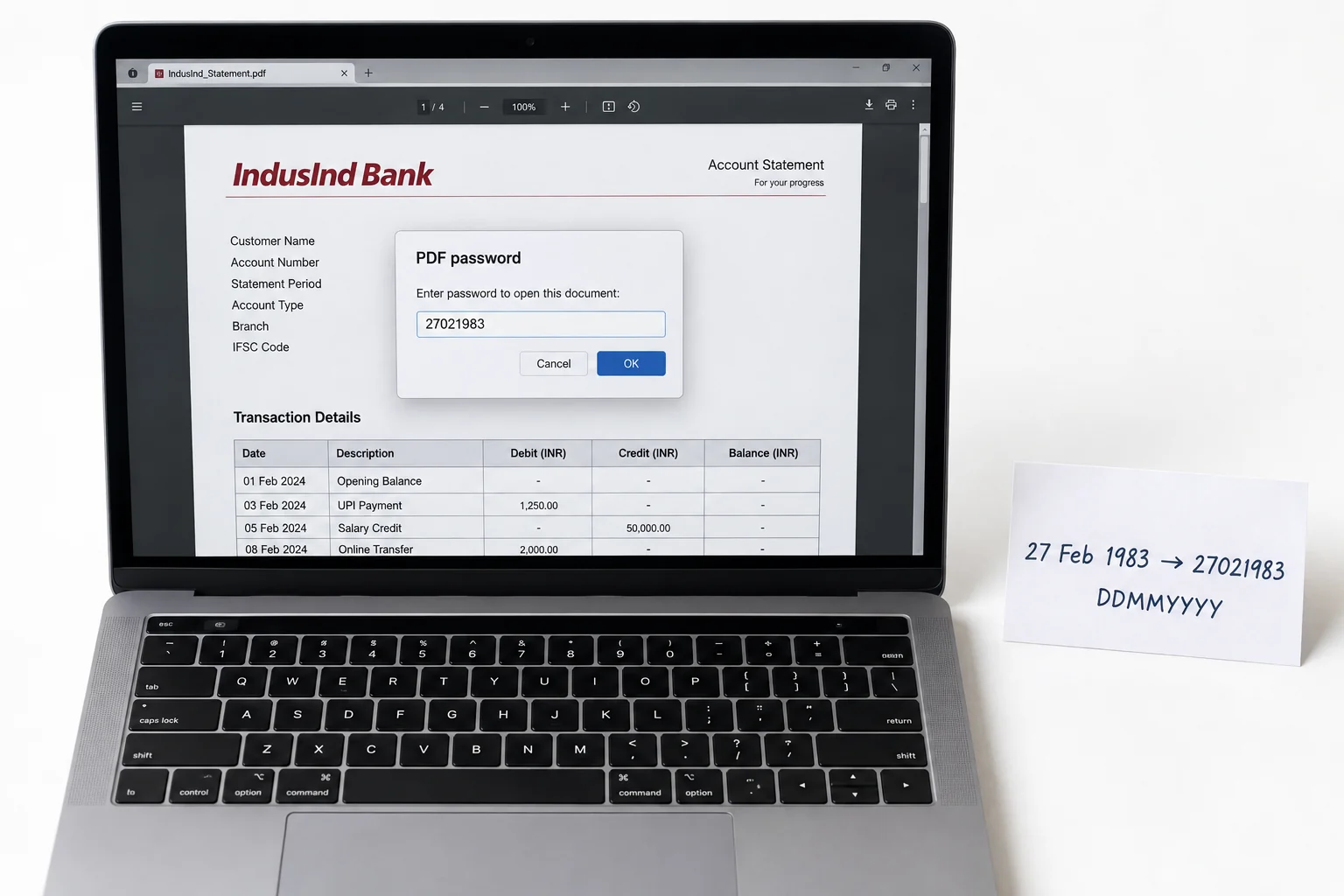
An IndusInd Bank statement draws its password straight from the day you were born, laid out as eight numerals: first the two-figure day, then the two-figure month, then the year in full. A holder born on 27 February 1983 keys 27021983. When the day or the month runs to a single number, IndusInd Bank puts a zero out front, keeping the code at a full eight places. That rule holds on a statement mailed from IndusInd net banking and on one you export through the IndusMobile app. No part of your name goes into the code. No part of your account number goes in either. IndusInd Bank rests the whole thing on your birth date.
| Your birth date | IndusInd password |
|---|---|
| 27 February 1983 | 27021983 |
| 11 May 1990 | 11051990 |
| 8 December 1976 | 08121976 |
Line the eight numerals of your own birth date into that same run and you have the IndusInd code your file is waiting on.
Why Does IndusInd Bank Lock Its Statement PDF?
IndusInd Bank seals the statement so the account number, sitting next to the totals on the page, does not lie open to a stranger who receives the file by mistake. An IndusInd e-statement travels by email and settles among your messages, where a copy with no guard would spread every entry to anyone who taps the attachment. The method here is what security folk name an open password. The reader puts up an empty field and holds all the pages back until your eight numerals arrive. Take the lock as a cover over a private money record, not a sign that your IndusInd account has run into any bother.
How Do You Open an IndusInd Bank Statement PDF?
Opening an IndusInd Bank statement takes only your birth date keyed as eight numerals into the prompt, and the pages surface at once. Take the file from your IndusInd net banking email, or export a fresh copy inside the IndusMobile app, then open it inside whatever PDF viewer you run. Lead with the day, place the month behind it, then close with the year in all four numerals and leave no gaps or slashes. Where a day or a month is one number, tuck a zero in front. The IndusInd statement opens up the very moment those eight numerals match what the bank has on your birth date.
How Do You Remove the IndusInd Statement Password?
Typing eight numerals into an IndusInd statement each time you open it wears on you before long, and while the lock stays put, other programs cannot reach into the file at all. A loan portal that needs the statement is shut out. So is the package your accountant runs. The better plan is to open the IndusInd file only the once with your date, then hold on to a personal copy that no password protects. The Univik PDF Unlocker runs straight on the Windows PC at your desk and can wipe the lock from an entire folder of IndusInd statements in one continuous run.
With an IndusInd statement showing, the Univik PDF Unlocker puts out a duplicate that no password guards. Direct it at a folder of IndusInd statements and each file in it opens without a prompt.
Free Download See all featuresIndusInd Statement Not Opening With Your Date?
If the IndusInd statement will not take your birth date, look closely at how the code is assembled first. The day leads and the month follows, then a full four-number year rounds it off. A lone number carries a zero at the head. Now and then IndusInd Bank has a birth date on record that does not match the one you wrote down, so it pays to rule that mismatch out. When the eight numerals keep getting knocked back, the email that brought your IndusInd statement spells the rule out clearly. A brief call to IndusInd Bank customer care will confirm the birth date sitting against your account or push out a new copy. Remember too that a password remover only works once the IndusInd file is already open, so it can do nothing about a code that was never handed to you in the first place.
- The IndusInd Bank statement password is the eight numerals of your birth date, running from the two-figure day through to the year in full.
- A customer born on 27 February 1983 opens the IndusInd file with 27021983.
- IndusInd net banking and the IndusMobile app both apply the one birth-date rule.
- Neither your name nor your account number feeds the IndusInd code.
- Open the IndusInd file with the date one time, then strip the lock so no box comes back.
- If the date is turned back, IndusInd Bank can lay out the rule again or send you a fresh statement.

IndusInd Bank Statement Password Questions

This IndusInd walkthrough was put together by Leena Taylor Paul for the Univik crew, a team that has turned out Windows tools right back to 2013. Most people who reach this page only need an IndusInd statement to unlock for a loan application or their accountant, free of the date box, so it lays down the format next to a neat method for taking the lock away. Reviewed afresh in September 2026. Cannot get your date to go through? Message the Univik support desk.