A Kotak Mahindra Bank statement is locked with your date of birth, written as eight digits in DDMMYYYY order. So 15 August 1990 becomes 15081990.
Kotak uses the same date rule whether the file comes from Net Banking or the Kotak811 app. Once the statement is open, you can strip that password so it stops asking on later opens.
A Kotak Mahindra Bank statement arrives as a locked PDF and halts at a password box the second you tap it. Kotak fastens that lock to one detail about you: your birth date, entered as eight plain digits. Get the shape right once and the Kotak file hands over its pages. The Univik PDF Unlocker can then lift the lock for good, so no Kotak statement asks you again.
What Is the Kotak Bank Statement PDF Password?
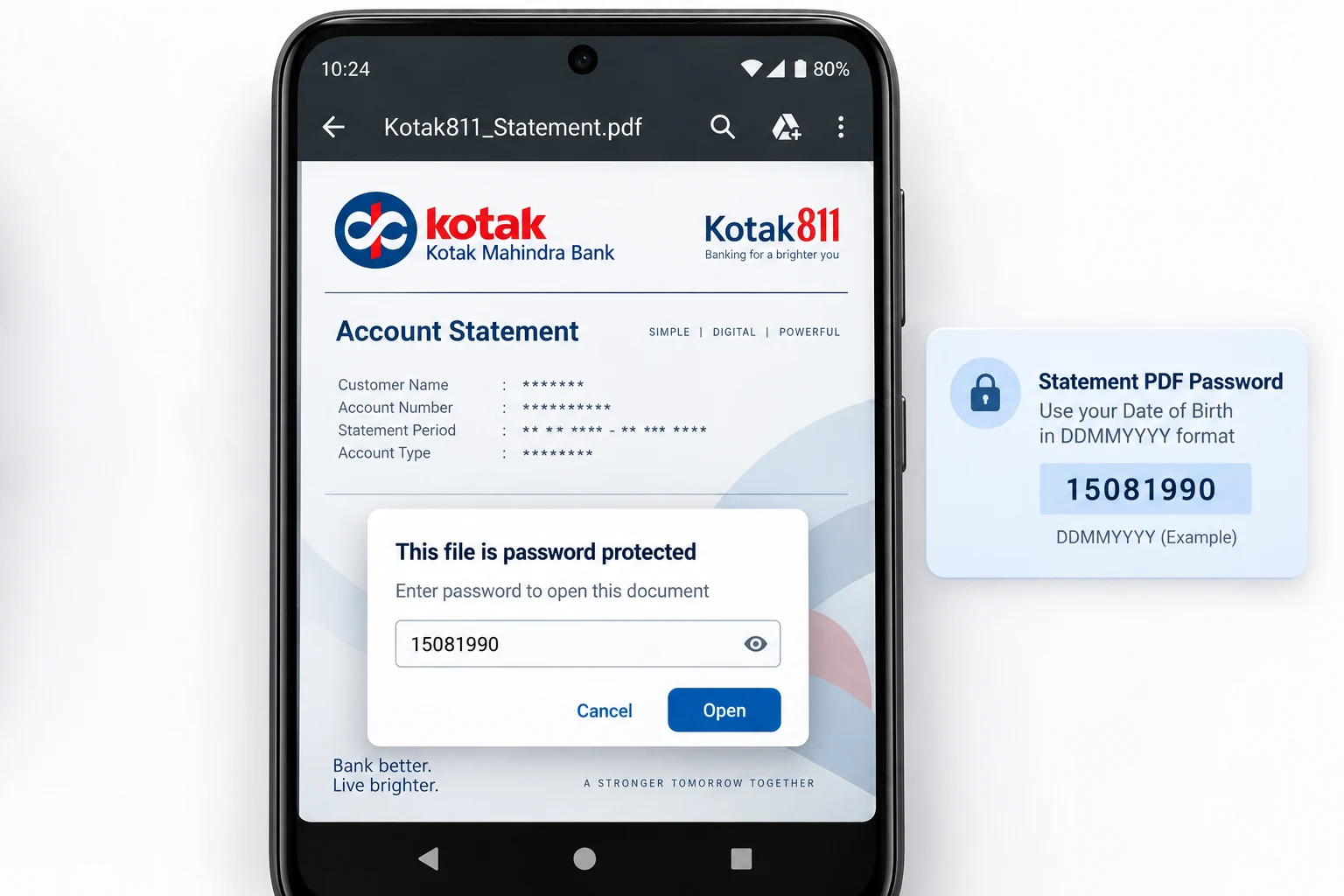
Your date of birth is the whole of the Kotak Mahindra Bank statement password, keyed as eight straight digits with the day first, then the month, then the full year. A customer born on 15 August 1990 opens the file with 15081990. Kotak keeps a leading zero on any day or month that is a single figure, so the code always fills eight places. This holds for a statement mailed from Kotak Net Banking and for one saved out of the Kotak811 app. Your name and your account number play no part. Kotak leans on nothing more than the day you were born.
| Your date of birth | Kotak statement password |
|---|---|
| 15 August 1990 | 15081990 |
| 2 March 1988 | 02031988 |
| 27 November 1979 | 27111979 |
Read each row as a template. Drop your own birth date into the eight boxes and you have the exact Kotak password for your statement.
Why Does Kotak Lock Its Statement PDF?
Kotak seals the statement to keep the account digits and the closing balance on the page out of sight if the PDF ever drifts to the wrong inbox. A Kotak e-statement rides in on email and waits in your mailbox, where a file with no lock would lay every line before whoever opened the attachment. The birth-date code is what Kotak calls an open password: the viewer shows a bare prompt and nothing more until the eight digits arrive. Picture it as a cover over a record of your finances, not a hint that your Kotak account has a problem.
How Do You Open a Kotak Bank Statement PDF?
To open a Kotak bank statement, key your eight birth-date digits into the password box and the pages show right away. Fetch the statement from your Kotak email or export a fresh one through the Kotak811 app, then load it in any PDF reader on your device. Enter the day first, follow it with the month, then finish with all four figures of the year and leave no spaces. Where the day or the month is one figure, put a zero ahead of it. The Kotak statement unlocks the moment those digits match the birth date Kotak holds for you.
How Do You Remove the Kotak Statement Password?
Typing your birth date into every Kotak statement grows tiresome, and the lock shuts other software out of the file, say a loan portal's upload page or the accounting app that needs to read it. The answer is to open the Kotak file once with the date, then keep for yourself a clean version that holds no password at all. The Univik PDF Unlocker works right on your Windows PC and can sweep a whole folder of Kotak statements at once.
Once your Kotak statement is open, the Univik PDF Unlocker keeps a copy with the password stripped out. Feed it a folder of Kotak statements and every one comes back clear.
Free Download See all featuresBirth Date Not Opening Your Kotak File?
When your birth date will not open the Kotak statement, study the shape of the code before anything else. Make sure the sequence goes day, then month, then year. See that a single figure carries a zero in front and that the year shows four numerals. A birth date Kotak recorded differently from your own note is another common snag, so a mismatch on record is worth ruling out. If the digits keep failing, the email that delivered the Kotak statement spells out the rule word for word. Kotak customer care can confirm the date tied to your account or send a fresh statement. A remover does nothing for a code you are unable to give it, because it works only on a Kotak file that opens already.
- The Kotak bank statement password is your eight-digit date of birth written DDMMYYYY.
- Born on 15 August 1990, you open the Kotak file with 15081990.
- Kotak Net Banking and the Kotak811 app share the same birth-date rule.
- No name letters and no account number go into the Kotak password.
- Open the Kotak file using the date, then clear the lock so the prompt goes away.
- If the date is turned down, Kotak can resend the statement or confirm the rule for your account.

Kotak Bank Statement Password Questions

This Kotak guide was checked by Leena Taylor Paul for the Univik team, who have written Windows software since 2013. Plenty of readers only need a Kotak statement to open for a form or a lender without keying the date each time, so it lays out the format and a clean way to lift the lock. Reviewed in September 2026. Still stuck on the date? Contact our support team.