A YES Bank statement PDF unlocks with the eight figures of your birth date, written DDMMYYYY. So 3 April 1987 becomes 03041987.
The same date rule covers files from YES Bank NetBanking and from the YES mobile app. Once the statement is open, the password can come off so it no longer prompts you.
Tap open a YES Bank statement and a password box blocks the page straightaway. The value it wants is one YES Bank already keeps against your name: your birth date, entered as eight plain figures. Get the layout right a single time and the file yields its pages. After that the Univik PDF Unlocker can lift the value off the document for good, so a YES Bank statement never quizzes you again.
What Is the YES Bank Statement PDF Password?
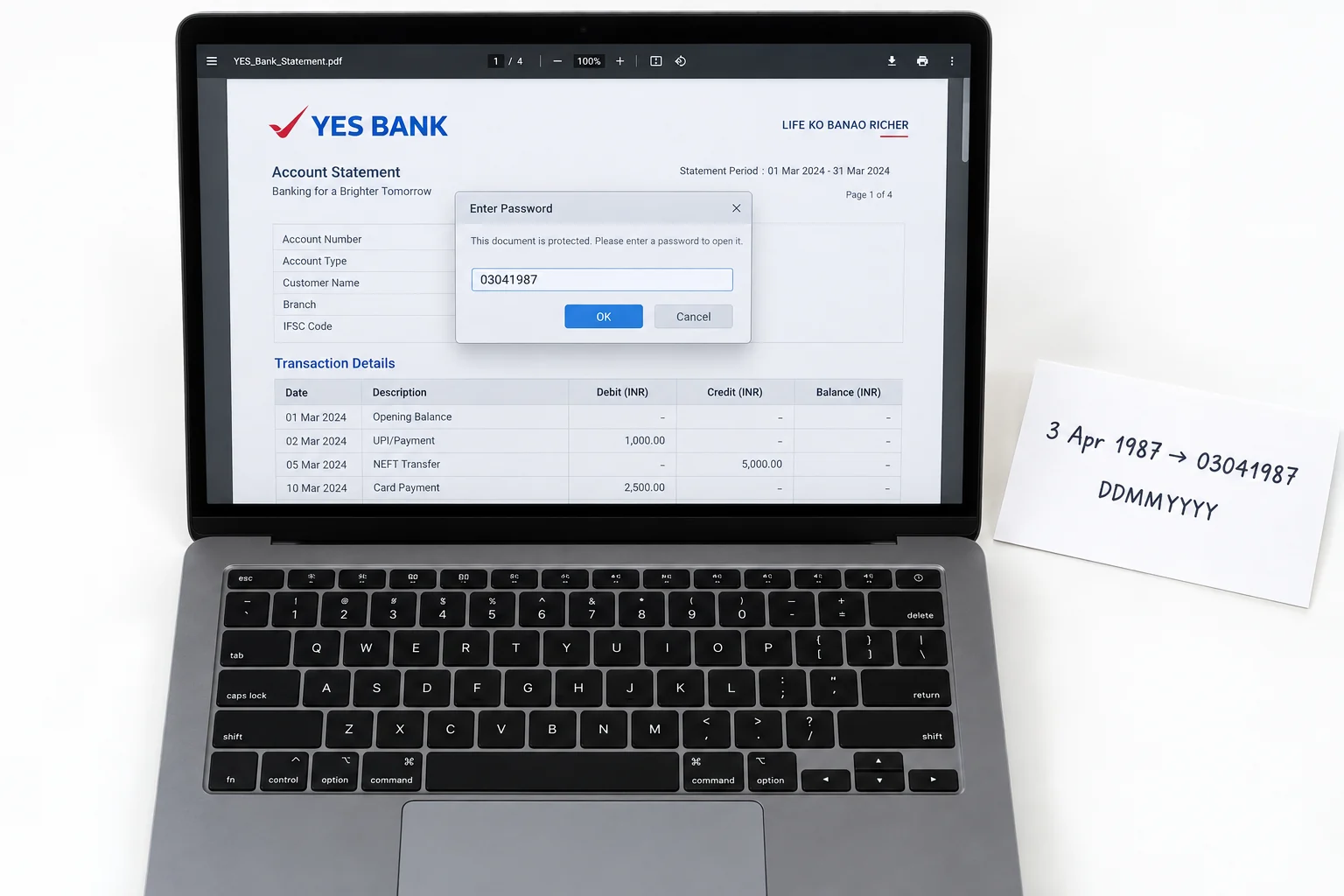
On a YES Bank statement the code is your birth date and nothing besides, set as eight figures with the day up front, the month behind it and the year in full to finish. A holder born on 3 April 1987 enters 03041987. YES Bank pads any one-figure day or month with a front zero, so the eight slots always fill. The rule sits the same on a file mailed through YES Bank NetBanking and on one pulled from the YES mobile app. Your name counts for nothing here and the account number counts for nothing either. YES Bank rests on the birth date alone.
| Your date of birth | YES Bank statement password |
|---|---|
| 3 April 1987 | 03041987 |
| 18 July 1983 | 18071983 |
| 26 October 1995 | 26101995 |
Match a row to your own case. Drop your eight birth-date figures into the same shape and that is the YES Bank password your file wants.
Why Does YES Bank Lock Its Statement PDF?
The lock is there so the account number and the closing balance do not fall open should the file reach a stranger's inbox. A YES Bank e-statement arrives over email and stays put in your mail, where an open file would lay each entry bare to whoever taps it. What YES Bank applies is an open password: the reader offers a blank box and shows not a single page before the eight figures go in. Regard it as a guard wrapped round a statement about your finances, not a red flag on your YES Bank account.
How Do You Open a YES Bank Statement PDF?
To open a YES Bank statement, key the eight figures of your birth date into the box and the pages show up straightaway. Pull the file from YES Bank NetBanking or save a fresh copy through the YES mobile app, then load it in any PDF viewer you have. Give the day first, the month after that, then the year in all four figures with nothing set between them. A day or month that runs to one figure takes a zero at the head. The statement lets you in the instant those eight figures match the birth date on your YES Bank record.
How Do You Remove the YES Bank Statement Password?
Entering your birth date on every YES Bank statement wears out fast, and while the code stands the file stays shut to other programs, for one thing a lender's web form or the software an accountant runs on it. The smarter path is to open the YES Bank file once using the date, then hang on to a copy of your own that no password guards. The Univik PDF Unlocker does this right on the Windows PC you already use and can clear a whole folder of YES Bank statements in one pass.
Once a YES Bank statement is on screen, the Univik PDF Unlocker sets down a copy with the password gone. Send it a folder of YES Bank statements and each one comes back open.
Free Download See all featuresYES Bank Statement Not Opening With Your Date?
When your date will not open the YES Bank statement, look hard at how the eight figures sit in line before anything else. The day has to come first, the month second, the year last. A single figure still needs its leading zero and the year must run to all four numerals. It can happen that the date YES Bank has on record is not the one you wrote in your note, so that gap is worth checking too. If those eight figures keep bouncing back, the note that came with your YES Bank statement lays the rule out in full. A brief word with YES Bank customer care can tell you the date it has on your account or send the file over once more. Keep in mind a remover cannot act on a value it never receives, so it only helps once the YES Bank file is already open.
- Your YES Bank statement opens to an eight-figure birth date in DDMMYYYY order.
- A birthday of 3 April 1987 makes the YES Bank password 03041987.
- YES Bank NetBanking and the YES mobile app share one and the same birth-date rule.
- Your name and your account number stay out of the YES Bank code.
- With the date entered once, take the lock off the YES Bank file so no prompt returns.
- If YES Bank turns the date down, ask it to confirm the rule or resend the file.

YES Bank Statement Password Questions

Checked over by Leena Taylor Paul alongside the Univik crew, a group that has built Windows software since 2013. Plenty of readers land here only needing a YES Bank statement to unlock for an office form or a lender without the date prompt on each view. This guide gives the format together with a clean way to shed the lock. Verified in September 2026. Not sure which date applies? Reach the Univik support team.