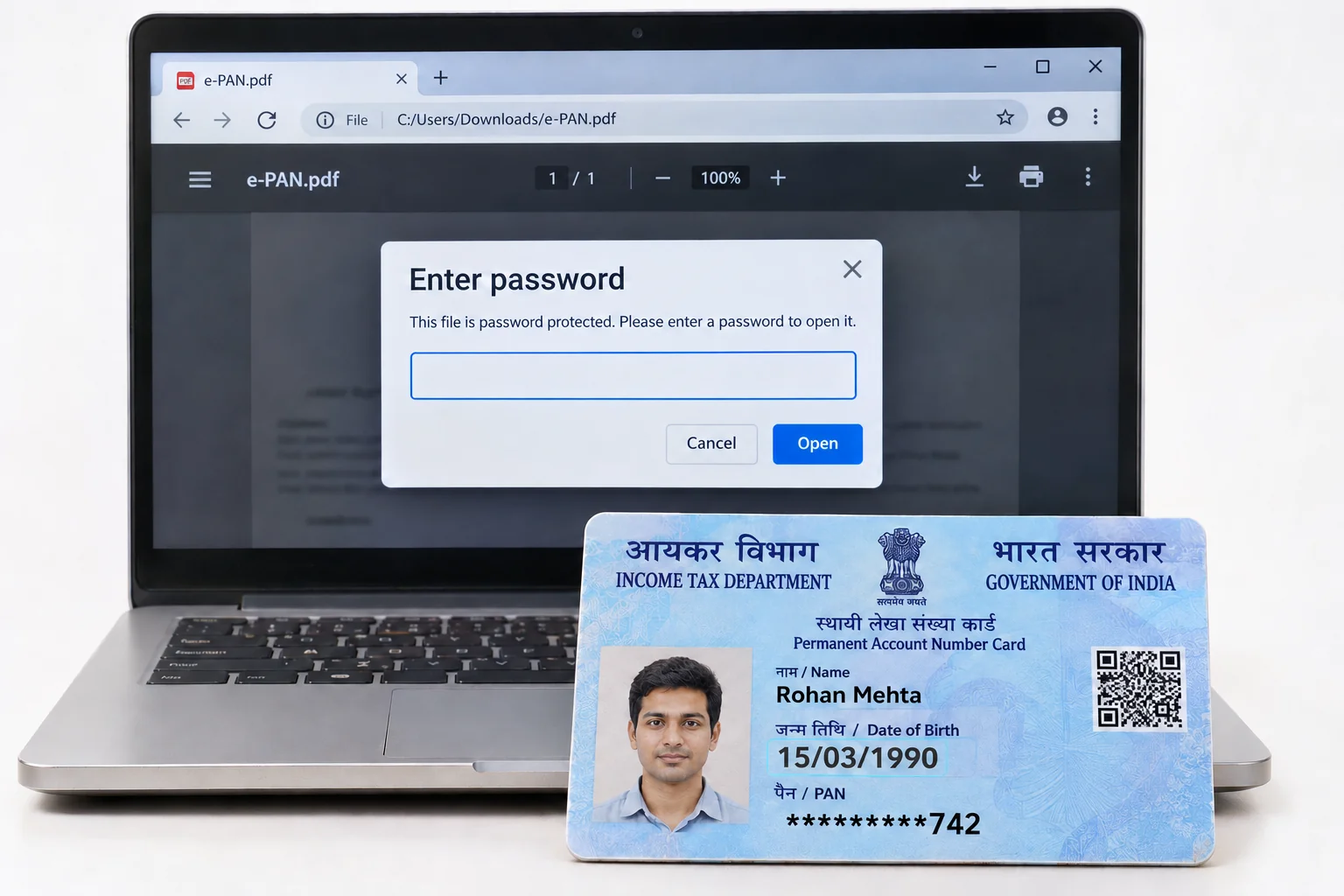
Your PAN card PDF password is the DDMMYYYY form of your date of birth. A birthday on 15 March 1990 becomes 15031990.
The same eight digits open an e-PAN downloaded from Protean, from UTIITSL and an instant e-PAN from the e-filing portal. A company or a firm types its date of incorporation instead. With your e-PAN open you can save a version that no KYC form will stall on.
An e-PAN is the PDF version of the PAN card and every bank, broker and fund house now accepts it in place of the plastic. The download asks for a password the moment it opens, which trips people up because nothing on the PAN card itself is a password. The value is the birth date printed on the card, written as eight digits. Once you know that, your e-PAN opens in a second.
From there Univik PDF Unlocker keeps an unlocked twin of the card, so the file you upload to a KYC portal or email to a bank opens for them too.
What Is the PAN Card PDF Password Format?
Your PAN card PDF password format is DDMMYYYY, your birth date as eight digits with day first, then month, then the four-digit year, with no slash or space between them. Someone born on 15 March 1990 types 15031990. A single-digit day or month takes a zero in front, so 7 August 2001 is 07082001. Protean, the PAN service provider that runs the former NSDL portal, states the rule on its e-PAN download article as the date of birth in the DDMMYYYY format and uses the 15 March 1990 example itself.
I checked the Protean e-PAN download page on 9 November 2026. Its password note takes one line: date of birth, DDMMYYYY. UTIITSL, the second PAN service provider, follows the same rule for the e-PAN it issues. The instant e-PAN that the e-filing portal generates from Aadhaar opens with the same eight digits. For a company, a partnership firm or a trust the date on your card is the date of incorporation and that date is the password.
| Date on the PAN card | PAN card PDF password |
|---|---|
| 15 March 1990 | 15031990 |
| 7 August 2001 | 07082001 |
| Company incorporated 30 November 2012 | 30112012 |
Your PAN itself plays no part in the password. Only the date printed on your card matters.
Why Is the e-PAN PDF Locked?
Your e-PAN carries your full name, your father's name, your date of birth, your photograph, your signature and the ten-character PAN, which is every field a fraudster needs to open an account in your name. Protean and UTIITSL therefore lock the PDF with an open password before it reaches your email or your download folder. An open password blocks the entire document, cover page included, until the right value goes in. The lock is a cover over an identity record, not a sign of a problem with your PAN.
The lock also explains why your e-PAN can't be previewed in a mail app or attached to most KYC portals until the password has gone.
How Do You Open an e-PAN PDF?
Save the e-PAN from the Protean or UTIITSL download page or from the e-filing portal for an instant e-PAN, then open it in Acrobat Reader, in Edge or in the Files app on a phone. Type your date of birth as eight digits, day, month, year, with no separators. Then press Enter and your card appears with your PAN at the top and the QR code beside the photograph.
If you downloaded from Protean more than 30 days after your PAN was allotted, the portal charges a small fee first, which the Protean article puts at about 8 rupees including tax. The password rule stays the same whether the download was free or paid.
How Do You Remove the PAN Card PDF Password?
A locked e-PAN can't be previewed by the bank officer who receives it, cannot be read by most KYC upload forms and cannot be merged into an application pack. The fix is to open it once with your birth date and save a copy that carries no password. Univik PDF Unlocker does this on your Windows PC. Drop your e-PAN into your list, enter the eight digits in its Password column and press Check. Once the row reports accepted, Unlock writes an unlocked copy to your chosen folder.
The download from Protean or UTIITSL stays exactly as it was, so you keep the locked original on file as well.
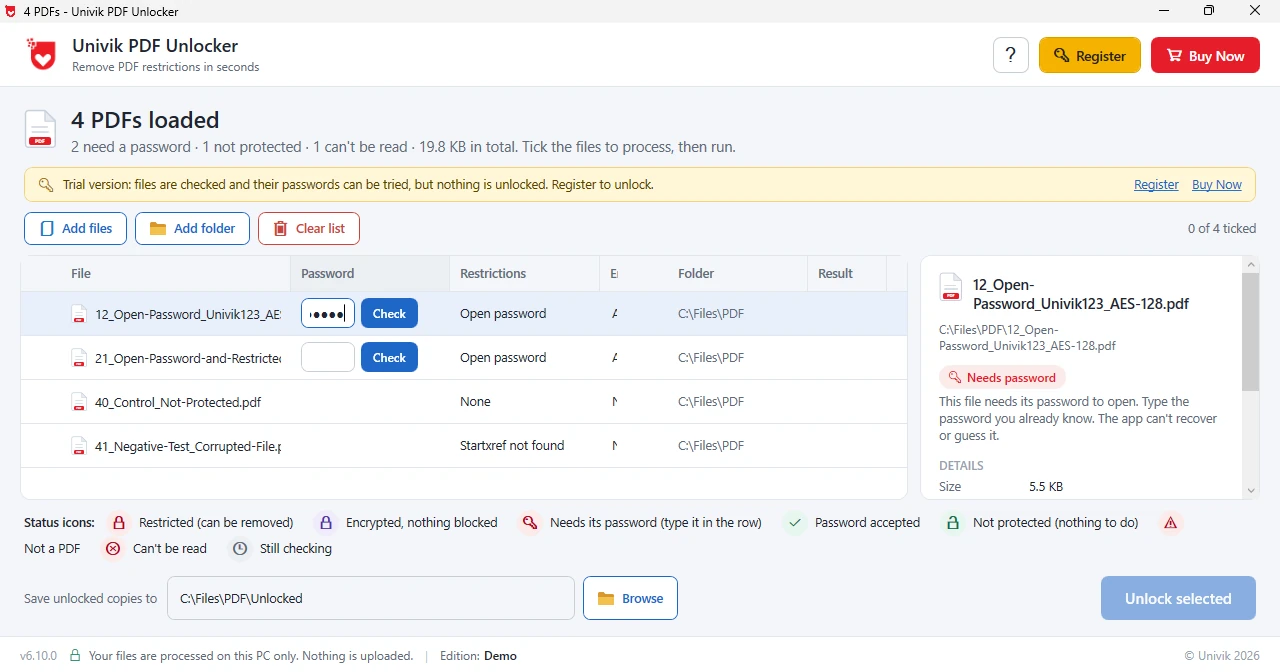
Enter your birth date once in Univik PDF Unlocker and keep an e-PAN copy that attaches to any KYC form without a password prompt.
Free Download See all featurese-PAN Password Not Working?
If the eight digits are refused, the order is the first suspect. An e-PAN expects day, month, year, which turns 15 March 1990 into 15031990 and rules out 19900315. A one-digit day or month needs its zero. Also check the date against the card itself rather than memory, because a PAN issued years ago may carry a date that was entered wrongly at the time and never corrected. Where a company, a partnership or a trust holds the PAN, the incorporation date printed on the card is the value.
A PDF that opens with no password at all is an older e-PAN from before the lock was introduced and that file needs nothing from you. With a public rule there's nothing to recover. Software can only unlock an e-PAN that has first been opened with its date.
- Your PAN card PDF password is your date of birth as DDMMYYYY, eight digits with no separators.
- A birth date of 15 March 1990 opens your e-PAN as 15031990.
- Protean, UTIITSL and an instant e-PAN from the e-filing portal all use the same rule.
- Companies and firms type their date of incorporation.
- The PAN number itself is never part of the password.
- Save an unlocked twin of your e-PAN once and use that copy for every KYC upload.

PAN Card PDF Password Questions
What is the PAN card PDF password for an e-PAN?
The PAN card PDF password is your date of birth written as DDMMYYYY. A birth date of 15 March 1990 gives 15031990. Protean states this rule on its e-PAN download article.
Is the UTIITSL e-PAN password the same as the Protean one?
Yes. Both PAN service providers lock your e-PAN with your date of birth as eight digits. The instant e-PAN from the e-filing portal follows the same rule.
What is the e-PAN password for a company or a firm?
The date of incorporation printed on your card, written as DDMMYYYY. A company incorporated on 30 November 2012 types 30112012.
Why does my e-PAN say the password is wrong?
Nearly always the date order. Type the day first, then the month, then all four digits of the year and keep the zero in front of a single-digit day or month. Compare the date with the one printed on your card.
How do I remove a password from my PAN card PDF?
Put your e-PAN in Univik PDF Unlocker, type the eight-digit date, press Check and then Unlock. That unlocked twin lands in your chosen folder while the locked download stays on your disk.
Why does a KYC portal reject my e-PAN upload?
Most upload forms cannot read a password protected PDF, so they reject it or show a blank preview. Upload the unlocked copy instead and the form reads your card.
Is it safe to unlock an e-PAN on your own computer?
Yes, if it stays on your own machine. An e-PAN carries your name, birth date, photograph and PAN together, which is exactly the file not to push through an upload site. Unlocking your own card before a KYC submission is normal.

Leena Taylor Paul maintains this e-PAN guide at Univik, a Windows utility studio in business since 2013. She checked the rule against the Protean e-PAN download article. Readers arrive with a PAN card PDF that won't open or will not upload, so the eight-digit rule comes first and the lasting fix after it. Verified November 2026. e-PAN still shut? Contact our support team.