PDF encryption scrambles a file so it opens only with the right key. There are two kinds of password. A user password is needed to open the file at all. An owner password leaves it readable but blocks printing, copying or editing.
A file may carry a user password or an owner password or both. Each one behaves differently, so it pays to know which lock is in front of you.
Open a PDF and get a password box instead of pages and you have met encryption at work. The lock is not a bug. It is a feature that keeps a private file private until the right person types the right password. Most people never think about how it works until a file will not open or a document blocks printing. This guide lays out what PDF encryption really is and the two kinds of password a file can carry. It also shows how strong the lock has become and when a desktop app like the Univik PDF Unlocker can lift it for you. When a password is truly forgotten there is no shortcut. This guide is honest about that too.
What Is PDF Encryption?
PDF encryption scrambles the contents of a file so it opens only when the correct key is supplied. Lock a document and the text and pictures turn into unreadable data on disk. Your reader turns them back into pages once it has the key. That key comes from a password you type in. Without the right password the reader has nothing to unscramble, so the file stays shut. The idea is the same one behind a locked phone. All the data is still sitting there. It means nothing until the correct code lets you in.
What Are the Two PDF Password Types?
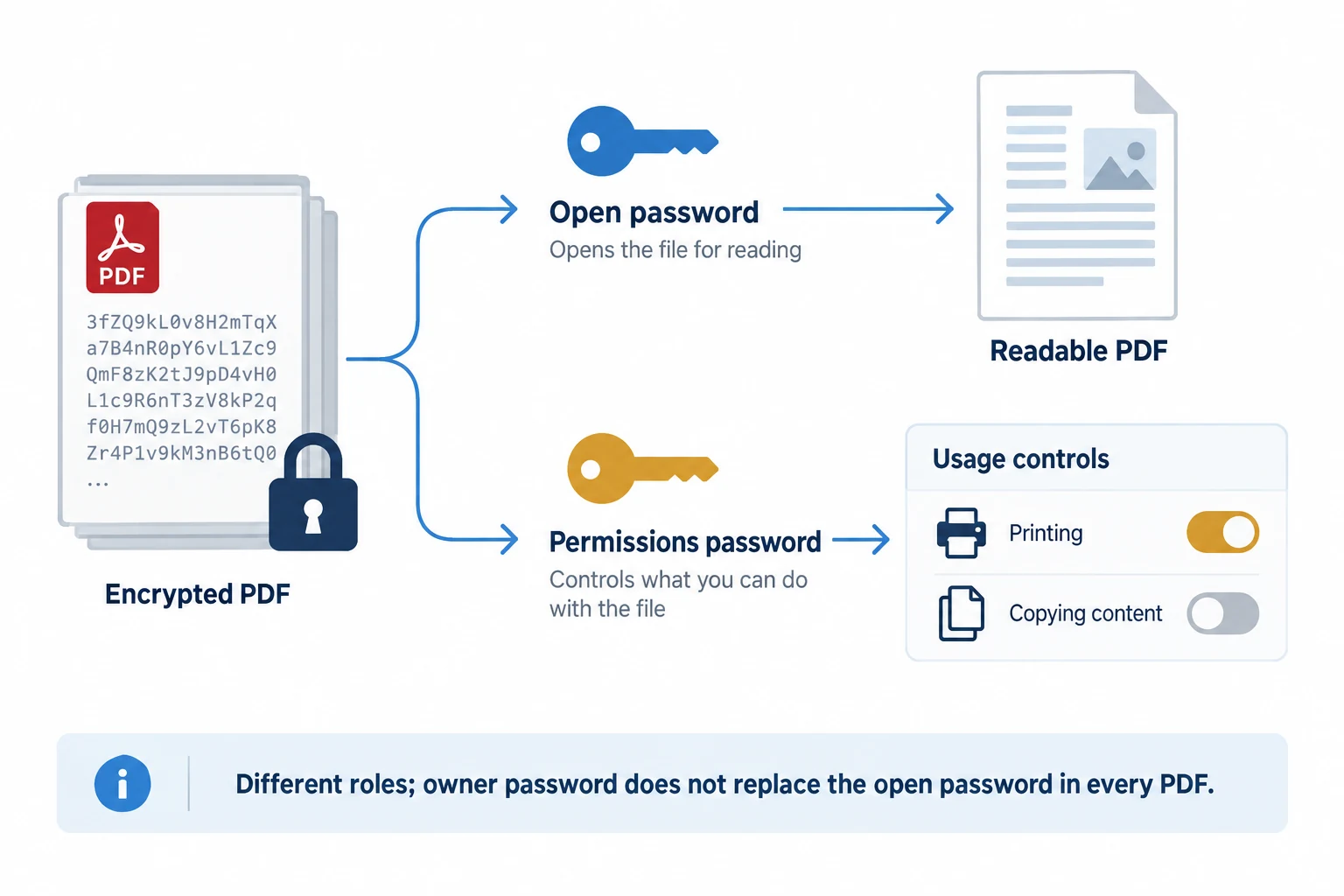
A PDF can hold two different passwords and they do very different jobs. The first is the user password. It guards the front door of the file, so the document will not open at all until you type it. People also call it the open password or the document-open password. The second is the owner password. A document that has only an owner password still opens and reads normally, yet it holds back actions the author chose to limit. That set can include printing or copying or editing. The owner password is often called the permissions password. Once you know which one is on a file, you know what you are dealing with.
| Type | What it does | What you need |
|---|---|---|
| User password | Stops the file from opening until it is typed | The password to open and read the document |
| Owner password | Lets the file open but blocks printing or copying or editing | The password to lift those permission limits |
How Strong Is PDF Encryption?
PDF encryption has grown much stronger over the years, so how safe a file is depends a lot on how old it is. The early format used a cipher called RC4. It started at 40-bit strength, which counts as weak today. Later files moved up to 128-bit RC4. Newer documents use AES, the same standard that guards a lot of banking traffic. AES-128 arrived around Acrobat 7 and PDF 1.6. AES-256 came in with PDF 2.0, the format that Acrobat X and later versions write. A file built with AES-256 and a good password is very hard to open by force. That hardness is the whole point. It protects the owner. It also means a truly forgotten password on a modern file is close to a dead end.
Can You Remove PDF Encryption Without the Password?
No, and that is the entire point of encryption. A modern PDF locked with AES and a good password cannot be opened by guessing, at least not in any span of time that matters. The math is built to make that far too slow to attempt. So a service that claims to crack any file in seconds is selling a fantasy for anything strong. When the password is gone, the honest route is to ask the person or company that set it. A bank can resend a statement. An employer can reissue a payslip. The issuer still holds the key you lost. Asking for it beats every trick.
How Do You Remove PDF Encryption You Have the Password For?
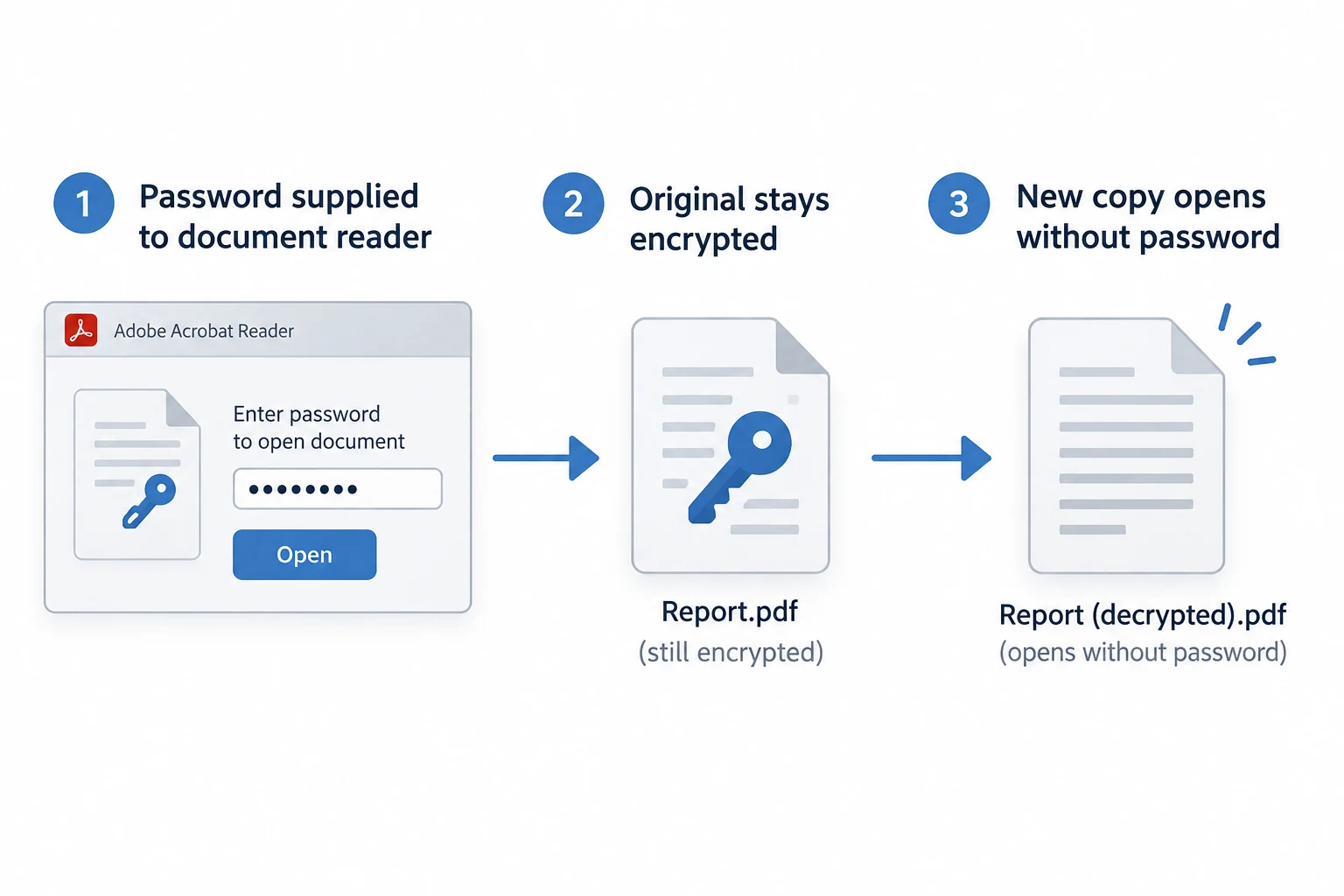
When you hold the password, taking the encryption off is a short task. You open the file the normal way and type the password to prove you may read it. The tool then writes out a second copy with the lock gone. Your original is left exactly as it was. The clean copy opens on the first click and prints with nothing blocking it. A desktop tool does this on your own computer, so the file never travels off your machine. The Univik PDF Unlocker walks these steps and can handle a folder of files in one pass.
The Univik PDF Unlocker removes a user password you already have and lifts owner restrictions on a PDF you can open. It runs on your Windows PC and moves through a folder file by file.
Free Download See all features- PDF encryption scrambles a file so it opens only with the correct key.
- A user password gates the file, so it will not open until you type it.
- An owner password leaves the file readable but blocks printing or copying or editing.
- Older PDFs used RC4 at 40-bit then 128-bit; modern ones use AES-128 or AES-256.
- Removing a password you already hold is a normal and lawful step.
- A forgotten password on a strong file cannot be cracked, so ask whoever set it.

PDF Encryption Questions

Explained by Leena Taylor Paul and the Univik team, Windows tool developers working since 2013. Readers usually reach this page to understand why a PDF is locked and what the two password types mean, so it lays out the plain version and the honest limits. Last checked September 2026. Have a question? Contact our support team.