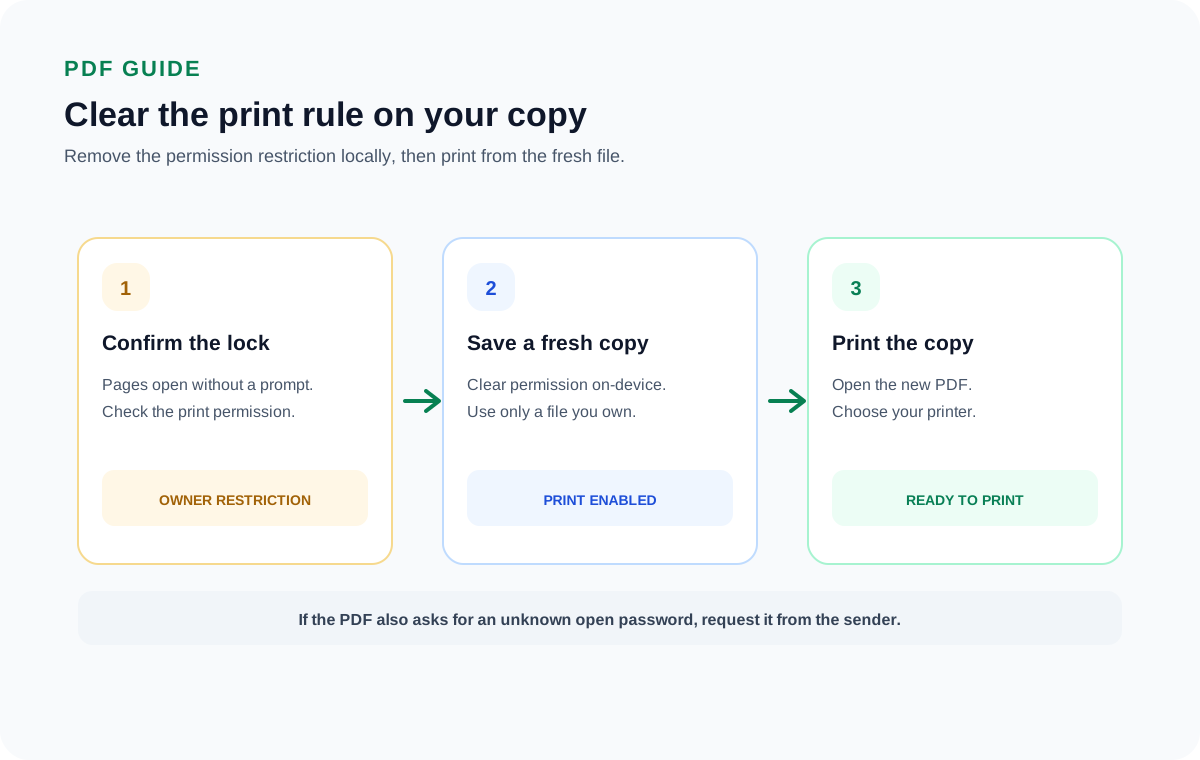
A PDF that opens but will not print has an owner (permissions) password on it. It lets you read the file but blocks printing. Open the PDF and run a desktop tool that clears the restriction. The saved copy then prints like any ordinary PDF.
This only covers a file you can already read. If the PDF also demands a password before it will even open, and you do not have that password, no tool clears it for you.
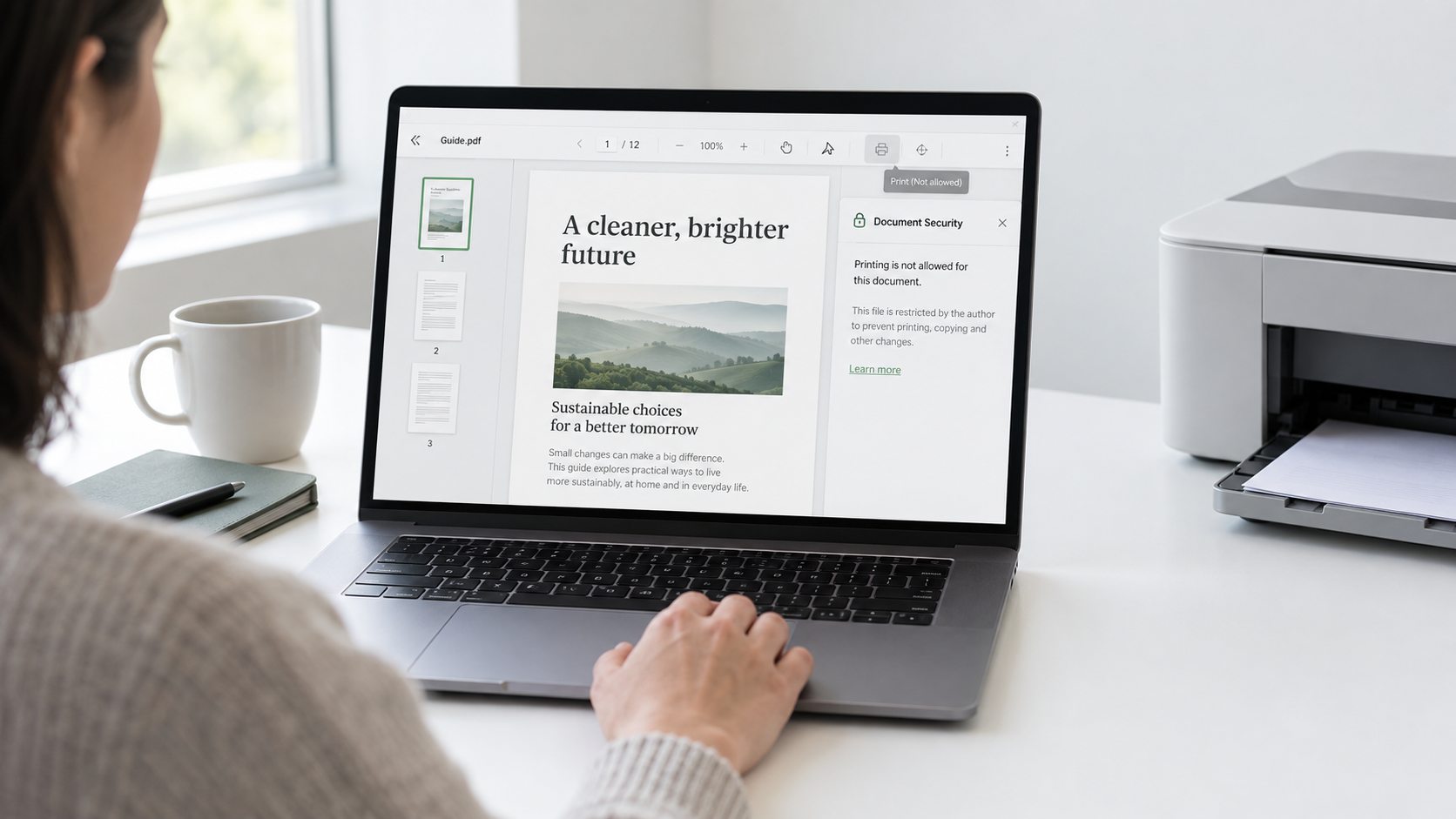
You open a PDF and the pages show up fine. Then the Print button is dead. Nothing prints. A sheet comes out blank. A message says printing is not allowed. That is a print restriction, and it comes from a hidden permissions password the author set on the file. The block sits on top of a file you can already read, so lifting it is quick. This guide explains what the restriction is and why a reader refuses to print it. Then it shows how the Univik PDF Unlocker takes it off a document you own so every copy prints.
What Is a PDF Print Restriction?
A PDF print restriction is a rule baked into the file that tells any reader to keep the Print command switched off. It is one of several permission flags an owner password can set. The author who made the PDF chose to allow reading but forbid printing, copying text or editing. You can read every word on screen, yet the reader honours the flag and prints nothing.
Two very different passwords can sit on a PDF, and mixing them up leads to wasted effort. One is the open password, which the reader asks for before it shows you anything. The other is the owner password, the silent one behind a print restriction. A file with only an owner password opens with no prompt at all. The restriction reveals itself the moment you try to act on the file.
Why Won't a Secured PDF Let You Print?
A secured PDF will not print because the owner password told the reader to disable that action for anyone who does not hold it. The permission is stored inside the document in a small settings block. When your reader loads the file it checks that block and sees printing marked as not allowed. Then it greys out the option to obey the author. This is by design. The maker of a contract or a report may want people to view it on screen but not run off paper copies to pass around.
Here is the part that trips people up. The restriction is not protecting the file from you in any real sense, because you can already read every page of it. It is a courtesy lock, not a vault door. The content sits right there in plain view. That is why clearing a print block on your own file is a matter of a settings change, not of cracking anything.
How Can You Tell a PDF Has a Print Restriction?
You can tell a PDF has a print restriction from a few plain signs while the file is open. The clearest one is a Print command that stays greyed out no matter how you reach it. Some readers put the word SECURED next to the file name in the title bar. And Document Properties has a Security tab that spells out each permission in words, with Printing marked as Not Allowed. The table below lines up what you might notice against what it means.
| Sign you might see | What it means |
|---|---|
| Print is greyed out or does nothing | The permission flag has printing switched off for this file |
| SECURED shows in the title bar | An owner password is set, so at least one action is limited |
| A sheet prints out blank | The reader ran the job but held back the page content |
| Properties > Security says Printing: Not Allowed | The document itself records printing as denied |
| No password box when you open the file | Only the owner lock is present, not an open lock |
That last row matters most. If the file opened without asking you for anything, you are dealing with the owner lock by itself. That is the case a desktop cleaner sorts out in seconds.
How Do You Remove a PDF Print Restriction?
You remove a PDF print restriction by loading the file into a tool that rewrites its permission block and saves a fresh copy with printing turned back on. Because the document already opens on your screen, the tool has full access to it and does not need to guess or recover any secret. The Univik PDF Unlocker runs on your Windows PC. It reads the restricted file from your drive and writes an open version beside it. Point it at one file or a folder full of them and each saved copy prints on the first try.
The Univik PDF Unlocker clears the print block on a PDF you own and saves an open copy on your Windows PC. Send it one file or a folder full and every copy prints without a fuss.
Free Download See all featuresIs It Legal to Remove a Print Restriction?
Taking a print restriction off a PDF you own is lawful. The file is yours, the block is stopping you from using your own document the way you need, and clearing it changes nothing about who is allowed to see the content. People do this every day with reports they made, manuals they bought and forms they need on paper. The line to respect is ownership. Lift the block on files that belong to you, not on someone else's protected work.
One case sits outside this. If the PDF also asks for a password the moment you try to open it, and that password is not yours to know, then you have hit a genuine open lock rather than a print flag. No tool should get you past that, and the right move is to ask whoever sent the file for the password or for a copy you can print.
- A print restriction is an owner password flag that lets you read a PDF but blocks printing.
- A file with only the owner lock opens with no password prompt at all.
- Signs include a greyed-out Print button, SECURED in the title bar and Properties showing Printing Not Allowed.
- A desktop tool rewrites the permission block and saves a copy that prints normally.
- Clearing a print block on a PDF you own is a lawful step.
- If the file also needs an unknown open password, ask the sender for it instead.

PDF Print Restriction Questions

This page was written by Leena Taylor Paul and the Univik engineering team, who have built Windows desktop tools since 2013. Most people who reach this page can open the file fine and only want a copy that will print, so it explains the block and then the quick way to clear it. Last checked September 2026. Still stuck on a print block? Contact our support team.