 Google Vault Guide
 By
By For an eDiscovery review, collect Gmail through a Google Vault matter with a hold, export it, then convert to one PST per custodian with the Gmail labels rebuilt as folders. Keep the metadata XML so the custodian and Message-ID data stay with the mail. Per-custodian PSTs load cleanly into Relativity, Nuix or Everlaw, where the raw Vault container, with its flat folder and side-file custodian data, does not.
eDiscovery teams hit the same wall with Google Vault. The collection side is strong, matters, holds and search across custodians, so people assume the export is review-ready. It is not. The file that lands is built for storage rather than for a processing engine. The gap shows up as errors and manual work at the load stage.
Closing that gap is a short conversion step, done right. The sections below cover the defensible collection, then the metadata that carries custody, then the per-custodian output the review platforms expect.
Why Not Load the Raw Vault Export?
A Google Vault export is one MBOX or PST container per export, with every custodian's mail flattened into a single folder because Vault does not turn Gmail labels into folders. The custodian and label data lives in a metadata XML that a review platform does not read by itself. So a raw load hands the processing engine a flat pile with the attribution sitting in a file it ignores.
The result is predictable. The folder structure breaks. Custodian mapping falls to hand work from a CSV. Processing errors pile up. None of that is the platform's fault. It is being fed a storage file where it expects an attributed, per-custodian set. The conversion step is what turns one into the other.
How Do I Prep a Vault Export for Review?
Four steps, from a defensible collection to a clean load. The conversion in the middle is where the raw export becomes review-ready.
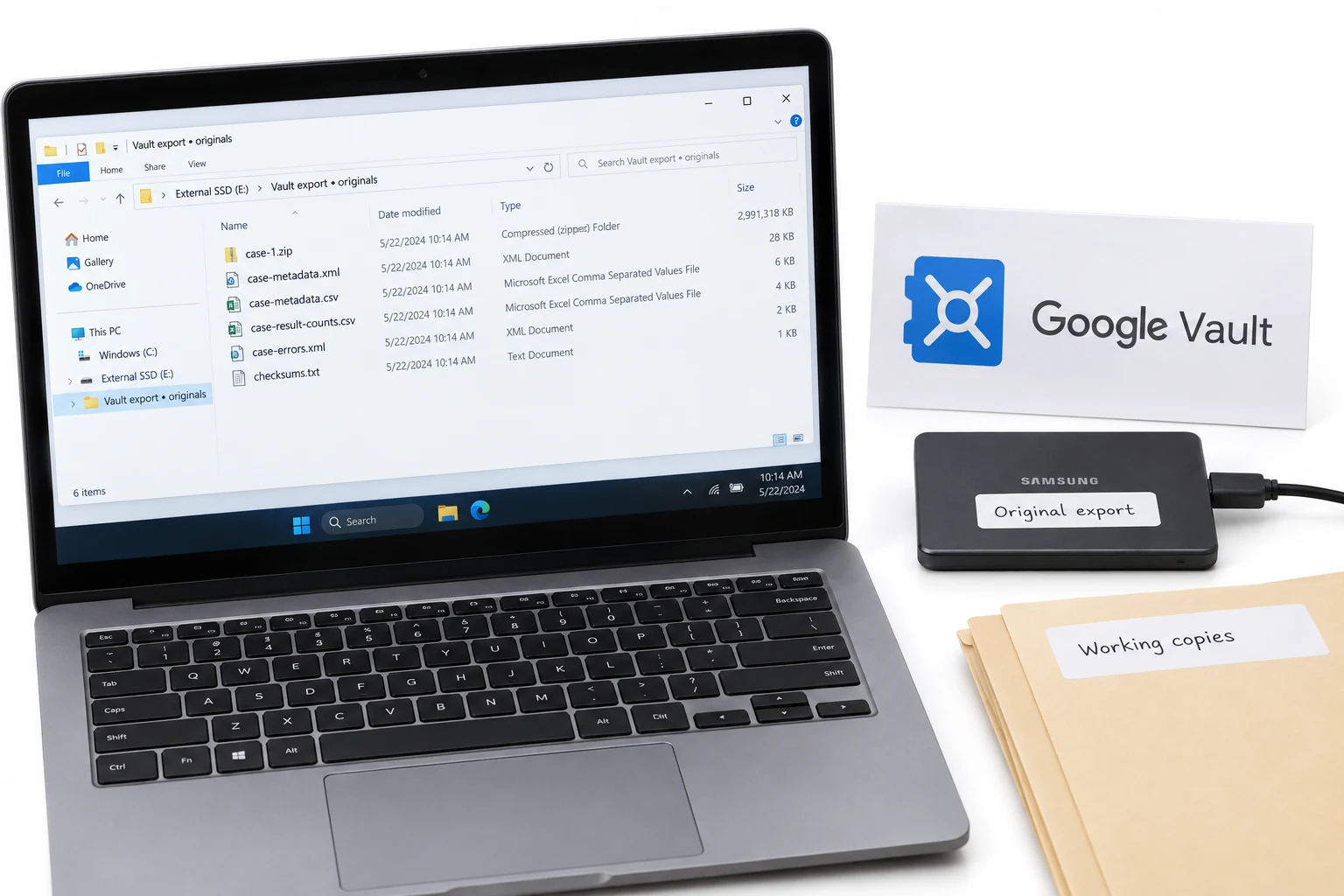
Collect through a Vault matter, not Takeout
Run the collection as a Vault matter so it is controlled and on hold, not a user download. An administrator holding the Vault export and search privileges builds the matter, filters by custodian and date range, then applies a hold. That control is what keeps the collection defensible before anything leaves Google.
Export and keep the metadata XML with the mail
Export the matter as MBOX or PST and download the ZIP within 15 days. Keep the metadata XML and the result-counts CSV next to the message files. That XML records each message's custodian, its Gmail labels and the Google-side message identifiers. Those identifiers are what tie the produced set back to Google's servers.
Convert to per-custodian PST with label folders
Load the export into Univik Google Vault Converter and output PST, one file per custodian. Switch on rebuilding Gmail labels as folders so Inbox, Sent and case labels come back instead of one flat folder. Set a split size if the platform caps PST size. Each PST now carries the custodian name and the folder structure a reviewer expects.
Load the PST set into the review platform
Import the per-custodian PSTs into your review platform. Relativity, Nuix and Everlaw all take PST and map the custodian from the file, so the processing job reads clean data instead of a flat Vault dump. The metadata written into the output keeps the Message-ID link for any authentication question later.
Where Is the Vault Chain of Custody?
In the metadata XML, and nowhere else in the export. That file links every message to Google's Rfc822MessageId and GmailMessageId and names the custodian account, which is what shows the produced data matches Google's server records. Authentication under Federal Rule of Evidence 901 turns on exactly that link.
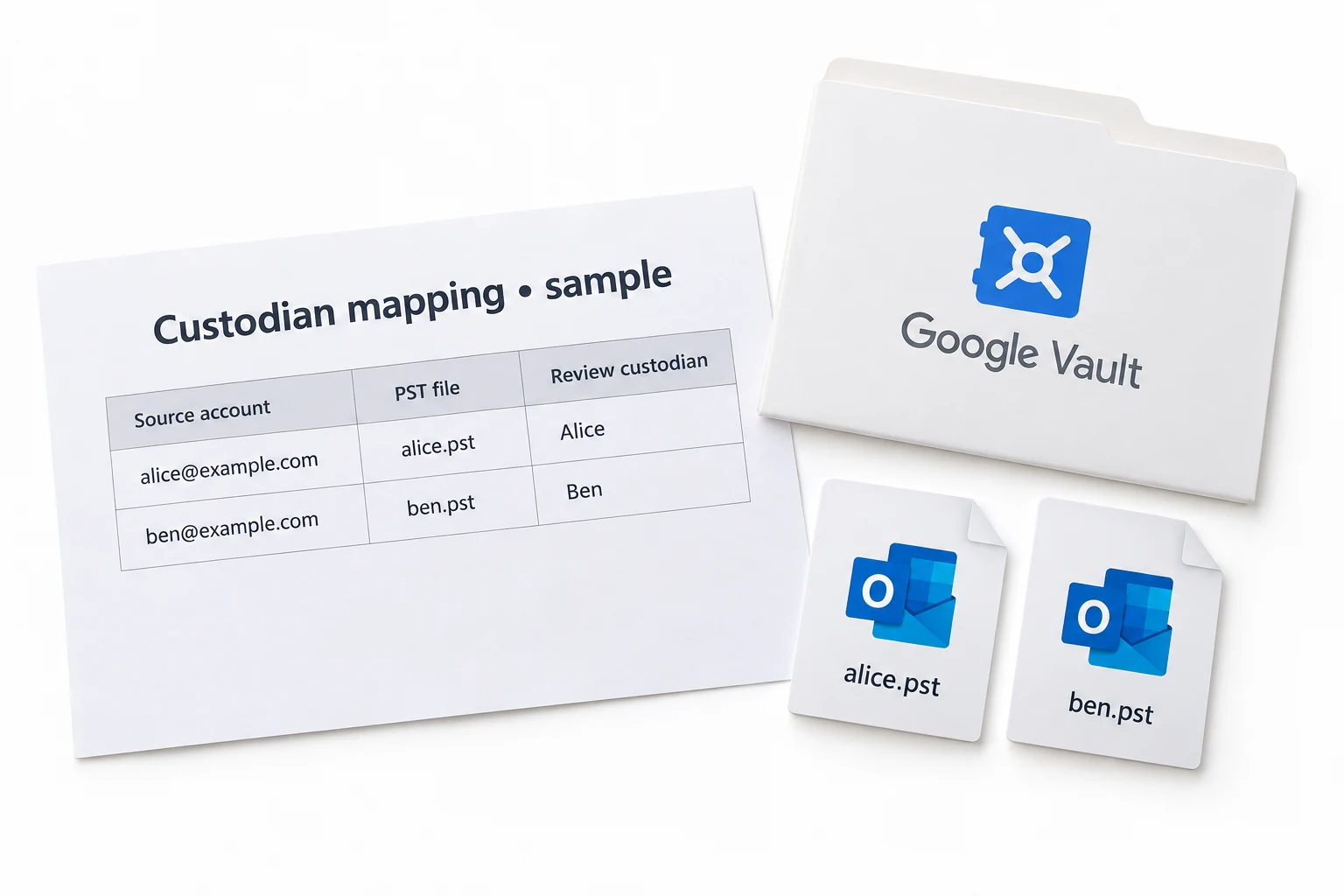
The risk is losing it. Convert the export with a tool that ignores the XML and the custody trail drops out of the review set, even though the collection was sound. A converter that reads the XML writes the custodian and Message-ID data into each output file, so the chain that began at the Vault hold carries through to the platform.
Teams get the collection right and then lose the custody data at conversion, because the tool they grabbed ignored the metadata XML. Reading that XML into the output is the difference between a defensible set and one you have to explain.
What Do Relativity, Nuix and Everlaw Want?
PST, mapped per custodian. All three review platforms process PST well and read the custodian from a per-person file, which is why a per-custodian PST is the standard target for a Google Vault collection. They can also take MSG or EML for individual items and PDF for a produced set, but PST is the clean path from a Vault export.
What they do not handle well is Vault's raw container. Feed them one flat PST for a whole matter and the processing job has to guess custodians and rebuild folders. Feed them one PST per custodian with the labels restored and the job reads structured, attributed data from the first pass.
Raw PST Load or Converted PST Load?
Both reach the platform. Only one arrives as data a review engine can process without a fight.
| At the load stage | Raw Vault export | Converted per custodian |
|---|---|---|
| Custodian mapped for the platform | Weak, from a side CSV | Yes, per-PST |
| Folder structure for review | One flat folder | Rebuilt from labels |
| Message-ID link kept | In an unread XML | Written into the output |
| Processing errors | Higher | Lower |
| Manual reorganisation | Hours | Little |
| Fits Relativity, Nuix, Everlaw | Poorly | Yes, clean PST |
Univik Google Vault Converter reads the export and its metadata XML, writes one PST per custodian with Gmail labels rebuilt as folders, and keeps the custodian and Message-ID data for authentication. It also writes MSG, EML and PDF for individual items or a production.
Runs on Windows without Outlook · per-custodian PST output · the trial handles 25 messages per export
The short version
- Collect through a Vault matter with a hold, not a user download.
- A raw Vault export is one flat container with custodian data in a side XML.
- Convert to one PST per custodian with the Gmail labels rebuilt as folders.
- Keep the metadata XML so the Message-ID custody link reaches the review set.
- Relativity, Nuix and Everlaw process per-custodian PST cleanly, not the raw dump.
Prepare a Vault export for review, free trial
Vault eDiscovery Questions
 About This Guide
Put together for Univik by Leena Taylor Paul, drawing on Univik's forensic-tool work since 2013. The Vault export structure and the metadata XML fields were taken from Google Vault Help, and the PST intake was checked against Relativity, Nuix and Everlaw documentation in September 2026. The per-custodian output was tested on a three-account matter export. 23 September 2026. A load job throwing errors? Support is a click below.
Sources: Google Vault export contents by service · Relativity supported Google Workspace file types · Univik Google Vault Converter