 Google Workspace Forensics
 By
By Google Takeout is a self-serve download of one user's own data, with Gmail as MBOX and the labels written into each message. Google Vault is an admin eDiscovery tool, with matter based search, legal hold and a metadata XML for chain of custody. Use Takeout for a personal copy and Vault for anything legal or organisation wide. Both give MBOX that will not open in Outlook, so either way you convert it to PST.
People mix these two up because both end with a Gmail archive on disk. In practice they sit at opposite ends of the scale. One is a convenience feature for individuals. The other is a compliance product for administrators. The gap between them is exactly what matters when the export has to be defended.
The sections below cover what each tool is and how they differ on the points that count for a case. Then comes how to pick. At the end, since both produce MBOX, there is the matter of getting either one into a usable format.
What Is Google Takeout?
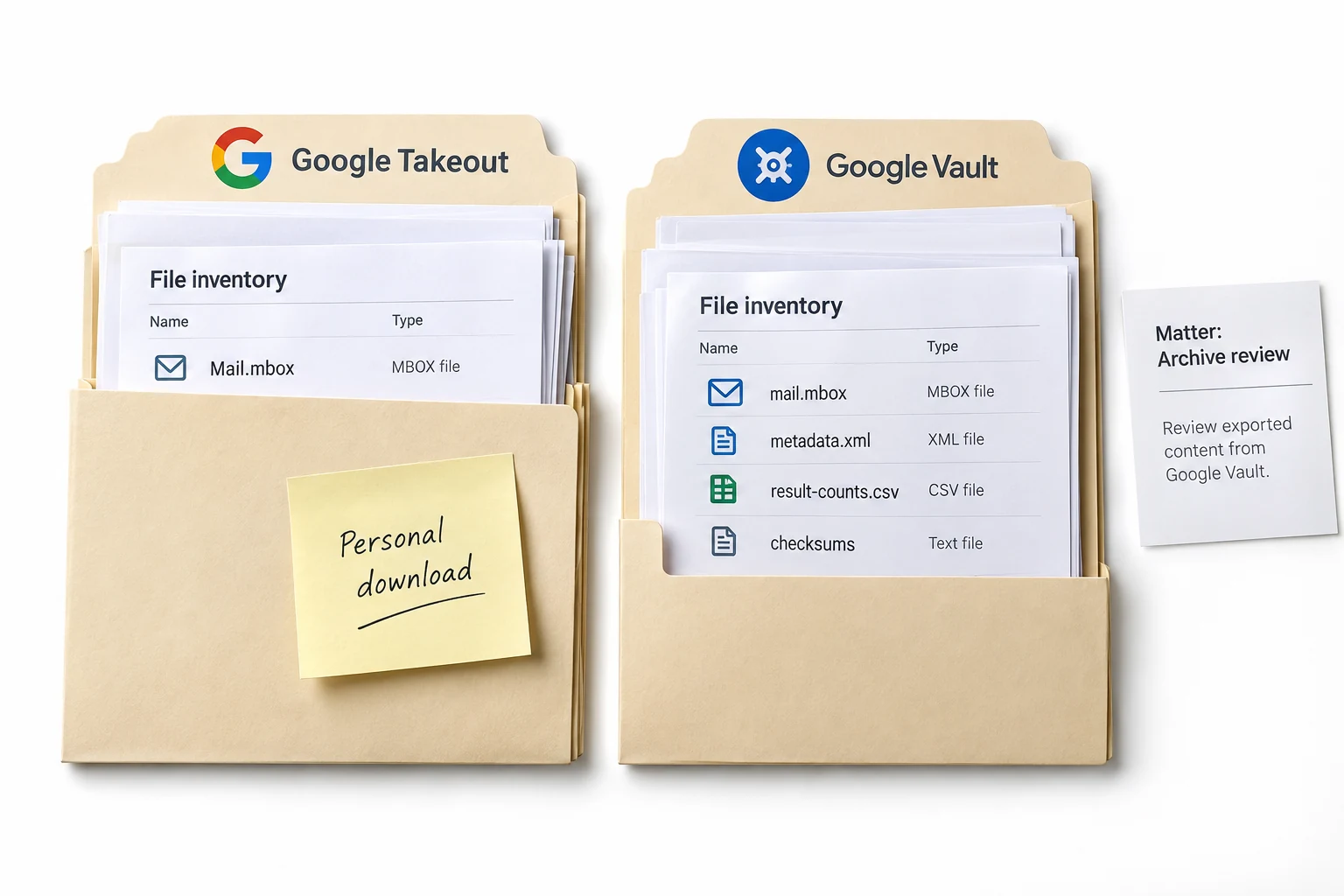
Google Takeout is the self-serve export at takeout.google.com. Any account holder can select their Gmail, Drive, Photos and more, then download a copy. Gmail comes out as MBOX, and Takeout writes the Gmail label names into each message as X-Gmail-Labels headers, along with an X-GM-THRID thread id. The download link expires after about a week.
Takeout is quick, free and needs no admin. What it does not have is any oversight. The user chooses what to include. There is no record of a case or a hold. Nothing links the file back to Google in a verifiable way. For a personal backup that is fine. As a legal collection it is weak, because the person whose mail is under review is the one who ran the export.
What Is Google Vault?
Google Vault is the retention and eDiscovery service for Google Workspace. An administrator with Vault privileges creates a matter, searches across accounts, places holds so data cannot be deleted and then exports the results. Gmail exports as MBOX, or as PST if you choose it. Each export ships with a metadata XML file plus a CSV that counts the messages per account.
That metadata XML is the point. It records the custodian, the labels and Google's own Rfc822MessageId and GmailMessageId for every message, so the export can be tied back to Google's records. Vault also gives MD5 hashes of the export files. It needs a Vault licence and the right admin role, and a finished export is removed 15 days after it is created, so it is a controlled process rather than a casual one.
How Do Vault and Takeout Differ?
The two tools split on who runs them, what controls exist and what proof travels with the data. This table lines up the points that decide a collection.
| Point | Google Takeout | Google Vault |
|---|---|---|
| Who runs it | Any account holder | An admin with Vault privileges |
| Purpose | Personal data download | eDiscovery, legal hold, compliance |
| Search across users | No | Yes, matter based |
| Legal hold | No | Yes |
| Gmail export format | MBOX | MBOX or PST |
| Where labels live | In X-Gmail-Labels headers | In the metadata XML |
| Chain of custody metadata | None | Metadata XML plus MD5 hashes |
| Export expiry | Link expires after a week | Removed 15 days after export |
| Cost | Free | Needs a Vault licence |
| Best for | One user's own copy | Litigation, investigation, offboarding |
The line we draw is simple. If anyone might later ask how the mail was collected and whether it was changed, that is a Vault job, because the metadata XML answers both. Takeout is for the person who only wants their own mail in hand.
Where Do the Gmail Labels Go?
This is the difference that trips up conversion, so it is worth its own note. Gmail has labels rather than folders, and one message can hold several of them. Neither export turns them into folders, but they store the label names in different places.
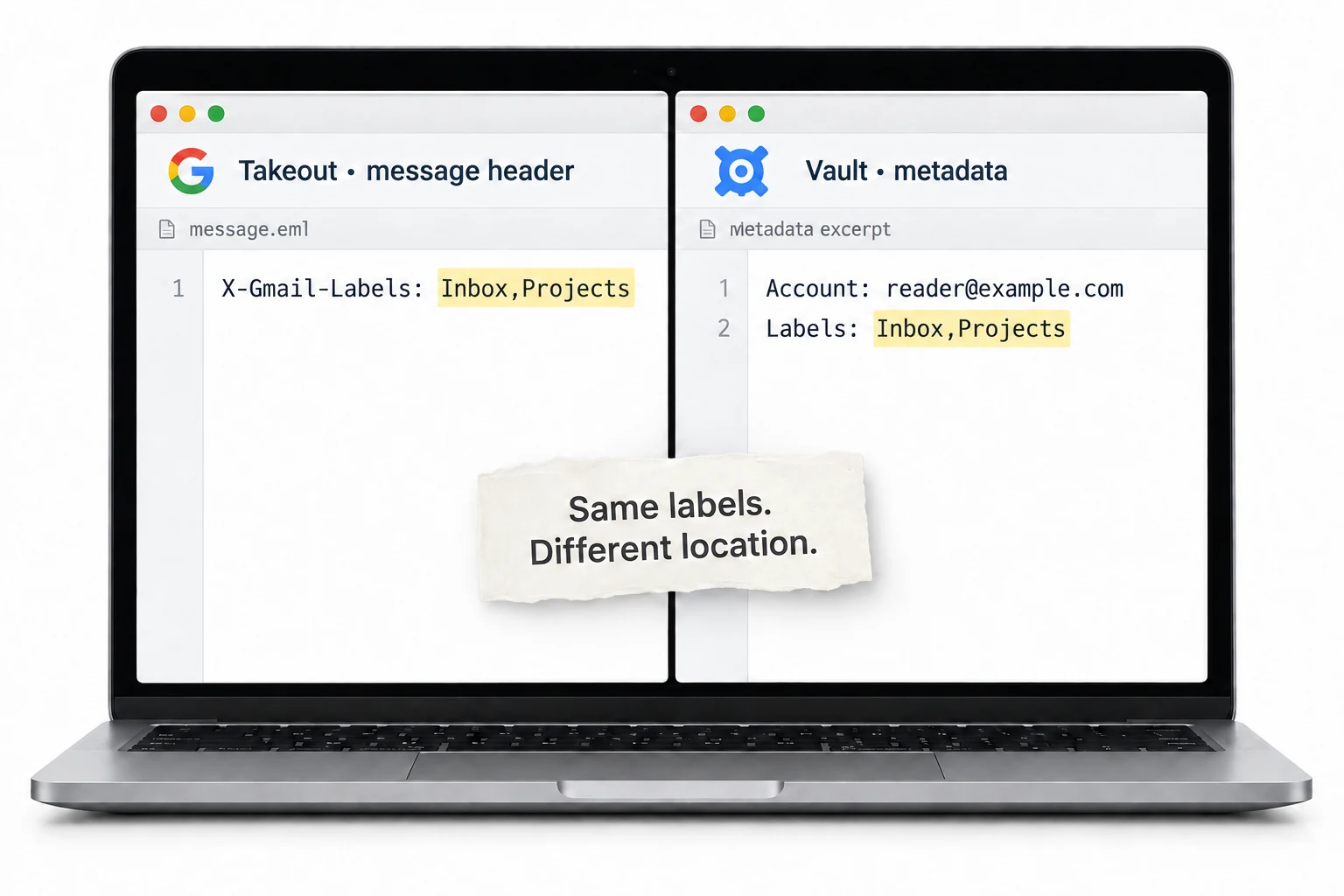
Takeout puts them inside the mail, as X-Gmail-Labels headers on each message. Vault keeps them out of the mail and lists them in the metadata XML. Either way, open the MBOX in a client and you see one folder. To get the folder tree back, a converter has to read the labels from the right place and rebuild them. That place is the headers for a Takeout file, or the XML for a Vault export. Univik Google Vault Converter handles both sources.
Which Google Export Should You Use?
Match the tool to the stakes. For your own mailbox, a personal archive or a quick backup, Google Takeout is the fast and free choice and there is no reason to reach for more. For litigation, an internal investigation, a regulator request or an employee who has left, use Google Vault, so the collection is controlled, held and carries the custody metadata a reviewer will expect.
One more practical point. Both tools hand you MBOX, and MBOX does not open in Outlook and shows as a single folder in any client. So whichever export you end up with, the next step is usually the same: convert it to PST, PDF or another format with the labels rebuilt as folders. That is where the archive becomes something you can actually read, import or produce.
Univik Google Vault Converter reads a Vault export with its metadata XML and a Takeout MBOX with header labels. It rebuilds the Gmail folders from whichever holds them and writes PST, PDF, MSG, EML or MBOX. One file per custodian or a single archive.
Works on Windows 7 through 11 · no Outlook or Google account required · try 25 messages from any export
The short version
- Takeout is a personal self-serve download, Vault is an admin eDiscovery tool.
- Only Vault offers legal hold, cross-account search and custody metadata.
- Takeout stores labels in message headers, Vault stores them in the metadata XML.
- Both export MBOX, which does not open in Outlook and shows as one folder.
- Convert either export to PST with the labels rebuilt as folders to make it usable.
Convert a Vault or Takeout export, free trial
Google Export Questions
 About This Guide
Put together for Univik by Leena Taylor Paul, drawing on Univik's work with email formats since 2013. The behaviour of each export, that Takeout writes X-Gmail-Labels headers while Vault records labels in a metadata XML, was checked against Google's documentation and forensic write-ups in September 2026. 23 September 2026. Not sure which export you are holding? Ask support from the link below.
Sources: Metaspike: Google Takeout and Vault in email forensics · Vault export contents (Google) · Univik Google Vault Converter