A QBB file will not restore for six reasons Intuit lists: special characters in the name, an overwrite, a USB to network restore, a newer backup version, a file that is not a real backup or a damaged company.
Check the size first. A real backup is at least 6 MB. Then clean the name and copy the backup to a local folder. A direct reader works when the checks fail.
Why Will a QBB File Not Restore in QuickBooks?
A QBB file stops restoring for one of six reasons that Intuit names in its restore-failed article. Most come down to where the backup sits and what the restored company is called. The last two mean the backup itself is wrong.
Which of these is your week?
QuickBooks shows Error: Failed or Restore Failed and the books are stuck in the backup.
Run the checks →The message carries -6147,0 and the guide you found lists a long run of fixes.
Read the code →The backup is the only copy and a restore keeps failing.
Read it directly →| Cause Intuit lists | What goes wrong |
|---|---|
| Special characters | Special characters in the company name stop the save step. |
| Restore over a company | The target folder already holds a company with that name. |
| USB to network drive | Error -6189 or -816 can appear when a restore reads from a flash drive and writes to a network drive. |
| Newer backup version | A 2019 backup cannot restore in QuickBooks 2018. |
| Not a real backup | Intuit says a file under 6 MB is probably not a true backup. |
| Compromised company | The company inside the backup carries damage. |
The table follows Intuit's restore-failed article. For the plain six restore steps read the QBB opening guide.
What Should You Check Before Restoring a QBB File Again?
Run six checks in the order Intuit lists them. Each takes a minute and none changes the original backup. Stop at the first one that applies and try the restore again.
- Read the size Right-click the backup and choose Properties. Under 6 MB means it is probably not a true backup. Make a new backup from the working company instead.
- Clean the name Rename the company file so it holds none of the characters ( / \ < > ! $ ).
- Pick a new target name At the save prompt choose No to the overwrite question and give the restored company a name that does not exist yet.
- Copy the backup local Move the backup from the flash drive or network drive to the desktop. Restores from a local drive are simpler, Intuit says.
- Use a fresh folder Copy the backup into a new folder in a different location with Windows Explorer and restore from that copy.
- Match the version Restore in the same or a newer QuickBooks version than the one that made the backup. Older versions cannot read it.
If none of them works Intuit says to repair the company with its data damage steps or to restore a different copy of the backup.
What Does Error -6147 Mean When a QBB File Will Not Restore?
Error -6147,0 belongs to Intuit's -6000 series and ties to a company file open or a .QBB restore. The -6000 guide gives its fixes in order. Its restore fix keeps the path to the backup at 210 characters or fewer and asks you to choose File, Utilities and Stop Hosting Multi-User Access when that option shows.
| Item | What Intuit states |
|---|---|
| Code | -6147,0 for a company file open or a .QBB restore |
| Path length | No longer than 210 characters |
| Hosting | Choose Stop Hosting Multi-User Access when it appears under Utilities |
| Not stated | The article does not link -6147,0 to one single cause |
Intuit's fixes for this series cover the path length and hosting. Check both before trying anything else.
Which Routes Get Data Out of a QBB File That Will Not Restore?
Four routes remain once the checks fail. Three need QuickBooks and a good backup. Only a reader works when the backup itself is the problem.
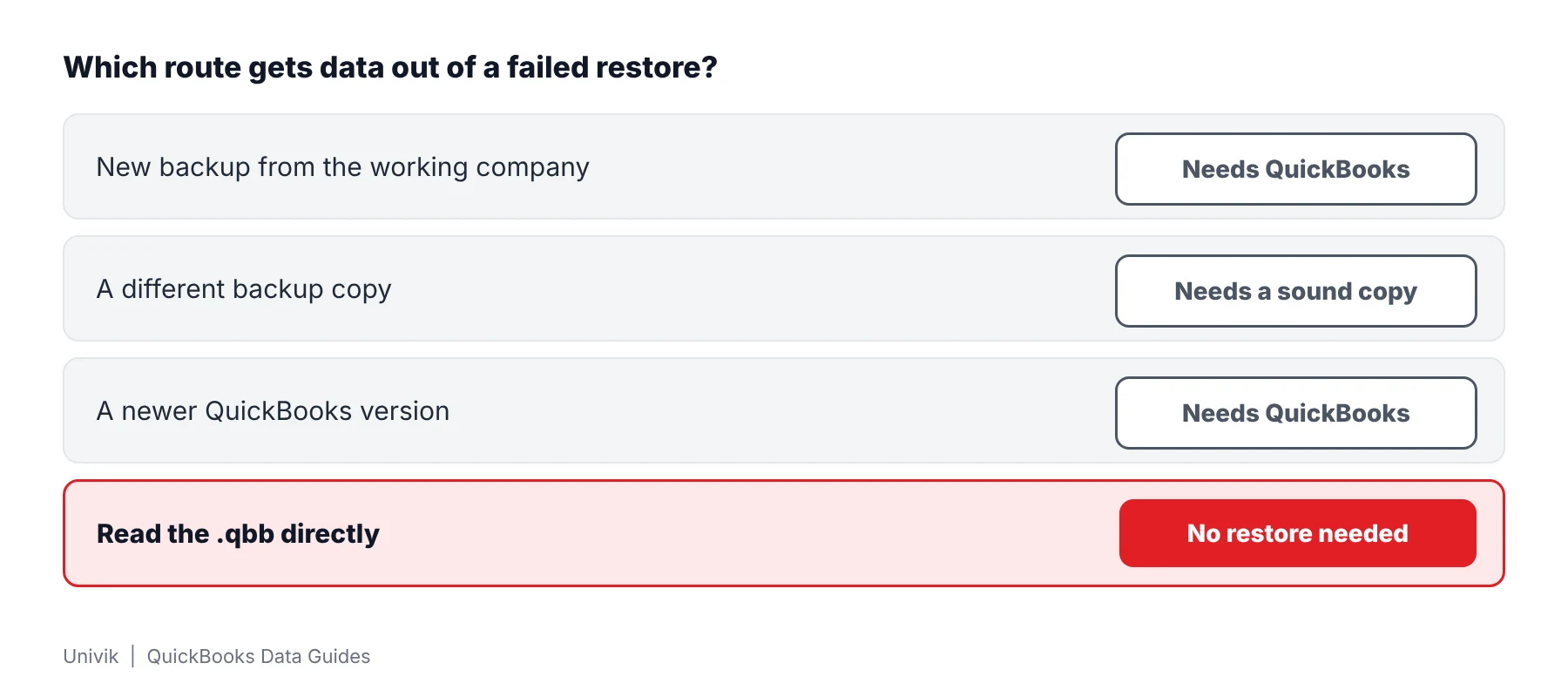
| Route | Needs QuickBooks | Works on a bad backup |
|---|---|---|
| New backup from the working company | Yes | Only if the company still opens |
| A different backup copy | Yes | Only if that copy is sound |
| A newer QuickBooks version | Yes | No |
| A reader for the .qbb | No | Reads what is intact |
How Do You Read a QBB File That Will Not Restore?
Univik QBooks Recovery opens a .qbb read-only and shows the company inside without a restore. In a test the software wrote all 52 files of one backup into a new folder. The test backup held 271 tables with 13,474 records in all.
- Copy the backup Put a copy of the backup on a local drive. Keep the original where it is because the reader works on the copy.
- Get the reader Download setup-qbooks-recovery.exe and run it on a Windows 10 or 11 PC. A QuickBooks install is not needed.
- Open the backup Press Open File and pick the duplicate. The software opens the backup read-only and writes nothing to the original.
- Look through the lists Browse customers, vendors, accounts and transactions on screen. Use Find to search for a name or amount.
- Export or restore the files Export to Excel, CSV, HTML or .iif. Press Restore Backup Files only when you want the files inside the backup written to a new folder.
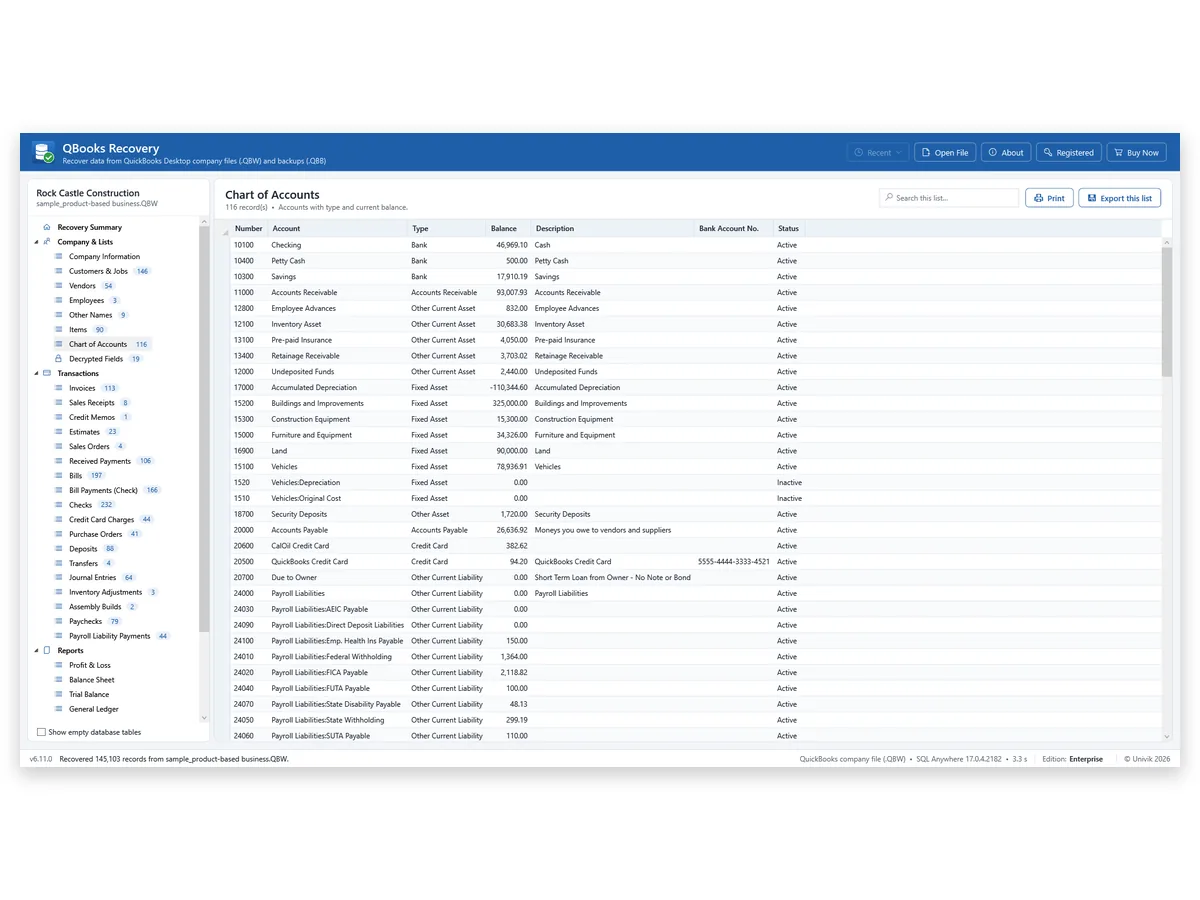
I truncated a test .qbb backup to 80 percent and 9,096 of 13,474 records still read. A failed QuickBooks restore says nothing about what sits inside a backup.
A failed restore does not mean the books are gone. Truncate a test backup to 80 percent and 9,096 of 13,474 records still read. Copy the backup first and read the copy.
Univik QBooks Recovery opens a .qbb read-only and lists the customers, vendors and transactions inside.
Download Free Trial Select a Licence - From $99For Windows 10 and 11. The trial shows all data on screen and holds 25 items per list in each export.
What If the QBB File Still Will Not Open?
1. The backup is under 6 MB
Do this: Intuit treats anything that small as not a true backup. Ask whoever made it for a fresh copy and compare the sizes.
2. The backup came from a newer version
Do this: QuickBooks will not restore it into an older release. Find a machine with the newer version or a reader for the backup.
3. The backup is cut short
Do this: A cut backup loses the part after the cut. The truncated test backup kept 9,096 of 13,474 records. The QBB file guide explains the container layout.
Key Takeaways: QBB File Will Not Restore
- Intuit names six causes for a failed restore. A real backup is at least 6 MB.
- A backup restores into the same or a newer QuickBooks version and never into an older one.
- A .qbb read directly needs no restore. Univik QBooks Recovery read 9,096 of 13,474 records after a test backup was truncated.
Not sure what you have? Send the extension and size to Univik support. Other guides cover a company that will not open and Auto Data Recovery.
FAQ: QBB File Will Not Restore
Why will my QBB file not restore?
Intuit lists six causes: special characters in the company file name, a restore over an existing company file, a restore from a USB drive to a network drive, a backup made in a newer QuickBooks version, a file that is not a real backup and a damaged company file.
What does "Restore Failed" mean for a QBB file?
Intuit lists "Error: Failed", "Restore Failed. This is an Invalid Format of a Post QuickBooks 2007 Backup File" and "Error: Restore failed. Can't remove log file" under one article. Intuit covers all three in one article with one list of causes.
Can a newer backup restore in an older QuickBooks version?
No. Intuit says a backup can restore into the same or a newer version but not an older one. A 2018 backup can restore in 2019 while a 2019 backup cannot restore in 2018.
How large should a QBB file be?
Intuit says a real backup should be no smaller than 6 MB (6,000 KB). A smaller file is probably not a true backup. Right-click it and choose Properties to see the size.
Do special characters in the name stop a restore?
Intuit lists ( / \ < > ! $ ) as characters to remove from the company file name. Rename the file before the next try.
What is error -6147 when restoring a QBB file?
Intuit's -6000 series includes -6147,0 and ties it to a company file open or a .QBB restore. The fixes in that article run in order and the restore fix asks for a path no longer than 210 characters.
Can a QBB file be read without restoring it?
Yes. Univik QBooks Recovery opens a .qbb as a read-only source with no restore step. The test backup held 271 tables with 13,474 records in all.
How much of a damaged QBB file can be read?
Truncating a test backup to 80 percent left 9,096 of 13,474 records readable. Everything after the cut was gone.
Which QuickBooks backups did Univik test?
Univik tested a backup from one SQL Anywhere 16 company. Mac backups and older binary backups are unsupported.

Product details and test figures come from Univik's own build and test runs. Statements about QuickBooks follow Intuit help articles that were opened on November 11, 2026.
Sources we read: Intuit: restore failed errors · Intuit: restore a backup company file · Intuit: error -6000 when opening a file
QuickBooks and Intuit are trademarks of Intuit Inc. Univik has no tie to Intuit.