A QuickBooks company file that will not open usually points to a network, hosting, log file or damage problem. Update QuickBooks, run File Doctor, rename the .ND and .TLG files with OLD and test a copy.
Read the error code first, because most -6000 codes are network faults. If the damage sits inside the .qbw, a reader can still read what is left.
Why Will a QuickBooks Company File Not Open?
A QuickBooks company file stops opening for network, hosting, log file or damage reasons. Intuit says errors in the -6000 family can occur on local and network setups and usually carry 3 or 4 more digits. The digits after the dash point to the cause.
| Error code | Cause Intuit lists |
|---|---|
| -6000, -107 | A damaged .TLG file |
| -6000, -305 | Wrong network setup or damage inside the company data |
| -6073, -816 | Several computers hosting, a firewall block or company file damage |
| -6190, 816 and -85 | Single-user mode instead of multi-user. A .TLG and .QBW mismatch is also possible |
| -6000, -832 | Hosting turned on or an .ND file that does not work |
| -6147, 0 | Opening a company file or restoring a .QBB backup |
The list comes from Intuit's article on error -6000. Most other codes in that family describe network, hosting or permission faults. No file reader fixes those.
Which of these is your week?
QuickBooks stops with a -6000 style message before the company opens.
Try Intuit's fixes →Verify Data reports damage or QuickBooks asks for a rebuild.
See Rebuild and Verify →File Doctor, a rebuild and a restore all ended without a working company.
Read the file instead →Which Fixes Does Intuit List for a Local Company File?
Intuit gives five fixes for a company on the same PC as QuickBooks. They run from the least invasive to the most. Work through them in this order and test the file after each one.
- Update QuickBooks Install the latest release, then try the file again.
- Run File Doctor In QuickBooks Tool Hub choose Company File Issues and then Run QuickBooks File Doctor. Pick the file, select Check your file, press Continue and enter the admin password.
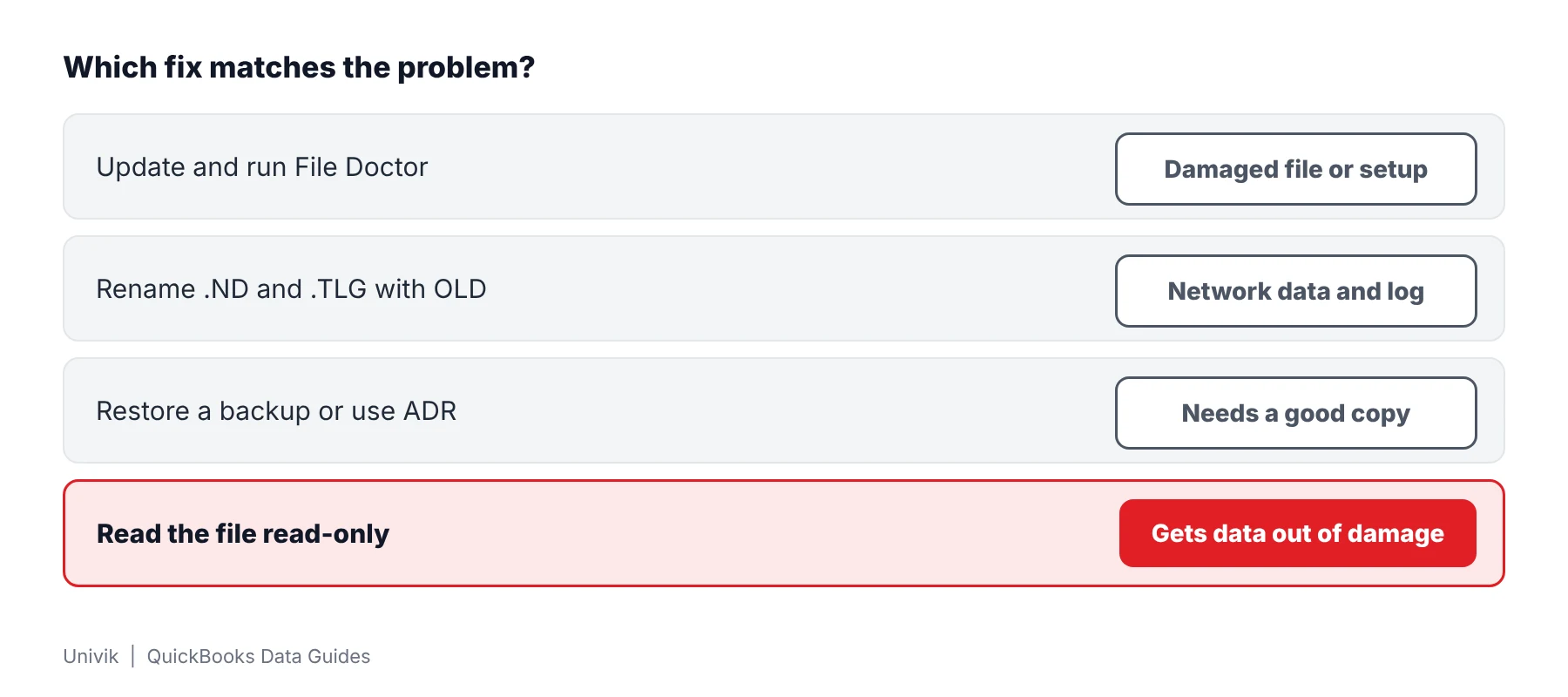
- Rename the .ND and .TLG files Add OLD to the end of each name, for example company_file.qbw.nd.OLD. Intuit says no QuickBooks data is lost.
- Test a sample company and a Desktop copy Open a sample company to rule out a damaged installation. Then copy the .qbw to the Desktop and open it with the Control key held to reach the No Company Open window.
- Restore a backup or use Auto Data Recovery A restored backup shows whether the current .qbw is the problem. Auto Data Recovery is Intuit's answer for a damaged company.
The network version of each fix, with the Tool Hub download, is in the same -6000 article.
What Do Rebuild Data and Verify Data Do?
Rebuild Data repairs data damage inside a company that opens. The path is File, Utilities, Rebuild Data. QuickBooks asks you to save a backup first. Verify Data sits beside it and reports whether any damage remains.
| Step | What Intuit says |
|---|---|
| Rebuild | Accept the prompt and save a backup when asked. The window may look stuck while the tool works. |
| Verify | A clean result reads "You don't have any data damage". A problem result offers Rebuild Now. |
| Still damaged | Run the rebuild again. If the first rebuild took 2 hours or more Intuit says to contact support. |
| No result | Intuit points to File Doctor when the rebuild fails and then to support. |
The wording follows Intuit's data damage article. It does not cover restoring a backup or Auto Data Recovery, so those have their own steps.
How Do You Read the Data in a Company File QuickBooks Cannot Open?
Univik QBooks Recovery reads a company without asking QuickBooks to open anything. The software works on a .qbw or .qbb and never writes to it. That helps when the damage sits inside the .qbw and every Intuit fix has ended.
- Copy it first Put a copy of the .qbw into a local folder before any repair. Later steps use the duplicate and the original stays put.
- Set up the reader Start the installer setup-qbooks-recovery.exe on any PC with Windows 10 or 11. QuickBooks does not need to be installed.
- Load the copy Choose Open File and point it at the copy. A progress window reads the database pages and writes a log line for each stage.
- Read the summary The summary screen lists the records read. Rows that came from a page that failed its check carry a warning mark. Unreadable parts appear in the Recovery log.
- Export what you need Press Export Data, choose a scope and an Excel workbook or CSV files, then save to a folder you control. Hand the export to the person who needs the books.
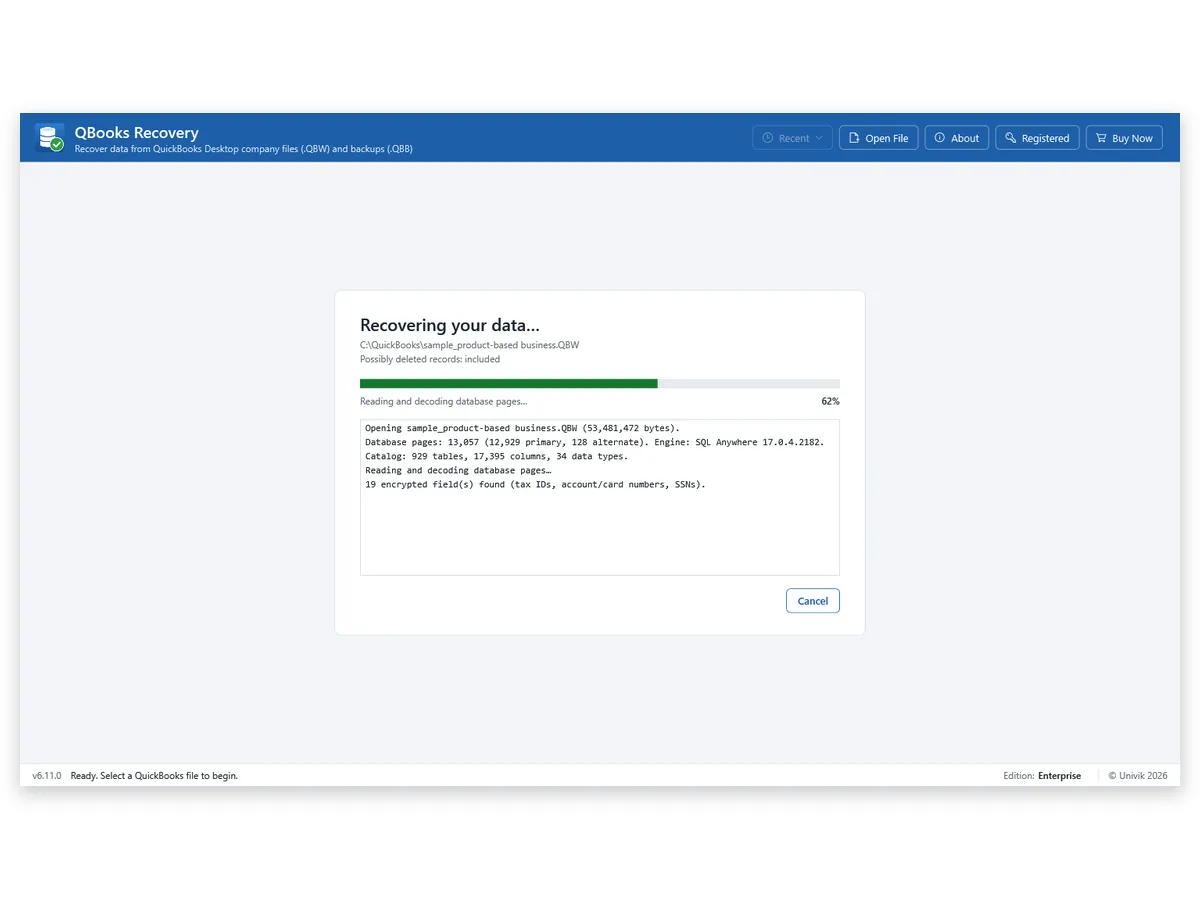
One 2024 test company with 40 corrupted pages returned 144,860 of its 145,103 records. A truncated copy at 80 percent of its size returned 121,495 records. The recovery page lists every damage test.
I cut a test company to 80 percent of its size and 121,495 records still read. That is why I copy a damaged .qbw before any repair.
When QuickBooks stops at an error the data is often still in the file. Truncate a test company to 80 percent and it still reads 121,495 records. Copy it before anything else, then work through Intuit's steps in order.
Univik QBooks Recovery opens a damaged .qbw read-only and lists customers, vendors and transactions that it can still read.
Download Free Trial Select a Licence - From $99For Windows 10 and 11. The trial shows all data on screen and holds 25 items per list in each export.
What If a Fix Does Not Work or the Error Is About the Network?
1. The error points to hosting or a firewall
Do this: Intuit lists hosting, firewall ports, folder permissions and Database Server Manager for many -6000 codes. Those are not file damage. Copy the .qbw to a local drive and see whether it opens there. A reader will not change a network setting.
2. The rebuild takes hours
Do this: Intuit says a first rebuild that took 2 hours or more should go to support. Stop repeating it and copy the .qbw for a read-only look in the meantime.
3. Only a backup exists
Do this: A .qbb that will not restore has its own causes. The guide on a QBB file that will not restore covers the path length and the overwrite warning. Univik QBooks Recovery can read the backup with no restore.
Key Takeaways: QuickBooks Company File Will Not Open
- Error -6000 codes usually point to network, hosting, log file or damage causes. Read the code before trying a fix.
- Intuit lists five local fixes in order: update QuickBooks, File Doctor, rename .ND and .TLG with OLD, a sample company with a Desktop copy and a restored backup or Auto Data Recovery.
- Univik QBooks Recovery returned 121,495 records from a test company cut to 80 percent of its size.
Not sure what you hold? Write to Univik support with the extension and the error code.
FAQ: QuickBooks Company File Will Not Open
Why does my QuickBooks company file not open?
Intuit ties the -6000 family of errors to a damaged .TLG file, a wrong network setup, hosting problems, folder permissions or a damaged company file. The error code decides which one applies.
Can I read a QuickBooks company file that will not open in QuickBooks?
Often yes. Univik QBooks Recovery reads the .qbw directly with no QuickBooks on the PC. A 2024 test company with 40 corrupted pages returned 144,860 of 145,103 records.
Does QuickBooks File Doctor need a password?
Intuit says File Doctor asks for the QuickBooks admin password. The steps are Company File Issues, Run QuickBooks File Doctor, Check your file and Continue.
Does renaming the .ND and .TLG files delete my data?
Intuit says no QuickBooks data is lost. Add OLD to the end of each name and QuickBooks recreates the files when you scan with Database Server Manager and open the company file.
What does error -6000, -107 mean?
Intuit lists a damaged .TLG as the cause. Renaming the .TLG with OLD is the first step Intuit gives for a local setup.
Is error -6147 a sign of damage?
Intuit lists -6147, 0 for opening a company file or restoring a .QBB backup and gives no single cause in that row. Treat it as a restore problem first and read the backup guide in the related list.
Will reading change the .qbw?
No. Univik QBooks Recovery opens the source for reading only. A copy also keeps other programs on the PC away from the original.
Can it read a Mac company file?
No. A Mac company file has a different extension and Univik does not support it. Intuit lists .QB2016 and .QB2019 as Mac company files.
Which QuickBooks versions did Univik test?
Company data from QuickBooks 2019 and 2024. Other versions are untested.

Product details and test figures come from Univik's own build and test runs. Statements about QuickBooks follow Intuit help articles that were opened on November 11, 2026.
Sources we read: Intuit: error -6000 when opening a file · Intuit: fix data damage · Intuit: Auto Data Recovery
QuickBooks and Intuit are trademarks of Intuit Inc. Univik has no tie to Intuit.