The QuickBooks Desktop Audit Trail report sits under Reports, then Accountant & Taxes. It needs QuickBooks and an open company. Condense Data leaves it in place.
Intuit says Audit Trail still shows all activity after a condense. A file reader can open stored audit lists when your company will not open.
What Is the QuickBooks Desktop Audit Trail Report?
QuickBooks Desktop logs changes made inside a company and shows them in its Audit Trail report. Intuit names this report in its Condense Data article, where an option clears part of its history. It runs only in QuickBooks with your company open.
Which of these is your week?
The company opens and someone asks for a history of changes.
Find the report →Someone ran Condense Data and the report starts later than expected.
See what changes →An error stops QuickBooks so the report cannot run.
Read the audit lists →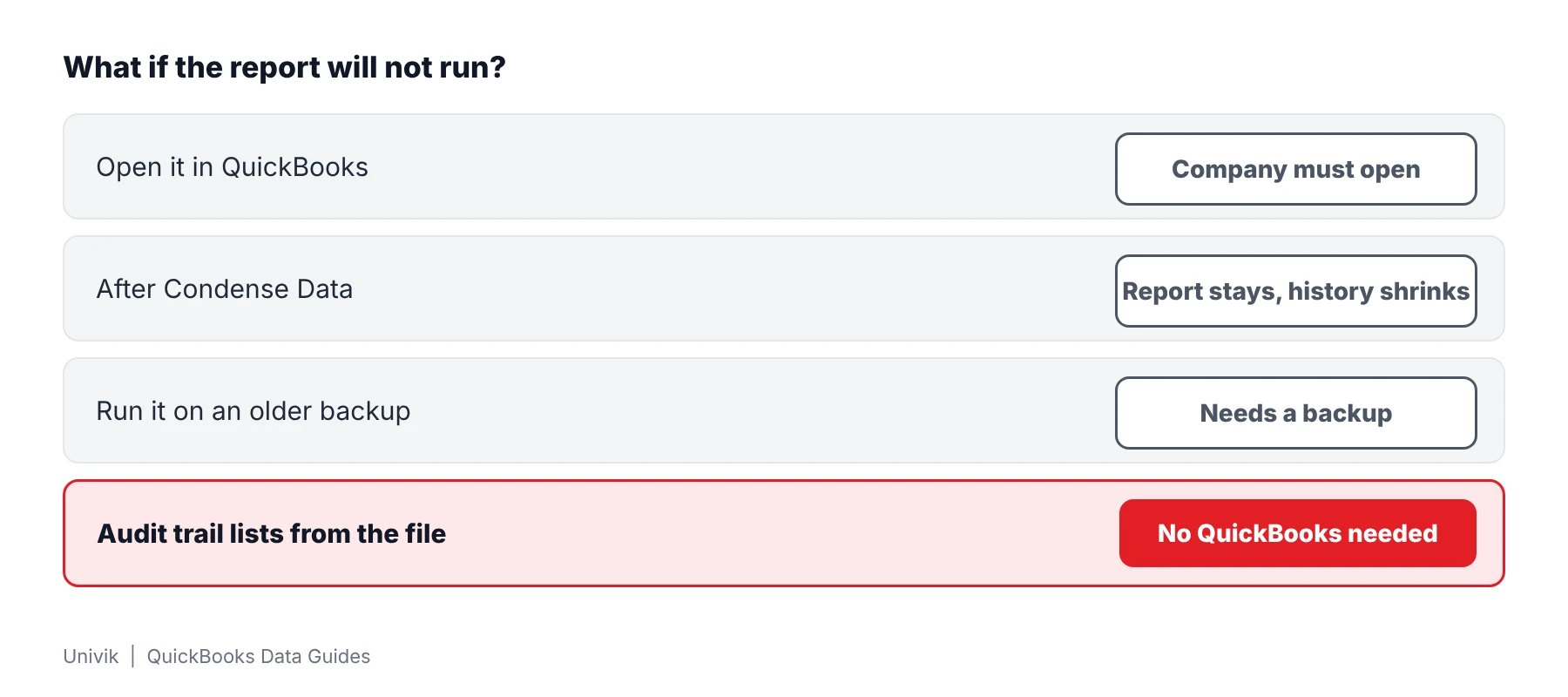
Where Do You Open the QuickBooks Desktop Audit Trail Report?
The report sits under Reports, then Accountant & Taxes. Intuit's balance article gives that path and filters the report by Date and Entered/Modified. A narrower range makes output easier to read.
- Go to Reports Pick the Accountant & Taxes group inside the Reports menu.
- Select the report Click Audit Trail in the list.
- Set the filters Choose a Date range and the Entered/Modified date in the report filters. Intuit sets both when it looks for problem transactions.
- Export if needed Send the output to Excel. Intuit's export article says each run exports one report.
The report depends on QuickBooks. A company that stops with an error code cannot run it.
How Does Condense Data Change the Audit Trail Report?
Condense Data leaves the report in place. Intuit's article says Audit Trail keeps showing all activity after Condense Data runs. The option that keeps transactions but drops audit trail info clears older edited, voided and deleted entries from it.
| Item | What Intuit states |
|---|---|
| Where it lives | File, Utilities, Condense Data |
| Reversal | Intuit says Condense Data cannot be undone |
| Report afterward | Still shows all activity |
| Audit option | Strips older entries that were edited, voided or deleted from that report |
An older backup made before a condense still holds full history. Run Audit Trail there if your current company shows too little.
How Do You Read Audit Trail Lists When QuickBooks Will Not Run the Report?
Univik QBooks Recovery opens the audit tables stored in a company file as two lists. Univik software needs no QuickBooks and reads a copy only. Intuit's own fixes come first. Read QuickBooks company file will not open for them.
- Duplicate the data Make a duplicate of your .qbw or .qbb in a fresh folder. Univik QBooks Recovery leaves your original alone and a duplicate keeps other programs away from it.
- Open the copy Install the reader from setup-qbooks-recovery.exe (Windows 10 or 11 only) and press Open File. QuickBooks does not need to open the company.
- Find the audit lists The left panel carries Audit trail and Audit trail lines as separate lists. Click one to see its rows.
- Search or print a list Use the search box above the list or press Print. The Find window searches across lists.
- Export and compare Press Export this list for Excel or CSV. Compare the rows with a report from an older backup.
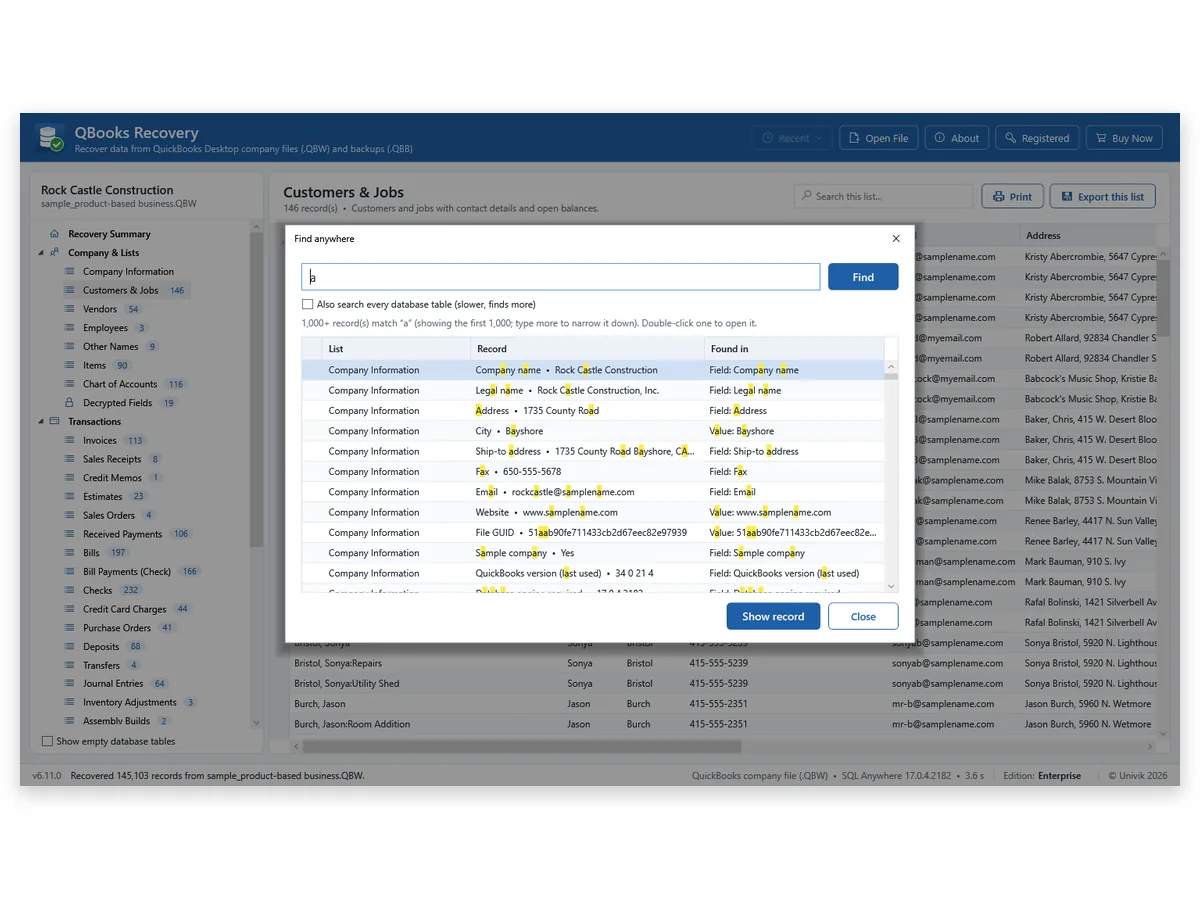
I open audit lists on a copy only, because Univik QBooks Recovery never writes to its source. I also check every row against an older backup since the lists carry no user names or change dates.
The Audit Trail report needs QuickBooks and an open company. When neither is available the stored audit tables can still be opened from a copy. Treat the rows as leads and check them against an older backup.
Univik QBooks Recovery opens the Audit trail and Audit trail lines lists of a .qbw or .qbb with no QuickBooks installed.
Download Free Trial Select a Licence - From $99For Windows 10 and 11. The trial shows all data on screen and holds 25 items per list in each export.
What Can the Stored Audit Trail Lists Not Tell You?
Stored lists are a view of your file and not a replacement for QuickBooks reports. Univik states three limits. Univik QBooks Recovery does not name who changed a record or when. It does not compare two files. It did not read a condensed company in Univik's tests.
| Question | Answer from the lists |
|---|---|
| Who changed the record? | Not stated by the software. |
| When did it change? | Not stated by the software. |
| Can two files be compared? | No. Compare exports yourself. |
| Is a condensed company covered? | Not tested. |
Open a list on your own copy to see which columns it holds. Univik has not documented them.
What If the Audit Trail Report Shows Too Little?
1. The history starts late
Do this: A condense may have cleared older entries. Run the report on a backup that predates it.
2. The report is empty for a date range
Do this: Widen your date range and Entered/Modified filter. Then run Audit Trail again.
3. You are looking for a removed entry
Do this: The guide to finding removed transactions compares all four places to look.
Key Takeaways: QuickBooks Desktop Audit Trail Report
- Audit Trail runs only in QuickBooks with a company open.
- Intuit says Audit Trail stays after Condense Data and still shows all activity.
- Univik QBooks Recovery shows two stored audit lists named Audit trail and Audit trail lines from a copy. It does not name who changed a record or when.
Questions about a file? Send the file extension and size to Univik support.
FAQ: QuickBooks Desktop Audit Trail Report
What is the QuickBooks Desktop Audit Trail report?
QuickBooks keeps a log of changes made to your company and shows it as Audit Trail. Intuit refers to this report in its Condense Data article. Columns and menu names can differ between versions.
How do I open the Audit Trail report in QuickBooks Desktop?
Go to Reports, then Accountant & Taxes, then Audit Trail. Intuit gives this path in its balance article.
Can the Audit Trail report be exported to Excel?
Yes. Intuit says reports go to Excel one report at a time. Run the export again for each separate report.
Does Condense Data remove the Audit Trail report?
No. Intuit says Audit Trail stays and still lists all activity after a condense. Only the option that drops audit trail info clears older edited, voided and deleted entries from it.
Can I open the Audit Trail report if my company will not open?
Not in QuickBooks. This report needs QuickBooks and an open company. A file reader can open stored audit tables from a copy of your file instead.
What are the Audit trail and Audit trail lines lists?
Univik QBooks Recovery shows audit tables stored in a company file as two lists with those names. Univik has not documented columns for them, so open a list on your copy and check.
Does the software show who changed a record?
No. Univik QBooks Recovery lists no user names or change dates. Check the QuickBooks report columns in your own version for user details.
Does a condensed company work with the reader?
Condensed files were not part of Univik's tests so what the audit lists hold afterward is unknown.
Does the reader open a Mac company file?
No. Mac company data and .qbm files fall outside what the reader supports. Univik tested 2019 and 2024 Windows company files.

Product details and test figures come from Univik's own build and test runs. Statements about QuickBooks follow Intuit help articles that were opened on November 11, 2026.
Sources we read: Intuit: fix beginning balance issues · Intuit: use the Condense Data utility · Intuit: export reports to Excel
QuickBooks and Intuit are trademarks of Intuit Inc. Univik has no tie to Intuit.