A sender split reads the From address on every message and drops each one into a file named for that sender. A domain mode instead gathers everyone at the same company into a single file, rather than making one file per person.
This is the fast way to pull every message from one client or vendor into a file of its own, without dragging the rest of the mailbox along with it.
Sometimes you need only the mail from one person or one company, not the whole mailbox. A lawyer asks for everything you exchanged with a supplier. An accountant wants the invoices from one vendor. A sender split reads the From address on each message and sorts the mail into a file per sender, so the people you care about come out cleanly. This guide covers the difference between a sender split and a domain split, how to stop a flood of tiny files and how to build the result with the Univik MBOX Splitter.
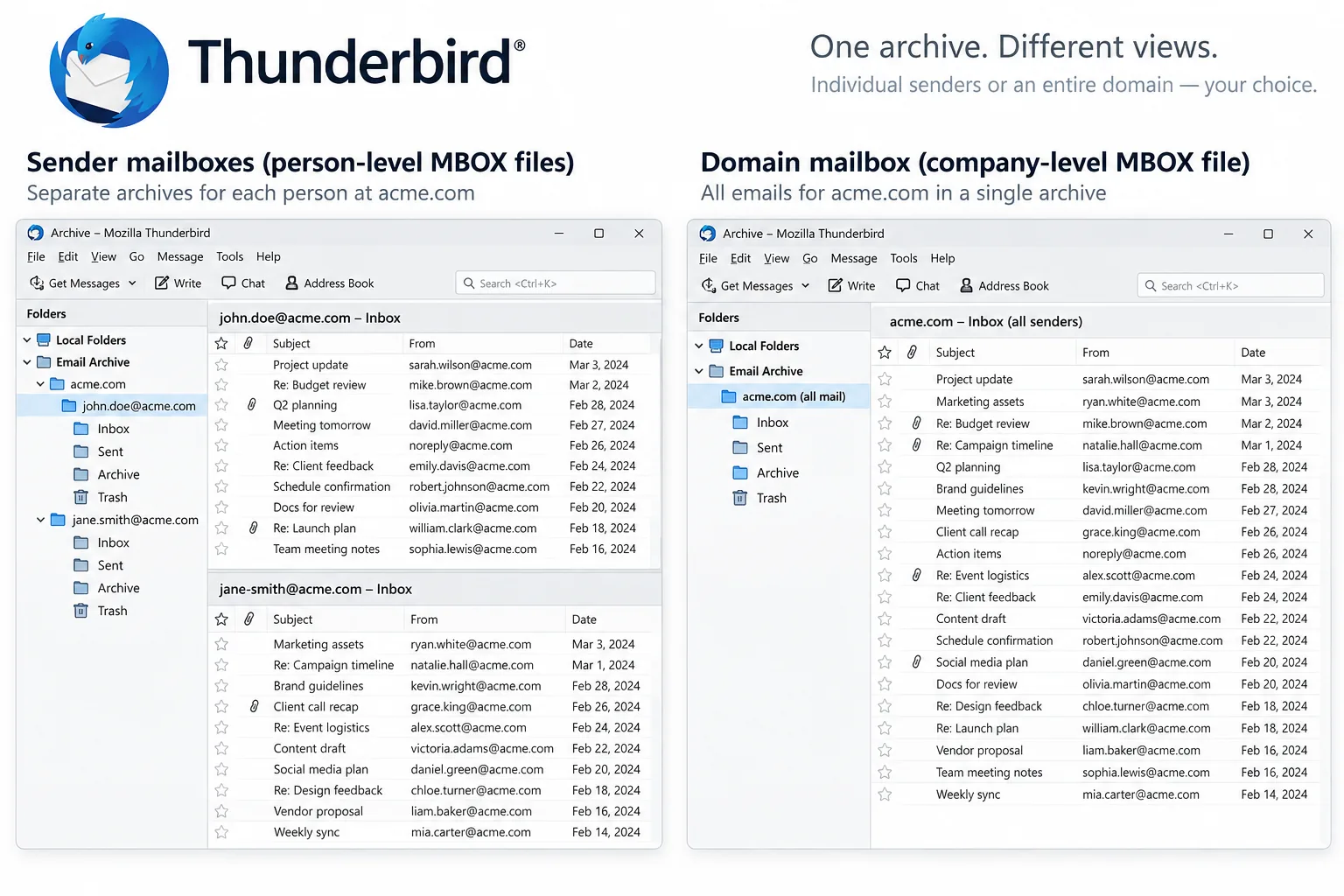
What Is the Difference Between a Sender and a Domain Split?
A sender split makes one file for each From address. A domain split makes one file for each company. If three people at acme.com wrote to you, a sender split gives you three files, one per person, while a domain split gathers all three into a single acme.com file. Pick sender when you want each contact kept apart. Pick domain when you think of the mail by the company it came from rather than the individual. On one test mailbox the sender mode produced sixty-two files and the domain mode produced twenty-four, because several people shared each company address.
| What you want | Sender split | Domain split |
|---|---|---|
| Groups mail by | Each From address | Each company address |
| Files from one company | One per person | One for the whole company |
| Number of files | More | Fewer |
| Best for | Keeping each contact apart | All mail from one firm |
How Do You Avoid Thousands of Tiny Sender Files?
A large mailbox holds mail from hundreds of one-off addresses, and a plain sender split would make a separate file for every one of them. That is a mess nobody wants. The fix is a floor. You set a number such as five. Any sender who wrote fewer than that many messages goes into a single Other senders file rather than getting a file of their own. The people who matter, the ones who wrote to you often, still get their own files. The long tail of newsletters and receipts collapses into one. You keep the files that are worth keeping and skip the clutter.
How Do You Hand One Sender's Mail to a Lawyer or Accountant?
When someone asks for all your mail with one company, a domain split gives you exactly the file to send. You run the split on the whole mailbox, find the file named for that company and send only that file. The rest of your mail stays private on your own machine. Before you send it, open the file in a viewer and check that it holds what you expect. Count the messages so you can say how many there are. Sending one focused file is cleaner and safer than forwarding a pile of messages or handing over the entire mailbox and trusting the other side to look only at the part that concerns them.
How Do You Split an MBOX by Sender on Windows?
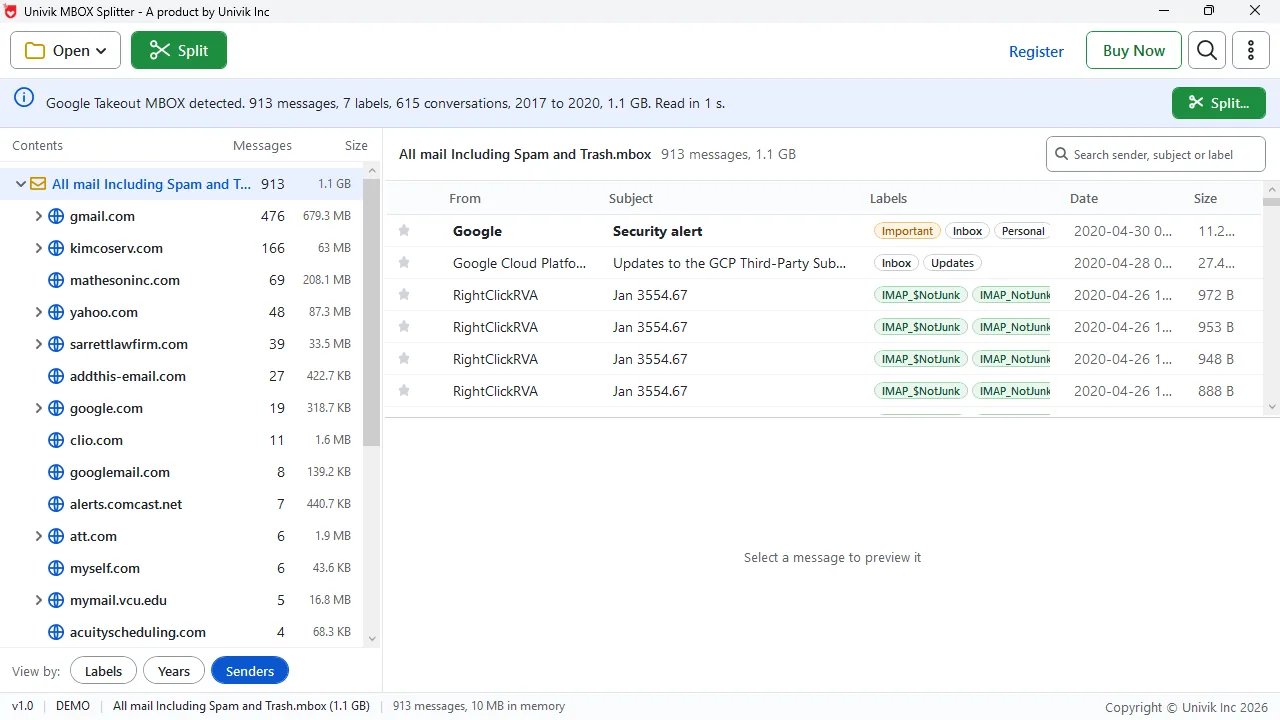
On a Windows PC the Univik MBOX Splitter does a sender or domain split in a few clicks. It looks at the From address on every message, gathers the mail the way you pick and saves a file for each sender or company inside a new folder. Each written file is opened again and matched to the source, which shows that none of the mail went astray. A split-index.csv file records which sender each message belongs to. The steps below walk through it.
Univik MBOX Splitter splits by sender or sender domain and pools the small senders into one Other file.
Free Download See all featuresWhich Script Splits an MBOX by Sender?
Yes, a short script can do a sender split. Python ships with a module called mailbox that reads an MBOX file message by message. A few lines can look at the From header on each message and write it to a file named after that sender. Anyone comfortable writing Python can build this in an afternoon. The catch is what the script leaves out. It does not check that every message reached a file, it does not pool the one-off senders into an Other file unless you code that too, and a mistake in how it copies each message can damage the output. A desktop tool handles the pooling, the check and the index for you, which is the trade for the licence fee.
- A sender split makes one file per From address; a domain split makes one file per company.
- On a test mailbox the sender mode made sixty-two files and the domain mode made twenty-four.
- Set a floor so rare senders collapse into one Other file instead of thousands of tiny ones.
- A domain split gives you one file to hand a lawyer or accountant, without sending the rest.
- Check and count a file before you send it, so you know what is inside.
- Python's mailbox module can script a sender split, but it will not pool, check or index for you.

MBOX Sender Split Questions

The Univik crew put this sender-split guide together with Leena Taylor Paul, and they have built email handover and export software for Windows since 2013. The sender and domain counts come from our own test mailbox. Last checked September 2026. Need one sender pulled out of a huge file? Contact our support team.