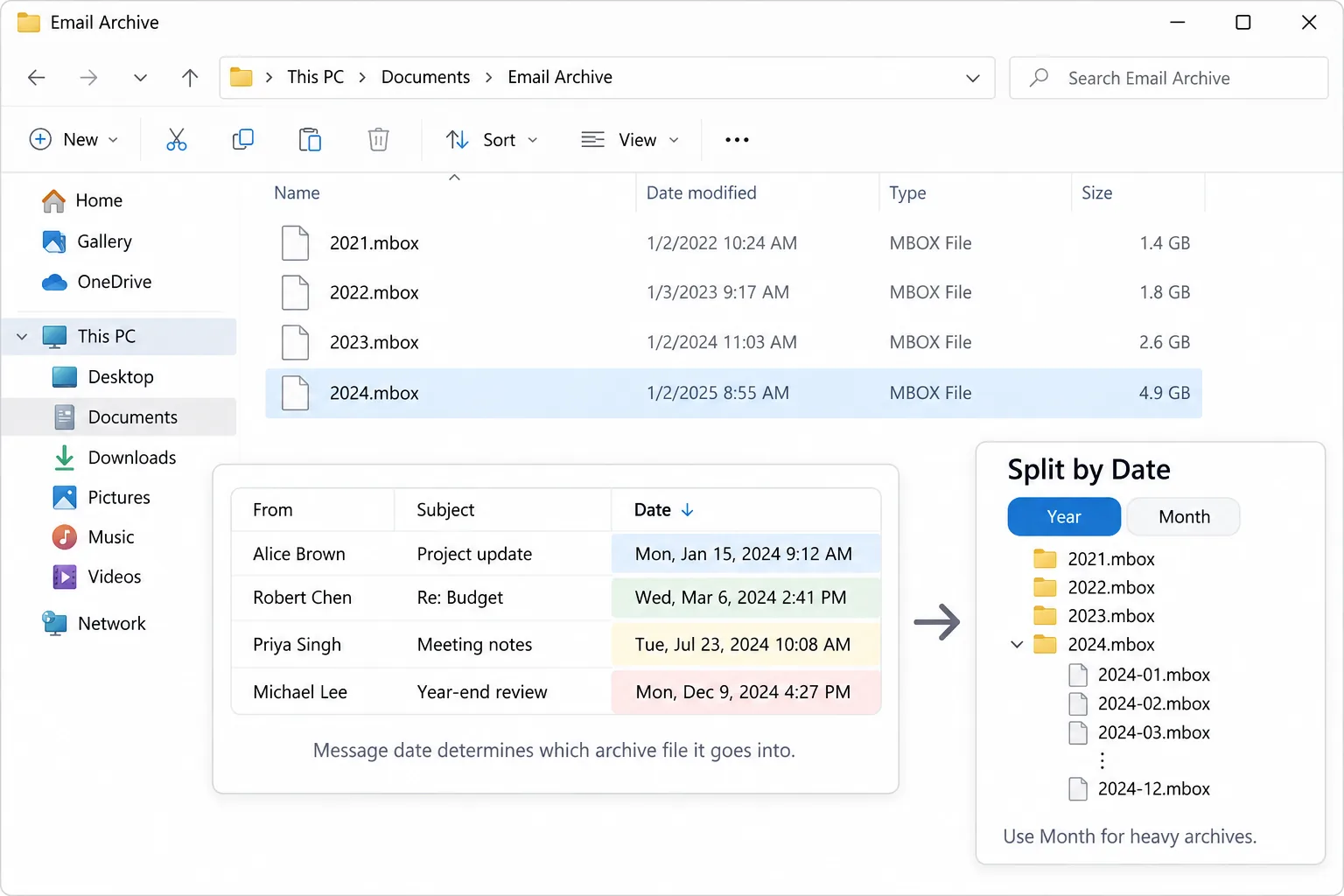
To split an MBOX file by year, pick a mode that reads the Date header on each message and writes one file per calendar year. A month mode does the same in twelve-part slices. Each file holds only the mail from that period.
A yearly split turns one long mailbox into a short shelf of files you can open and search on their own. A month split suits a heavy account where a single year is still too big.
One mailbox file that holds ten years of mail is slow to open and awkward to search. Breaking it into one file per year fixes both. Each year becomes a small file you can back up on its own, drop on a stick or hand to someone without sending the whole decade. This guide shows which date the split reads, how a message that starts one year and gets a reply the next is handled and three ways to make the yearly files. One is a mail program, one is a free script and one is the Univik MBOX Splitter.
Which Date Does a Year Split Use in an MBOX File?
A year split reads the Date header that sits at the top of every message. That header records when the message was sent or received, so the split drops each message into the year that date falls in. This matters because a mailbox is not stored in neat date order. Messages can sit in any sequence inside the file. The split does not care about their position. It reads the date on each one and files it under the right year, so a message from 2019 lands in the 2019 file no matter where it sat in the source.
Should You Split an MBOX by Year or by Month?
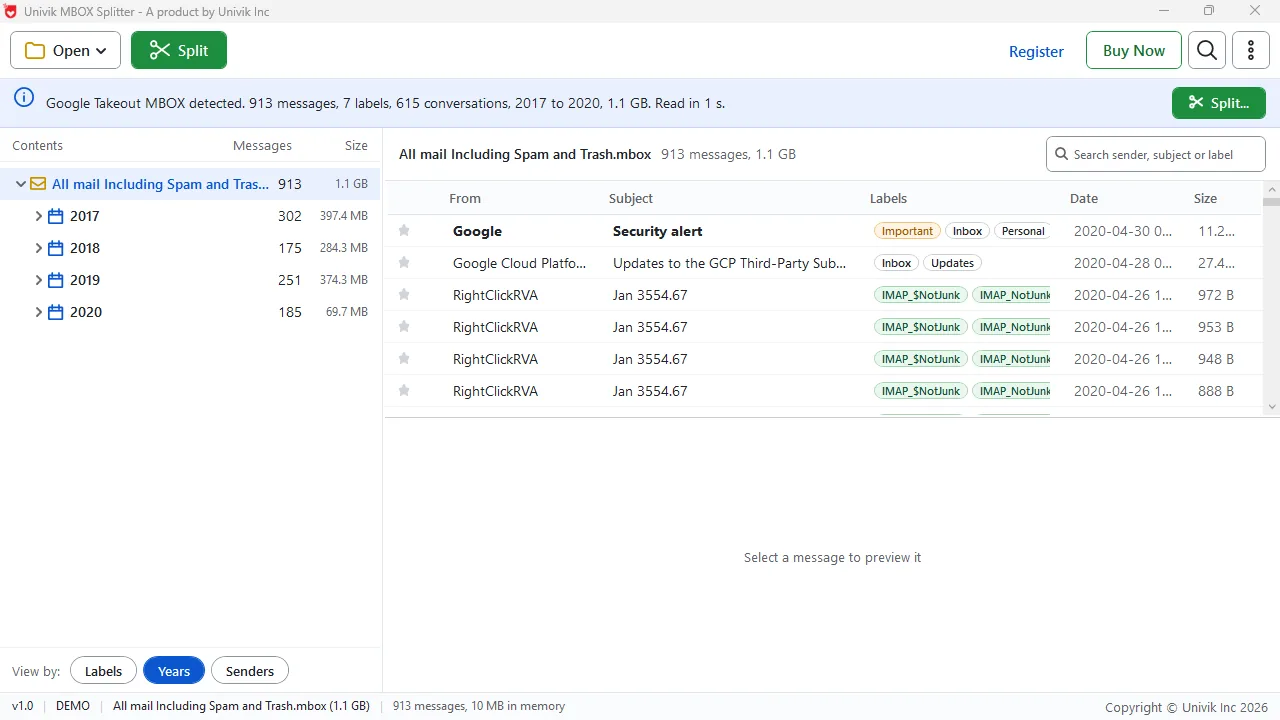
Pick year for most archives and month only for a heavy account. A year split gives you a handful of files, one per calendar year, which is enough to keep each one small and quick to search. A month split cuts finer and suits an inbox so busy that a single year still runs to several gigabytes. On one test export of four years the year mode made four files while the month mode made thirty-six. The trade is simple. Fewer, larger files by year are easier to browse. More, smaller files by month are easier to move and import one at a time.
| What you want | Year mode | Month mode |
|---|---|---|
| Files created | One per calendar year | One per calendar month |
| Number of files | Few | Many |
| Best for | A normal archive | A very heavy account |
| Easy to search one period | Good | Best |
| Fits on a FAT32 stick | Yes if a year is under 4 GB | Almost always |
What Happens to a Conversation That Crosses a Year?
A conversation that starts in December and gets its reply in January can be kept whole. The two messages carry different Date headers, so a plain year split would put them in two files. A splitter that keeps conversations together spots that the reply belongs to the same thread and holds both in one file. To make room it may start a file a little before the new year begins. The result is that you read the whole exchange in one place rather than chasing the second half into the next year's file. If you would rather have a strict cut on the calendar, turn the keep-together option off.
How Do You Split an MBOX by Year on a Windows PC?
On Windows the shortest route is a tool made for the job. The Univik MBOX Splitter opens the mailbox, groups the mail by the Date header and writes one file per year or per month into a new folder. It reads each file back afterwards so you know the count adds up, and it lists every message in split-index.csv so you can find any one later. The three steps below cover it.
Univik MBOX Splitter splits by year or month, keeps each conversation whole and lists every message in split-index.csv.
Free Download See all featuresWhat Free Ways Split an MBOX by Date?
Yes, two free routes exist. Thunderbird can do it by hand. You import the mailbox, sort a folder by date, select a year of messages and export them to their own file with the ImportExportTools NG add-on, then repeat for each year. It works but it is slow and manual. The second route is a script. The open-source Perl tool ryosama/mbox_spliter splits a mailbox by day, week, month or year from the command line, which suits anyone happy to run a script. Both routes give you dated files. Neither reads the parts back to prove the count, and neither writes an index of where each message went, so you check the result yourself.
- A year split reads the Date header on each message and files it under the matching calendar year.
- Year mode makes a few large files; month mode makes many small ones for a heavy account.
- A keep-conversations option holds a December thread and its January reply in the same file.
- On Windows the Univik MBOX Splitter writes dated files, checks each one and indexes every message.
- Thunderbird by hand and the Perl script ryosama/mbox_spliter are the free date-split routes.
- A yearly file under 4 GB fits on a FAT32 stick for offline backup.

MBOX Year and Month Split Questions

This year-split guide comes from Leena Taylor Paul working alongside the Univik crew, who build archive and backup software for Windows since 2013. The year and month counts here come from our own test export. Last checked September 2026. Need a different date split? Contact our support team.