Microsoft 365 subscribers lost Publisher on October 1, 2026. From that day the app no longer opens or edits their PUB files. Perpetual licence users (Publisher 2021 and Publisher LTSC 2021) keep a working app, but support ends on October 13, 2026, with no more security fixes after that. In both cases nothing happens to the PUB files themselves, which remain on whatever PC, USB drive, OneDrive or SharePoint site holds them. You can still open them with a free PUB viewer or LibreOffice Draw. To convert them, use Publisher’s Save As if you still have a working copy, or Univik PUB Converter for bulk conversion with no Publisher needed.
Update, 1 October 2026: Publisher has left Microsoft 365
Publisher left Microsoft 365 today, but your .pub files are exactly where they were and nothing has been deleted. If Publisher no longer opens them, the free Univik Online PUB Viewer shows Publisher 2003 and newer files in your browser, with nothing uploaded. If your copy of Publisher still opens with a “Publisher is retiring” banner, save your important files as PDF or Word now.
The Short Answer
Your PUB files do not disappear. The files themselves sit on your drive exactly where they were. What disappears is the ability to open them. Even so, you can still open Publisher files in your browser to view their contents without Publisher installed. To read your .pub files offline on Windows, the free Univik PUB File Viewer opens them with no upload.
PUB is a proprietary format tied to Microsoft Publisher, and very few other programs read it well. Now that Publisher has left Microsoft 365, double-clicking a PUB file on those PCs no longer opens it in Publisher. The file is still there. You need a different tool to open it.
What exactly happens depends on which version of Publisher you use.

“The files did not change on 1 October 2026. The application that opens them did. We have tested PUB and PUZ files from the oldest Publisher versions to the newest, and the practical advice is the same for all of them: convert in batch now, and do not count on a copy of Publisher that may stop opening any day.”
Nick Rogers
|Founder, Univik, building file conversion tools since 2013
Can You Still Open Your PUB Files? It Depends on Your Publisher
Whether your PUB files still open in Publisher depends on which Publisher you have.
Microsoft 365 subscribers: Publisher left Microsoft 365 on October 1, 2026. Publisher itself can no longer open or edit your PUB files. A few installs still launched that day and displayed a “Publisher is retiring” banner. If yours does, treat it as borrowed time and save your files as PDF or Word now.
Perpetual licence (Office 2021, 2019, 2016 or standalone Publisher): the app keeps running past October 2026. Support for Publisher 2021 and Publisher LTSC 2021 ends on October 13, 2026. Publisher 2019 and Publisher 2016 already left support on October 14, 2025. No more security updates or fixes after support ends. Your files still open in it, for now.
Either way, the files themselves are safe on disk. If you only need to read a PUB file, the free Univik PUB File Viewer opens it on Windows offline, with or without Publisher. For the full timeline, the licence-by-licence detail and an action checklist, see the Microsoft Publisher end of life guide.
Why So Few Programs Can Open PUB Files
This is the part that catches people off guard.
Microsoft never published a specification for the PUB file format. DOCX is an ISO open standard, so any developer can read the specification and build software that opens Word documents, which is why LibreOffice, Google Docs and dozens of other tools handle DOCX reliably. PUB has no equivalent open specification. It is a proprietary binary format that Microsoft documented internally but never released publicly.
As a result, only a handful of programs handle PUB files properly. The free LibreOffice Draw can import a lot of them, but anything with complex layouts, custom fonts, layered elements or master pages can shift or break. A small number of tools are built for PUB files, including free viewers and batch converters that work without Publisher.
That is why converting still matters. A PUB file left as it is depends on one of those few tools every time you want to open it. A PDF or Word copy opens on any computer.
Three Ways to Keep Access to Your Files
Convert Your Files Now
The recommended path. Convert your PUB files to PDF (for archiving and printing) and DOCX (for files you may want to edit later). If you still have a working copy of Publisher, its Save As works for a few files. With no Publisher, or for large archives, use a batch converter. This is the path that keeps your content open regardless of what happens to Publisher.
Keep a Perpetual Licence Running
If you have Office 2021 with Publisher, you can keep using it after October 2026. The application keeps working. This is a reasonable bridge if you have many files to convert and need more time. But support ends on October 13, 2026, the security risks grow after that and any Office upgrade removes Publisher permanently. Microsoft 365 users do not have this option.
Rebuild in a New Tool
For ongoing content you create regularly (newsletters, brochures and flyers), the existing PUB templates need to be rebuilt in a replacement tool. Convert the existing archive to PDF for reference, then rebuild active templates in Canva, Word or Affinity. New content is created in the new tool going forward.
How to Convert PUB Files Now
The conversion method depends on how many files you have.
Small number of files (under 20), if you still have Publisher: You need Publisher itself for this step, either a perpetual 2021, 2019 or 2016 version or a Microsoft 365 install that still launches. Open each PUB file in Publisher. Go to File then Save As. Choose PDF to preserve the layout exactly or Word Document to keep the content editable. This is free and uses Publisher’s own rendering engine. No Publisher? Open the file in LibreOffice Draw and export it as PDF (the layout can shift), or use the batch converter in step 2.
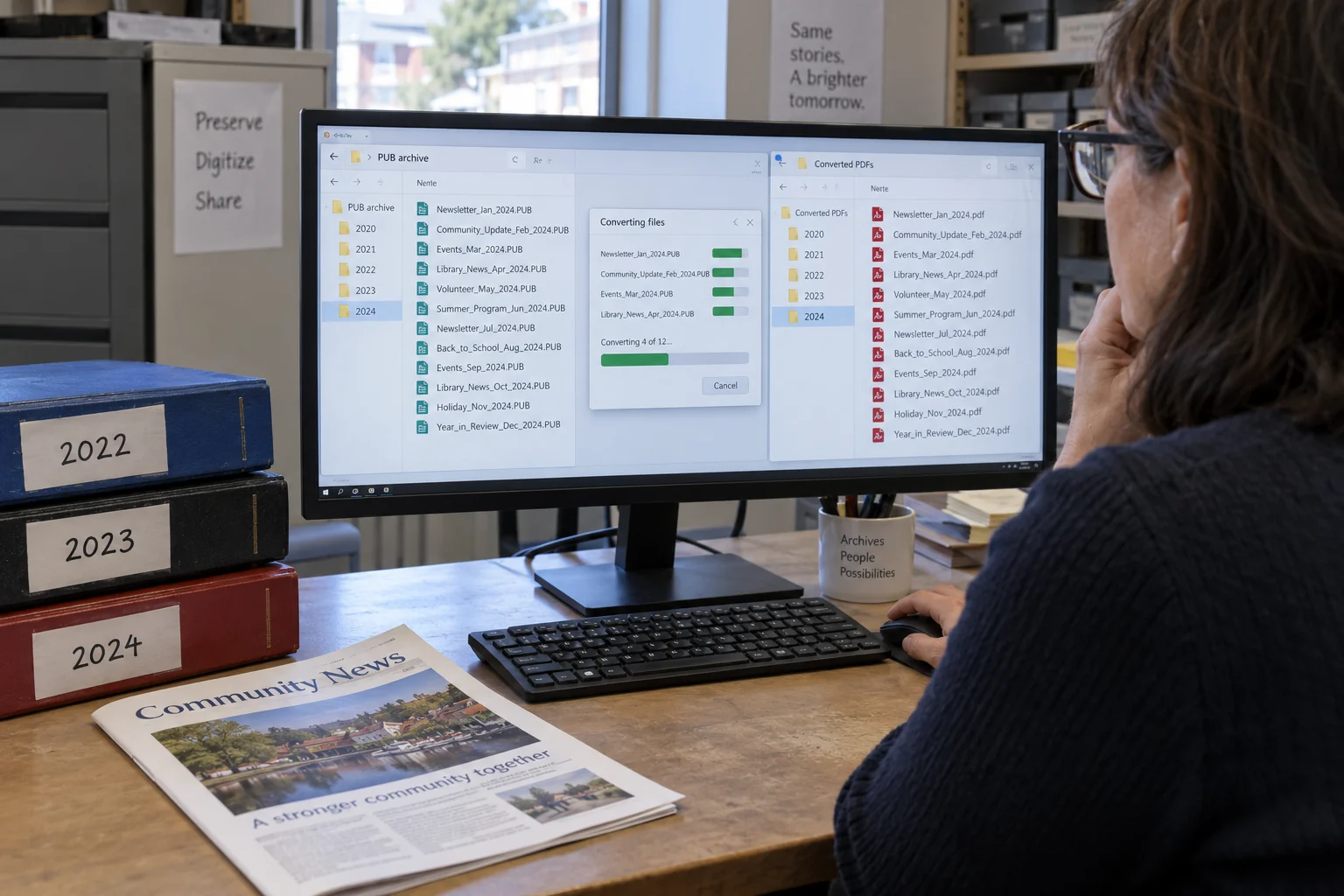
Larger archive (20 to hundreds of files): Manual conversion is not practical. Univik PUB Converter converts PUB files to PDF, Word and other formats in bulk on Windows. It works without Publisher installed, so it still converts files now that Microsoft 365 users have lost Publisher, and on machines that never had it. Load the files, select the output format and run the batch.
Finding all your PUB files: Before converting, find everything. Open File Explorer and search for *.pub to locate files on your local drive. If OneDrive backs up your Desktop and Documents folders (Microsoft calls this Known Folder Move), your PUB files live in OneDrive too, and some may be online-only copies. Right-click the folder and choose Always keep on this device before you convert offline. For network drives or SharePoint, your IT team can run a search across shared storage. In PowerShell, this command lists every PUB file on drive C: Get-ChildItem -Path C:\ -Recurse -Filter *.pub
Which format to convert to
Convert to PDF for any file you only need to view, print or distribute. PDF preserves the layout exactly and is readable on any device forever. Convert to DOCX for any file whose content you may need to edit in future. Word format makes the text accessible, but the layout will shift somewhat. When in doubt, convert to both and keep both. Storage is cheap. Losing access to the content is not recoverable. For more detail on the DOCX path, see our PUB to Word conversion guide.
Best Way to Keep Access to Your PUB Files
| Your goal | Best choice | Why |
|---|---|---|
| Read a PUB file now | Univik PUB File Viewer | Free and offline, no conversion needed |
| Preserve layout for viewing or printing | Convert to PDF | Layout stays exact and opens anywhere |
| Edit the content later | Convert to DOCX | Text becomes editable in Word |
Frequently Asked Questions
Do PUB files get deleted when Publisher is retired?
No. The files themselves are not deleted. Each one is still wherever you saved it, such as your computer, an external drive, OneDrive or SharePoint. What changes is the app that opens them. Publisher has been removed for Microsoft 365 users, and perpetual copies are unsupported or losing support. Your files are safe, and you can still open them with a free PUB viewer or convert them to PDF or Word.
Can I open PUB files in Word, PowerPoint or any other Microsoft 365 app?
No. None of the Microsoft 365 applications can open PUB files. Word, PowerPoint, Excel, OneNote and the rest all use their own formats. PUB is specific to Publisher. Now that Publisher has left Microsoft 365, there is no Microsoft 365 application that opens PUB files. Microsoft points people to Word and PowerPoint for new flyers, calendars, cards and labels, but those apps cannot read your old PUB files.
What happens if I try to open a PUB file after October 2026 on a Microsoft 365 subscription?
If Publisher is gone from your PC, Windows will not know which application to use to open the file. It may prompt you to choose an application or search the Microsoft Store. If Publisher still opens, you will see a “Publisher is retiring” banner, and that access may not last. To open the file, use a free PUB viewer, LibreOffice Draw or a machine with a perpetual Publisher installation. To keep it usable, convert it to PDF or Word.
Are there any online tools that can open PUB files after October 2026?
Yes, a few. The free Univik Online PUB Viewer opens PUB files from Publisher 2003 and newer in your browser, with nothing uploaded. Other online converters claim PUB support, but results vary. Many handle basic PUB files but struggle with complex layouts, custom fonts, layered images or master page elements. For older files or a whole archive, a desktop viewer or batch converter is the better choice.
I have thousands of PUB files. How do I convert them all?
You need a batch converter. Microsoft does publish a PowerShell script for bulk PDF output, called Convert-PubFileToPDF. It drives Publisher in the background, so it only runs on a PC with a licensed, working copy of Publisher. For machines that no longer have Publisher or for a more reliable batch workflow, Univik PUB Converter handles bulk PUB-to-PDF and PUB-to-Word conversion on Windows without requiring Publisher to be installed. Start the conversion project now, so your archive no longer depends on Publisher.
Will Microsoft release a tool to convert PUB files after Publisher is retired?
Microsoft has not announced any such tool. Its guidance was to convert files before October 1, 2026, using Publisher itself, and its PowerShell script also needs a licensed, working copy of Publisher. For editing, the Microsoft route is two steps: convert PUB to PDF, then open the PDF in Word. That is a workaround, not a clean solution. Without Publisher, a third-party converter can turn PUB files into PDF or Word directly.
The Short Version
PUB files did not disappear in October 2026. Publisher did, at least for Microsoft 365 users, and perpetual copies will slowly age and break without support.
The answer is the same regardless of which group you are in: convert the files you care about. PDF for anything you need to preserve as-is. DOCX for anything you might want to edit. Use Publisher if you still have a working copy, or a converter that does not need it.
For the full picture of what happens to Publisher across all licence types, the timeline and an action checklist, see our complete Microsoft Publisher end of life guide. For help choosing a replacement tool for creating new content going forward, see our Publisher alternatives guide.
How many PUB files are you dealing with? The answer to that question (a handful or hundreds) determines whether a manual or batch conversion approach makes more sense for you.