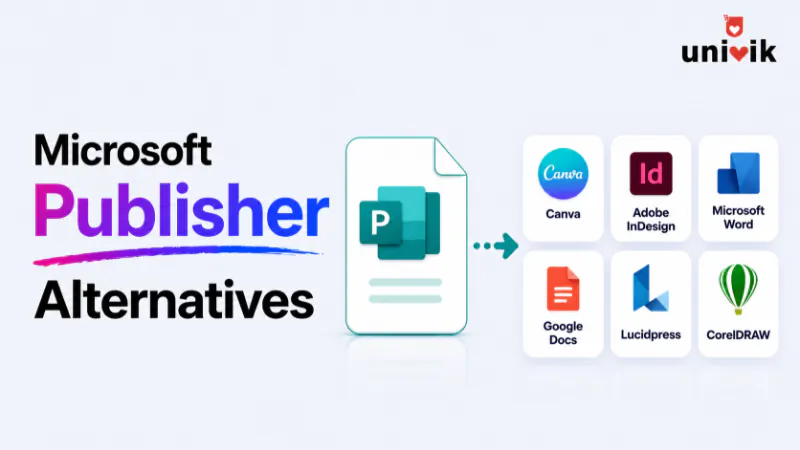
Microsoft Publisher left Microsoft 365 on 1 October 2026 and there is no direct replacement. The right Microsoft Publisher replacement depends on what you used Publisher for. For everyday marketing materials and a fast learning curve, Canva is the easiest switch. For newsletters and documents that stay in Microsoft 365, Word is the lowest-friction option. For professional multi-page print layouts, Affinity (now free under Canva) is the closest feature match. For a free replacement with genuine print-ready output, Scribus is the strongest option. For editorial and commercial print, Adobe InDesign remains the industry standard. Whichever alternative you choose, your existing PUB files still need to be converted separately because no alternative opens them natively.
Update, 1 October 2026: Publisher has left Microsoft 365
Microsoft 365 subscribers can no longer open Publisher or edit .pub files in it. Support for perpetual Publisher 2021 ends on 13 October 2026. Your .pub files are not deleted, so pick a tool for new work below and convert the old files with a tool that does not need Publisher, such as the Univik PUB File Converter.
What Should You Ask Before Choosing a Publisher Alternative?
Most guides on Publisher alternatives open with a list of tools. This one starts with a question: what were you actually using Publisher for?
The answer matters because there is no single replacement for Publisher. Publisher was a broad tool. It served the small business owner making a flyer, the school administrator producing a newsletter, the nonprofit designing a brochure and the professional print shop laying out a magazine. Each of those users has a different replacement need.
A non-designer who made quarterly newsletters in Publisher needs a different tool than a professional who produced print-ready brochures with bleed and CMYK colour profiles. Recommending Canva to the second user is a disservice. Recommending InDesign to the first is overkill.
Answer this question first: what did you make in Publisher? That decides what to use instead of Publisher for your work. Then find your use case below.
Not sure what happened to Publisher?
This post is about which replacement to use. For a full explanation of what changed on October 1, 2026, including how Microsoft 365 subscribers and perpetual licence holders are affected differently, see our Microsoft Publisher end of life guide.

“Whatever you move to, the old files need converting first. That is the part we have tested most: batches of PUB and PUZ from every Publisher version, checked for graphics and text formatting on the way out.”
Nick Rogers
|Founder, Univik, building file conversion tools since 2013
What Does Microsoft Recommend as a Publisher Replacement in Microsoft 365?
If you are asking what replaced Publisher in Office 365, the honest answer is that Microsoft did not build a direct replacement. There is no single app in Microsoft 365 that opens where Publisher left off.
Instead, Microsoft points users to a combination of apps it already ships. Its official guidance spreads Publisher’s jobs across three tools:
Microsoft Word for document-style layouts: newsletters, simple brochures and anything that reads like a document with text flowing down the page.
Microsoft PowerPoint for single-page visual layouts: flyers, posters and one-pagers that fit on a slide-shaped canvas.
Microsoft Create for templates: ready-made flyers, cards, calendars and posters that open in Word or PowerPoint, so you start from a design instead of a blank page.
For users who relied on Publisher’s specific mix of multi-page layout, mail merge and template-based print design, none of these is a true Publisher equivalent on its own. That is why this guide covers tools outside Microsoft 365 as well. If staying inside Microsoft 365 matters more than feature parity, Word and PowerPoint are what Microsoft expects you to use. Both are covered in detail below.
Which Publisher Alternative Fits Your Use Case?
The Microsoft Publisher alternatives below are grouped by what you made. Use this table to match your work to the right replacement, then read the detailed reviews that follow.
| What You Made in Publisher | Best Alternative | Why |
|---|---|---|
| Flyers, posters and event materials | Canva | Template library, fast drag and drop, generous free tier |
| Internal newsletters | Word | Already in your workflow, multi-column layout works, familiar |
| Email newsletters | Mailchimp or similar | Email HTML is the right format, and Publisher was never ideal for email |
| Brochures (simple, 2 to 4 pages) | Canva or Word | Both handle simple brochures without a learning curve |
| Brochures (complex, print-ready) | Affinity (free) | CMYK, bleed, master pages, professional typography |
| Presentation-style one-pagers | PowerPoint | Already in Microsoft 365, flexible canvas, exports to PDF cleanly |
| Multi-page catalogues and magazines | Affinity (free) or InDesign | Complex pagination, linked text frames, professional output |
| School and non-profit materials | Canva for Education / Non-profit | Free tier for qualifying organisations, large template library |
| Professional editorial and commercial print | Adobe InDesign | Industry standard, pre-flight checks, full professional workflow |
| Print-ready output without spending money | Scribus | Free, open source, genuine CMYK and bleed support |
Is Canva the Right Publisher Alternative for Non-Designers and Marketing Teams?
Canva is the most frequently recommended Publisher replacement, and for good reason. It is easy to use, it has a large template library covering flyers, brochures, newsletters and social posts, and its free tier is functional enough for most small organisations.
What it does well: Drag and drop editing, thousands of templates, browser based so nothing to install, team sharing and collaboration, direct export to PDF and JPG.
What it does not do well: Complex multi-page documents with linked text frames, print-ready CMYK output, professional typography control, precise bleed and crop mark handling. Canva is excellent for digital-first content. For print-heavy work with professional requirements, it falls short of Publisher’s capability.
Honest trade-off: Canva Pro is a paid subscription. The free tier is usable but removes some templates and export options. If you were using Publisher for simple flyers and social content, Canva is the fastest and lowest-friction switch. If you were using Publisher for print-ready brochures with custom typography, Canva will frustrate you.
Getting your PUB content into Canva: There is no direct import. Convert PUB files to high-resolution images or PDF first, then upload to Canva as a background reference and rebuild the editable elements. See our PUB to Canva guide for the full workflow.
When Is Microsoft Word the Right Publisher Replacement for Documents and Newsletters?
Word is the lowest-friction switch for most existing Microsoft 365 users. You already have it. Your team knows how to use it. For newsletters, simple brochures and document-style publications, it handles the job. It is also the tool Microsoft itself points to as the Publisher replacement for document-style work.
What it does well: Multi-column layouts, text boxes, image wrapping, mail merge (which Publisher’s mail merge users will appreciate), templates at Microsoft Create and close integration with the rest of Microsoft 365.
What it does not do well: Precise layout control for print-ready design, CMYK colour profiles, bleed and crop marks, complex layered designs. Word is a word processor that can do layout, not a layout tool. The distinction matters once you push beyond simple documents.
Honest trade-off: Word is already paid for through Microsoft 365. The learning curve is minimal. For organisations that used Publisher for newsletters and internal communications, switching to Word means rebuilding templates but not learning a new application. For professionally designed print materials, Word is a downgrade in capability.
Getting your PUB content into Word: If you still have a working copy of Publisher (a perpetual version or a Microsoft 365 copy that still opens today), File then Save As exports to DOCX. Without Publisher, a PUB converter can create the DOCX for you. See our PUB to Word step-by-step guide for what formatting survives and what to fix after conversion.
When Does PowerPoint Work as a Publisher Replacement for Slide-Based Layouts?
PowerPoint is an underrated Publisher replacement for one specific use case: single-page or presentation-style layouts. Flyers, posters, visual one-pagers and anything that fits on one or two slides with a lot of visual design works surprisingly well. It is the second app Microsoft recommends for former Publisher tasks.
What it does well: Flexible canvas, image handling, shapes and text boxes behave predictably, exports to PDF cleanly, already in your Microsoft 365 subscription, familiar to most users.
What it does not do well: Multi-page documents with flowing text across pages, professional print specifications, precise typography. PowerPoint is not a document tool. It is a slide canvas. For anything that needs to flow like a document, Word or Affinity is more appropriate.
Getting your PUB content into PowerPoint: No direct conversion exists. PowerPoint cannot open a PUB file or a PDF, so the most reliable path is to turn each page into a PNG picture and place one picture on each slide. See our PUB to PowerPoint conversion guide for what survives and what breaks at each step.
Is Affinity the Free Publisher Alternative for Professional Print Work?
Affinity is the closest feature equivalent to Microsoft Publisher on the market, and as of late 2025 it is free. It has master pages, linked text frames that flow content across pages, professional CMYK support, bleed and crop marks and a layout engine built for print.
What it does well: Everything Publisher did, at a professional level. Multi-page layouts, text frame linking, master pages, CMYK and spot colour support and PDF/X export for commercial printing. Affinity now combines the old Publisher, Photo and Designer tools into a single app on Windows and Mac.
What it does not do well: It has a steeper learning curve than Publisher or Canva. The interface is closer to Adobe InDesign than to Publisher, so Publisher users need to invest time learning the new workflow. No PUB file import.
Price: Free. Canva acquired Serif, Affinity’s developer, in 2024 and relaunched Affinity as a single free app in October 2025. The core layout, photo and vector tools cost nothing. Only the AI features require a paid Canva subscription. The previous one-time purchase of Affinity Publisher 2 is no longer sold.
Verdict: If you were using Publisher for genuine design work and want to keep that capability at no cost, Affinity is now the strongest choice on this list. The learning investment is real, but the feature parity is closer than anything else, and the price went from a one-time fee to free. See our PUB to Affinity migration guide for the conversion path.
When Is Adobe InDesign Worth It for Professional Designers?
Adobe InDesign is the industry standard for professional page layout. Magazines, books, annual reports, commercial brochures and packaging all run through InDesign. It offers pixel-level control over typography, grids, colour management and pre-flight checking.
What it does well: Professional-grade everything. Pre-flight checks, CMYK and Pantone colour support, cross-platform collaboration, industry standard file compatibility and integration with Photoshop and Illustrator.
What it does not do well: Accessibility for non-designers. InDesign has a significant learning curve. It is subscription only: you pay a monthly subscription for the single app or for the full Creative Cloud bundle. That makes it one of the more expensive options here.
Verdict: Right for professional design studios, marketing agencies and anyone producing commercial print work. Not right for the typical Publisher user who made newsletters and flyers without a design background.
How Good Is Scribus as a Free Publisher Replacement?
If you want a free Publisher replacement that still produces print-ready output, Scribus is the strongest option. It is free, open source and one of the few alternatives that supports genuine CMYK output, bleed and crop marks at no cost. It runs on Windows, Mac and Linux.
What it does well: Print-ready PDF export, CMYK colour management, multi-page layouts, text frame linking and master pages. Free forever, with no subscription and no per-seat cost.
What it does not do well: The interface is dated and has a noticeable learning curve. Template availability is limited compared to Canva or Word. It is less suitable for teams without a technical user to manage it.
Verdict: The best free alternative to Microsoft Publisher for anyone who needs genuine print-ready capability on a budget of zero. If your priority is ease of use over print precision, Canva’s free tier is friendlier, but for true CMYK and bleed at no cost, Scribus is the one to use.
How Much Does Each Publisher Alternative Cost?
| Tool | Price | Model | Windows | Mac |
|---|---|---|---|---|
| Scribus | Free | Open source | Yes | Yes |
| Canva Free | Free | Freemium | Browser | Browser |
| Canva Pro | Paid subscription | Subscription | Browser | Browser |
| Microsoft Word | Included in Microsoft 365 | Subscription (already paying) | Yes | Yes |
| Microsoft PowerPoint | Included in Microsoft 365 | Subscription (already paying) | Yes | Yes |
| Affinity | Free | Free (AI features need a paid Canva plan) | Yes | Yes |
| Adobe InDesign | Paid subscription (single app) | Subscription | Yes | Yes |
What Happens to Your PUB Files Before You Switch?
Whichever alternative you choose, your existing PUB files are a separate problem. None of these tools open PUB files natively. Before you migrate, you can open Publisher files in your browser to see exactly what each publication contains. If you only need to read PUB files rather than replace Publisher, the free Univik PUB File Viewer opens them on Windows offline. The PUB format is proprietary to Microsoft Publisher with no published specification, so no third-party application has been able to implement reliable PUB reading.
This means your PUB archive needs converting, whichever tool you switch to for new content. Publisher left Microsoft 365 on 1 October 2026. Microsoft advised converting files before that date, and that deadline has now passed. Nothing has removed the .pub files themselves, and every copy is still where you saved it: a PC, a USB drive, OneDrive or SharePoint. What has stopped is Publisher in Microsoft 365 opening them. Some subscribers may find their copy still opens for a short time, showing a “Publisher is retiring” banner. That window could close at any moment, so convert your files to PDF or Word now. A perpetual Publisher 2021 keeps working after its support ends on 13 October 2026, but with no more security fixes.
If you still have a working copy of Publisher, File then Save As exports single files to PDF or DOCX. For dozens or hundreds of files, or if Publisher no longer opens, a batch converter is the practical approach. Univik PUB Converter converts PUB files to PDF, Word and other formats in bulk on Windows without requiring Publisher to be installed, so it works on PCs that have already lost Publisher. See our guide on how to convert PUB to PDF for the step-by-step methods.
Frequently Asked Questions
What replaced Publisher in Office 365?
Nothing replaced Publisher directly. Microsoft did not build a single Publisher replacement inside Office 365 or Microsoft 365. Its official guidance spreads Publisher’s tasks across Word for document-style layouts, PowerPoint for single-page visual layouts and templates from Microsoft Create. None of these is a full Publisher equivalent on its own, which is why many former Publisher users move to Canva, Affinity or Scribus instead.
What replaces Microsoft Publisher now that it has retired?
There is no official Microsoft replacement. The practical replacement depends on your work: Canva for everyday marketing materials, Word for newsletters and documents, Affinity (now free under Canva) for professional print layouts, Scribus for another free print-ready option and Adobe InDesign for commercial editorial work. Match the tool to what you made in Publisher rather than looking for a single drop-in replacement.
What can I use instead of Publisher for free?
For free print-ready output with genuine CMYK and bleed, use Scribus. For free drag-and-drop design of flyers, posters and social content, use Canva’s free tier. Scribus is the closer match to Publisher’s print capability, while Canva is far easier to learn. Both cost nothing. If you already pay for Microsoft 365, Word and PowerPoint are also effectively free since they are included.
Is there a direct replacement for Microsoft Publisher from Microsoft?
No. Microsoft has not released a Publisher replacement. Their official guidance points to Word, PowerPoint and templates from Microsoft Create for common Publisher tasks, but none is a full Publisher equivalent. Word handles document-style layouts, PowerPoint handles slide-based visual content and Microsoft Create supplies ready-made templates that open in either app.
Is there an Adobe Publisher? What is the Adobe alternative to Publisher?
There is no product called Adobe Publisher. People searching for an “Adobe Publisher alternative” usually want Adobe’s equivalent of Microsoft Publisher, which is Adobe InDesign for professional layout or Adobe Express for quick template-based design. InDesign is the closest Adobe match for print work, though it is subscription only and has a steeper learning curve than Publisher.
Which Publisher alternative has the lowest learning curve?
Canva is the easiest switch from a standing start. The drag-and-drop interface is intuitive and the template library reduces the time to a usable design. For existing Microsoft 365 users, Word has the lowest learning curve because they already know it. Affinity has the steepest learning curve of the options here but the highest feature parity with Publisher, and it is now free.
Can any of these alternatives open PUB files?
None open PUB files reliably. LibreOffice Draw has partial PUB support but handles only basic files. Anything with complex formatting, layered images or custom fonts typically fails or produces a broken result. For reliable conversion, use a working copy of Publisher if you still have one (a perpetual copy or a Microsoft 365 copy that still opens) or a dedicated PUB converter that does not need Publisher.
What is the cheapest way to keep using Publisher after October 2026?
Microsoft 365 no longer includes Publisher, so the only lasting way is a perpetual copy you already own, such as Publisher 2021 on its own or as part of Office 2021. It still opens PUB files. Support for Publisher 2021 and Publisher LTSC 2021 ends on 13 October 2026, and Publisher 2019 and 2016 already left support on 14 October 2025, so there are no more security fixes. Standalone Publisher licences are no longer sold and Publisher is not part of Office 2024. For most people the cheaper long-term answer is to convert your PUB files and move to one of the alternatives above.
The Short Version
No single tool replaces Publisher for everyone. The right alternative depends on what you were making and how much design capability you need.
For most users (the small business owner, the school administrator and the nonprofit coordinator), Canva covers the everyday use cases at low or no cost. For organisations that need to stay in the Microsoft ecosystem, Word and PowerPoint are what Microsoft itself recommends. For genuine professional print capability, Affinity is now the most comparable tool and it is free, with Scribus as the other strong no-cost option.
What you cannot skip, regardless of which tool you choose: converting your existing PUB files. Publisher has already stopped working for Microsoft 365 subscribers, so do it now, with any working copy of Publisher you still have or with a converter that does not need Publisher. The alternative you pick for new content does not help with the archive of files you already have.