 Extract & Save Guide
 By
By Yes, with limits. The Act! trial runs for 14 days, needs no credit card and will open a database from an older version by updating it to the current format. Once updated, the file no longer opens in your old Act!, so work on a copy. The trial's export writes contacts only. Notes, history and opportunities do not come out that way. The clock runs out after two weeks.
It is the most repeated tip on every forum thread about a locked ACT! database: install the free trial, open the database, export, done. People try it because it costs nothing, and for some databases it works.
It also fails in three specific ways that nobody mentions until you hit them. This guide tests the trick against what Act! itself documents, so you know before you spend the 14 days.
- What Does the Act! Free Trial Actually Include?
- What Happens When the Trial Opens an Old Database?
- What Can You Export From the Trial?
- Where Does the Trial Trick Break?
- How Do You Use the Trial Safely in 3 Steps?
- Step 1: Copy the .adf and .alf before you install anything
- Step 2: Open the copy in the trial and let it update
- Step 3: Export contacts, then get the rest another way
- Trial or Direct Reader: Which Should You Use?
- How Do You Check You Got Your Data Before the Trial Ends?
- Act! Trial Export Questions
What Does the Act! Free Trial Actually Include?
Act!'s pricing page offers a 14-day free trial with no credit card. It is the current release, Act! v27 at the time of writing, in the Premium edition. It is a full install: the program, its own copy of SQL Server Express and the tools to open, back up and export a database. For 14 days it behaves like the paid product.
Two things it is not. It is not an old version, so it does not recreate the Act! you had. And it is not a viewer. It runs the same database update routine as a paid upgrade.
What Happens When the Trial Opens an Old Database?
Act! resellers describe the upgrade path in one line: back up, install, open the database and it updates to the latest version. The trial does the same. When you open an .adf made by Act! v16 or Sage ACT! 2012, the trial converts it to the v27 layout before it shows a single contact.
That conversion is one way. After it, the .adf will not open in the older Act! it came from. If you ever get that old install working again, it will not read the updated file. So the first rule of the trial trick is to work on a copy and keep the original pair somewhere safe.
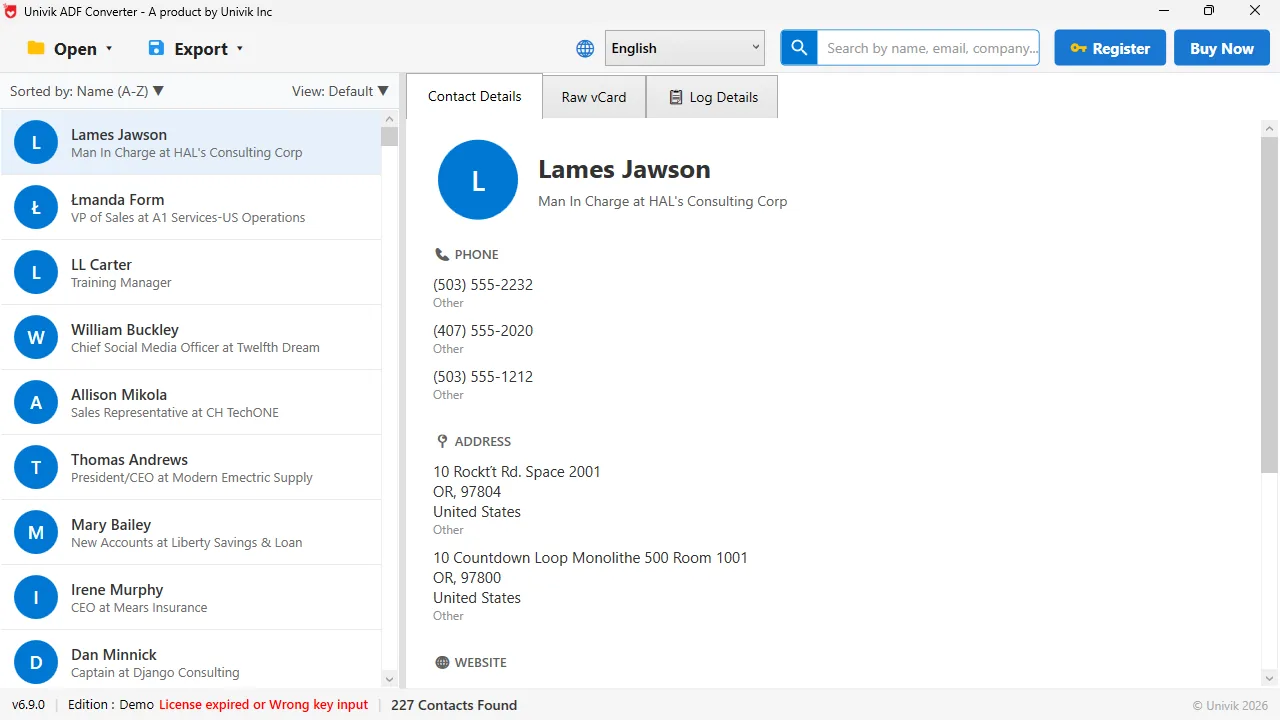
The old file, untouched A direct reader opens the .adf as it is. No 14-day limit and the database is not rewritten, so the original Act! can still open it.
What Can You Export From the Trial?
Once the database is open, File then Export saves the contact, company or group list as a delimited file. Tools then Export to Excel sends a list straight to Excel. For a plain contact list this is enough, and it is free.
The export screen does not offer notes, history, opportunities or attachments. Act! consultants say it directly: they are not in the list, and there is no version where they are. The trial has the same export screen as the paid product, so the trial has the same gap.
Where Does the Trial Trick Break?
Three places. First, the update. Act! documents the update from recent versions, and publishes separate guides for the oldest ones, so a database from the Sage era is a test rather than a promise. Second, the clock. Fourteen days sounds like plenty until the export needs cleaning and the week gets busy. Third, the data you did not get. The contact list comes out. The years of notes stay in the file you have now rewritten.
None of these makes the trial useless. They make it a contact-list tool with a deadline.
How Do You Use the Trial Safely in 3 Steps?
If you want to try it anyway, this order keeps your original database safe.
Copy the .adf and .alf before you install anything
Find the database under Documents, ACT, ACT Data, Databases and copy the .adf and .alf pair twice: once to a new folder for the trial and once to a USB stick or cloud folder you will not touch. The trial will rewrite the copy it opens.
Open the copy in the trial and let it update
Install the trial, then open the copied .adf. Accept the update. If it completes, the contacts appear and you have 14 days. If it fails, stop there. Do not retry on the original. The database is not damaged, it is only older than the trial expects.
Export contacts, then get the rest another way
Export the contact list to CSV while the trial runs. For the notes, history and opportunities, open the untouched original .adf in Univik ACT ADF Converter and export those tables. It does not update the file and has no deadline, so the two routes do not fight each other.
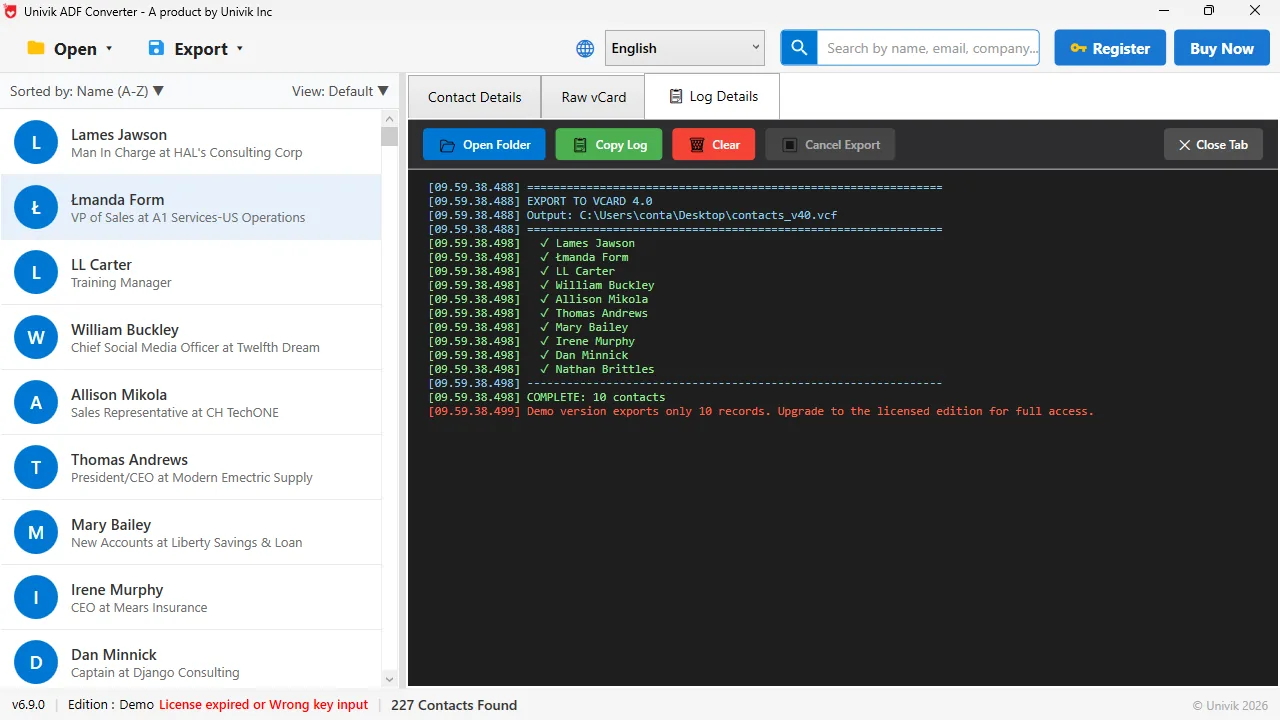
What the trial cannot show you A log with every record ticked. The demo writes 10 records and shows the full count, so you know what a licence will give you.
The trial trick is not wrong, it is incomplete. It gets a contact list out of a database that still updates cleanly. It never gets the notes, and it rewrites the file to do it. Know that before you start.
Univik ACT ADF Converter opens the old .adf as it is on Windows 7 to 11 and exports contacts, notes, history and opportunities to Excel, CSV, vCard, PDF or PST. No trial clock and no rewritten file.
Windows 11 / 10 / 8 / 7 · reads ACT! 2005 to Act! v27 databases · the demo exports the first 10 contacts and never changes your file
Trial or Direct Reader: Which Should You Use?
Side by side, for the same old database.
| Criteria | Act! 14-day trial | Univik ACT ADF Converter |
|---|---|---|
| Cost | Free for 14 days, then a subscription | $39 one time, free demo first |
| Changes your database file | Yes, updates it to the current version | No, reads it as it is |
| Contacts | Yes, File then Export | Yes |
| Notes, history, opportunities | No, not in the export screen | Yes, with dates and linked contacts |
| Very old database from the Sage era | Not promised by Act!, try it on a copy | Opens without an update |
| Windows 11 | Yes, current version | Yes, Windows 7 to 11 |
| Time limit | 14 days | None |
Use the trial when you want a free contact list from a database that is a few versions old, and you can finish inside two weeks. Use the direct reader when the notes matter, the database is old or the original file must stay as it is.
How Do You Check You Got Your Data Before the Trial Ends?
- The exported CSV row count matches the contact count on Act!'s status bar
- The original .adf and .alf pair is still untouched in your safe copy
- The notes and history you need are exported by another route, because the trial's CSV will not have them
Uninstall the trial when you are finished. Leaving it installed past day 14 changes nothing about your files, but it will keep asking you to subscribe.
The short version
- The Act! trial is 14 days, no credit card, current version only.
- Opening an old database in the trial updates the file to the new format, one way. Work on a copy.
- The trial's export gives contacts, companies and groups. Notes, history and opportunities are not on the list.
- Act! only documents the update from recent versions, so a very old database is a test, not a promise.
- A direct .adf reader skips the update, has no time limit and exports every table for $39.
Try Univik ACT ADF Converter free
Act! Trial Export Questions
How long is the Act! free trial?
Act!'s pricing page offers a 14-day free trial with no credit card. It installs the current Premium edition, not an older version.
Will the Act! trial open a database from an old version?
It will try. The trial updates the database to the current format when it opens it. Recent versions update as a matter of course. Act! does not promise it for very old databases, and the update changes the file one way, so use a copy.
Can I export notes and history from the Act! trial?
No. The trial has the same File, Export screen as the paid product. That screen writes contacts, companies and groups only. Notes, history and opportunities are not on its list.
Does opening my database in the trial damage it?
It does not damage it, but it rewrites it to the new version. The updated .adf will no longer open in the older Act! it came from. Keep an untouched copy of the .adf and .alf before you open anything.
What happens after the 14 days?
The trial stops opening the database and asks you to subscribe. Any file you exported stays yours. The updated database file also stays, but only a current Act! can open it.
Is there a way to export an old ACT! database without the trial?
Yes. Univik ACT ADF Converter reads the original .adf without updating it and exports contacts, notes, history and opportunities to Excel, CSV, vCard, PDF or PST. Its demo shows the full record count and writes the first 10 contacts.
 About This Guide
Written and maintained by Leena Taylor Paul and the Univik team, developers of Windows data conversion and recovery software since 2013. We checked the trial length, edition and pricing on act.com and the upgrade behaviour in Act! reseller documentation in September 2026, and opened old ACT! databases directly on Windows 11 the same week. Last verified September 19, 2026. Need a hand? Contact our support team.
Sources checked: Act! CRM pricing and free trial · Univik ACT ADF Converter