Convert a .qbb to Excel by opening the backup in a program that reads its container and exporting the lists as a workbook. No restore and no QuickBooks are involved.
Excel cannot open a .qbb. QuickBooks needs a restore first and then exports one report per run. A backup reader writes every list to its own sheet.
Can You Convert a QBB File to Excel?
A .qbb file can be converted to Excel without restoring it first. The .qbb is a compressed backup of a QuickBooks Desktop company. Excel cannot read it. QuickBooks only turns it into a new company file. A backup reader unpacks the container and writes the lists straight into a workbook.
Which of these describes your backup?
A .qbb on a drive holds the books of a client or a closed firm. Its lists have to reach a workbook for review.
Convert the backup →The backup came from another edition or QuickBooks is not installed. A restore is out of reach.
Compare the routes →The file is smaller than expected or a restore stopped halfway. You need to know what can still come out.
See what survives →Which Routes Turn a QBB File Into an Excel Workbook?
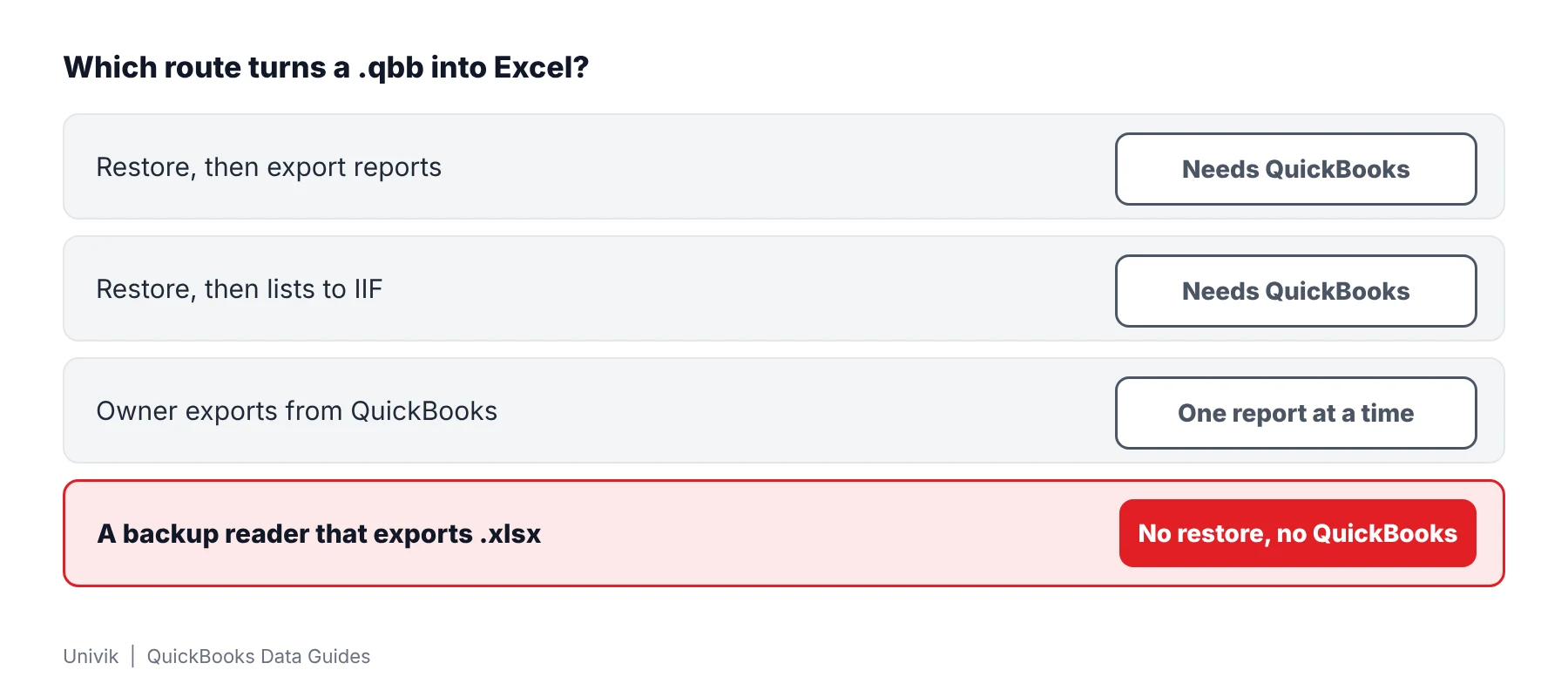
Four routes lead from a .qbb to Excel. Three of them go through a QuickBooks restore. A backup reader goes around it.
| Route | Restore first? | What reaches Excel | Limit |
|---|---|---|---|
| Restore, then export reports | Yes, in QuickBooks Desktop | One report for each export | Needs QuickBooks on the PC. A restore into the live folder can overwrite data |
| Restore, then export lists to IIF | Yes | Lists as IIF text files, not workbooks | Intuit says transactions cannot be exported as IIF |
| Owner exports from QuickBooks | Yes, on the owner's PC | Workbooks of the reports the owner picks | Depends on a reachable owner and covers chosen reports only |
| A backup reader that exports .xlsx | No | Every list, every transaction and nine reports on separate sheets | Windows only. The one tested backup came from SQL Anywhere 16. Trial exports stop at 25 items for each list |
Intuit explains the first steps in its restore article. The two export limits are in the Excel workbook article and the IIF article. The restore itself is walked through in the guide on opening a QBB file without QuickBooks.
Limitations: a restore route needs QuickBooks installed and a backup that restores cleanly. A failed restore leaves nothing to export.
How to Convert QBB File to Excel Without a Restore
Univik QBooks Recovery converts a .qbb backup to Excel on a Windows PC. The software reads the backup and writes nothing back to it. The test backup contained 271 tables with 13,474 records. Every one of the 52 files stored inside it came out.
- Duplicate the backup Copy the .qbb from the USB stick or cloud folder to a local drive. Work on that duplicate and leave the delivered backup as it is.
- Install the software Start the installer setup-qbooks-recovery.exe on Windows 10 or 11. QuickBooks is not part of the requirements.
- Load the backup Press Open File and choose the duplicate. The backup opens directly. No restore runs and no company file is created.
- Decide about protected fields A backup that holds protected fields raises the Encrypted fields found box. Skip loads all other data. The QuickBooks Admin password decrypts tax IDs of vendors, card numbers and SSNs of employees.
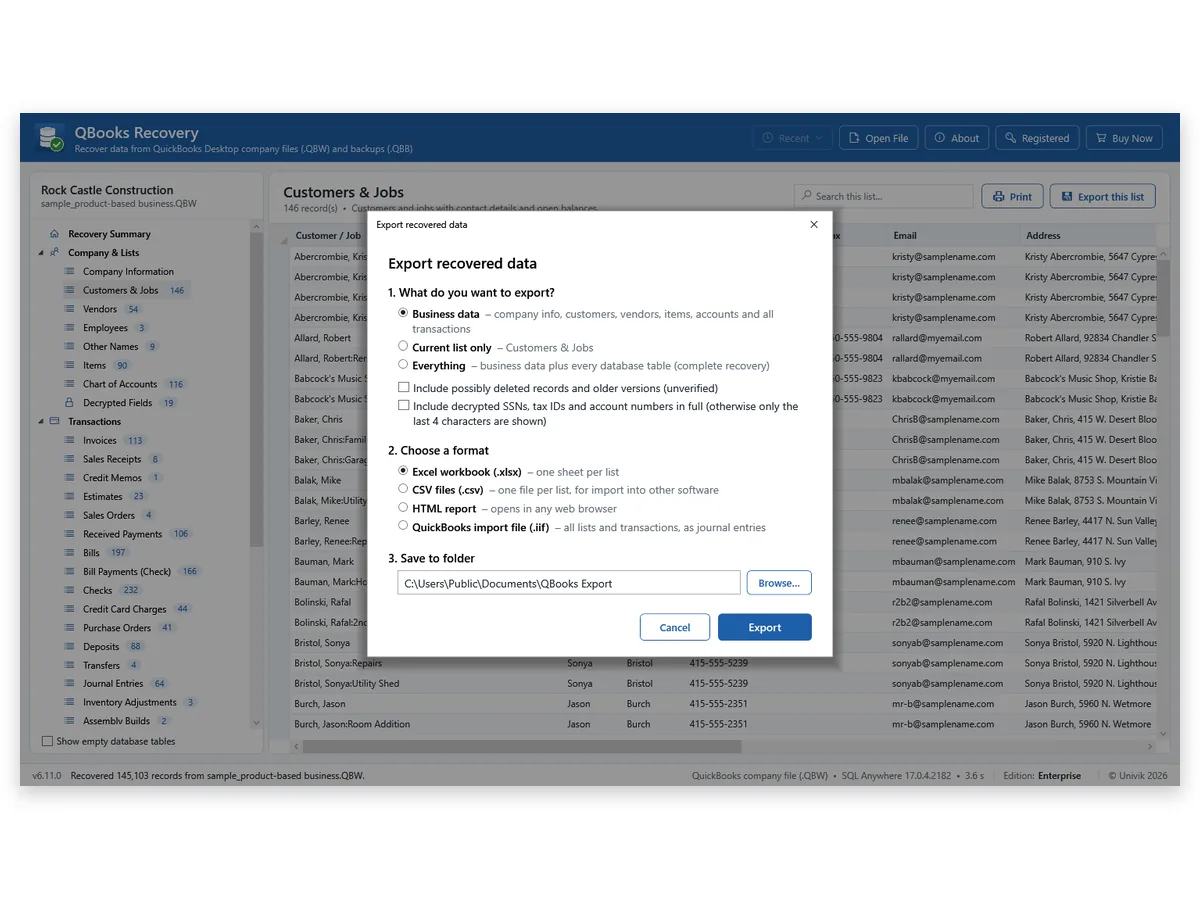
- Export to Excel Press Export Data. Select Business data or Everything, choose Excel workbook (.xlsx) and a target folder, then start the export.
- Open the workbook Open the saved file in Excel. Each list sits on its own sheet. Compare a row count with the summary screen before you pass the file on.
I read the test .qbb and found 271 tables, 13,474 records and 52 stored files. I now open the summary screen before the workbook, because a cut backup shows a smaller record count there.
Restoring a backup only to export it from QuickBooks is two jobs where one will do. A reader can take the lists out of the .qbb itself. One test backup gave 13,474 records and was never written to, so keep the original and convert a copy.
Note: the dialog also offers Current list only for one list. Everything exports every database table beside the business data. A backup holds more than the company, so the Files in Backup group shows its other contents.
Univik QBooks Recovery turns the lists and transactions inside a .qbb into an Excel workbook or CSV files.
Download Free Trial Select a Licence - From $99For Windows 10 and 11. The trial shows all data on screen and holds 25 items per list in each export.
What Can Be Exported From a Damaged or Cut-Short QBB File?
A damaged backup gives back what lies before the damage. The .qbb stores its data in compressed streams, so a break inside one stream makes the rest of that stream unreadable. Streams that sit untouched still read.
| Test file | Result |
|---|---|
| Intact test backup | The read covered 271 tables with 13,474 records. All 52 backup files came out. |
| Backup cut to 80 percent | 9,096 of 13,474 records came out. The part after the cut was gone. |
| Older binary backup | Not read. Ask for a fresh backup from QuickBooks Desktop. |
| Mac backup | Not covered by Univik's tests and not supported. |
Rows from the damaged part cannot be invented. A cut backup therefore gives a smaller workbook. The record count on the summary screen tells you how much arrived.
How Do You Check the Converted Excel File?
- Record count Compare the rows of a sheet with the count on the summary screen.
- Report total Tie one report to a printout from the owner. Univik's Trial Balance of 80 rows matched QuickBooks Enterprise 24 on a company file.
- Backup date Note which day the .qbb was made. A workbook shows the books as they stood on that day.
Whole numbers longer than 15 digits are kept as text. A decrypted tax ID shows its last 4 characters unless full values are requested.
What If the QBB to Excel Conversion Stops?
1. The backup will not open
Do this: The file may be cut short or may use the older binary format. The QuickBooks data recovery software page lists what Univik tested on damaged files.
2. The workbook holds only 25 rows of a list
Do this: Trial exports stop at 25 items for each list although the screen shows all data. A licence removes the limit.
3. You hold a company file, not a backup
Do this: A .qbw converts in the same dialog. Read how to convert QBW to Excel for the steps and checks.
Key Takeaways: Converting a QBB File to Excel
- A .qbb file converts to Excel without a restore. A backup reader unpacks the container and writes the lists into a workbook.
- A damaged backup gives back what lies before the damage. The record count on the summary screen shows how much arrived.
- Whole numbers longer than 15 digits are kept as text. A decrypted tax ID shows its last 4 characters unless full values are requested.
Not sure which file you hold? Ask Univik support and name the extension and the size.
FAQ: Convert a QBB File to Excel
How do I convert a QBB file to Excel?
Open the .qbb in a backup reader and export its lists as an Excel workbook. Univik QBooks Recovery does it on Windows 10 or 11 with no restore and no QuickBooks.
Does Excel open a .qbb file?
Excel cannot parse the compressed container of a .qbb, so the answer is no. Convert it first and open the workbook afterwards.
Do I have to restore the .qbb before converting it?
A backup reader skips that step. Restoring is how QuickBooks does it and the restore creates a new .qbw before anything can be exported. Univik QBooks Recovery exports from the .qbb directly.
How do I convert a QBB file to CSV?
Pick the CSV option in the export dialog. Each list becomes its own CSV file and long text stays intact.
Can I convert a QBB file to PDF?
Univik QBooks Recovery does not write PDF files. Its four formats are Excel, CSV, HTML and .iif. A Print command puts a single list on paper.
Can I convert a QBB file online?
A web converter receives your backup on its own server, which puts the books outside your control. Read a site's terms before you upload financial files. Univik QBooks Recovery works from your own drive.
Does QuickBooks export a whole backup to Excel?
Only after a restore. Each export then holds one report. Intuit also says transactions cannot leave as IIF files. A backup reader writes lists, transactions and reports in a single export.
How much of a damaged backup can be exported?
One backup truncated to 80 percent returned 9,096 of 13,474 records. A break inside a compressed stream blocks the rest of that stream.
Which backups did Univik test?
Univik tested one SQL Anywhere 16 backup and several generated ones for speed. Older binary and Mac backups are unsupported. Other backups are untested.
What does the trial export?
The screen shows all data. Every export stops at 25 items for each list. Personal costs $99 and covers 2 PCs. Business costs $299 for 10 PCs. Enterprise costs $599 for 50 PCs.

Product details and test figures come from Univik's own build and test runs. Statements about QuickBooks follow Intuit help articles that were opened on November 11, 2026.
Sources we read: Intuit: restore a backup · Intuit: Excel export of a report · Intuit: IIF file import and export
QuickBooks and Intuit are trademarks of Intuit Inc. Univik has no tie to Intuit.