QuickBooks Desktop has no single command that exports all data to Excel. Export each report one at a time or read the company file with a program that writes every list and transaction in one run.
The IIF export covers lists and leaves transactions out. A file reader exports lists, transactions with lines and nine reports together.
Can You Export All QuickBooks Desktop Data to Excel at Once?
QuickBooks Desktop has no single command that exports all data to Excel. Reports go to Excel one at a time. The IIF route is the only list export. Intuit rules out transactions for it. A company therefore reaches Excel in pieces unless a program reads the company file and writes every table in one pass.
Which of these jobs is yours?
A year-end or a change of bookkeeper needs every QuickBooks list and transaction in workbooks, not a few reports.
Export everything →Data has to leave QuickBooks Desktop for a new tool and a spreadsheet is the common ground.
Compare the routes →A reviewer wants the whole QuickBooks company and a way to prove that nothing was left out.
See what Everything holds →Which Ways Export QuickBooks Desktop Data to Excel?
Four ways exist and they differ in how much each run carries. Three start inside QuickBooks Desktop. The fourth reads a copy of the company file.
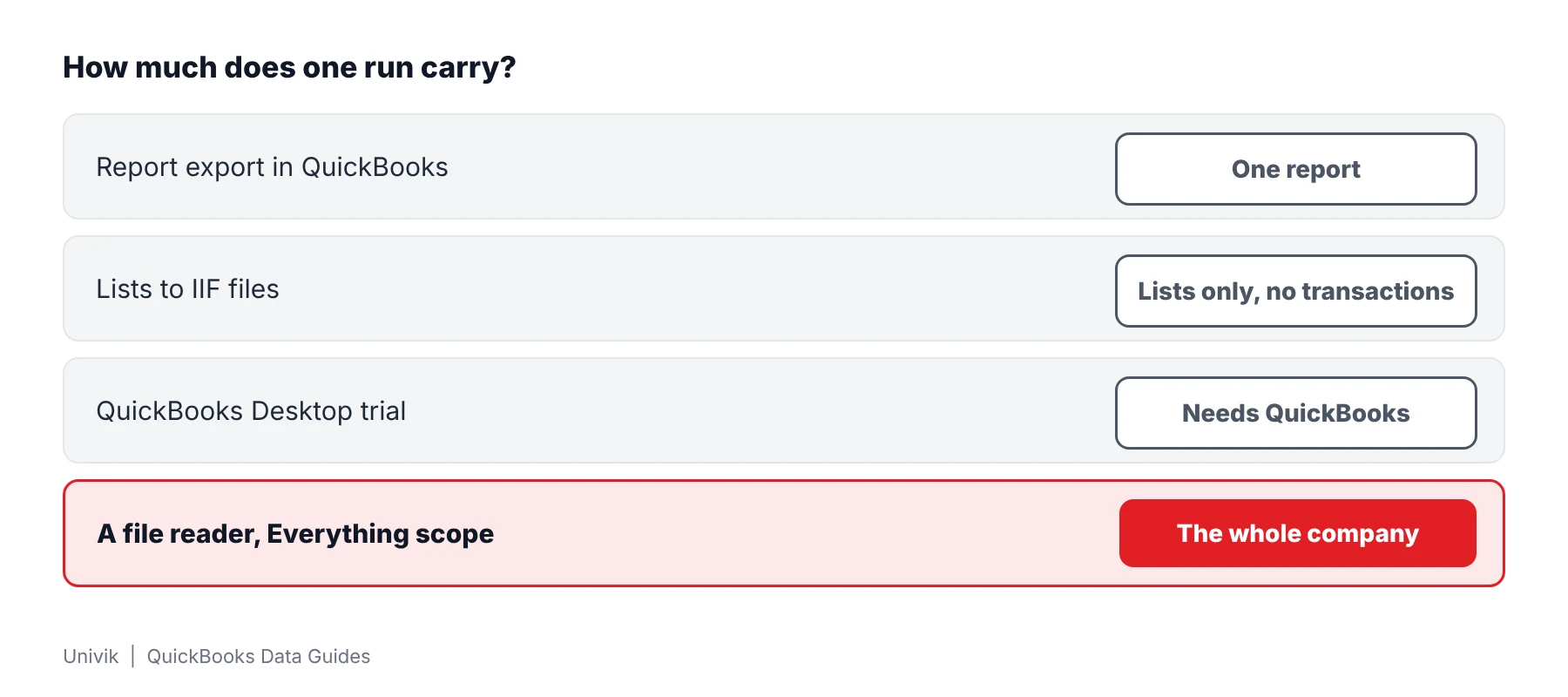
| Way | Size of one run | Output | Limit |
|---|---|---|---|
| Report export in QuickBooks | One report | Excel workbook | Dozens of reports mean dozens of exports. Intuit describes the Excel menu for a single report |
| Lists to IIF files | One kind of list at a time | IIF text file | Intuit rules out transactions for IIF exports |
| QuickBooks Desktop trial | Same as above | Same as above | Intuit presents it for moving data to QuickBooks Online and says not to register it |
| A file reader with an Everything scope | The whole company | Excel, CSV, HTML or .iif | Runs on Windows. Verified with 2019 and 2024 company files. The trial saves 25 items from each list |
Intuit documents its side in three help articles: export to Excel, IIF files and the Desktop trial.
Limitations: report-by-report export suits a few known reports. It leaves gaps when you need every list and every transaction, because nothing in the menus says what you have not yet exported.
What Counts as All Data in a QuickBooks Desktop Company?
All data means more than the reports. A company file holds lists, transactions with lines and database tables that no menu shows. Univik QBooks Recovery sorts them into four groups.
| Group | What it contains |
|---|---|
| Company & Lists | Company details plus six lists: customers with jobs, vendors, employees, other names, items and accounts. |
| Transactions | Univik QBooks Recovery lists 21 transaction types with their lines, covering invoices, bills, checks, deposits and journal entries. |
| Reports | Nine accrual-basis reports with From and To dates. Five are financial statements and ledgers. Four are receivable and payable aging reports. |
| All Database Tables | Every native table of the company file. The 2024 test company had 310 and other versions hold 271 to 310. |
The Everything choice exports all four groups. Business data leaves out the raw tables. Current list only exports the list on screen.
How Do You Export Everything From a QuickBooks Desktop Company?
Univik QBooks Recovery exports an entire QuickBooks Desktop company to Excel from a copy of its .qbw file. The software opens the copy read-only. The 2024 test company held 145,103 records and was read in 3.3 seconds.
- Close the company in QuickBooks Leave the company file so nothing is writing to it. Then copy the .qbw to a separate folder. The export reads that copy.
- Install Univik QBooks Recovery Run setup-qbooks-recovery.exe on the same Windows PC or any other Windows 10 or 11 machine. QuickBooks does not have to be running.
- Open the copy Press Open File and pick the copy. The summary screen then shows record counts for the whole company.
- Pick the Everything scope Press Export Data and choose Everything. This adds every database table to the business data. A check box adds rows from old database pages and marks them unverified.
- Choose Excel and a folder Select Excel workbook (.xlsx) and a target folder. Start the export and wait for the progress bar to finish.
- Compare counts Match a few counts in the workbook with the summary screen and with the lists you see in QuickBooks.
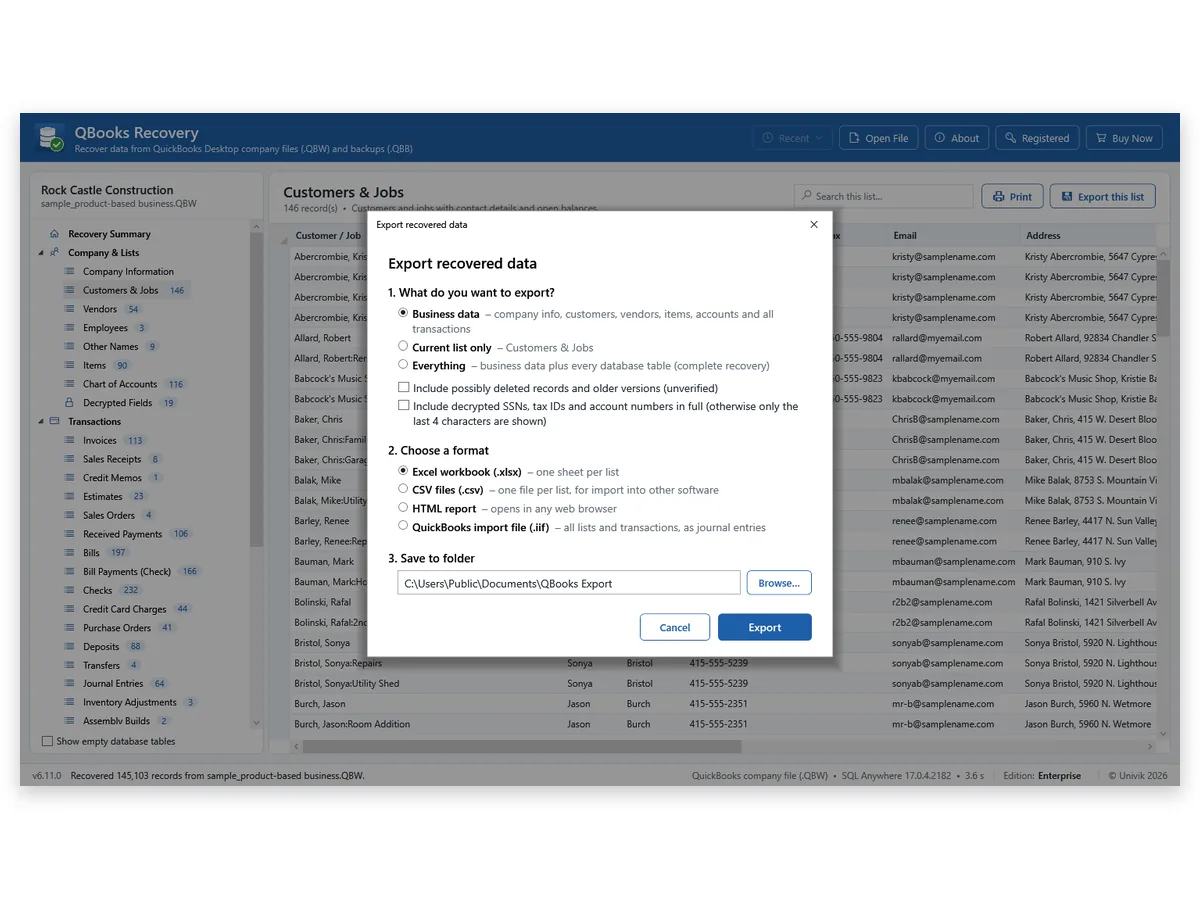
The 2024 sample holds 54 vendors, 90 items and 116 accounts. I note those counts before an Everything export and compare them with the workbook sheets afterwards.
No QuickBooks menu says export everything, so people export a report and then another one and lose count. We run a single Everything export and compare counts afterwards. The 2024 test company gave 146 customers and 113 invoices, the same numbers QuickBooks reported.
Univik QBooks Recovery writes every list, transaction and report of a company file to an Excel workbook.
Download Free Trial Select a Licence - From $99For Windows 10 and 11. The trial shows all data on screen and holds 25 items per list in each export.
How Do You Check That Nothing Is Missing From the Export?
- Entity counts Customers, vendors, items, accounts and invoices should match the numbers on the summary screen. The 2024 test company gave 146, 54, 90, 116 and 113.
- Report totals Tie the Trial Balance to a printout. Univik's Trial Balance of 80 rows, Balance Sheet of 71 and Profit & Loss of 74 matched QuickBooks Enterprise 24.
- Cell comparison In Univik's test 7,051,801 cells of the 2024 company read back identical from Excel, CSV and HTML.
- Masked values Only the last 4 characters of a decrypted tax ID reach the file unless you ask for full values.
Excel rounds whole numbers beyond 15 digits, so the export writes them as text. A test value of 471664500994548925 showed as 471664500994549000 before that rule was added.
Limitations: the export does not rebuild the company or post anything. No .iif file was imported back into QuickBooks in Univik's testing. Mac files and portable company files are not supported.
What If an Export From QuickBooks Desktop Falls Short?
1. The workbook holds too few rows
Do this: A trial export saves only 25 items from each list while the screen shows every record. A licence removes that limit.
2. The company file will not open
Do this: A damaged file may still give most of its records. The QuickBooks data recovery software page shows what came out of files with corrupted pages.
3. You hold one file type only
Do this: A single company converts as described in how to convert QBW to Excel. A backup follows the backup route to Excel.
Key Takeaways: Exporting All QuickBooks Desktop Data
- QuickBooks Desktop has no single export-everything command. Reports go one at a time and the IIF route carries lists only.
- All data means four groups in a company file. The Everything choice exports all four and Business data leaves out the raw tables.
- Mac files and portable company files are not supported. No .iif file was imported back into QuickBooks in Univik's testing.
Questions about a large company? Write to Univik support with the file size and the QuickBooks year.
FAQ: Export All QuickBooks Desktop Data to Excel
How do I export all QuickBooks Desktop data to Excel?
QuickBooks has no single command for it. Export each report to Excel or read the company file with a program that writes every list, transaction and report in one run. Univik QBooks Recovery does the second on Windows 10 or 11.
Can QuickBooks Desktop export all transactions to Excel?
Reports that list transactions can go to Excel one at a time. Intuit's IIF article rules out transactions for IIF exports. A file reader exports all 21 transaction types with their lines.
What does Everything export?
The Everything choice writes the business data plus every database table of the company. The 2024 test company had 310 tables and other versions hold between 271 and 310.
Does Everything include payroll and attachments?
Employee lists and payroll tables are read. Attached documents live beside the company file, so only their records appear. The .iif file never carries payroll or items.
Is there a QuickBooks Desktop data export tool?
QuickBooks Desktop offers report exports and list exports to IIF files. Univik QBooks Recovery is a separate Windows program that reads a company file or a backup and saves the data as Excel, CSV, HTML or .iif.
Will Excel hold a large company?
A table beyond 1,048,576 rows carries on in a second sheet with repeated headings. In Univik's test of the 2024 company, 7,051,801 cells came out identical in Excel, CSV and HTML.
How do I know that nothing is missing?
Compare counts. The 2024 test company gave 146 customers, 54 vendors, 90 items, 116 accounts and 113 invoices, the same numbers QuickBooks reported through its SDK.
Can I export a backup the same way?
Yes. A .qbb backup opens in the same program without a restore. A separate guide covers that route.
Does exporting change my company file?
No. Univik QBooks Recovery reads the file and writes only the export. A copy adds protection from other programs.
What can the trial export?
The screen shows every record. A trial export saves 25 items from each list. Licences start at $99 for 2 PCs.

Product details and test figures come from Univik's own build and test runs. Statements about QuickBooks follow Intuit help articles that were opened on November 11, 2026.
Sources we read: Intuit: workbook export of reports · Intuit: IIF export and import · Intuit: Desktop trial download
QuickBooks and Intuit are trademarks of Intuit Inc. Univik has no tie to Intuit.