Convert a .qbw to Excel by exporting reports from QuickBooks one at a time or by reading the company file in a program that saves every list as a workbook. Work on a copy of the file.
Excel cannot open a .qbw. QuickBooks exports one report per run and Intuit says transactions cannot go out as IIF. A file reader writes one sheet per list.
Can You Convert a QBW File to Excel?
A .qbw file can be converted to Excel. Excel cannot read the QuickBooks company database itself, so a QuickBooks program has to write the data into a workbook. QuickBooks Desktop does this one report at a time. A file reader does it for every list in one run.
Which of these is your week?
A client sent a .qbw and the working papers sit in Excel. Customers, invoices and accounts have to reach a workbook.
Run the conversion →A laptop with no QuickBooks Desktop holds the file and the board pack is due.
Compare the routes →A QuickBooks workbook that nobody can tie back to the books is worth little. A few checks settle that.
See the checks →Which Routes Convert a QBW to an Excel File?
Four routes put QuickBooks data in Excel. Three start inside QuickBooks Desktop. The fourth starts from the file alone and needs no QuickBooks.
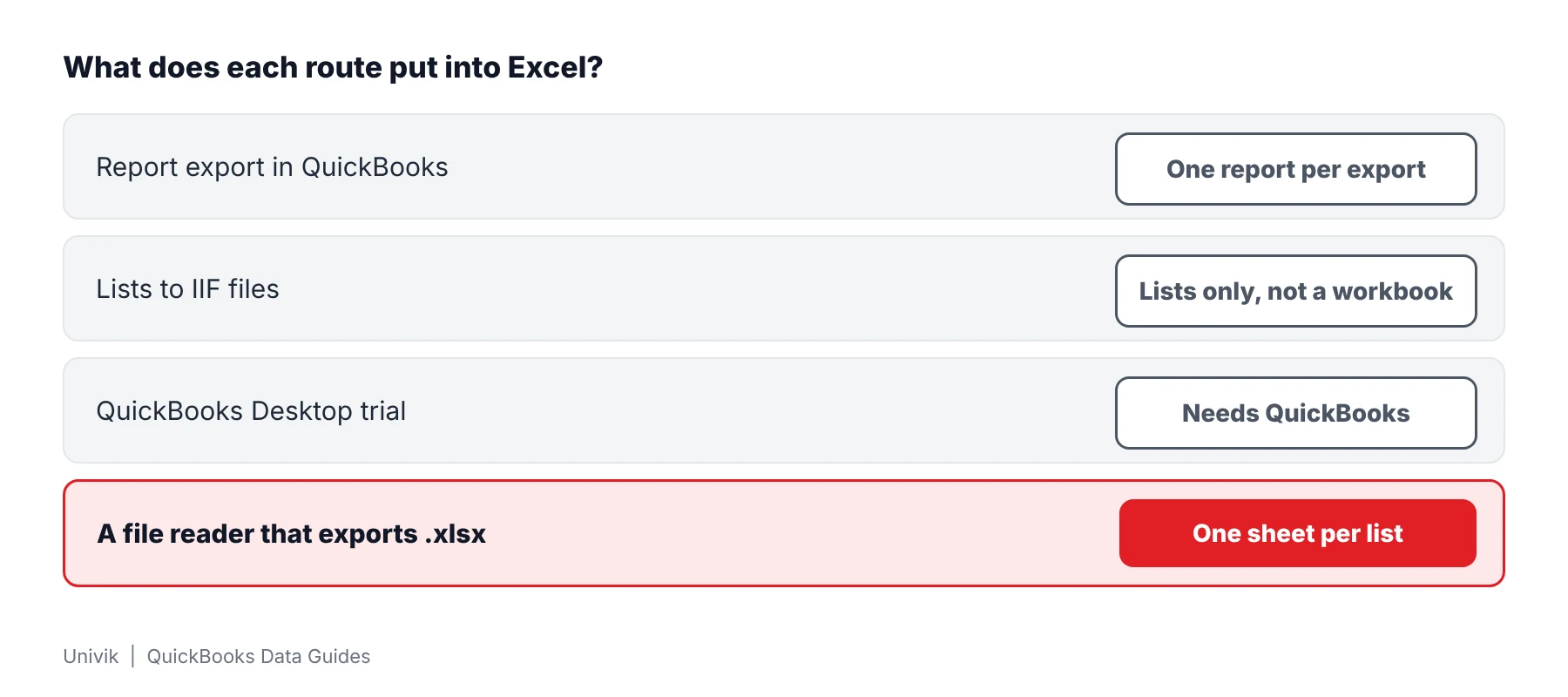
| Route | QuickBooks needed? | What lands in Excel | Limit |
|---|---|---|---|
| Report export in QuickBooks | Yes | One report per export | Intuit describes the Excel export of one report. A whole company means many exports |
| Lists to IIF files | Yes | Lists in an IIF text file, not a workbook | Intuit says transactions cannot be exported this way |
| QuickBooks Desktop trial | Yes, on your own PC | Whatever the reports and lists give | Intuit's article says not to register the trial and leaves open which company files it reads |
| A file reader that writes .xlsx | No | Lists, transactions and nine reports, one sheet per list | Runs on Windows. Checked against 2019 and 2024 company files. A trial export caps at 25 items per list |
Intuit documents the first three routes in its Excel workbook article, its IIF article and its trial download article.
Limitations: report exports fit a handful of reports from a PC that already runs QuickBooks. They stop when the file arrived alone or when you need every list.
How Do You Convert a QBW File to Excel Step by Step?
Univik QBooks Recovery converts a .qbw to an Excel workbook on a Windows PC. The software opens the company file read-only. The test file was a 53 MB QuickBooks 2024 company with 145,103 records.
- Copy the company file Place a duplicate of the .qbw in a local folder. Each later step uses the duplicate and the original stays as it was delivered.
- Get the software Run the installer setup-qbooks-recovery.exe on a PC with Windows 10 or 11. The only requirement is .NET Framework 4.8 or newer.
- Open the copy Press Open File and select the duplicate. A summary screen shows the record counts when the read ends.
- Handle the password box When protected fields exist an Encrypted fields found box appears. Press Skip to load the rest or type the QuickBooks Admin password to open vendor tax IDs, card numbers and employee SSNs.
- Set the scope Press Export Data. The first question in the dialog asks for Business data, Current list only or Everything.
- Pick Excel and save In step 2 choose Excel workbook (.xlsx), which writes one sheet per list. Choose a folder in step 3 and press the export button. Open the workbook in Excel.
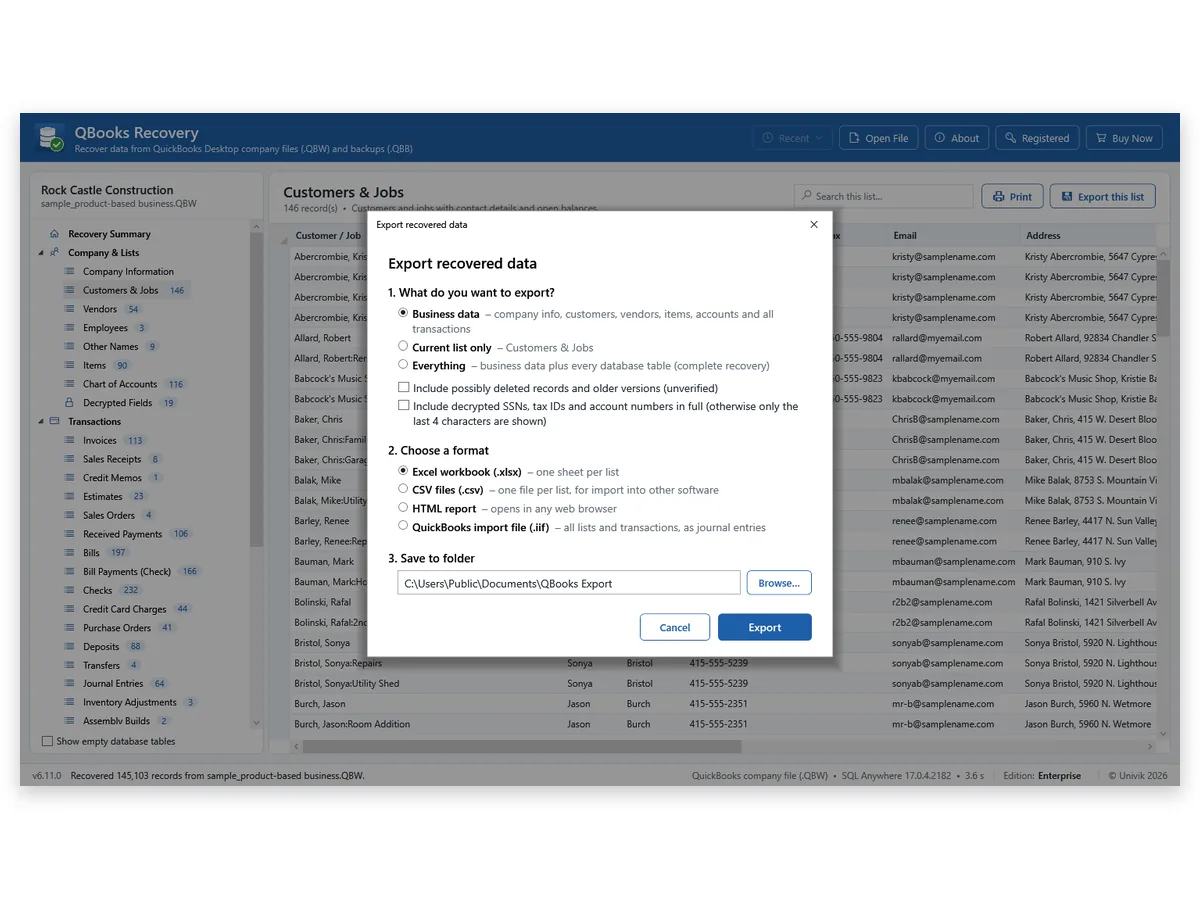
I opened the Excel workbook made from the 2024 sample and saw no repair message. Its customer list held 146 customers, the count QuickBooks reported. I check one list that way before I trust a workbook.
A report export hands you one report at a time, but a customer list or a ledger wants a whole sheet. We compared 7,051,801 cells of the 2024 sample across Excel, CSV and HTML and found no difference. Tie one total back to the books before you send the workbook on.
Note: the Current list only choice suits a single list like Customers & Jobs. Business data adds the lists and transactions of the company with the nine reports. Everything adds every database table as well.
Univik QBooks Recovery writes the lists and transactions of a .qbw to Excel, CSV, HTML or .iif files.
Download Free Trial Select a Licence - From $99For Windows 10 and 11. The trial shows all data on screen and holds 25 items per list in each export.
What Does the Excel Workbook Contain?
The workbook holds one sheet for every list that was exported. Customers, vendors, items, accounts and each of the 21 transaction types become their own tables with their lines. Reports come from the nine accrual-basis reports, which carry From and To dates and cover all dates in the Business data and Everything choices.
| Item | How the workbook treats it |
|---|---|
| Long whole numbers | Numbers above 15 digits are stored as text so Excel keeps every digit. |
| Tables past one sheet | Rows beyond 1,048,576 move to a second sheet that repeats the headings. |
| Tax IDs and SSNs | Only the last 4 characters appear unless the full-values box is ticked. |
| Rows from damaged pages | Univik QBooks Recovery flags such rows and lists the unreadable parts in its Recovery log. |
In Univik's test the Excel workbook of the 2024 sample opened with no repair message. Two real problems were found and fixed along the way: numbers that need 63 bits and a table longer than one sheet.
Rows from old database pages are separate. A start-screen box adds them as unverified records that could be deleted rows or older versions. Their place in the program is described on the QuickBooks forensics software page.
How Do You Check That the Excel File Matches QuickBooks?
- Counts The summary screen shows record counts. A sheet in the workbook should hold the same number of rows.
- One report total Match the Trial Balance total against a printout from the owner. Univik's 2024 sample gave 80 Trial Balance rows that matched QuickBooks Enterprise 24 row for row.
- Long IDs Pick a long account or reference number and compare every digit.
- Masked values Remember that a tax ID shows its last 4 characters only, unless full values were requested.
Limitations: a conversion never posts or edits anything in the company. Univik did not import the .iif file into QuickBooks during testing, so lean on the Excel and CSV choices.
What If the QBW to Excel Conversion Fails?
1. The file will not open in the reader
Do this: The company file may be damaged. One 2024 test file with 40 corrupted pages still returned 144,860 of 145,103 records. The QuickBooks data recovery software page holds the results for damaged files.
2. Only a .qbb backup came with the data
Do this: A backup is a different container. The backup to Excel guide covers it. The reader opens a .qbb without a restore.
3. The trial workbook looks short
Do this: A trial export stops at 25 items per list while the screen shows all data. A licence lifts that cap.
Key Takeaways: Converting a QBW File to Excel
- Excel cannot read a .qbw. QuickBooks exports one report per run while a file reader writes every list in one pass.
- The workbook holds one sheet per exported list. Excel, CSV and HTML copies of the 2024 sample showed no difference across 7,051,801 compared cells.
- The .iif choice was never imported back into QuickBooks in Univik's tests. Lean on the Excel and CSV choices.
Not sure what the file holds? Write to Univik support and mention the extension and the file size.
FAQ: Convert QBW to Excel
Can I convert a QBW file to Excel without QuickBooks?
Yes. A reader for the company database can write its lists to a workbook. Univik QBooks Recovery runs on Windows 10 or 11 and the PC needs no QuickBooks.
Can Excel open a .qbw file directly?
No. Excel has no reader for the database inside a .qbw. Convert the file first and open the workbook afterwards.
How do I convert a QBW file to Excel online?
An online converter takes your company file onto its own server. Read what a site does with uploads before you send financial records. Univik QBooks Recovery converts the file from your own drive.
How do I convert a QBW file to CSV?
Choose CSV files (.csv) in step 2 of the export dialog. The software writes one CSV file per list and keeps long text and binary values whole.
Does QuickBooks export a whole company to Excel?
Intuit describes a report export to Excel, which holds one report each time. Its IIF article says lists can be exported and transactions cannot. A full company therefore takes many separate exports.
Will long numbers survive the conversion?
Yes. Whole numbers above 15 digits are written as text, because Excel would round them. In Univik's test the number 471664500994548925 showed as 471664500994549000 before this fix.
What happens to a table longer than one sheet?
Rows past 1,048,576 carry on in a second sheet that repeats the headings. Nothing is cut off.
Are tax IDs and SSNs exported in full?
No. A decrypted value is exported as its last 4 characters. A box in the export dialog switches on full values.
Does the conversion change my .qbw?
No. Univik QBooks Recovery reads the source and writes only the new workbook. Working on a copy also guards against other programs on the PC.
What does the trial convert?
Prices are $99 for 2 PCs, $299 for 10 PCs and $599 for 50 PCs. The trial displays everything on screen and limits each export to 25 items per list.

Product details and test figures come from Univik's own build and test runs. Statements about QuickBooks follow Intuit help articles that were opened on November 11, 2026.
Sources we read: Intuit: export reports to Excel · Intuit: export and import IIF files · Intuit: QuickBooks Desktop trial
QuickBooks and Intuit are trademarks of Intuit Inc. Univik has no tie to Intuit.