To import Zimbra to Thunderbird, add the account over IMAP on port 993 and drag its folders into Local Folders. If the server is gone, convert the .tgz export to MBOX and load each file through the ImportExportTools NG add-on. Contacts travel as a .vcf file and the calendar as an .ics file, and the folder tree, attachments and dates arrive either way.
Mozilla Thunderbird is the usual landing spot when a team leaves Zimbra but still wants a free desktop mail app rather than a web client. The catch is that Thunderbird will not read a .tgz on its own, and the plain install has no import button for old mail. So the move comes down to three routes, chosen by whether the server still runs or you hold an export. For the export routes the Univik Zimbra Converter turns the .tgz into MBOX or EML.
Why Import Zimbra Mail into Thunderbird
Most people who import Zimbra to Thunderbird are moving off a hosted or self-run server and want their old mail to sit locally, searchable and offline, without a subscription. Thunderbird keeps each folder as one plain mbox file inside its profile, with a matching .msf index file beside it. On Windows that profile sits at %APPDATA%\Thunderbird\Profiles\<name>.default-release and the imported mail lands under Mail\Local Folders; on macOS the profile lives in ~/Library/Thunderbird/Profiles. Once the mail is in, it is yours to back up or copy anywhere.
Three Ways to Import Zimbra to Thunderbird
Two of the three routes work from an export, so no live server is needed. The IMAP route instead reads a running account and mirrors the folders as they stand. Use the table to match the route to what you hold.
| Route | What it needs | What arrives in Thunderbird | Pick it when |
|---|---|---|---|
| IMAP account, then drag to Local Folders | A running server with IMAP switched on, port 993 | Folders and mail as the server holds them. No contacts or calendar | The server is up |
| .tgz to MBOX, then ImportExportTools NG | The .tgz export, a Windows PC, Thunderbird 140 ESR or newer | Folder tree, attachments, dates and read marks. A .vcf and an .ics beside the mail | The server is gone or many mailboxes move |
| Drag .eml files into a Local Folder | The extracted .tgz or an EML export | Messages with attachments and sent dates. Read state and tags are dropped | A handful of messages |
Add the Zimbra Account to Thunderbird over IMAP
When the server is still up, this is the fastest way in and it costs nothing. Thunderbird shows the folders as they sit on the server and you copy the ones you want down to your own machine. IMAP has to be switched on for the account in the Zimbra admin console first. Thunderbird then needs the host name and port 993 with SSL/TLS.
- Add the account in ThunderbirdOpen Account Settings, press Add Account, then Mail Account. Enter the Zimbra address and password. Pick IMAP when Thunderbird asks for the account type.
- Point it at the Zimbra serverUnder Configure manually set the incoming server to the Zimbra host, port 993, connection security SSL/TLS and the Normal password method.
- Copy folders into Local FoldersDrag each folder onto Local Folders in the left pane. Thunderbird downloads the mail into its own mbox files, so it stays after the account is removed. ImportExportTools NG also imports into Local Folders only, never into an IMAP account.
The IMAP route mirrors mail folders only; contacts and the calendar come later in this guide.
Convert the Zimbra TGZ to MBOX and Import It
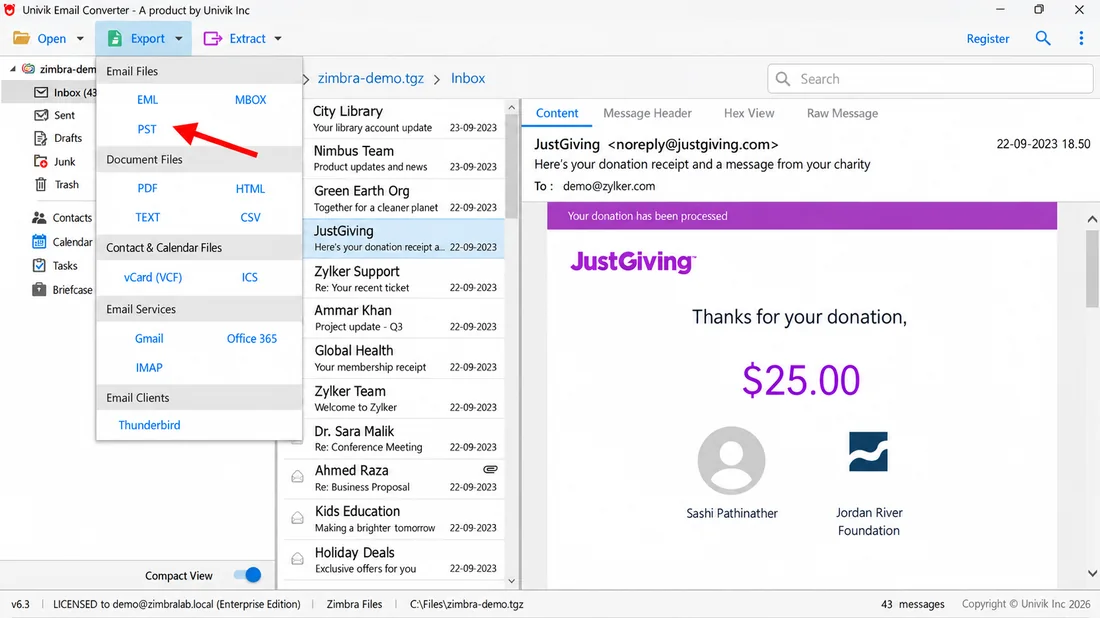
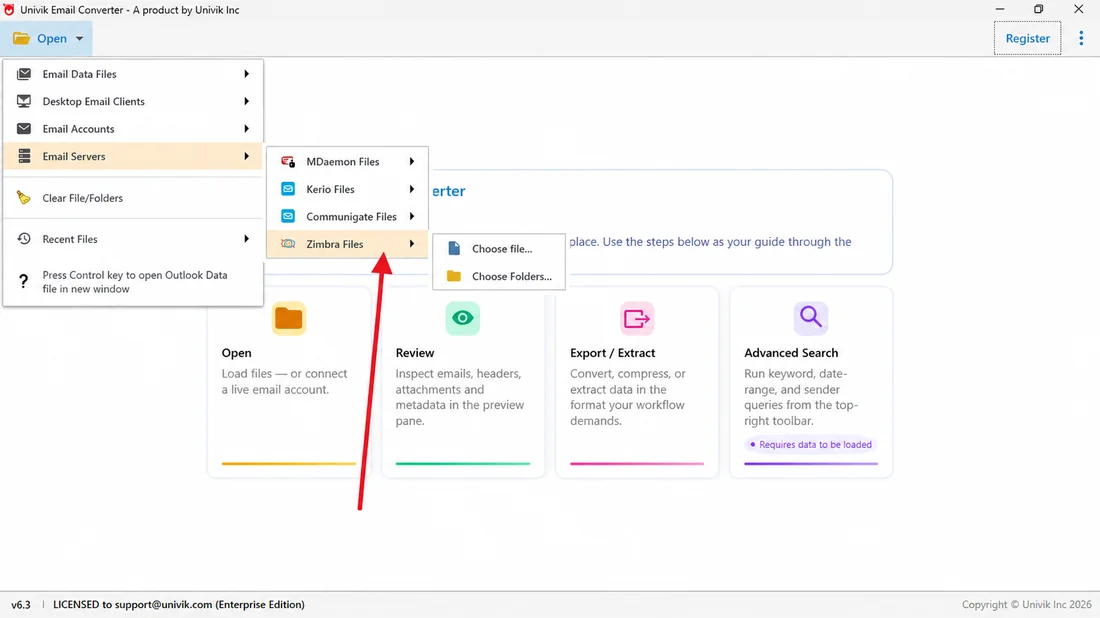
This is the route for a dead server or a folder of .tgz files, and it is the one that scales to many mailboxes. To import a Zimbra TGZ to Thunderbird here, run a Zimbra to MBOX conversion first, since MBOX is the format Thunderbird keeps mail in. The Univik Zimbra Converter opens the .tgz and writes clean MBOX that already holds the folder tree with attachments and dates, or EML when you want loose files.
- Convert the .tgz to MBOXLoad the export into the Univik Zimbra Converter and choose MBOX as the output. One MBOX file comes out for each mailbox folder.
- Install ImportExportTools NGOpen the Thunderbird Tools menu and pick Add-ons and Themes. Type ImportExportTools NG in the search box and click Add to Thunderbird. The current add-on needs Thunderbird 140 ESR or newer.
- Import the MBOX fileRight-click Local Folders, open ImportExportTools NG, then Import mbox Files. Pick Individual mbox Files to choose one or more files the converter wrote, or All mbox Files from directory to load a whole output folder in one pass.
- Check the foldersOpen the new folder in Thunderbird and compare the message count with the source so you know the whole mailbox landed. If the count looks wrong, right-click the folder, open Properties and press Repair Folder, which rebuilds the .msf index.
If you would rather reach Outlook from the same export, our guide on how to convert Zimbra to PST takes the .tgz the other way, and how to migrate Zimbra to Office 365 covers the cloud move.
Drag Zimbra EML Files into Thunderbird
For a small or selective move, the EML route is the plainest. Inside a Zimbra .tgz every message is one .eml file with a small .meta file beside it that records the folder, flags, tags and read state. Export the mailbox as EML, or extract the .tgz, so the .eml files sit in the folder tree. Then drag those files straight into a Local Folder. Thunderbird reads the Date header, so sent dates survive, but it ignores the .meta file, so read state and tags do not.
- Get the mail as EMLExport the mail from the Zimbra Web Client under Preferences then Import/Export. Or open the .tgz and pull out the .eml files with 7-Zip or WinRAR.
- Make a Local FolderRight-click Local Folders in Thunderbird and add a new folder to hold the imported mail.
- Drag the EML inSelect the .eml files and drop them into the folder. For a whole tree, right-click the folder, open ImportExportTools NG, then Import EML Messages and pick All EML Messages From A Directory And Subdirectories.
Bring Zimbra Contacts and Calendar into Thunderbird
Mail is only part of a mailbox. Contacts and the calendar move on their own tracks. Save the address book as a vCard, then open Tools, Import, choose Import Address Book file and pick vCard file (.vcf, .vcard); a CSV export works too. Save the calendar as an ICS file and use Import Calendar file in the same wizard. The calendar is part of Thunderbird itself, so there is nothing extra to install, though older guides still call it Lightning. The Univik Zimbra Converter drops a .vcf and an .ics beside the mail on the EML export, so both are ready without a second tool.
Replace Zimbra Desktop with Thunderbird
Zimbra Desktop is retired. Development ended by 2019 and the last release was 7.3.1, so Thunderbird is the natural replacement. While the old client still opens, export each account as a .tgz from its own Preferences and follow the MBOX route above. Its profile sits under AppData\Local\Zimbra\Zimbra Desktop on Windows and ~/Library/Zimbra Desktop on a Mac, and the Local Folders account inside it holds mail that never existed on any server. When the client will not start, Univik Zimbra Mailbox Recovery reads that profile folder directly and writes MBOX or EML for Thunderbird.
Tested and Verified: Zimbra to Thunderbird Results
The team ran real Zimbra archives through the MBOX route and loaded them into a fresh Thunderbird profile with ImportExportTools NG. Sample data covered Zimbra Collaboration builds between 8.8.15 and the 10.x releases, plus one Zimbra Desktop store. In each import the folder tree matched the source. The message count lined up and attachments opened as they had on Zimbra. Sender names and sent dates stayed in place, and a vCard of contacts plus an ICS calendar loaded cleanly into the Address Book and the calendar.
Zimbra to Thunderbird Questions

Written by Leena Taylor Paul for Univik, a maker of Windows email and file utilities running since 2013. This guide matches the route to what you hold and checks that folders, attachments and dates all arrive. Last reviewed October 2026. Stuck on which route to take? Talk to our support team.