Zimbra saves a mailbox as a .tgz export and Outlook cannot open that file. To convert Zimbra to PST you run the .tgz through a converter on a Windows PC, which writes a Unicode PST with the folder tree, attachments, contacts, calendar and dates intact. Classic Outlook then attaches that PST from the Open & Export page of its File tab. A free manual route exists, though it drops folders and dates on the way.
You are leaving Zimbra and your mail sits in a .tgz export that Outlook will not touch. To read it in Outlook you need a PST. This guide covers how to pull the export off a working server, the quick way to convert Zimbra to PST, the free manual way and what each route keeps.
What Is Inside a Zimbra TGZ Export?
A Zimbra .tgz export is a gzip-compressed tar archive in ustar layout. Inside, every message is one .eml file, and every item has a .meta file next to it that records the folder path, the flags, the tags, the read state and the dates. Contacts travel as .vcf files and calendar entries as iCalendar items, each with its own .meta. The archive holds no directory entries and uses GNU long names for deep folder paths. Open it in 7-Zip and all you see is loose .eml files, while the read marks, tags and flags sit in .meta files that Outlook never reads. So a Zimbra to Outlook move needs a conversion step first. If the server crashed before you could export, our guide on crashed Zimbra Server mailbox recovery covers pulling mail out of a broken store, and Univik Zimbra Mailbox Recovery writes a PST straight from the copied store.
How to Export the TGZ from a Working Zimbra Server
Use the web client for a normal mailbox, or the shell with zmmailbox for a large one.
- Web client exportSign in, open Preferences, then Import/Export. Under Export set Type to Account and Source to All folders. Advanced settings offers Data types, a Date range and a Search filter. Click Export and the browser downloads one .tgz.
- Shell export for a big mailboxAs the zimbra user on the server, run
zmmailbox -z -m jane@example.com -t 0 getRestURL "//?fmt=tgz" > jane.tgz. The -t 0 switch removes the client timeout. - Export one folderAdd a search to the REST URL, such as
"//?fmt=tgz&query=under:Sent", to pull the Sent folder and its subfolders only. - Copy the file to WindowsMove the .tgz to the conversion PC. Leave it packed.
A big web client export often ends in a 504 Gateway Time-out. The proxy in front of the mailbox server gives up after 60 seconds (the zimbraReverseProxyUpstreamReadTimeout setting) and drops the browser while the server is still packing. The shell command skips that proxy limit, so it is the safer pick above a few gigabytes.
The Fastest Way to Convert Zimbra to PST
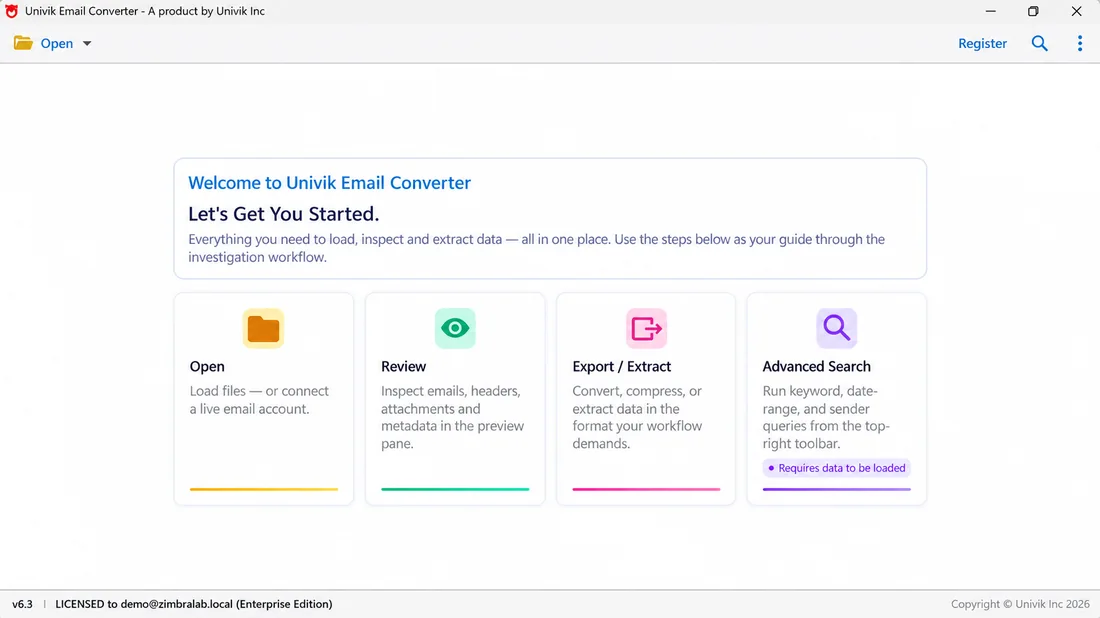
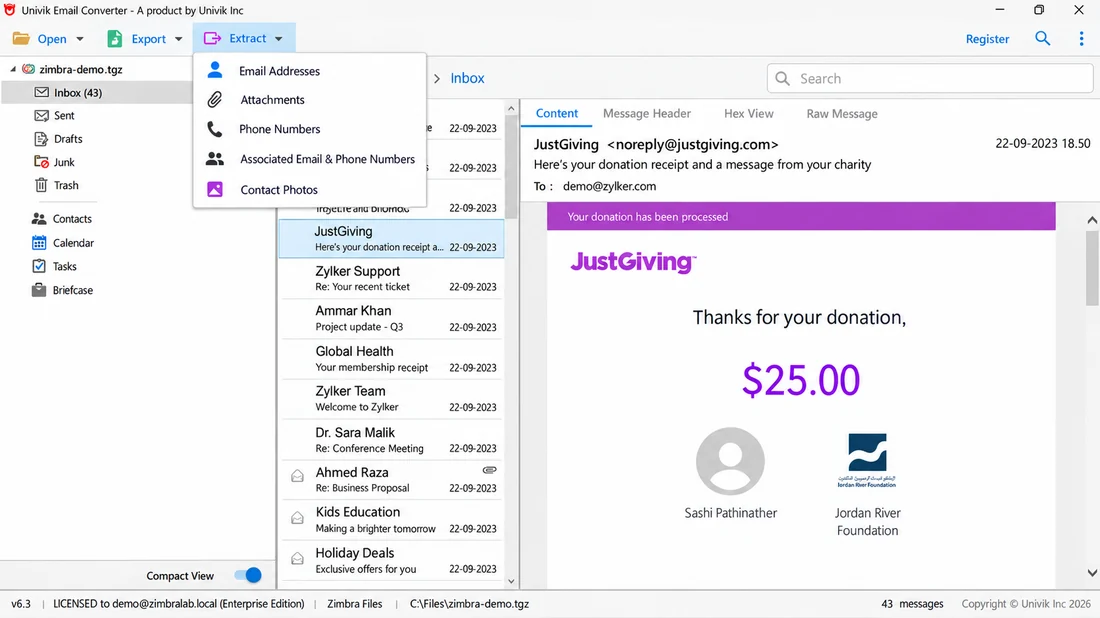
The short path is a converter built for the format. It reads the .tgz on a Windows PC without Outlook or a mail server, rebuilds each folder and writes a Unicode Outlook PST. The job runs offline and nothing is uploaded. The Univik Zimbra Converter does it in four steps and has a free trial.
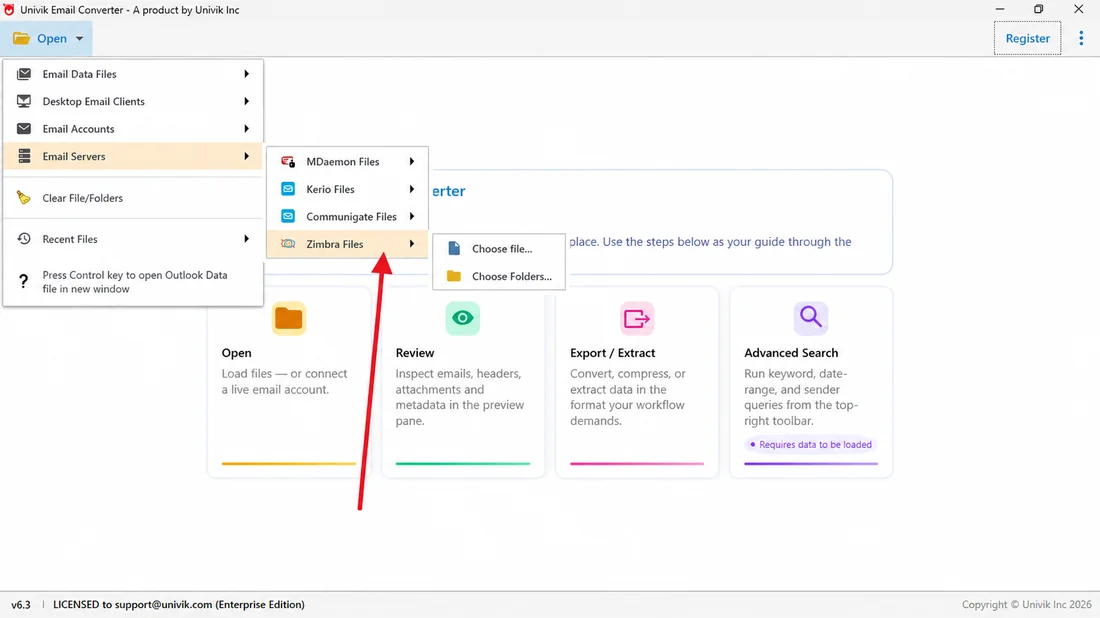
- Add your .tgz exportChoose Open, then Email Servers, then Zimbra Files. Point the tool at the file you exported.
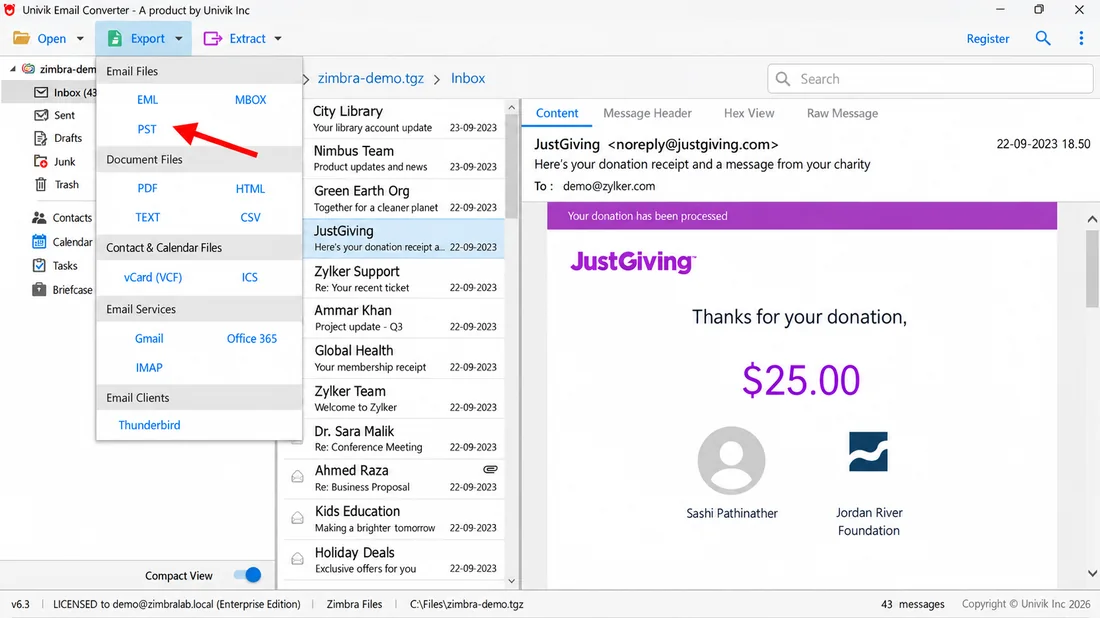
- Choose PST as the outputOpen Export and pick Outlook PST. The same menu offers EML, EMLX, MSG, MBOX, PDF, HTML and CSV, plus Thunderbird, Gmail or Office 365.
- Keep folders and datesLeave the folder, attachment and date options on. For a mailbox above a few gigabytes, set a split size so no single PST grows too large.
- Convert and openStart the run. When it ends, attach the PST in Classic Outlook from Open & Export on the File tab.
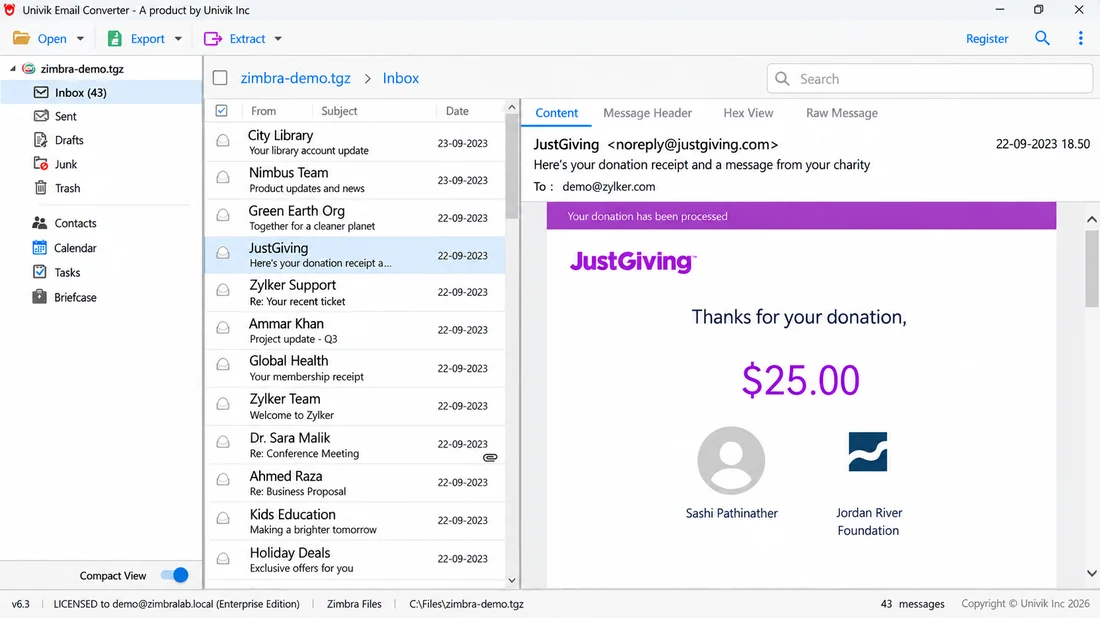
The Univik Zimbra Converter reads your .tgz export and builds an Outlook PST that keeps folders, attachments, calendar and dates. No mail server has to be running.
Free Download See All FeaturesWhat the Zimbra to PST Conversion Keeps
A converter carries across what the .meta files describe, not only the message text. The folder tree arrives in the PST as you set it up. Each attachment stays fixed to its mail. The sender line, the sent and received dates and the read marks follow along.
| Item in the export | File inside the .tgz | Where it lands in Outlook |
|---|---|---|
| One .eml per message plus its .meta | The same folder tree under the PST | |
| Contacts | .vcf (vCard) | The Contacts folder of the PST |
| Calendar | iCalendar entries | The Calendar folder of the PST |
| Tasks and Briefcase files | One item per file with its .meta | Check them in a trial run first |
The converter writes contacts and calendar entries into the PST, or as VCF (vCard) and ICS files in EML mode, so they arrive next to your mail. The manual route skips them unless you import each one on its own. The same tool can also push the mail straight to an IMAP or Office 365 account instead.
The Manual Way to Move Zimbra to Outlook
There is a route that costs nothing. Unpack the .tgz to an empty folder with 7-Zip, which gives you the .eml messages and their .meta files. In Classic Outlook make a fresh folder, then drag those .eml files into it a few at a time so the app keeps up. This is the free way to import Zimbra to Outlook by hand. With the mail in place, open File and choose Open & Export. Run Import/Export, then save that folder as an Outlook Data File in PST form.
The problem is what gets lost. Dragging mail into Outlook can reset the sent date to the day you imported it. The folders you had collapse into one flat pile. Tags and read marks are gone, because Outlook ignores the .meta files, and the calendar and contacts need a separate step as VCF and ICS files. Outlook also has to be on the same computer, and the drag step gets very slow once the export is large. For a handful of mails it is fine. For a real account it is not.
| Which route to choose | Free manual drag | Converter |
|---|---|---|
| Needs | 7-Zip and Classic Outlook on one PC | A Windows PC, no Outlook, no server |
| Folder tree | Flattened | Rebuilt from the .meta files |
| Sent and received dates | Can reset to the import day | Kept |
| Read marks | Lost | Kept |
| Contacts and calendar | Separate VCF and ICS imports | Same run |
| Large mailbox | Slow past a few hundred messages | Splits the PST by size |
| Best for | A handful of messages | A whole mailbox, or many |
How to Open the PST in Classic Outlook and New Outlook
Classic Outlook opens the converted PST in place. New Outlook for Windows can add the file too, but only with Classic Outlook installed beside it. It cannot import from a PST yet.
- Classic OutlookOn the File tab pick Open & Export and click Open Outlook Data File. Point it at the PST the converter wrote.
- Where Outlook keeps data filesOutlook 2016 and newer save new PST files under Documents\Outlook Files. Earlier versions used AppData\Local\Microsoft\Outlook. A converted PST can stay where the converter wrote it.
- New Outlook for WindowsGo to Settings, then Files, then Outlook Data Files. Select Add file. It needs Classic Outlook on the same PC in a matching bitness (both 32-bit or both 64-bit), and the ARM build does not offer it. You can read, search and move mail inside the file, but importing a mailbox from a PST is not supported in New Outlook yet, so do that step in Classic Outlook. See Microsoft's Open and find items in an Outlook Data File page.
ANSI and Unicode PST for a Big Zimbra Mailbox
Outlook keeps mail in one of two PST types, and the choice matters for a large mailbox. The older ANSI PST stops at 2 GB and covers a limited character range. The Unicode PST, standard from Outlook 2003 onward, carries a 20 GB default limit in Outlook 2003 and 2007 and 50 GB in Outlook 2010 and newer. The MaxLargeFileSize registry value can raise that cap. Microsoft lists the exact size limits for PST files. Beyond a small account Unicode is the one to choose. A capable converter splits the result so no single PST grows too big.
Why Teams Move from Zimbra to Outlook
A Zimbra to Outlook migration usually starts with a plan to leave the server behind. Keeping a Zimbra Collaboration Suite (ZCS) server running costs staff time, and plenty of teams migrate Zimbra to Office 365, a job with its own guide. Teams that pick Thunderbird want MBOX rather than PST; see import Zimbra to Thunderbird. Once the server is switched off the old mail still has to open, and a PST loads in any modern Outlook.
When Convert Zimbra to PST Comes Up at Work
An employee moves on and their account still has to be read. A firm shuts down its mail server, so every mailbox needs a new home. An audit or a legal hold asks for old mail to be searched in software the team already runs, and a PST keeps the sent and received dates that search depends on. Each case ends the same way: the .tgz export must turn into a PST with the folders intact.
Tested and Verified: Zimbra to PST Results
Before this guide went out, the Univik team ran the Zimbra to PST conversion against real exports rather than a single sample. We pulled .tgz files from Zimbra Collaboration 8.8.15 through the 10.x line, and from the Zimbra Desktop client, then checked the Outlook PST against the source. In every run the message count in the PST matched the export. The folder tree came across in the same shape with attachments, contacts and calendar items. Sent and received dates stayed on each message.
Zimbra to PST Questions

Put together by Leena Taylor Paul with the Univik team, who have built Windows data conversion software since 2013. This guide keeps its focus on carrying the mail, folders, calendar and dates over without the losses the drag route brings. Last checked October 2026. Cannot get an export to open? Reach our support team.