To save a OneNote notebook as PDF/A, convert it to PDF and pick the PDF/A option so the fonts are embedded and the file is self contained. The Univik ONE Converter writes a conformant PDF/A in one offline pass.
A OneNote PDF is fine for sharing today. An archive is a harder ask, it has to open and look right in ten or twenty years, long after the software that made it is gone.
PDF/A is the format built for that. This guide is about the archival standard, the underlying conversion belongs to the OneNote to PDF guide.
What PDF/A Means for Archiving
PDF/A is a stricter version of PDF set by the ISO 19005 standard for long term storage. A normal PDF can lean on fonts installed on your computer, pull in outside resources or carry active content, so it can look different or fail to open once that environment is gone. PDF/A locks all of that down. Every font, colour profile and image the page needs is embedded, so the document stands on its own and reproduces the same on any compliant viewer, which is why courts, government bodies and regulated industries ask for it (the format is broken down in Nutrient's guide to PDF/A).
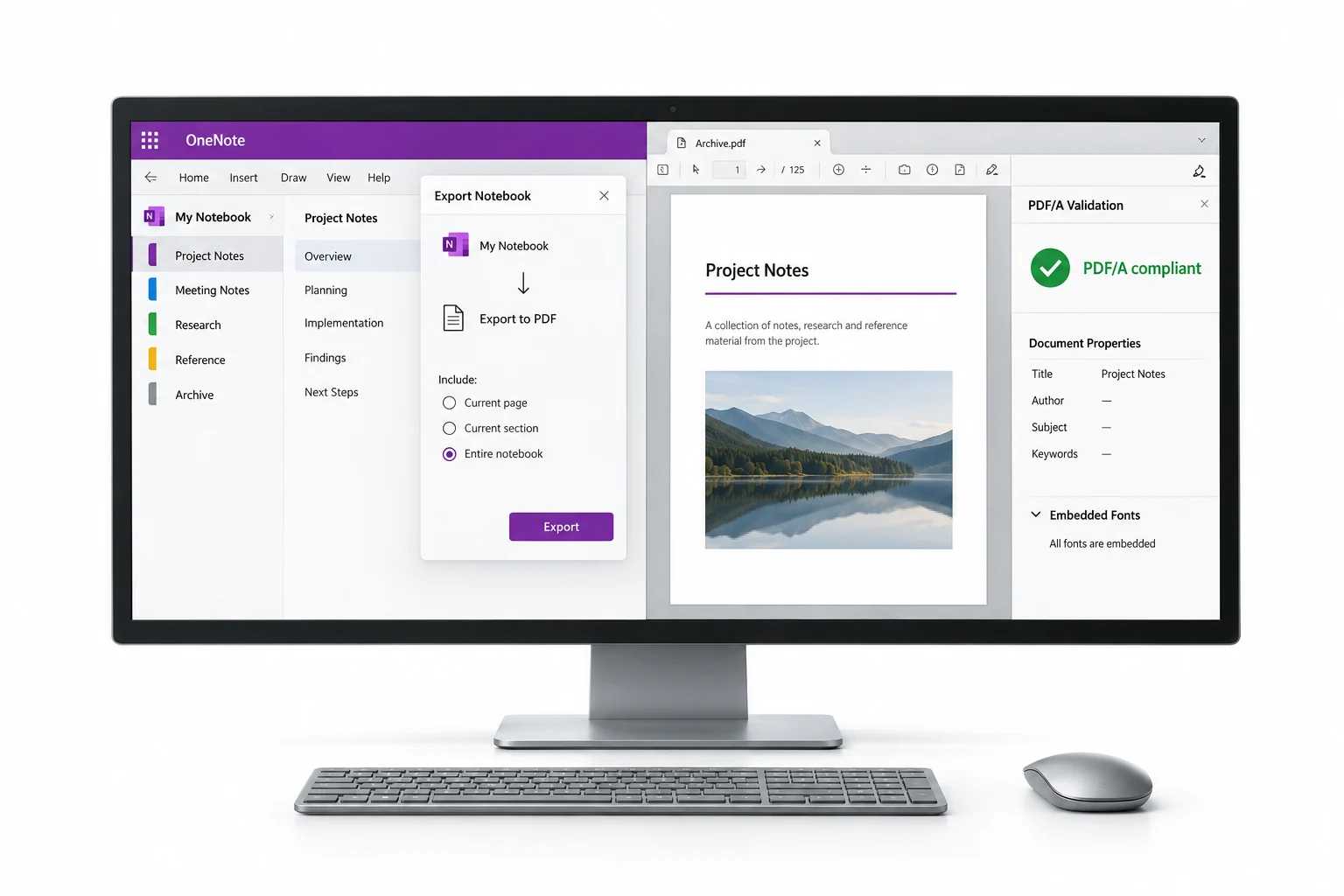
Save a Notebook as PDF/A
To archive a notebook, convert it to PDF and choose the PDF/A option in place of a plain PDF. A converter that supports the standard embeds the fonts and drops the parts PDF/A forbids while it writes the file. The Univik ONE Converter opens the notebook and outputs a conformant PDF/A in one offline pass (Microsoft's OneNote file format spec is the reference for the format).
- Load the notebookAdd the .one or .onepkg file.
- Choose PDFPick PDF from the list.
- Select PDF/ASwitch on PDF/A in place of plain PDF.
- Convert to the archiveThe PDF/A file saves.
The tool's other PDF options are shown on the OneNote converter page.
The ONE Converter writes conformant PDF/A with the fonts embedded and nothing left to fetch, straight from a notebook and offline.
Free Download See All FeaturesWhy PDF/A Outlasts a Normal PDF
The whole idea is self containment. A standard PDF that leans on a font sitting on the author's machine can render with the wrong typeface, or not at all, once that machine is history. PDF/A embeds the fonts and uses device independent colour, so nothing has to be fetched and nothing shifts between viewers. A file made today looks the same many years from now.
PDF/A Versions and Conformance Levels
The standard has grown in parts, each tied to a newer PDF base.
Within the older parts you also pick a conformance level, B for reliable visual reproduction, A for a tagged accessible file, U for Unicode text that stays searchable. For most notebook archives, level B on PDF/A-2 or a plain PDF/A-4 does the job. PDF/A-4 drops the A, B and U labels.
What PDF/A Gives Up for Permanence
Permanence has a price, and it runs into two other things people want from a PDF.
PDF/A cannot be encrypted, since a password scheme tied to today's software could shut the file in the future, so a password protected PDF/A does not exist. And an archival file keeps its quality, which means it weighs more than a squeezed copy. If you need a locked file or a tiny one, that is a different task from archiving.
What a PDF/A Leaves Behind
Because PDF/A forbids active and external content, a few OneNote extras do not make the trip. Audio and video clips, anything interactive and embedded scripts all sit outside the standard, so they fall away in the conversion. What survives is the part that matters for a record, the text, the images and the layout, frozen the way they were.
Free Ways to Make a PDF/A
Truly free routes to PDF/A are thin. LibreOffice exports PDF/A but cannot open a .one, and Acrobat's Save As PDF/A along with its Preflight repair sit behind the paid Pro version. The realistic free path is to make a normal PDF first, then run that through a PDF/A converter, which adds steps and, with an online tool, an upload of the file. Going straight from the notebook to PDF/A skips both the extra pass and the upload.
When a Notebook Needs PDF/A
Reach for PDF/A when the notebook is a record that has to last. Legal case files, research logs kept for reproducibility, medical or financial documents under a retention rule, anything a regulator or an archive will want years later. Many institutions require it outright, and a repository or a court may reject a plain PDF. For a notebook you are filing as one document, pairing PDF/A with a merge into one file gives you a single self contained record.
OneNote PDF/A Questions

Written and maintained by Leena Taylor Paul and the Univik team, developers of Windows data conversion and recovery software since 2013. Archival formats are easy to oversell, so this guide is honest that PDF/A cannot be locked, runs larger than a compressed copy and drops any audio or video, because a record you can trust is worth more than a feature list. Last verified August 2026. Building a retention archive from a stack of notebooks? Contact our support team.