No Outlook Installation Required
Convert MSG files on any Windows PC without Microsoft Outlook. Our independent MSG parsing engine reads the proprietary format directly, saving you $150+/year in Office subscriptions.
 Univik MSG File Converter

Univik MSG Converter is professional Windows software to convert Microsoft Outlook MSG files to 15+ formats. No Outlook installation required. Batch process thousands of MSG files with complete attachment preservation.
*Free trial exports first 25 MSG files. Full version for unlimited conversion.


VirusTotal Verified Safe
Certified Clean by 70+ Antivirus Engines. No malware, spyware or adware.
MSG Sources Supported
Microsoft 365
Outlook 2021
Outlook 2019
Outlook 2016
Outlook 2013
Outlook 2010
Outlook 2007
Outlook 2003
The MSG Challenge
MSG is Microsoft's proprietary format - locked to the Outlook ecosystem and creating unique challenges that require specialized solutions.
Proprietary Lock-In
MSG files are Microsoft's closed, binary format. Without Outlook or specialized software, these files are essentially inaccessible black boxes containing your important emails.
Outlook Dependency
Opening MSG files traditionally requires Microsoft Outlook installation - a paid software that costs $150+/year with Microsoft 365 subscription. Not everyone has access.
Cross-Platform Barrier
MSG files don't work on Mac, Linux or mobile devices. If you're migrating away from Outlook or using multiple platforms, MSG becomes a major obstacle.
Scattered Email Exports
When you drag emails from Outlook, you get individual MSG files. Hundreds or thousands of separate files become unmanageable without consolidation tools.
Legal Discovery Challenges
For eDiscovery and legal proceedings, MSG files need to be converted to universally readable formats like PDF with preserved metadata and headers.
Long-Term Archival Risk
Depending on proprietary formats for permanent archives is risky. What happens when Outlook changes? Converting to open standards keeps them readable for good.
Univik MSG Converter Solves All These Problems
Open MSG files without Outlook, convert to universal formats, batch process thousands of files and create permanent archives - all in one tool.
 Export Options
Break free from Outlook dependency. Convert MSG files to any format you need.
Outlook Formats
Universal Email
Document Formats
Cloud Upload
 Key Features
Every feature designed to solve real problems when working with Outlook MSG files.
No Outlook Installation Required
Convert MSG files on any Windows PC without Microsoft Outlook. Our independent MSG parsing engine reads the proprietary format directly, saving you $150+/year in Office subscriptions.
Unlimited Batch Processing
Process thousands of MSG files simultaneously with recursive folder scanning. Add entire folder hierarchies and convert everything in one operation with real-time progress tracking.
MSG to PST Consolidation
Merge thousands of scattered MSG files into a single organized PST archive. Preserves folder structure based on source directories for easy import back into Outlook.

Complete Data Preservation
All email properties preserved: attachments, embedded images, HTML formatting, headers (From, To, CC, BCC, Date), MAPI properties, categories, flags and importance levels.
Intelligent Folder Mapping
Automatically recreates folder structure in output based on source directory hierarchy. MSG files from "Inbox/Projects" appear in matching folder structure in PST/MBOX output.

Advanced Filtering Options
Filter MSG files by date range, sender, recipient, subject keywords, size or attachment presence. Convert only the emails you need from large MSG collections.
Built-in MSG Viewer
Full email preview without Outlook: view formatted body, attachments, headers and all MAPI properties. Works as a standalone MSG viewer even without converting.
Corrupted MSG Recovery
Advanced recovery mode extracts readable content from damaged MSG files. Handles truncated files, invalid CFB structures and encoding errors that crash Outlook.
Format Comparison
Understanding the key differences helps you choose the right output format for your needs.
MSG Format
Microsoft Proprietary| Format Type: | Binary (CFB/OLE) |
| Human Readable: | ❌ No - requires parser |
| Cross-Platform: | ❌ Windows only (native) |
| Open Standard: | ❌ Microsoft proprietary |
| Outlook Required: | ✅ Yes (normally) |
| MAPI Properties: | ✅ Full Outlook metadata |
| Categories/Flags: | ✅ Preserved |
| Best For: | Outlook ecosystem |
EML Format
Open Standard| Format Type: | Plain text (RFC 5322) |
| Human Readable: | ✅ Yes - open in Notepad |
| Cross-Platform: | ✅ Windows, Mac, Linux |
| Open Standard: | ✅ Internet standard |
| Outlook Required: | ❌ No - any email client |
| MAPI Properties: | ⚠️ Standard headers only |
| Categories/Flags: | ⚠️ Not preserved |
| Best For: | Universal compatibility |
When to Convert MSG to Each Format
→ EML
Cross-platform use, Thunderbird, archival
→ PST
Consolidate into Outlook archive
Legal, compliance, permanent archive
→ MBOX
Thunderbird, Apple Mail, Unix systems
Compatibility
MSG files from any version of Microsoft Outlook - from legacy Office 2003 to the latest Microsoft 365.
| Outlook Version | Years | MSG Format | Supported |
|---|---|---|---|
| Microsoft 365 (Outlook) | 2020-Present | Unicode MSG | ✓ Full Support |
| Outlook 2021 | 2021 | Unicode MSG | ✓ Full Support |
| Outlook 2019 | 2018-2021 | Unicode MSG | ✓ Full Support |
| Outlook 2016 | 2015-2020 | Unicode MSG | ✓ Full Support |
| Outlook 2013 | 2013-2018 | Unicode MSG | ✓ Full Support |
| Outlook 2010 | 2010-2015 | Unicode MSG | ✓ Full Support |
| Outlook 2007 | 2007-2012 | Unicode/ANSI MSG | ✓ Full Support |
| Outlook 2003 | 2003-2009 | ANSI MSG | ✓ Full Support |
| Outlook 2002/XP | 2001-2006 | ANSI MSG | ✓ Full Support |
| Outlook 2000/97 | 1997-2003 | ANSI MSG (Legacy) | ⚠️ Best Effort |
Note: Unicode MSG (Outlook 2003+) provides full international character support. ANSI MSG from older versions may have encoding limitations for non-Western characters.
 Real-World Scenarios
See how professionals use Univik MSG Converter to solve specific email challenges.
Scenario 1 Outlook to Thunderbird Migration
Problem: Employee switching from Windows/Outlook to Mac with Thunderbird. Has 8,000 MSG files exported from Outlook that need to migrate.
Solution: Convert all MSG files to MBOX format → Import directly into Thunderbird.
Scenario 2 Legal Discovery Production
Problem: Law firm needs to produce 25,000 emails for litigation. Opposing counsel requests PDF format with headers preserved.
Solution: Batch convert MSG to PDF with full headers → Organized by custodian folders.
Scenario 3 Consolidate Scattered MSG Files
Problem: IT admin has 50,000 MSG files across multiple network folders from departing employees. Needs single searchable archive.
Solution: Scan all folders recursively → Consolidate into single PST organized by source folder.
Scenario 4 Access Without Outlook License
Problem: Contractor receives MSG file attachments but doesn't have Outlook installed. Can't afford $150/year subscription.
Solution: Use MSG Converter as viewer → Convert to HTML or PDF for permanent access.
 How It Works
Intuitive interface, four steps, no technical expertise required.
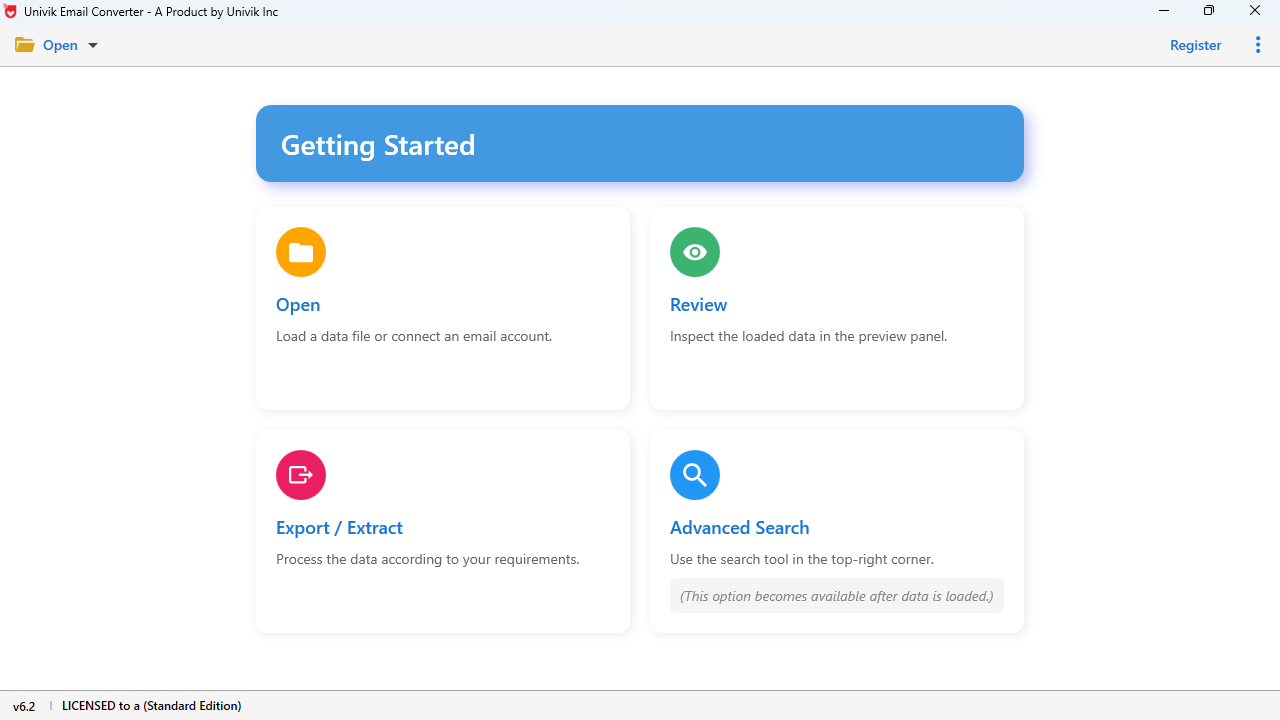
Add MSG Files
Drag-drop MSG files, browse folders or use recursive scan to find all MSG files automatically.
Preview Content
View email body, attachments and headers before conversion. Select specific emails or convert all.
Select Format
Choose output format: PST, EML, PDF, MBOX, HTML or cloud upload. Configure options.
Convert
Click Convert and watch real-time progress. Completed files ready for immediate use.
Quick Start Guide
 Comparison
Why choose Univik MSG Converter over alternatives?
| Feature | Univik MSG Converter | Microsoft Outlook | Online Converters |
|---|---|---|---|
| Outlook Required | ❌ No | ✅ Yes ($150+/yr) | ❌ No |
| Batch Processing | ✅ Unlimited | ⚠️ Manual only | ⚠️ Limited (1-10) |
| Output Formats | 15+ formats | 3-4 formats | 2-5 formats |
| PST Consolidation | ✅ Yes | ❌ No | ❌ No |
| Folder Structure | ✅ Preserved | ⚠️ Manual | ❌ Lost |
| Email Preview | ✅ Full preview | ✅ Native | ❌ None |
| Corrupted Recovery | ✅ Advanced | ❌ Crashes | ❌ Fails |
| Data Privacy | ✅ 100% Offline | ✅ Local | ❌ Uploads to server |
| Command Line | ✅ Full CLI | ❌ No | ❌ No |
| One-Time Cost | $29 Lifetime | $150+/year | $0-20/month |
 Customer Reviews
Real feedback from professionals using Univik MSG Converter.
James Mitchell
IT Manager, Healthcare
"Saved us from buying 50 Outlook licenses just to read MSG files from a departing vendor. Converted 12,000 MSG files to our archive system in under an hour. The PST consolidation feature alone was worth it."
Verified Purchase - December 2024
Lisa Chen
Paralegal, Law Firm
"Essential for our eDiscovery work. Converting MSG to PDF with full headers for court submissions used to take days manually. Now I batch convert entire custodian folders in minutes. The filtering by date range is perfect for production requests."
Verified Purchase - November 2024
Robert Palmer
Freelance Consultant
"Clients constantly send me MSG files and I use Mac. This tool on my Windows VM lets me convert to EML which I can open anywhere. Only wish there was a native Mac version, but the Windows app works perfectly for my needs."
Verified Purchase - January 2025
Technical Data Sheet
Complete product specifications and system requirements.
VirusTotal Score: Clean
Verified by 70+ antivirus engines. 100% safe to download and use.
Supported Input Files
MSG Files from:
• Microsoft Outlook 365/2021/2019/2016
• Outlook 2013/2010/2007/2003
• Unicode and ANSI MSG formats
• Outlook for Windows (all versions)
Unlimited file count supported.
| Product Name: | Univik MSG Converter |
| Current Version: | 25.1 |
| File Size: | 19.5 MB |
| License Delivery: | Instant via Email |
| Free Trial: | Free Download 100% Safe & Secure |
Latest Release
Version 25.1 Features

| Trial Limitations: | Free demo allows unlimited preview. Export limited to first 25 MSG files. Purchase license for unlimited conversion. |

| Hard Disk: | 100 MB free (500 MB recommended for large conversions) |
| RAM: | 4 GB minimum (8 GB recommended for 10,000+ files) |
| Processor: | Intel Core i3 or equivalent |

| Platforms: |
|
| Prerequisites: |
|
Troubleshooting
Having problems with MSG files? Find quick solutions to the most common issues.
Can't Open MSG Without Outlook
"Windows doesn't recognize this file type" or "No program associated"
Solutions:
MSG File is Corrupted
"The file is damaged and cannot be opened" or Outlook crashes
Solutions:
Attachments Not Opening
"Attachment appears but won't download or open correctly"
Solutions:
Garbled Characters / Encoding
"Text shows ???, squares or wrong characters"
Solutions:
Security
Enterprise-grade security for handling sensitive Outlook emails.
100% Offline
All processing happens locally. No internet needed after install.
No Cloud Uploads
Your MSG files never leave your computer. Zero server contact.
Digitally Signed
Authenticode signed installer. Windows SmartScreen verified.
VirusTotal Clean
Scanned by 70+ antivirus engines. 0 detections.
Related Tools
Need to convert other email formats? Explore our full range of tools.
Technical Deep Dive
Understanding MSG file structure explains why specialized software is required and how Univik MSG Converter handles conversion.
MSG File Structure
MSG files use Microsoft's Compound File Binary (CFB) format - the same container format as DOC and XLS files. This is a proprietary, complex binary structure:
Why MSG is Challenging
Unlike plain-text EML files, MSG requires sophisticated parsing:
Univik MSG Converter implements a complete CFB and MAPI parser to extract all data accurately.
MSG File Internal Structure
MSG File (Compound File Binary)
├── Root Entry
│ ├── __properties_version1.0 [Email metadata: Subject, Date, Importance]
│ ├── __substg1.0_0037001F [Subject - Unicode]
│ ├── __substg1.0_1000001F [Body - Plain text]
│ ├── __substg1.0_10130102 [HTML Body]
│ ├── __substg1.0_0C1A001F [Sender Name]
│ ├── __substg1.0_0E04001F [Display To]
│ ├── __recip_version1.0_#00000000 [Recipient 1]
│ │ ├── __properties_version1.0
│ │ └── __substg1.0_3001001F [Display Name]
│ ├── __attach_version1.0_#00000000 [Attachment 1]
│ │ ├── __properties_version1.0
│ │ ├── __substg1.0_3701xxxx [Attachment Data]
│ │ └── __substg1.0_3704001F [Filename]
│ └── [Additional properties and attachments...]
└── Mini Stream [Small data under 4096 bytes] Help & Support
Find answers to common questions about Univik MSG Converter.
MSG (Outlook Message) is Microsoft's proprietary email format used by Outlook. Each MSG file contains one email with attachments, headers and formatting. You need to convert MSG files when: (1) You don't have Outlook installed, (2) Migrating to non-Microsoft email clients, (3) Creating portable archives, (4) Legal compliance requirements or (5) Cross-platform access on Mac/Linux.
Yes, absolutely! Univik MSG Converter works completely independently of Microsoft Outlook. It has its own MSG parsing engine that reads the proprietary CFB/MAPI format directly. You can convert MSG files on any Windows computer without any Microsoft Office products installed.
Yes, this is one of our most popular features! The consolidation mode lets you merge thousands of individual MSG files into a single organized PST archive. The software preserves folder structure based on source directories, so MSG files from different folders appear organized in the PST.
Yes, 100% attachment preservation! All attachments are fully preserved including documents (PDF, Word, Excel), images, archives (ZIP, RAR) and embedded objects. You can also extract attachments separately to a folder while converting emails.
Unlimited! Univik MSG Converter is designed for batch processing. We've tested with collections exceeding 100,000 MSG files. The software uses efficient memory management and processes files sequentially, limited only by available disk space.
Yes, we have advanced recovery mode! The converter can extract readable content from partially corrupted MSG files. It handles invalid CFB structures, truncated files, encoding errors and damaged MAPI property streams that would crash Outlook.
Your data is completely safe and private. Univik MSG Converter is a desktop application that works 100% offline. Your emails are never uploaded to any server. All processing happens locally on your computer. The original MSG files are never modified.
All versions! MSG Converter supports files from Microsoft 365, Outlook 2021, 2019, 2016, 2013, 2010, 2007 and even legacy Outlook 2003/2002. Both Unicode MSG (modern) and ANSI MSG (legacy) formats are fully supported.
Yes, powerful filtering available! Filter by date range (sent/received), sender email, recipient, subject keywords, file size or attachment presence. Perfect for legal discovery, targeted archives or migrating specific date ranges.
The free trial provides full functionality for evaluation: unlimited file loading, complete email preview, all features available. Export is limited to the first 25 MSG files. Purchase a full license ($29) for unlimited conversion. Volume discounts available.
Still have questions? Contact support or Live Chat
