 Email Migration Guide
 By
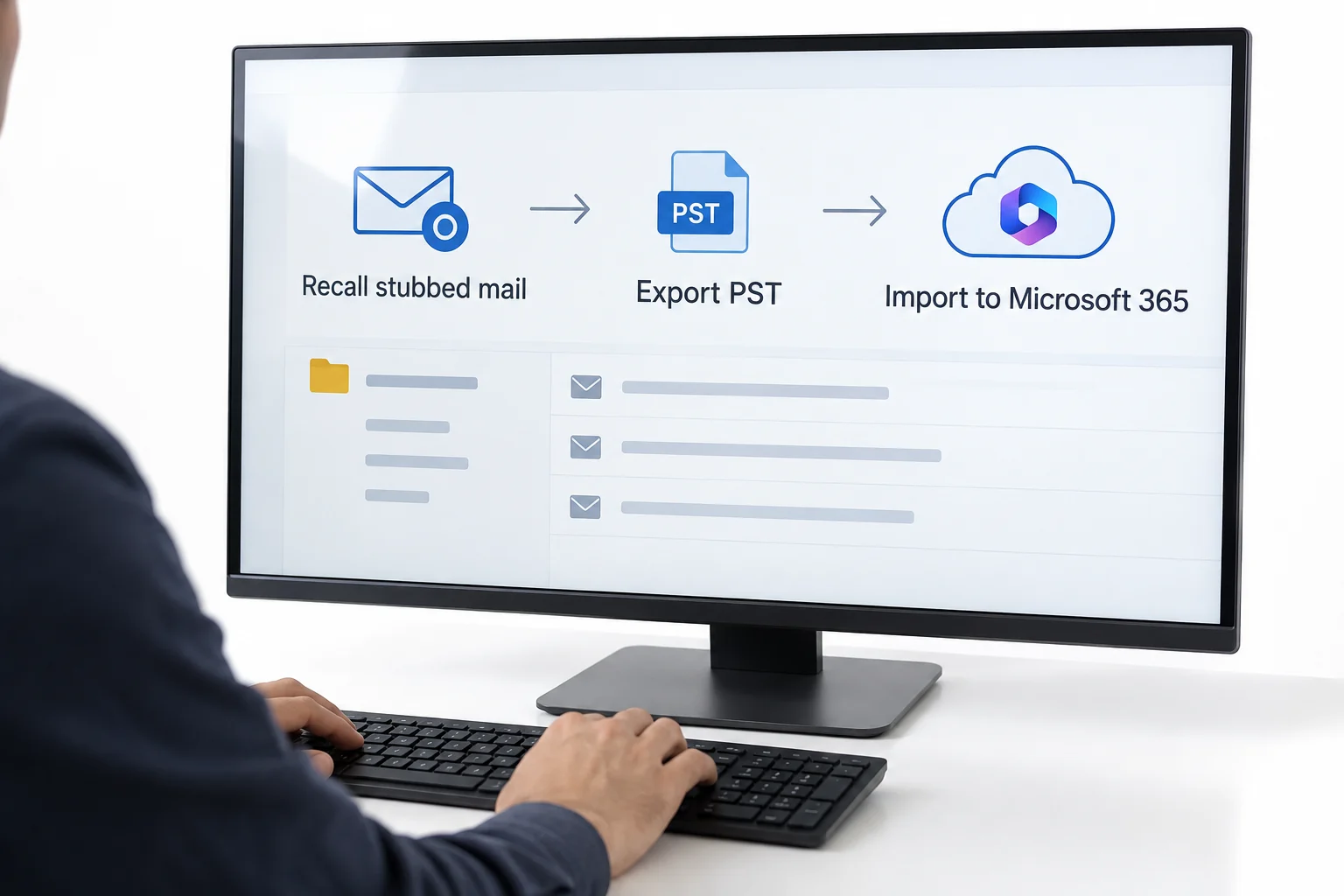
By A Barracuda Message Archiver migration to Office 365 has four parts. Turn off stubbing and restore the stubs in every mailbox while the appliance is still running, because a stub with no appliance behind it is a dead message. Export each user from BASIC, Search with Tools, Export Messages as PST in chunks of up to 4.7 GB, or set up Scheduled Exports to an SMB share for the whole estate. Keep the journal wrapper on for journaled mail so BCC recipients survive. Then merge the chunks per user and bring the PST files into Microsoft 365 archive mailboxes through the Import service. Appliance backups are not an export; only Barracuda support can restore them, so plan the export while the box is alive. Univik Barracuda Archive Converter merges the chunks and unstubs attachments in one run.
The Barracuda Message Archiver, the Barracuda email archiver appliance, has been sitting in the rack for a decade. The BMA 150 is off the price list and the mail it holds is wanted in Microsoft 365. Barracuda's own path is a mirror into the Barracuda Cloud Archiving Service, run by their support team. If Office 365 is where the company is going instead, the work is yours. That means an export per user in PST chunks, a journal that needs its envelope kept, thousands of stubbed messages in live mailboxes and a backup format nobody outside Barracuda can read. This guide puts those in the right order, with the appliance menus and the Microsoft limits at each step.
- Before you migrate the Barracuda archive
- Export the archive in 5 steps
- Step 1: Inventory users, years and the journal
- Step 2: Disable stubbing and restore stubs
- Step 3: Export per user as PST chunks
- Step 4: Or set up Scheduled Exports to a share
- Step 5: Download from Tasks and check counts
- Stubbed mail comes first
- Journal wrappers and BCC
- Why backups are not an export
- Merge chunks and convert
- Compare the four routes
- After the migration
- Fix common problems
- Barracuda migration questions
Before You Migrate the Barracuda Message Archiver
What does the appliance hold, and how did it get there? The answers set the order of work.
- Administrator login on the applianceExports run from BASIC, Search and Scheduled Exports live under POLICY. An auditor role can run scheduled exports; only an admin can change stubbing.
- A list of mailboxes, years and the journal accountSearch exports are per search. One user per export, or one year for a busy user, keeps each job to a handful of chunks. The journal is exported separately.
- An SMB share with room for the estateScheduled exports land on the appliance share; ad hoc exports download through the browser. Either way you need disk equal to the archive plus the converted output.
- Office 365 archive mailboxes enabledBarracuda data belongs in the users' archive mailboxes. Turn on Exchange Online Archiving first. The Import PST to Office 365 guide explains the 20 GB ceiling per file.
- Stub
- The short message Barracuda leaves in a mailbox after it archives the attachments or the whole message, with a link back to the appliance. Attachments Only and Entire Message are the two modes.
- Export Messages
- The Tools menu action on the Search page that writes the current results or the selected messages to a PST or a ZIP of EML files.
- Chunk
- Barracuda splits every export into files of 800 MB, 4.7 GB or a custom size. A 14 GB export at 4.7 GB is three full chunks and one small one.
- Scheduled Export
- A PST export that runs from a saved search every one to four weeks and is collected from a share on the appliance. PST only, not offered in the cloud service.
- Journal Wrapper
- Barracuda's name for the Exchange envelope journal report around a message. Preserve Journal Wrapper keeps it on export so BCC recipients and expanded lists are not lost.
- Cloud Archiving Service
- Barracuda's hosted archive. The appliance can be mirrored into it by Barracuda support; its own exports are capped at 100,000 items per PST or ZIP.
Export the Barracuda Message Archiver to PST in 5 Steps
Two of these steps happen on the appliance before any file is written. Skip them and the export is complete but the mailboxes are broken.
Inventory users, years and the journal on the appliance
On BASIC, Search, run a search per mailbox with no keywords and note the message count and size the results header shows. Do the same for the journal account and for the whole archive by year. This list becomes the export plan and later the rows of the Microsoft 365 mapping file. Note which users are leavers with no Office 365 mailbox yet; each needs an inactive mailbox or a shared mailbox before the import.
You should seea count and size per user that add up to the archive total on BASIC, Status. If the journal account is far bigger than everything else combined, that is normal.
Disable stubbing and restore the stubs in every mailbox
Open MAIL SOURCES, Exchange Integration and set Enable Stubbing to No so no new stubs are created during the project. Then deal with the existing ones. Users can restore a message from Outlook with the Restore icon. Restored items are stubbed again after 30 days while stubbing is on, and nobody restores 14,000 messages by hand. Barracuda's documentation is direct. Bulk unstubbing is arranged with Barracuda Networks Technical Support and must be done before any migration. Without access to the appliance it cannot be done at all. Raise that ticket now and let it run while you export.
You should seethe stubbed item count per mailbox falling to zero. Until it does, a mailbox migrated to Exchange Online carries stubs that will never open once the appliance is switched off.
| Mailbox | Stubbed items | Stubbed size | Status |
|---|---|---|---|
| priya.adams@contoso.com | 14,206 | 6.1 GB | Restore pending |
| marcus.bello@contoso.com | 31,880 | 12.4 GB | Restore pending |
| sarah.chen@contoso.com | 0 | 0 | Clean |
Bulk unstubbing is arranged with Barracuda Networks Technical Support. Users can restore single messages from Outlook.
Step 2Stubbing off, restore pending for two mailboxes. This runs alongside the export.
Export each user as PST chunks from Barracuda Search
Back on BASIC, Search, run the search for one user and date range, then open Tools and choose Export Messages. Pick PST. Set the chunk size: 4.7 GB gives fewer files to merge later and stays far under the 20 GB the Microsoft 365 Import service wants. Tick Preserve Journal Wrapper when the search includes journaled mail; the next section explains why. Tick the folder structure option for LDAP users so Inbox and Sent Items come back as folders. Start the export and move to the next user; several can run at once.
| Date | From | To | Subject |
|---|---|---|---|
| 12/03/2014 | sarah.chen@vendor.com | priya.adams@contoso.com | Re: Supplier contract renewal |
| 11/03/2014 | priya.adams@contoso.com | mike.turner@acme-partner.com | Q2 partnership update |
| 10/03/2014 | legal@vendor.com | priya.adams@contoso.com | Updated agreement for review |
Step 3One user, six years, 61,204 messages. Tools, Export Messages starts the PST export.
Step 3PST, 4.7 GB chunks, journal wrapper kept, folder structure kept.
Or set up Scheduled Exports to the appliance share
For hundreds of users the Search page is too slow to drive by hand. POLICY, Scheduled Exports runs a PST export from a saved search every one to four weeks and writes the files to a share on the appliance, \\appliance\BarracudaMessageArchiverScheduledExports. Save one search per organisational unit or per year and schedule each. Collect the PST files from the share as they land. Scheduled exports cannot be edited after creation and are PST only, so get the search right first. They are also not available in the Cloud Archiving Service.
| Export | Last run | Files | Size |
|---|---|---|---|
| All mail - Sales OU | 2026-09-01 | 84 PST, 212 chunks | 388 GB |
| Journal 2014-2019 | 2026-08-25 | 1 PST, 619 chunks | 2.9 TB |
Step 4Scheduled Exports for the whole estate. PST files land on the appliance share.
Download the PST chunks from the Tasks tab and check the counts
Ad hoc exports appear on the Tasks tab of the Search page, one download per chunk. Fetch every chunk and keep the set together in a folder named for the user and years. Add up the message counts on the chunks and compare with the search result count from Step 1. A gap means a chunk failed or was skipped. Barracuda's release notes record past bugs where items went missing from PST exports over 3 GB and where large PST exports failed. Check counts on every set rather than trusting the export.
| File | Messages | Size | |
|---|---|---|---|
| priya.adams_2014-2019_1.pst | 19,412 | 4.7 GB | Download |
| priya.adams_2014-2019_2.pst | 20,077 | 4.7 GB | Download |
| priya.adams_2014-2019_3.pst | 19,860 | 4.7 GB | Download |
| priya.adams_2014-2019_4.pst | 1,855 | 0.7 GB | Download |
Total 61,204 messages, matching the search. Four chunks become one PST per user in the converter.
Step 5Four chunks, 61,204 messages, matching the search. Download all four together.
Stubbed Mail Comes First in a Barracuda Migration
Stubbing is what makes a Barracuda migration different from most archive exits. In Attachments Only mode the message stays in the mailbox but each attachment is replaced by a line naming it and a link. In Entire Message mode the body itself is swapped for an excerpt and a link. Both links point at the appliance. Migrate the mailbox to Office 365 and the stubs travel with it. Decommission the appliance and every stub becomes a message with nothing behind it.
Barracuda Journal Wrappers and BCC Recipients
Most Barracuda appliances were fed by Exchange envelope journaling, which records the sender and every recipient including BCC and distribution list members. The appliance stores that envelope with the message. On export you choose what happens to it. With Preserve Journal Wrapper ticked, the exported item's body is the envelope and the original message travels as an attachment. The BCC data is kept. With it unticked you get clean messages and lose the envelope for good.
For per-user mail that will sit in someone's Office 365 archive mailbox, unticked is the friendlier choice: users see ordinary messages. For the journal account, tick it. Journal data has no natural home in Microsoft 365. It goes into dedicated holder mailboxes or to a compliance archive as envelope journal data. The journal mailbox migration guide covers both. Whatever you do, do not export the journal twice with different settings and import both.
Why Barracuda Backups Are Not an Export
An appliance backup to NFS or SMB is a set of one gigabyte files plus index and database metadata. It is written for the appliance to restore, not for a person to read. Barracuda's documentation says it plainly. You can back the files up, but you must contact Barracuda Networks Technical Support to restore any of the data. Migration to a replacement appliance is performed by that team too. A Microsoft Q&A thread from an organisation with thousands of users asked how to decrypt a Barracuda backup into PST. The only honest answer given was to ask Barracuda whether it is possible.
Engage Barracuda support to restore the backup to a loaner or replacement appliance, then export from that. Budget weeks. There is no converter route into a raw backup set, and any vendor who promises one should be asked to prove it on your files first.
Merge the Barracuda Chunks and Convert for the Office 365 Import
The export leaves you with chunks. Four or five PST files per user, or hundreds of EML ZIP files, plus journal items wrapped in envelopes. The Microsoft 365 Import service wants one clean PST set per user under 20 GB. Univik Barracuda Archive Converter is built for this gap.
- Add every chunkAdd PST or Add ZIP takes all chunks for a user, or a whole scheduled export folder from the SMB share. Chunks of 800 MB, 4.7 GB or custom size are merged into one mailbox view without any manual stitching.
- Audit the stubsThe stub audit view lists which attachments are present and which are still stubbed, so you know the completeness of each user's archive before you write anything.
- Choose the output per destinationOne Unicode PST per user, split under 20 GB, for the Office 365 Import service with IsArchive set to TRUE in the mapping file. Journal wrappers are kept for journal sets and can be left as envelopes for the compliance destination.
- Read the reportPer user: message count, stubbed attachment flags and journal wrapper status. File it with the export as the record of what moved.
The conversion happens offline on a Windows PC or server. Nothing goes back to the appliance or to Barracuda, which matters when the export holds regulated correspondence.
Univik Barracuda Archive Converter reads Barracuda PST and ZIP exports at any chunk size, merges them per user, audits stubbed attachments, keeps Exchange journal wrappers and writes Unicode PST split for Microsoft 365. Offline on your own hardware.
Windows Server or Windows 11 / 10 · works without Outlook · trial run on one user's chunk set before you buy
Compare the Four Routes Out of a Barracuda Message Archiver
| Route | Cost | Scale | Stubs | Journal | Ends in |
|---|---|---|---|---|---|
| Search, Tools, Export Messages | Included | One search at a time, browser downloads | Unstub separately | Wrapper option | PST or EML chunks per user |
| Scheduled Exports to the share | Included | Whole estate, weekly runs | Unstub separately | Wrapper option | PST chunks on the appliance share |
| Barracuda support mirror to Cloud Archiving Service | Subscription | Whole appliance, weeks to months | Must unstub first | Kept | Barracuda cloud, not Microsoft 365 |
| Export plus converter plus Import service | Converter licence | Hundreds of users, chunk merge automated | Audited and unstubbed | Kept or unwrapped | Microsoft 365 archive mailboxes |
After the Barracuda to Office 365 Migration
- Every mailbox in the Step 1 inventory has a Completed import job in Purview and the item counts match the Barracuda search counts within your tolerance
- A search of migrated mailboxes for stub text returns nothing, and a sample user opens a 2014 attachment from their Office 365 archive mailbox
- BCC recipients are visible in the journal's new home and legal has approved the retention there
Keep the exported chunks and the conversion reports for the retention period, on backed-up storage. Then retire the appliance. Pull the Barracuda Archive Search for Outlook add-in from the desktop image and stop the journaling rule that still points at it. Take a final backup for the record and power it down. The import side in detail is in how to import PST to Office 365, and the platform-neutral plan is the email archive migration guide.
Fix Common Barracuda Migration Problems
Barracuda migrations stall in three places. Find the red You see line that matches, then follow the green Do this text.
Do this: A chunk failed or the export hit one of the documented PST export bugs. Update the appliance firmware, re-run the export for that user with a smaller chunk size and compare again. Never import a set that does not reconcile.
Do this: The appliance was retired before unstubbing finished. If it can be powered back on, resume the support-led restore. If not, rebuild the affected mailboxes from the export with a converter that unstubs attachments into the PST, then import.
Do this: A merged PST is over 20 GB, or single items are over 150 MB, which the Import service skips. Re-split the user's set at 18 GB and note the skipped items in the report for legal.
Sizing a Barracuda exit with stubbed mailboxes and a journal? Give our support team the user count, the appliance model and the journal size. We will map the export order and the chunk plan before you commit to anything.
Barracuda migration questions
 About This Guide
Written and maintained by Leena Taylor Paul and the Univik team, developers of Windows data conversion and recovery software since 2013. The Barracuda menu paths, export formats, chunk sizes, stubbing behaviour and backup restrictions in this guide were checked against Barracuda Campus documentation, and the Microsoft 365 Import limits against Microsoft Learn. Last verified September 7, 2026. Need a hand? Contact our support team.
Sources checked: Barracuda Campus, Message Actions (Export Messages) · Barracuda Campus, Scheduled Exports · Barracuda Campus, Exchange Stubbing · Barracuda Campus, Unstubbing Before Cloud Migration · Barracuda Campus, How to Back Up Archives · Microsoft Learn, Overview of importing PST files to Microsoft 365