To convert OneNote to EPUB, run a converter that builds an e-book from the .one, with a contents list drawn from your pages. The Univik ONE Converter turns a notebook into an .epub for any reader, no OneNote required.
An EPUB is an e-book, reflowable text that resizes to fit whatever screen you read it on. Convert a OneNote notebook to EPUB and long notes turn into comfortable reading on a Kindle, a Kobo, an iPad or a phone.
A PDF freezes the page. An EPUB lets the words flow, the right call for reading and the wrong one for exact layout. Here is how to make one and when to reach for it.
EPUB Reflows Where PDF Stays Fixed
A PDF holds its page exactly, the same on every screen, which is why it suits print and forms. It does the opposite. Its text reflows to the width you are reading at, so you pick the font size, the margins and a night mode, and the pages repaginate to match. For a notebook you want to sit and read, that give beats a frozen page you have to pinch and zoom on a phone.
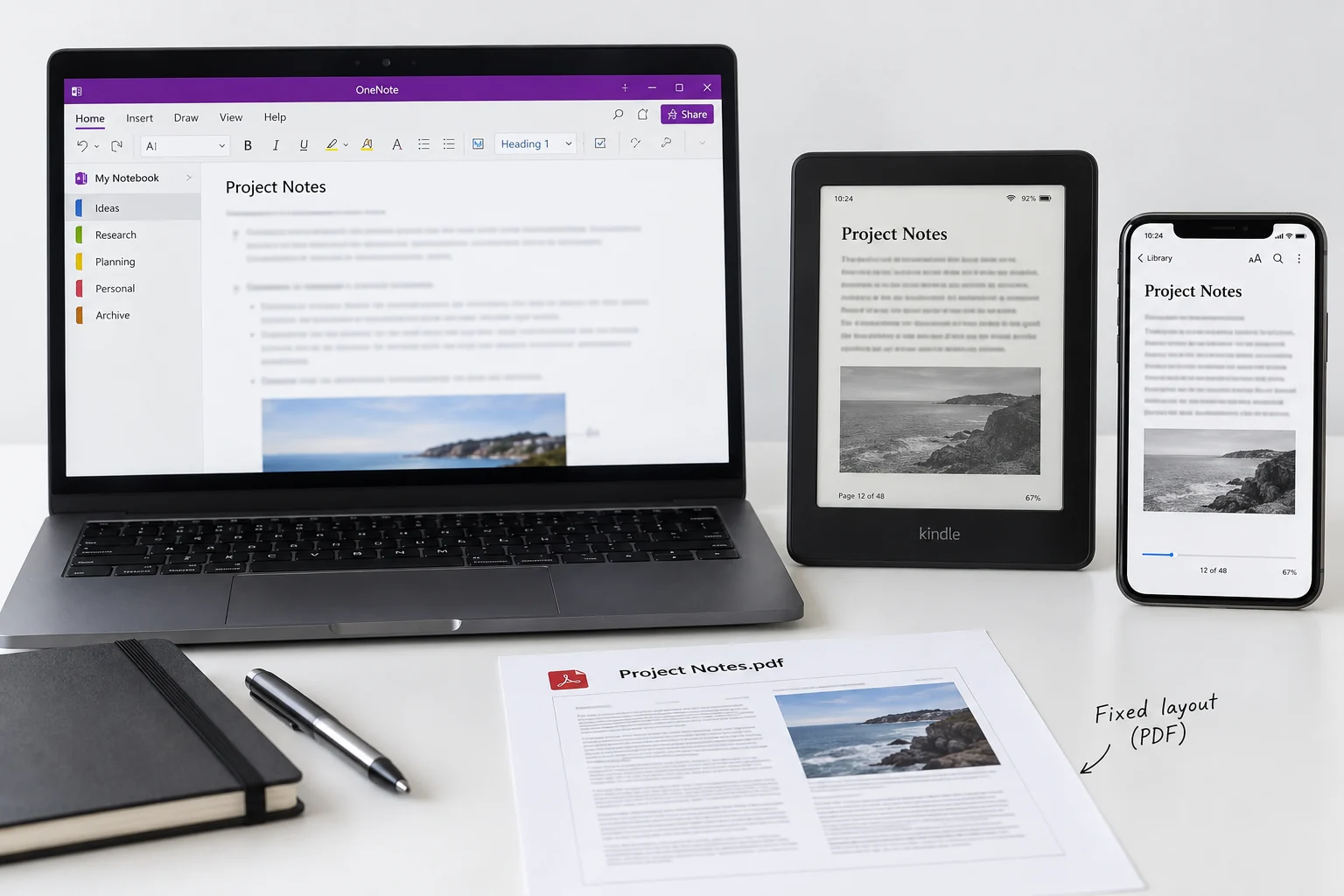
Convert a Notebook to an EPUB
If you only need to read the notes rather than convert them, you can view OneNote online first — it opens .one and .onepkg files with nothing to install.
To turn a notebook into an e-book, reach for a converter that turns the .one into EPUB. The Univik ONE Converter opens the notebook, lays the pages out as e-book content and saves an .epub, with no OneNote in the loop.
- Load the OneNote filesAdd .one or .onepkg files, or a folder.
- Choose EPUB as the outputPick the e-book format.
- Run the conversionThe pages become e-book content.
- Open in a readerLoad the file on your device.
Every output the tool writes is listed on the OneNote converter page, so a notebook can go to another format from the same run.
The ONE Converter takes a .one or .onepkg notebook and builds a reflowable .epub with a tap through contents list, ready for Apple Books, Kobo or Send to Kindle, no OneNote required.
Free Download See All FeaturesSections and Pages Become Chapters
An e-book has a table of contents you tap to jump around, and a notebook already has the bones for one. Sections and pages map onto chapters and headings, structure the .one holds and Microsoft's OneNote file format spec pins down, so the EPUB carries a navigable contents list drawn from how the notebook was arranged.
| In OneNote | In the EPUB |
|---|---|
| Notebook | The e-book itself |
| Section | A chapter |
| Page | A heading in the contents |
On an e-reader that gives you the same jump to a section you were used to in OneNote.
What the EPUB Keeps and What Reflows
Because the text reflows, some of a page travels well and some rearranges to fit the screen.
Ink and a free canvas do not sit on a flowing page either, so treat the book as a reading copy rather than an exact one.
Read the EPUB on an E Reader or Phone
EPUB is the common e-book format, so most readers take it straight. Apple Books, Kobo, Google Play Books and PocketBook open the file as it is. A Kindle does not read EPUB on its own, but Amazon's Send to Kindle accepts a DRM free EPUB and converts it, so the file still reaches the device. Drop the file onto the reader or into the app and it lands in your library alongside everything else.
Set the EPUB Title and Author
An e-reader sorts your library by title and author, which an EPUB carries as metadata rather than in the file name. A converted notebook takes its title from the notebook, and you can set the author and a cover image so it shows up looking like a book instead of a stray file. Worth the minute if the .epub is going to live on a device next to your other reading.
EPUB 3 and What Readers Support
The current standard is EPUB 3, the W3C's EPUB 3.3 Recommendation, and it is what modern readers expect. It is built on HTML5, so text, pictures and a contents list all render the way the web does. Almost every reader from the last decade handles EPUB 3, so a converted notebook opens without fuss. A much older device might want the earlier EPUB 2, and a quick pass through a free tool like Calibre steps it down if you ever meet one.
When a PDF Fits the Job Better
Reflow is the wrong choice when the layout is the point. A page you need to print, a form with fields lined up or a table that has to stay exactly as drawn all want a fixed page. Send those to PDF with the OneNote to PDF guide, which holds the layout to the pixel. Keep EPUB for the notebooks you mean to read rather than reproduce.
OneNote to EPUB Questions

Written and maintained by Leena Taylor Paul and the Univik team, developers of Windows data conversion and recovery software since 2013. Most people who want EPUB are turning a notebook into something to read on a device, so this guide leans on the reflow behaviour and the contents list, and points to PDF whenever the layout has to hold. Last verified August 2026. Making an e-book out of a reading notebook? Contact our support team.