 Email Migration Guide
 By
By Admins export an Office 365 mailbox to PST through Purview eDiscovery: create a case, add the mailbox as a data source, run a search, then Export with Create PSTs for messages. Since 31 August 2025 the old eDiscovery Export Tool is gone and the export downloads as ZIP packages from Process manager. One user exports their own mailbox in classic Outlook with File, Open & Export, Import/Export. For every mailbox on a schedule, a backup tool such as Univik Email Backup saves each account to PST without touching Purview. Exchange Online has no New-MailboxExportRequest, so PowerShell alone will not do it.
A leaver's mailbox needs to be kept. Legal wants a copy of three people's mail. Or you want an offline backup that does not depend on Microsoft. All three end in the same place: an Outlook Data File. Office 365 gives you two built-in routes to export Office 365 mailbox to PST and neither is obvious. This guide walks through the Purview eDiscovery export as it works after the 2025 change, the Outlook wizard for a single mailbox and the backup tool route for doing it for everyone, every week.
- Before you export an Office 365 mailbox
- Export with Purview eDiscovery in 6 steps
- Step 1: Open Purview eDiscovery, create a case
- Step 2: Add the mailbox as a data source
- Step 3: Run a search for the mailbox
- Step 4: Create the export with PST format
- Step 5: Download the PST packages
- Step 6: Open the PST in Outlook
- Export one mailbox with Outlook
- Back up every mailbox to PST on a schedule
- Method comparison
- After the export
- Fix common problems
- Office 365 PST export questions
Before You Export an Office 365 Mailbox to PST
Who needs the PST and how often? That picks the route, so choose the card that fits.
- An eDiscovery role for the Purview routeeDiscovery Manager or Administrator in Purview, plus a Microsoft 365 E3 or E5 licence on the exporting account. Without the role the eDiscovery menu is empty, even for a Global Administrator. The Exchange admin center has no export to PST option at all.
- The mailbox and archive namesExports run per data source. Add both the primary mailbox and the archive mailbox, or the archive years stay behind.
- Disk space for the packagesPurview writes ZIP packages of up to 10 GB each with PST files inside. A 50 GB mailbox lands as five or six packages. Download them within 14 days.
- Classic Outlook on Windows to open the resultNew Outlook only gained PST import in 2026 and still needs classic Outlook installed beside it. To open or check the exported file, use classic Outlook or a PST viewer.
- Purview eDiscovery
- The Microsoft 365 compliance tool for searching, holding and exporting mailboxes. Since 31 August 2025 it is the only eDiscovery experience; the classic Content Search and the eDiscovery Export Tool were retired.
- Data source
- A mailbox, archive mailbox, OneDrive or site added to a case. A search only covers the data sources you add.
- Export package
- The ZIP file Purview produces. With Create PSTs for messages selected it holds one or more PST files plus Items.csv and Summary.html reports. Package size is chosen at export: 1, 2, 5 or 10 GB for PST.
- Process manager
- The Purview page that lists running and finished exports. Packages are downloaded from here, not from the case.
- Outlook Data File
- A PST. Classic Outlook exports one through File, Open & Export, Import/Export, Export to a file.
Export an Office 365 Mailbox to PST with Purview eDiscovery in 6 Steps
This is the admin route and the one that changed in 2025. The old flow of Content Search, Export results, eDiscovery Export Tool is gone. Everything now runs inside a case, and the export downloads as ZIP packages.
Open Purview eDiscovery and create a case
Using an eDiscovery Manager account, sign in at purview.microsoft.com and open eDiscovery, then Cases, and click Create case. Name it for the request, such as the leaver's name and the month. A case is a container for the searches, holds and exports that belong to one job.
| Case name | Status | Created | Last modified |
|---|---|---|---|
| Leaver export - J Doe | Active | 2026-09-01 | 2026-09-01 |
| Legal request 2026-07 | Active | 2026-07-14 | 2026-08-02 |
| HR review Q2 | Closed | 2026-04-10 | 2026-06-30 |
Step 1eDiscovery, Cases, Create case.
Add the mailbox and its archive as data sources
Inside the case open Data sources and click Add data sources. Search for the user and tick both Mailbox and Archive mailbox (the In-Place Archive). Leave OneDrive off unless the request covers files. An Office 365 mailbox and its archive are separate sources, so a missed tick here means missing years later. For a leaver whose account is already an inactive mailbox, search by the address and it appears the same way.
You should seethe user listed with mailbox and archive ticked. If the archive box is missing, the user never had an archive mailbox enabled, so there is nothing extra to export.
Step 2Mailbox and Archive mailbox both ticked for the leaver.
Run a search that covers the whole Office 365 mailbox
Open Searches, create a search, pick the data source you added and leave keywords and dates empty so every item matches. Click Run query, then Statistics to see item counts and the mailbox size for the mailbox and the archive. Note those numbers. They are your check at the end.
| Location | Items | Size |
|---|---|---|
| john.doe@contoso.com | 48,211 | 17.4 GB |
| john.doe@contoso.com (archive) | 92,640 | 31.9 GB |
Step 3No keywords, so everything matches. Statistics show 48,211 items in the mailbox and 92,640 in the archive.
Create the export with Create PSTs for messages
Click Export. Choose Export items with items report, then under Export format pick Create PSTs for messages. Set the Maximum PST package size: 10 GB gives fewer files, 5 GB is the default and both stay under the 20 GB the Import service wants if you ever bring the PST back into Office 365. Tick Organize data from different locations into separate folders or PSTs so the mailbox and archive land in their own PST files, and Include folder and path of the source so the Outlook folder tree survives.
You should seeCreate PSTs for messages selected, not Create .msg files. The MSG option gives you tens of thousands of loose files that Outlook cannot open as a mailbox and Mimecast will not take at all.
Step 4PST format, 10 GB packages, separate PSTs per location with the folder path kept.
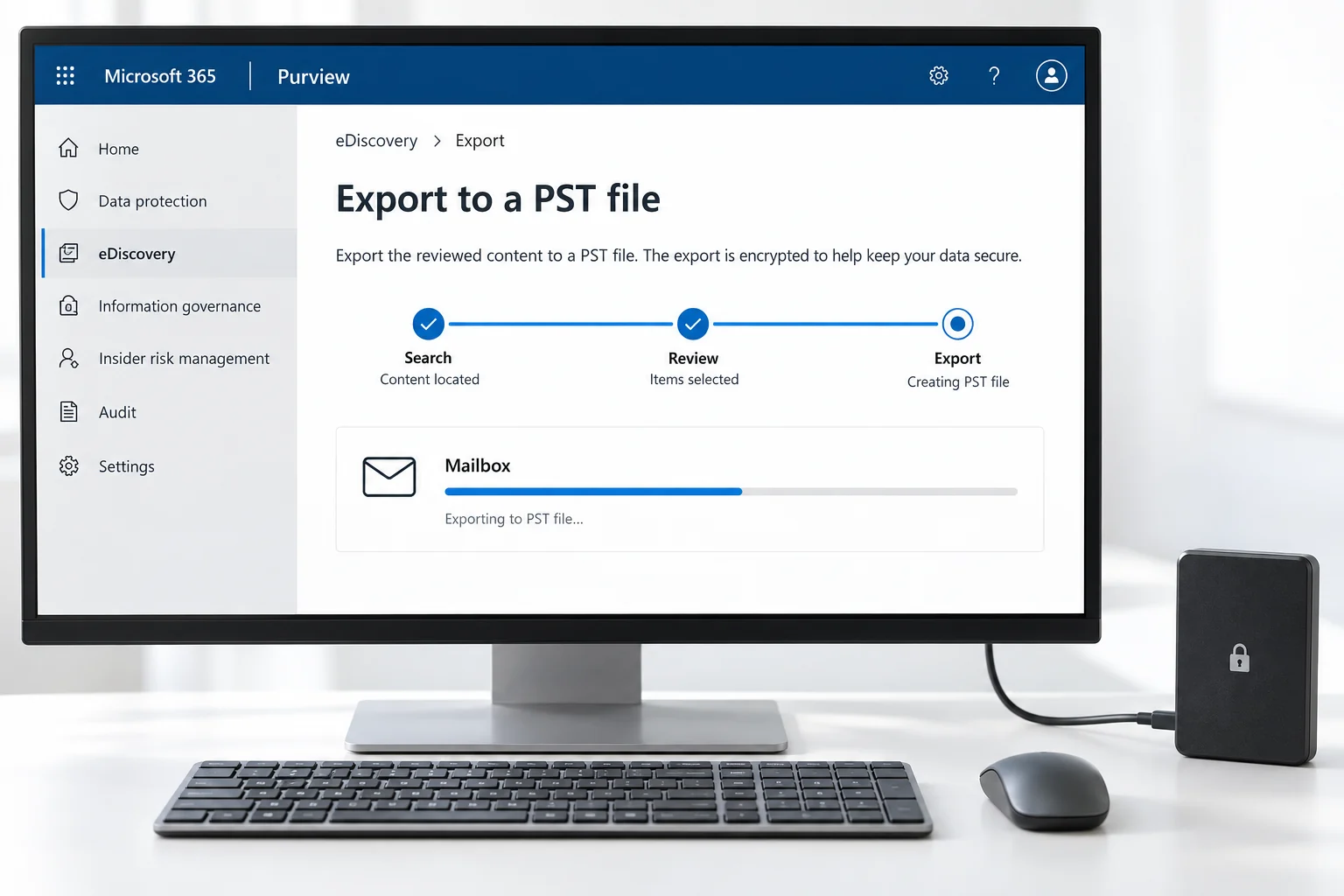
Download the PST packages from Process manager
Open Process manager in the eDiscovery menu, select your export and wait for the status to read Completed. The Export packages section lists the ZIP files. Click Download packages. Packages expire 14 days after the export was created, so download them the same week. Office 365 does not keep a copy for you after that. Extract every ZIP into one folder: the PST files sit alongside Items.csv and Summary.html.
You should seeone or more PST files per data source, numbered when the mailbox exceeded the package size, plus the two report files. Keep the reports with the PST for the record.
| Package | Contents | Size |
|---|---|---|
| jdoe-mailbox-2026-09_1.zip | john.doe@contoso.com.pst | 9.8 GB |
| jdoe-mailbox-2026-09_2.zip | john.doe@contoso.com_1.pst | 7.6 GB |
| jdoe-mailbox-2026-09_3.zip | john.doe@contoso.com_archive.pst | 9.9 GB |
| jdoe-mailbox-2026-09_4.zip | john.doe@contoso.com_archive_1.pst ... Items.csv, Summary.html | 9.9 GB |
Search export packages expire 14 days after you create the export.
Step 5Four packages for a 49 GB mailbox plus archive. Download within 14 days.
Open the PST in Outlook and compare the counts
On a PC with classic Outlook use File, Open & Export, Open Outlook Data File for each PST in turn. The folder tree from the mailbox appears. Compare the Inbox and Sent Items counts with the statistics from Step 3 and open one message with an attachment. If the PST is going to another system rather than staying in Outlook, the rules are in how to import PST to Office 365 and the email archive migration guide.
| ! | From | Subject | Received |
|---|---|---|---|
| 📎 | sarah.chen@vendor.com | Re: Contract renewal discussion | Tue 22/04/2025 09:48 |
| mike.turner@acme-partner.com | Q2 partnership update | Mon 21/04/2025 16:17 | |
| 📎 | legal@vendor.com | Updated agreement for review | Mon 21/04/2025 11:03 |
Opened with File, Open & Export, Open Outlook Data File. Folder names and counts match the export statistics.
Step 6The exported PST attached in Outlook. Counts match the Purview statistics.
Export One Office 365 Mailbox to PST with Outlook
A user who wants a copy of their own Office 365 mailbox does not need Purview. Classic Outlook has the wizard under File, then Open & Export, then Import/Export. Choose Export to a file and pick Outlook Data File (.pst). Select the account at the top of the tree, tick Include subfolders, pick a location and choose how to handle duplicates. Finish, and Outlook writes the PST from the local cache. Two limits matter. Outlook exports what is in the offline cache, so in Cached Exchange Mode set the Mail to keep offline slider to All before you start or older mail is skipped. And the online archive mailbox is a separate root, so export it as a second PST.
New Outlook has Settings, Files, Export for mail folders, but the export covers mail only. PST import arrived in new Outlook in 2026 and still depends on classic Outlook being installed. For a complete mailbox copy use classic Outlook.
Back Up Every Office 365 Mailbox to PST on a Schedule
Purview is a one-off export tool and Outlook is a one-user tool. Neither is a backup. If the goal is an Office 365 backup as PST files of every mailbox, refreshed weekly and stored outside Microsoft, the job wants a third-party backup tool that signs in to each account and downloads on a schedule.
- Add the Microsoft 365 accountsOpen Univik Email Backup, choose Microsoft 365 and sign in to each mailbox. For a tenant, add a list of accounts instead. Modern authentication and app passwords are both supported.
- Choose PST and the foldersPick PST as the output, keep the folder structure and select all folders or only the ones the policy needs. Set a split size if the PST should stay under a limit.
- Set the scheduleDaily or weekly. After the first full run, later runs download only new mail, so a weekly backup of a busy tenant takes minutes rather than hours.
- Store and verifyEach account gets its own PST on your disk or NAS. Open one in Outlook once a month to prove the backups restore.
Because the tool reads through IMAP and Graph rather than Purview, it needs no eDiscovery role and does not depend on the export packages or their 14-day expiry. It also covers Gmail, Yahoo and any IMAP account in the same run, which matters for companies with more than one mail platform.
Univik Email Backup signs in to each Microsoft 365 account, downloads new mail incrementally and writes one PST per mailbox with folders, dates and attachments intact. No Purview, no eDiscovery role, no 14-day download window.
Windows 11 / 10 · incremental after the first run · the free trial backs up a sample so you can open the PST before you buy
Office 365 Export Mailbox to PST: Method Comparison
| Method | Who | Scope | Repeatable | Report for the record | Watch for |
|---|---|---|---|---|---|
| Purview eDiscovery export | Admin, eDiscovery role, E3/E5 | Any mailbox, inactive mailboxes too | Manual each time | Items.csv, Summary.html | 14-day package expiry, PST package size |
| Classic Outlook Import/Export | The user | Own mailbox and archive | No | No | Exports the offline cache only |
| New Outlook Settings, Files, Export | The user | Own mail folders | No | No | Mail only; PST import needs classic Outlook alongside |
| Univik Email Backup | Admin or user | Every mailbox in the tenant | Scheduled, incremental | Per-run log | Licence per install |
After the Office 365 PST Export
- Every PST opens in classic Outlook and the folder tree matches the mailbox
- Inbox and Sent Items counts match the Purview statistics or the Outlook folder counts
- Attachments and inline images in a sample of messages look the same as they do in Outlook on the web
Store the PST with its Items.csv and Summary.html if it came from Purview, because those reports are what make the export defensible later. Keep each file under 20 GB if it may ever go back into Office 365 through the Import service. And if the export was for a leaver, decide now whether the licence can be released: converting the account to a shared mailbox, or making it an inactive mailbox under a retention or litigation hold, keeps the data in Microsoft 365 as well, which is often the safer pair with an offline PST.
Fix Common Office 365 PST Export Problems
Office 365 PST exports break in three predictable places. The red box is the symptom, the green text is the repair.
Do this: You are following a pre-2025 guide. The tool and classic Content Search were retired on 31 August 2025. Use a case in the new eDiscovery, run the search inside it and download packages from Process manager.
Do this: The archive mailbox was not added as a data source, or the Outlook export ran on the cache without the online archive. Add the archive mailbox in the case, or export the online archive as a second PST in Outlook.
Do this: Export packages live for 14 days. Re-run the export from the same search; the case and search are still there. For recurring copies, switch to a scheduled backup so there is no download window to miss.
Need PST copies of many mailboxes and not sure whether Purview or a backup tool fits? Tell our support team the mailbox count and how often you need the copies. We will recommend the route and the split size.
Office 365 PST export questions
 About This Guide
Written and maintained by Leena Taylor Paul and the Univik team, developers of Windows data conversion and recovery software since 2013. The Purview eDiscovery export steps and the 2025 retirement dates in this guide were checked against Microsoft's current documentation. Last verified September 7, 2026. Need a hand? Contact our support team.
Sources checked: Microsoft Learn, Export search results in Purview eDiscovery · Microsoft Learn, Export Content Search results (retired, redirect notice) · Microsoft Support, Export emails, contacts and calendar items to a .pst file · Microsoft Learn, Overview of importing PST files to Microsoft 365