 Email Migration Guide
 By
By To convert MSG to PST in classic Outlook, create a new Outlook Data File and drag the .msg files from Explorer into one of its folders. Outlook stores them as messages with their original dates. For thousands of MSG files in nested folders, for a Purview eDiscovery or archive export and for any PC without Outlook, a batch MSG to PST converter such as Univik MSG Converter reads the whole tree and writes split PST files in bulk. Mimecast and the Microsoft 365 Import service do not accept MSG, so the PST step is not optional there.
MSG is Outlook's own single message format, so it should be the easiest thing in the world to get back into Outlook. It is, for ten files. It is not for the 80,000 that a Purview eDiscovery export, an archive platform or a document management system drops on you, sorted into folders by custodian and year. And it is a dead end when the destination is Mimecast or the Microsoft 365 Import service, because neither reads MSG. This guide covers the drag and drop route, the export cases and the bulk method.
- Before you convert MSG to PST
- Drag MSG into a PST with Outlook
- Step 1: Sort the MSG files by target folder
- Step 2: Create a new Outlook Data File
- Step 3: Drag the MSG files in
- Step 4: Verify counts and dates
- MSG exports from Purview and archives
- Batch convert MSG to PST
- Method comparison
- After the conversion
- Fix common problems
- MSG to PST questions
Before You Convert MSG to PST
Where did the MSG files come from? That decides the method, so pick the card that matches.
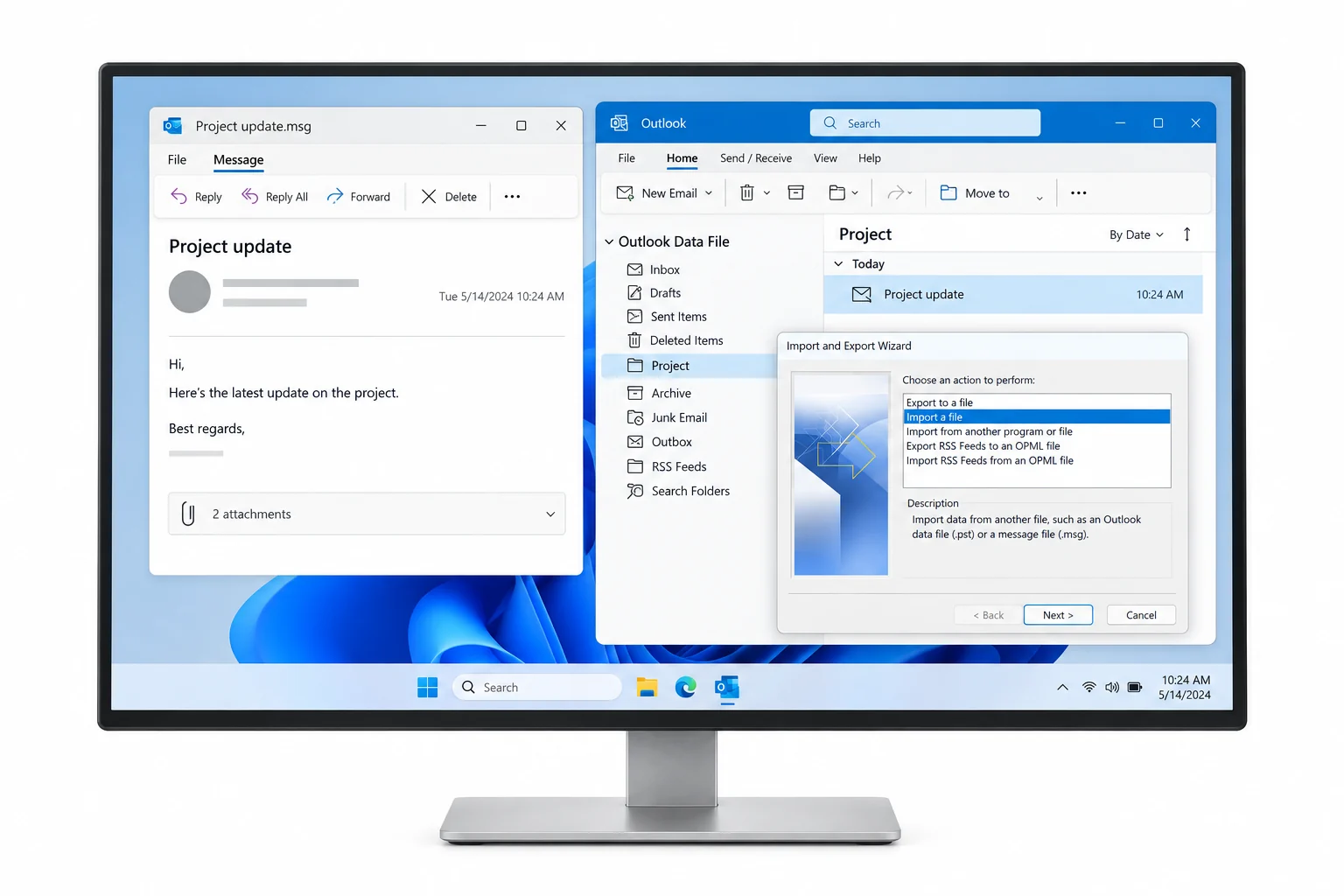
- The MSG files unzipped in a folder treeExport packages arrive as ZIP parts. Extract them all into one root so custodian and folder names line up.
- Classic Outlook, Windows only, for drag and dropDrag and drop into a PST works only in classic Outlook 2013, 2016, 2019, 2021 and Outlook for Microsoft 365. New Outlook cannot create PST files.
- A target in mindOutlook itself takes any PST. Office 365 wants each file under 20 GB. Mimecast wants 5 to 10 GB and refuses MSG outright.
- The manifest from the exportPurview writes Items.csv and Summary.html, archives write edrmXML.xml. Keep them next to the PST for chain of custody.
- MSG
- Outlook's single message format, a compound file that holds one email with its properties and attachments. Outlook opens it directly; almost nothing else does without conversion, though a free online MSG viewer reads single files in the browser.
- PST
- Outlook Data File. One file for a whole mailbox with folders. The format Outlook, the Microsoft 365 Import service and Mimecast take.
- Drag and drop import
- Dragging .msg files from Explorer into an Outlook folder. Because MSG is Outlook's own format the message lands with all properties intact.
- Export package
- The ZIP that Purview eDiscovery or an archive platform produces. With that format chosen it holds one .msg per message, sorted into folders, plus a report file.
- Batch MSG to PST converter
- Software that reads a tree of MSG files and writes PST files directly, keeping the folder path as the Outlook folder, with no Outlook needed on the PC.
Drag MSG Files into a PST in Classic Outlook: 4 Steps
For a modest number of files this is the free route, and because MSG is Outlook's native format it is the most faithful drag and drop there is.
Sort the MSG files by target folder
Each Explorer folder should map to one Outlook folder. Exports usually arrive that way already, one folder per custodian and one subfolder per Outlook folder. If yours is a flat pile, sort by date or sender in Explorer and move the files into folders first, because Outlook will not build folders for you.
| Name | Date modified | Type | Size |
|---|---|---|---|
| Inbox | 2026-08-30 10:12 | File folder | |
| Sent Items | 2026-08-30 10:12 | File folder | |
| Vendors | 2026-08-30 10:13 | File folder | |
| Re Contract renewal discussion.msg | 2026-08-30 10:12 | Outlook Item | 245 KB |
| Q2 partnership update.msg | 2026-08-30 10:12 | Outlook Item | 182 KB |
| Updated agreement for review.msg | 2026-08-30 10:12 | Outlook Item | 1,127 KB |
| Items.csv | 2026-08-30 10:20 | CSV File | 3,904 KB |
| Summary.html | 2026-08-30 10:20 | HTML Document | 28 KB |
Step 1A Purview export in MSG format. One folder per custodian, one subfolder per Outlook folder, plus the report files.
Make the target PST with its custodian folders in Outlook
In classic Outlook use New Items on the Home tab, then More Items, then Outlook Data File. Right click the new data file and add the folders you need. For an eDiscovery export use the custodian name in each folder, such as john.doe - Inbox, so the PST stays readable when several custodians share one file.
Drag the MSG files into each folder
Put Explorer and Outlook side by side, select the files for one folder and drag them onto that folder in Outlook. Release and wait for the list to fill. Work in batches of a few hundred. Outlook stores each file as a message with the original sender, recipients, dates and attachments, because those properties were already in Outlook's own format.
You should seethe Received column showing the original dates and the paper clip on messages that had attachments. If the dates show today, stop and read the fixes at the end.
Verify counts and dates against the export report
Compare the item count in each Outlook folder with the file count in Explorer, or with Items.csv when the export came from Purview. Open one message with an attachment and one with inline images. When the counts match and both render, the folder is done.
| ! | From | Subject | Received | Size |
|---|---|---|---|---|
| 📎 | sarah.chen@vendor.com | Re: Contract renewal discussion | Tue 22/04/2025 09:48 | 245 KB |
| mike.turner@acme-partner.com | Q2 partnership update | Mon 21/04/2025 16:17 | 182 KB | |
| 📎 | legal@vendor.com | Updated agreement for review | Mon 21/04/2025 11:03 | 1.1 MB |
| david.kim@acme-partner.com | Re: Meeting next week | Sun 20/04/2025 15:26 | 320 KB | |
| 📎 | contracts@vendor.com | Contract terms and conditions | Fri 18/04/2025 14:14 | 756 KB |
John, Tuesday at 10 works for us. I will send the agenda tomorrow.
Step 4The converted messages with original dates, attachments and a readable body.
MSG Exports from Purview eDiscovery and Archive Platforms
The MSG question has changed shape since 2025. Microsoft retired the classic eDiscovery export tool on 31 August 2025, and the new Purview eDiscovery export offers two message formats: Create PSTs for messages or Create .msg files for messages, with PST packages capped at 1, 2, 5 or 10 GB and ZIP packages at up to 40 GB. Pick PST at export time and you skip this whole page. Pick MSG (or inherit an export where someone else did) and the result is folders of .msg files that only Outlook reads.
Archive platforms do the same. Arctera eDiscovery offers MSG with EDRM, Proofpoint offers EDRM in MSG or EML, and the exports land as MSG files beside an edrmXML.xml metadata file. Two targets then refuse the files as they are. Mimecast's Legacy Archive Data Management accepts PST and zipped EML only. The Microsoft 365 Import service accepts PST only. In both cases MSG to PST conversion is the required step, not a convenience. Keeping the custodian folder structure through the conversion is what keeps the export defensible in litigation or under a legal hold.
If you still have access to the source system, re-export as PST instead of converting. Purview, Arctera and Proofpoint can all write PST directly. Convert only when the MSG export is all you have.
Batch Convert MSG to PST Without Outlook
Dragging 80,000 files across 400 folders is not a plan. A batch MSG to PST converter converts MSG files folder by folder: it walks the entire export tree, keeps each folder path as an Outlook folder and writes the PST without Outlook on the machine.
- Add the export rootOpen Univik MSG Converter, click Add Folder and pick the top folder of the export. Every .msg in every subfolder is listed with its path.
- Pick PST and set the split sizeOutlook PST is the output to choose. Add a size limit when the destination is Office 365 or Mimecast (say 18 GB or 8 GB). Numbered parts are then written automatically. One PST per top-level folder gives one PST file per custodian.
- Convert and read the logSender, recipients, dates, headers, bodies, inline images and attachments come across as stored in the MSG. The log lists every file written, which sits next to Items.csv or edrmXML.xml as your chain of custody.
- Open or import the PSTAttach it in Outlook, or hand the parts to the Microsoft 365 Import service or to Mimecast with per-user naming.
The converter reads the MSG compound file format directly, so it runs on a Windows PC with no Outlook and no Microsoft 365 licence. For exports that arrived with an archive platform's own manifest, the Email Archive Converter covers the same MSG folders as part of the full archive.
Univik MSG Converter reads MSG files without Outlook and keeps the folder tree with dates and attachments. It writes Unicode PST parts sized for Office 365 or Mimecast.
Windows 11 / 10 · Outlook not required · try it free on a sample of every folder and open the result before buying
MSG to PST Method Comparison
| Route | Price | Suits | Folder tree | Outlook required | Size split |
|---|---|---|---|---|---|
| Outlook drag and drop | Free | A few hundred saved messages | Manual | Classic | No |
| Re-export from the source as PST | Free | When Purview, Arctera or Proofpoint access still exists | Yes | No | At export |
| Free online converter | Free | One or two private messages with no attachments | No | No | No |
| Univik MSG Converter | Free trial, paid licence | Custodian trees with thousands of files in bulk, Mimecast or Office 365 imports | Yes | No | Yes |
After the MSG to PST Conversion
- Outlook opens the PST and the folder tree matches the export folders, custodian by custodian
- Item counts per folder match Items.csv or the Explorer file counts
- One message with attachments and one with inline images render exactly as the original did
For a Mimecast destination, name each custodian PST after the mailbox address and keep journal data separate. For Office 365, keep parts under 20 GB and list them in the mapping file as shown in how to import PST to Office 365. For the full picture of an archive move, see the email archive migration guide. If your source is EML rather than MSG, the sister guide is how to convert EML to PST.
Fix Common MSG to PST Problems
MSG to PST work stalls for three reasons. Read the red symptom, then the green fix that pairs with it.
Do this: You uploaded .msg files or a ZIP of them. Neither service reads MSG. Convert to PST, check the size limit, then upload the PST files instead.
Do this: They are Unicode MSG files from a newer Outlook or an export tool and the Outlook on this PC is older. Or the files are damaged. A batch converter reads both variants and logs any file it cannot parse.
Do this: Drag and drop cannot create folders. Either build the Outlook folders first and drag folder by folder, or use a converter that maps each export folder to a PST folder automatically.
Have an MSG export and a Mimecast or Office 365 deadline? Zip ten files from one custodian folder, note the folder count and send both to our support team. We will confirm the conversion path before you buy.
MSG to PST questions
 About This Guide
Written and maintained by Leena Taylor Paul and the Univik team, developers of Windows data conversion and recovery software since 2013. The Purview export options and Outlook behaviour in this guide were checked against Microsoft's current documentation and classic Outlook for Microsoft 365. Last verified September 7, 2026. Need a hand? Contact our support team.
Sources checked: Microsoft Learn, Export search results in Purview eDiscovery · Microsoft Learn, Overview of importing PST files to Microsoft 365 · Mimecast, Archiving PST Data · Arctera eDiscovery Help, Exporting emails