 Thundermail Guide
 By
By To move Outlook email to Thundermail, export your Outlook mail to a PST, create a Thundermail app password, then upload the PST to Thundermail over IMAP with a converter. Use the Thundermail server on port 993 with SSL/TLS, your address and the app password. The Outlook folders, dates and attachments arrive in Thundermail. Outlook does not need to stay open during the move.
Moving email services is where people lose years of mail, because most web interfaces import little and the rest gets left behind. Outlook to Thundermail does not have to go that way. Outlook can hand its mail to a PST, and Thundermail can take mail in over IMAP, so a converter bridges the two.
The move runs in one direction: read the Outlook PST, write to the Thundermail account. The steps below cover the PST export, the app password and the upload, then the questions people raise before switching services.
Why Route Outlook to Thundermail Through a PST?
Thundermail has no button that reads an Outlook profile, so the mail needs a form both sides understand. A PST is that form. It is Outlook's own mailbox file. It holds every folder and message, and a converter can read it without Outlook in the way. From the PST, the same converter writes the mail into Thundermail over IMAP.
The alternative is dragging messages between two open accounts, which is slow and tends to lose the folder tree. Going through a PST keeps the structure and lets one pass carry the whole mailbox. It also keeps the mail on your machine right up to the moment it lands in your Thundermail account.
How Do I Move Outlook Mail to Thundermail?
Four steps, about twenty-five minutes plus the upload. The PST export is first, then the app password, then the transfer.
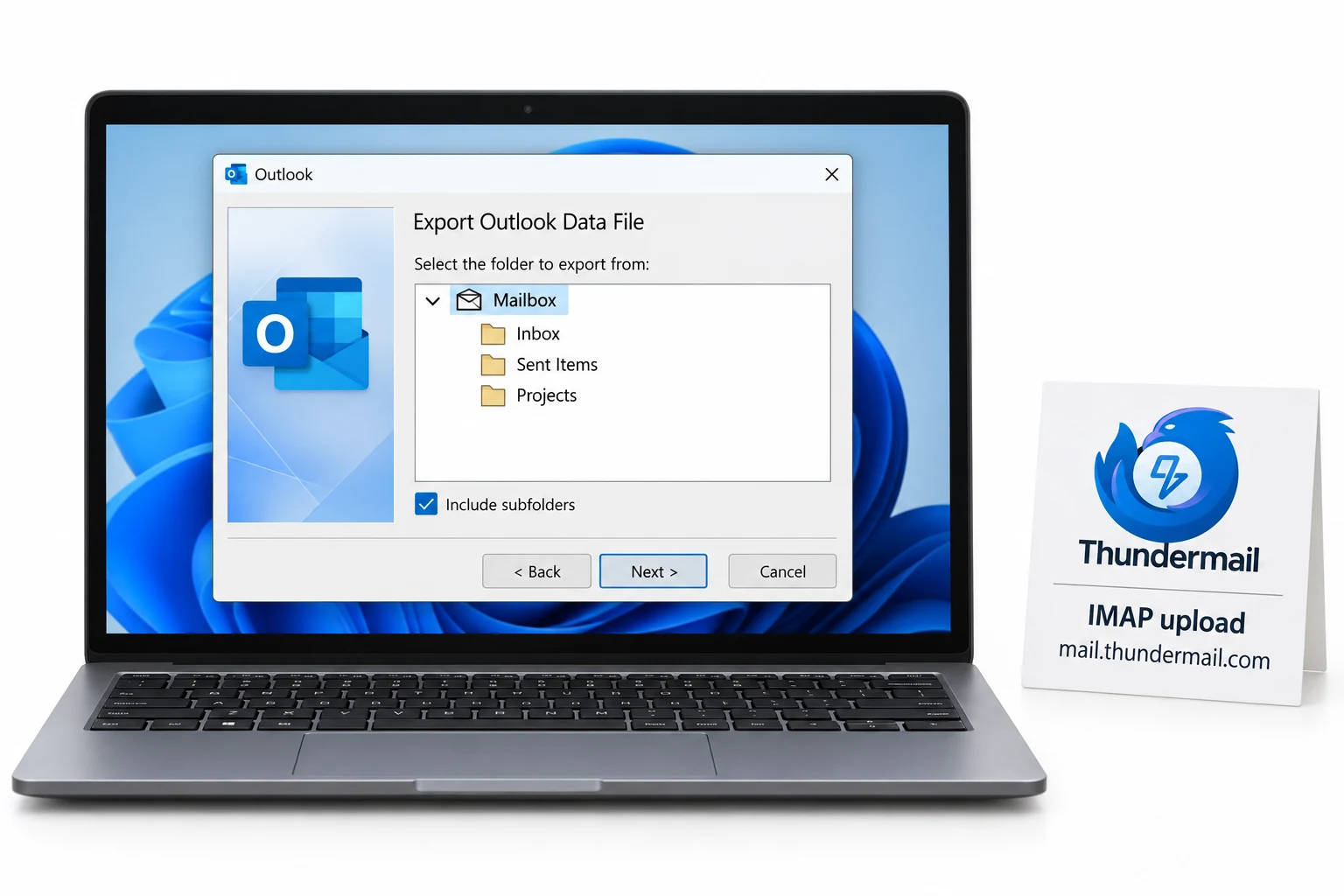
Get your Outlook mail into a PST
Thundermail reads a mailbox file, so start with a PST. If your mail is in Outlook now, export it with File, Open & Export, Import/Export, then Export to a file and Outlook Data File. If you already hold a PST, an OST or an archive, you can use that instead and skip the export.
Set up a Thundermail app password
Sign in to the Thundermail dashboard and open the Email Settings area. Use the app password control to create one, then save it in a safe place, because Thundermail reveals it a single time. Your normal login password will not work for a migration tool, so this app password is what the transfer uses.
Load the PST and point it at Thundermail
Open Univik Email Converter, add the PST and choose the IMAP destination. Enter the Thundermail server on port 993 with SSL/TLS, your full address for sign-in and the app password. The converter reads the PST with no need for Outlook running and prepares to upload it to your Thundermail account.
Run the migration and open Thundermail
Begin the transfer. Folder by folder, the converter pushes your Outlook mail up to Thundermail through the IMAP link, and the folder names, message dates and attachments go with it. Once it finishes, sign in to Thundermail and the Outlook folders are there next to your new mail, reachable from any device.
Do My Outlook Folders Come Across?
Yes. The converter rebuilds your Outlook folder layout inside Thundermail, so the Inbox, the Sent folder and every nested or archive folder land under the same names. Dates, read status and attachments ride along with each message. The effect is your Outlook mailbox appearing in Thundermail as it was, not a flat pile you have to sort again.
You also decide what travels. As the PST opens, each folder shows a tick box, so a heavy Deleted Items folder or a stale archive can be left out and only the mail you care about goes up to Thundermail. Whatever you unticked remains in the PST on disk.
The worry with leaving Outlook is always the old mail. Once people see the folder tree land in Thundermail intact, the switch stops feeling risky. The PST carries the structure, and IMAP puts it back on the other side.
What About Outlook Rules and Settings?
Mail moves, client settings do not. Outlook rules, signatures, categories and account options live in Outlook, not in the mailbox, so they do not travel with the mail into Thundermail. This is true of any service move, not only this one. Plan to set those up again in whatever client you point at Thundermail afterwards.
What does come across is everything that is actually mail: the messages, their folders, dates and attachments. For most people that is the part that matters, and rebuilding a handful of rules in the new setup is a small task next to keeping the archive.
Which Outlook to Thundermail Route?
Three ways to shift Outlook mail across. Only one moves the whole mailbox with its shape kept.
| What you need | Drag between accounts | Free online mover | Convert through a PST |
|---|---|---|---|
| Moves the whole mailbox | One at a time | Partly | Yes |
| Keeps the folder tree | No | Often flattens | Yes |
| Works without Outlook open | No | Varies | Yes |
| Mail stays off other servers | Yes | No | Yes |
| Handles a large archive | Poorly | Poorly | Yes |
| Good for | A few messages | A small mailbox | A full Outlook move |
Point Univik Email Converter at an Outlook PST and your Thundermail account, and it carries the mailbox across over IMAP with the folder tree, dates and attachments in place. Outlook can stay closed. One run moves years of mail into the new service.
Runs on Windows 7 through 11 · the PST is read with Outlook closed · the trial carries a few messages per folder
The short version
- Export Outlook mail to a PST, or use one you already have.
- Create a Thundermail app password in the dashboard.
- Load the PST in Univik Email Converter and pick the IMAP destination.
- Use the Thundermail server on port 993 with SSL/TLS and the app password.
- Folders, dates and attachments arrive in Thundermail, no Outlook open needed.
Move Outlook mail to Thundermail, free trial
Outlook to Thundermail Questions
 About This Guide
Written for Univik by Leena Taylor Paul, drawing on Univik's long run of Outlook migration work since 2013. The Thundermail server details were checked on its beta support pages during 2026. The Outlook move was tried by sending a PST of nested folders up to a live IMAP mailbox. 23 September 2026. A folder missing after the move? Support is a click below.
Sources: Thundermail IMAP settings guide · What is Thundermail · Univik Email Converter