A VBA project password never encrypts your macros. It stores a scrambled hash in a small text block called the PROJECT stream, and a hex editor can overwrite that block so the editor stops asking for a word. The route is free, and it breaks the file enough of the time that it is worth knowing why first. A dedicated remover does the same swap without the risk.
Search for a way past a locked VBA project and every forum gives you the same answer. Rename the file to a zip, find vbaProject.bin, edit it in a hex editor. It works on many files and quietly ruins others. This page is the reference the rest of our Office guides point back to, so it covers what the edit really changes, why it fails and when to stop.
What Is a VBA Project Password?
The password protects far less than you might think. Setting it does not encrypt a single line of your code. The macros stay in the file in compressed but fully readable form, and the password only tells the Visual Basic Editor to ask for a word before it shows them. Security researcher Didier Stevens explained this on the SANS Internet Storm Center, noting that a protected project can be read straight from disk because the code was never hidden. What the file does store is a hash of the password, the SHA1 of the word plus a short salt, then scrambled and written into the project. Microsoft describes the exact layout in its MS-OVBA specification. Because there is a hash and the code was never encrypted, the lock can be lifted without ever knowing the word.
What Are the PROJECT Stream and Its Keys?
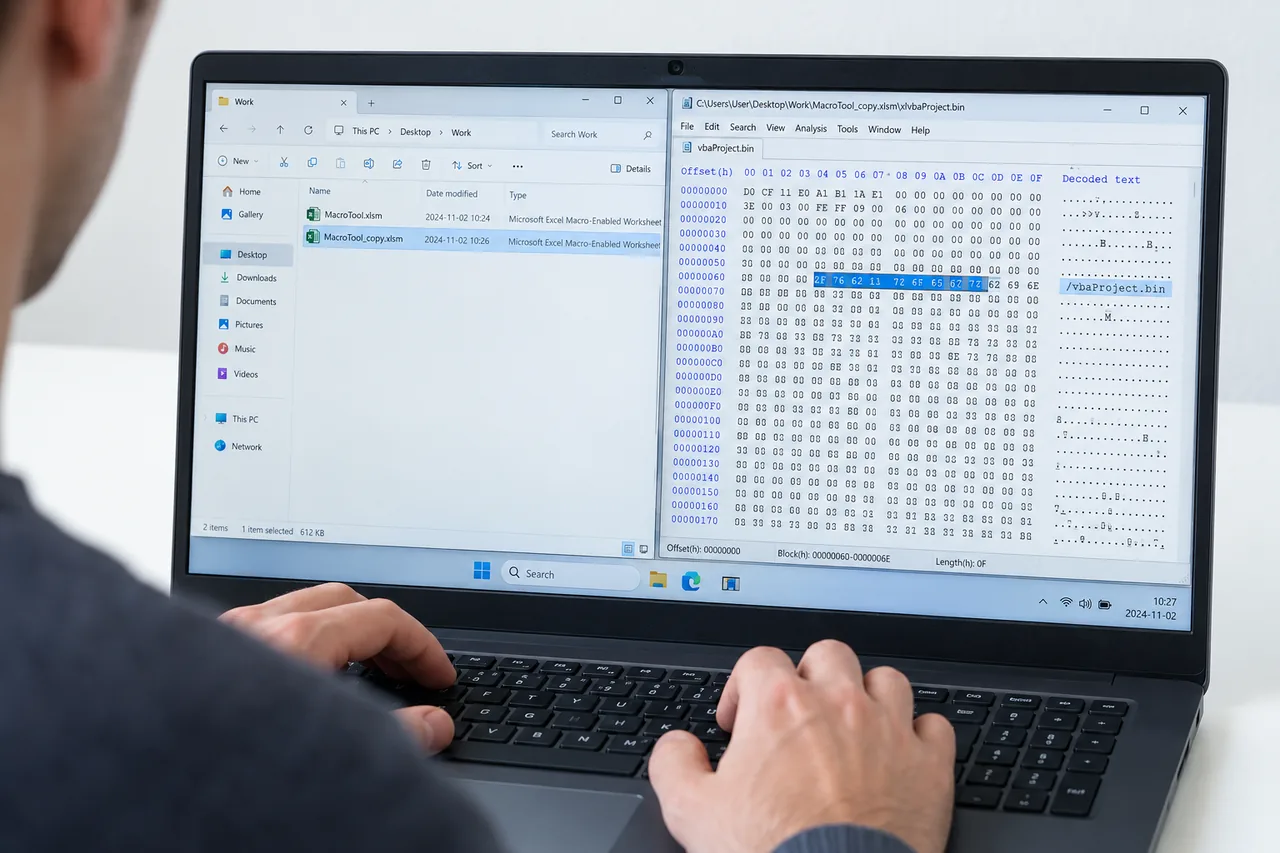
Inside vbaProject.bin sits a short text block named the PROJECT stream. It reads like a small settings file, and four of its lines carry the protection. Replace them correctly and the lock is gone.
| Key | What it holds |
|---|---|
| ID | The project GUID. The scramble key for the other three lines comes from it. |
| CMG | The lock state, showing whether the project is set to protected. |
| DPB | The scrambled password hash. Longer than the rest, because it carries the hash. |
| GC | The visibility state for the project. |
How Does the Hex Editor Method Work, Step by Step?
The reliable version of the trick does not change only one value. It copies the four protection lines from a project that has no password and puts them into the locked one, so every entry still matches the rest.
- Copy the locked fileAlways work on a duplicate, never the only copy you hold.
- Open it as a zipRename the extension to .zip and browse into vbaProject.bin in the right folder.
- Find the PROJECT streamOpen the binary and locate the ID, CMG, DPB and GC lines.
- Swap in unprotected valuesReplace all four with the matching lines from an unlocked project, then zip it back up under its real extension.
On the next open the editor acts as if the project has no password and lets you into the code. Clearing only one value works some of the time, but the matched swap is what keeps the file in one piece.
The Univik VBA Password Remover makes the same matched swap of the ID, CMG, DPB and GC values in one step, with an automatic backup and no hex editor needed. It runs across Excel, Word, PowerPoint, Access and Outlook.
Free Download See All FeaturesWhich Folder Holds vbaProject.bin?
Once a macro file is renamed to a zip, the project binary sits in an application folder that changes with the program. Open the wrong one and you will not find the file.
| Program | Folder inside the zip |
|---|---|
| Excel | xl |
| Word | word |
| PowerPoint | ppt |
Why Do the Keys Depend on the Project ID?
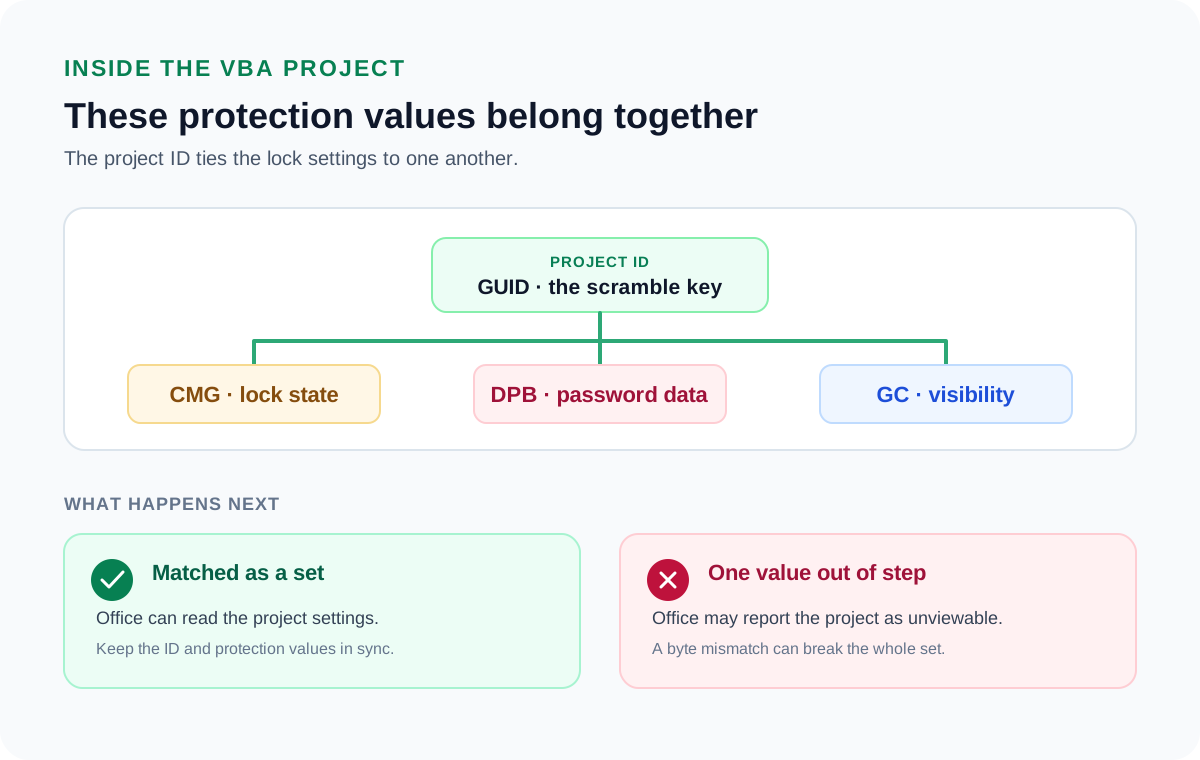
Here is the part the quick tutorials skip. The CMG, DPB and GC values are not scrambled on their own. Their scramble key is built from the project ID, the GUID on the first protected line. That is why the four lines have to stay together. Copy the ID, CMG, DPB and GC from one unprotected project as a matched set and Office reads them cleanly. If you change the ID alone or paste a DPB that belongs to a different ID, Office cannot read them. Microsoft's format notes and independent write ups both point to the same result, that a single wrong character in the ID leaves the project unable to read its own settings. The lock is weak, but it is picky. It expects its parts to match.
Where Does the Hex Method Fail?
The trick was written for older files, and Office has changed since. A few things turn a five minute job into a dead file. Newer builds and the 64 bit version changed how the protection lines are stored, so instructions written years ago no longer fit. The replacement values have to match the file's expected lengths, and a size mismatch leaves Office unable to read the project. A single mistyped byte in the editor does the same. When any of these happens the result is the same message, a project shown as unviewable, sometimes removed completely on the next save. On a file that matters, that is a high price for a free method.
How Do Access and Outlook Break the Pattern?
The whole method depends on the file being a zip, and two Office programs do not work this way. An Access database in .accdb or .mdb is a binary database, not a zip, so there is no folder to browse and no vbaProject.bin to reach. Outlook keeps its one project in a file called VbaProject.OTM, which is itself a binary container and not a zip. For both, renaming to .zip opens nothing. The manual path there means editing the binary directly, which is even riskier, so the Access guide and the Outlook guide handle each in its own way.
When Should You Skip the Hex Editor?
The manual route makes sense when the file does not matter and you want to see how it works inside. It stops making sense the moment the file matters. One wrong value on your only copy of a finance model or a shared template is not a saving, it is a loss. Univik VBA Password Remover does the same matched swap of the ID, CMG, DPB and GC lines, keeps a backup of the original and never asks you to touch a byte. If the project is worth unlocking, it is worth not risking it. The guides below show the tool for each app.
What Are the Per-App Quick Routes?
Each Office program stores and locks its macros a little differently. These guides take the method on this page and apply it to your file: Excel for spreadsheets and the three locks people confuse, Word for documents and templates, PowerPoint for decks and add-ins, Access for its two separate passwords and Outlook for the single OTM project. The remover range covers all of them.
Hex Editor and VBA Password Questions

Written and maintained by Leena Taylor Paul and the Univik team, developers of Windows data conversion and recovery software since 2013. Most of the corrupted projects that reach our support queue began as a hand edit that changed one of the four lines and not the rest, so this reference explains why they move together. Last verified August 2026. Left with a project marked unviewable after an edit? Contact our support team.