 File Extension Guide
📖 What is a Marg Data File?
A Marg data file holds one table of one company: the accounts, the voucher entries, the bills, the items or the outstanding list. Marg keeps all of them together in a folder named Data. A company with a full set of books holds dozens of such files.
Marg Care, the vendor's help site, lists the database files by name and tells users how to repair them. Univik restored two of the vendor's demo companies on a Windows PC in October 2026: Demo Accounting and Demo Pharma Distribution. The software wrote 30 table files for each of them, and we read the folder as it left it.
Marg is most common among pharma, FMCG and retail distributors in India. That explains why the tables carry batch, expiry, MRP and drug licence fields next to the usual ledger columns.
The one rule to remember
Close the software on every PC. Copy the whole install folder before you repair, move or open anything. Marg Care gives the same first step in its repair articles. Work on the copy and the original stays as it was.
🔎 Which Marg File Do I Have?
The table name in front of the dot tells you what the file stores. Find your file name among the cards below.
order.a01
The ledger master: parties, banks and expense heads with opening, debit, credit and balance. The name suggests sales orders, but the vendor's file list calls it the ledger master.
Data\order.a01gledger.a01
The account voucher entries. Each row is one debit or credit leg with a date, an account, a narration and the user who entered it.
Data\gledger.a01mdis.a01 and dis.a01
In the folder Univik read, mdis held the bill totals with tax, discount and round-off. The dis file held the item lines of each bill with batch, quantity and rate.
Data\mdis.a01, dis.a01pro.a01 and probat.a01
The item master and the batch-wise stock. Batch number, expiry date and MRP sit in the batch file.
Data\pro.a01, probat.a01pendings.a01
Bill-wise outstanding details for receivables and payables, with bill dates, due dates and pending amounts.
Data\pendings.a01snmanrc1.ini and snmanri1.ini
Small files that name the companies and the periods. The first lists companies and the second lists the date range of each period.
Data\snmanrc1.ini, snmanri1.iniBackup files are a separate case. A file that ends in .MBK is a Marg backup, not a table. The MBK file guide explains it.
🗂️ What is Inside a Marg Data Folder?
The software installs to a folder such as C:\MARGERP and the program is Margwin.exe. Companies and periods live under one sub-folder named Data. This is the layout Univik saw on a test PC, trimmed to a few files.
C:\MARGERP
├── Margwin.exe # the program
├── Data # every company and period
│ ├── order.a01 # accounts of company A
│ ├── gledger.a01 # entries of company A
│ ├── order.b01 # accounts of company B
│ ├── snmanrc1.ini # company list
│ └── snmanri1.ini # period list
└── System # program files
The Data folder can be moved to another drive from inside the software, so a business may keep it somewhere else. Univik's software looks for Margwin.exe on the fixed drives. It also lets you pick the Data folder by hand.
Our verdict: treat the Data folder as the company. A single table is useless without its neighbours, because the entries point to accounts by code and the bills point to items by code. Copy the whole folder and open the copy.
🔤 What Do Marg File Names Like a01 Mean?
A Marg data file is named table, a dot, one company letter and a two-digit period number. The extension is not a year and not a file format.
| File name | Table | Company | Period slot |
|---|---|---|---|
order.a01 | order | A | 01 |
gledger.b01 | gledger | B | 01 |
pro.c01 | pro | C | 01 |
Do not read a01, b01 and c01 as three years. In a three-company folder that Univik checked, they were three separate companies. Companies A and B both ran from 1 April 2025 to 31 March 2026. Company C ran from 1 April 2026 to 31 March 2027. Each company starts at period 01, and a later period of the same company takes the next number.
The dates of each period are not in the file name. Marg writes them to its own period list, snmanri1.ini, and the company names to snmanrc1.ini. A reader that ignores those two files cannot tell which company a letter belongs to.
🧱 Which Tables Sit Inside a Marg Data Folder?
These roles come from Marg's published file list and from what Univik read in sample folders. Names in the left column are the file stems before the dot.
| Table | What it stores |
|---|---|
order | Account master: name, address, GSTIN, drug licence, opening, debit, credit and balance |
acgroup | Account groups and their totals |
gledger | Voucher entries, one row per debit or credit leg |
glmonth | Month-wise debit and credit per account, a cross-check for the entries |
mdis and dis | Bill totals and bill item lines |
pro and probat | Items, and batches with expiry and MRP |
pendings | Outstanding bills with due dates |
saletype | Company details plus small lookup lists such as category and series |
mdoc | Documents attached to vouchers and bill formats |
Two columns matter to auditors. Rows in the entry and bill tables record the user who entered the row, the user who last changed it and the PC name. A deleted row stays in the file, marked as deleted, until the data is cleaned. The file holds neither the time of the deletion nor the value a field held before an edit.
💾 How Does Marg Back Up and Restore Data?
The software offers several kinds of backup. Marg Care documents the Financial Year backup, the Server backup and the IMP backup. The steps below come from its article on the damaged Order file.
| Task | How Marg does it |
|---|---|
| Backup on exit | Press Esc at the gateway and choose to save and quit. The backup window asks for the financial year or company |
| Restore after exit | At the recover prompt, point to the backup you want. Then start the software and open File maintenance |
| Server backup | A separate restore path for multi-user set-ups. See Marg Care's server backup article |
| Backup file | Ends in .MBK. See the MBK file guide |
Keep a backup on a second drive or on another PC. A backup that sits beside the data shares the fate of the disk.
⚠️ How Do You Repair a Marg Data Folder?
Each row comes from Marg Care. Both fixes assume that a recent backup exists.
| Symptom | Remedy in Marg Care |
|---|---|
| A damaged Order file, or ledger balances that do not match | Copy the install folder, set the bad file aside, then restore a backup through the exit prompt (Marg Care) |
| A restore alert that reads No Data Found | Two causes are given: a damaged data file or built-up temporary files. Retake the backup or clear the CDX and temp files (Marg Care) |
Without a usable backup, the table files themselves are the only source. Univik Marg Data Recovery Software reads a copy of the damaged folder and marks how far to trust each record. The blog on corrupted Marg data walks through the steps.
📂 How Do You Open a Marg Data File?
Choose the route that fits what you have on hand.
- With the software installed. Open the company from the gateway. If the folder moved, point the software at it with the Change Data Directory option first.
- With a backup. Restore it through the recover prompt, then open File maintenance.
- Without Marg. Univik Marg Data Viewer is part of Univik Marg Data Recovery Toolkit. It reads a Data folder on a Windows PC with no Marg installed and never writes to the source.
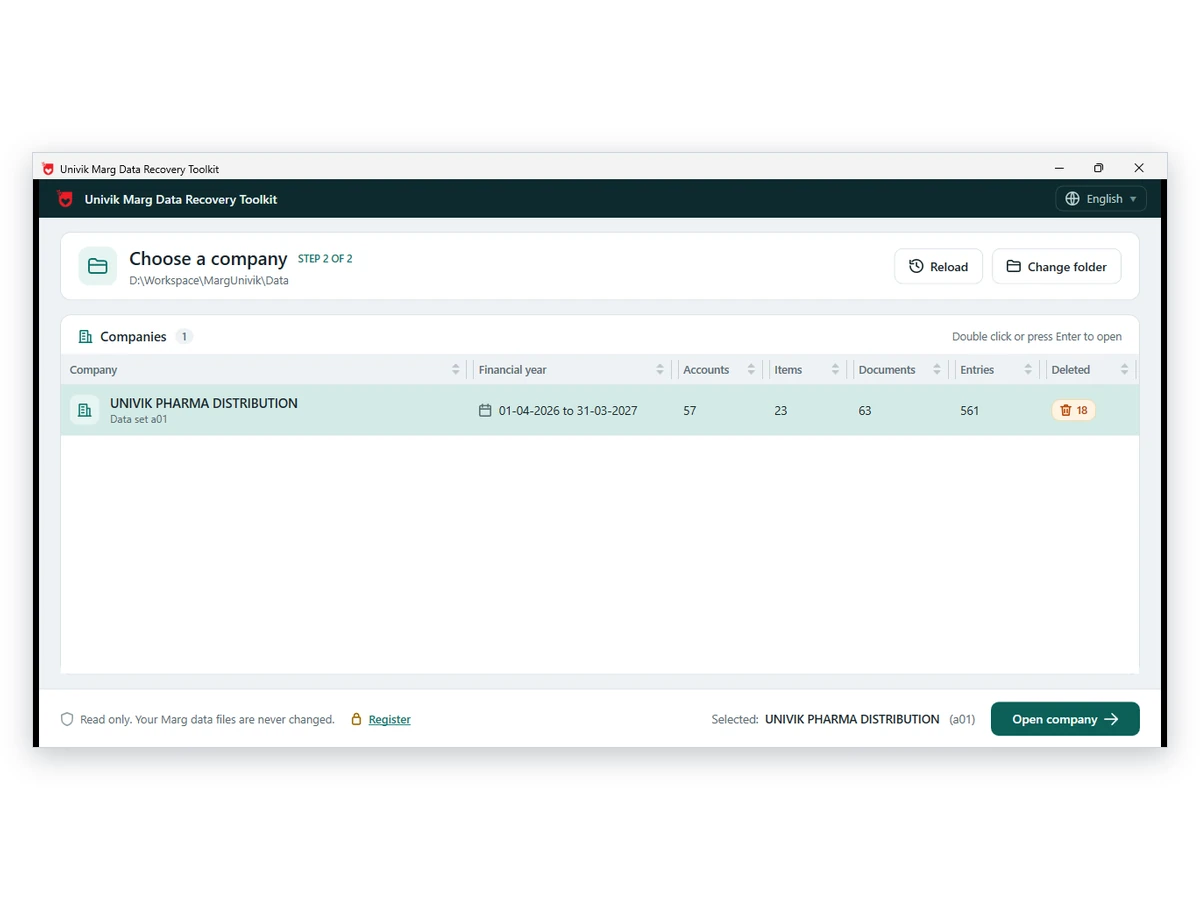
Microsoft Excel does not open these files as workbooks. Univik Marg Data Converter exports the accounts, bills and items to PDF, Excel, CSV or JSON. It also writes Tally XML and a BUSY Excel set. Univik Marg Data Forensic Analyzer lists deleted and changed records with the user and PC names.
Reports in the software export to Excel one at a time. Under Utilities there is also a Tally and BUSY import-export option, which Marg Care describes in its TallyPrime article. That route needs the software running with the company data loaded.
⚔️ How Do Marg Files Compare?
| File | Contents | Created by | Read with |
|---|---|---|---|
| table.a01 | One table of one company and period | The software while you work | Marg or a data reader |
| snmanrc1.ini | The company list | The software | The software or a data reader |
| snmanri1.ini | The period list | The software | The software or a data reader |
| .MBK | A backup of a company | Backup option | Restore option |
| Tally export | Masters and day book | Utilities menu | TallyPrime import |
| Excel report | One report | Any report | Excel |
The Tally and Excel rows follow Marg Care and Techjockey user questions.
❓ Marg Data File Questions
A Marg data file is one table of one company, such as the account master or the voucher entries. The software keeps every table in a separate file inside its Data folder. The extension is a code made of a company letter and a period number.
The name order.a01 is the order table of company A, period 01. The order table is the ledger master, so the file lists every account with its opening balance, debit, credit and closing balance. It does not store sales orders. The letter is the company and not a year, so a01, b01 and c01 can be three separate companies.
Marg stores its data in a folder named Data inside the install folder, for example C:\MARGERP\Data. Every company and period sits in that one folder. The folder can be moved to another drive, so a business may keep it elsewhere.
They are small files in the Data folder. The first lists the companies and the second lists the periods with their start and end dates. A reader needs both to connect a letter such as b to a company name and a period slot to its dates.
Not directly. Excel does not read these table files as workbooks. Reports in the software go to Excel singly. Univik Marg Data Converter writes the full set of accounts, bills and items to PDF, Excel, CSV or JSON.
Use a reader that understands the tables. Univik Marg Data Recovery Toolkit opens a Data folder on a Windows PC with no Marg installed. It reads a copy of the files and never changes the originals.
A deleted row stays in the file, marked as deleted, until the data is cleaned. The file holds neither the time of the deletion nor the value a field held before an edit. Univik Marg Data Forensic Analyzer lists the deleted rows still present.
Marg Care tells users to remove temporary and CDX files when a restore fails, so the indexes are refreshed. Copy the whole folder first and work on the copy. The CDX files hold index keys and no accounting records.
📝 Marg Data Files in Summary
- Each Marg file is one table of one company
- The extension is a company letter plus a period number
- order.a01 is the account master of company A
- a01, b01, c01 are separate companies
- snmanrc1.ini names companies and snmanri1.ini names periods
- Everything lives in the Data folder
- A .MBK file is a backup, not a table
- Make a copy of the full folder before any move
Open a data folder with no software installed: Univik Marg Data Viewer →
About this page 12 October 2026
Written by the Univik team. The layout facts here are what Univik saw in sample data folders. Wherever a menu step or an error cause appears, a link leads to the Marg Care article behind it. Univik works independently of Marg Compusoft, and the Marg name belongs to its owner.