Use an SVG favicon for modern browsers and keep a favicon.ico as the fallback, since Safari and older browsers do not draw SVG icons. The SVG can even recolour itself for dark mode. The Univik ICO Converter builds the .ico fallback from the same artwork.
An SVG favicon is the modern default, and for good reason. One vector file stays crisp at every size, and it can carry its own styles, which lets it do a trick no image file ever could. But one big browser still refuses to draw it, so the SVG never travels alone.
Here is how the SVG and its .ico fallback pair up, how to make the favicon follow dark mode and why both files earn their place.
SVG First, ICO as the Fallback
The plan is a pair. You serve an SVG favicon to browsers that can render it and a favicon.ico to those that cannot. A browser reads your icon tags, picks the first format it supports and ignores the rest, so listing both covers the whole field from one page head.
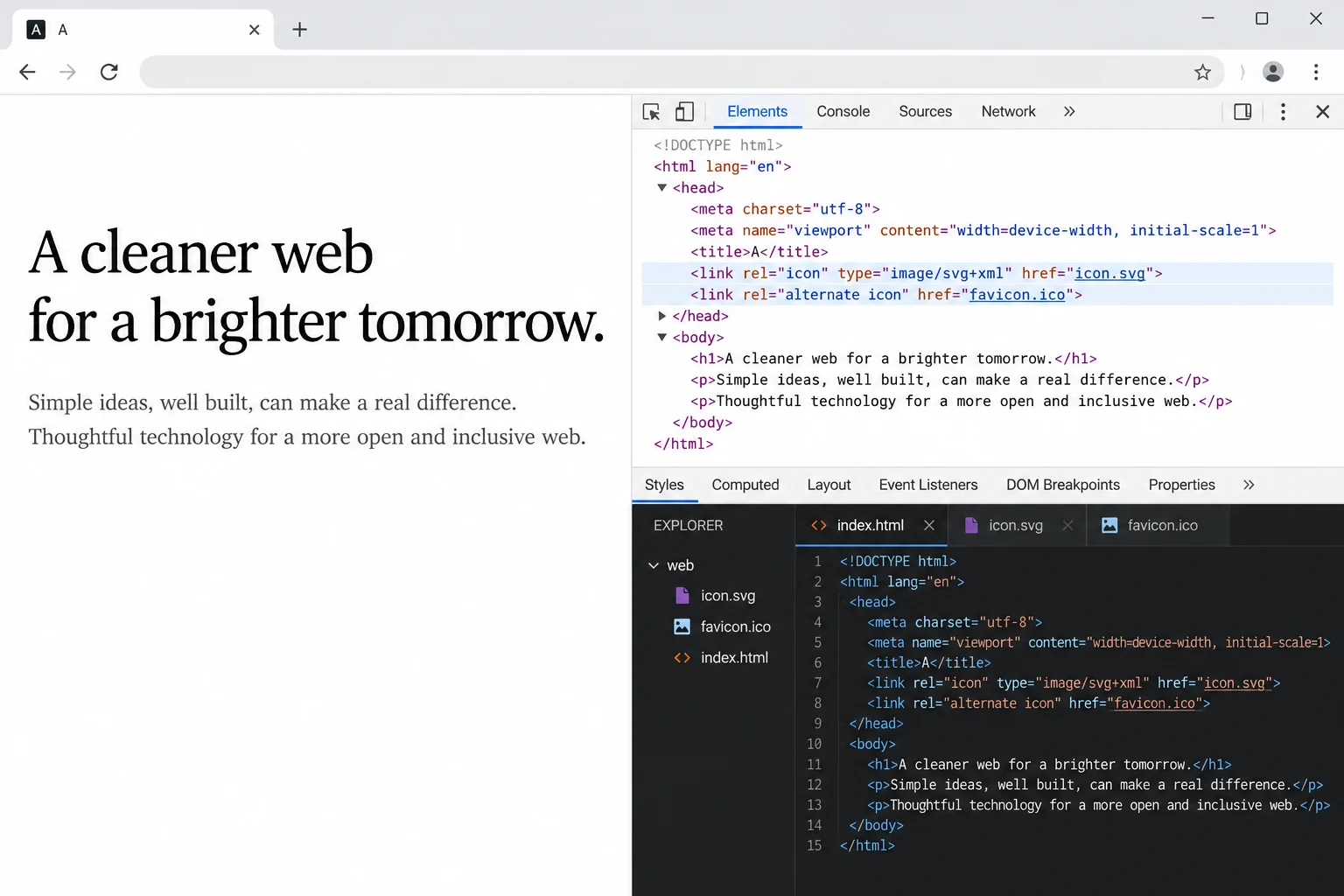
The SVG does the heavy lifting on modern browsers, sharp on any screen and able to shift colour with the theme. The .ico is the safety net underneath. Neither replaces the other.
Why You Still Need the ICO
It is tempting to drop the .ico once the SVG works, and that breaks Safari. Safari does not render SVG favicons in its tabs, on the desktop or on the iPhone, so an SVG only site shows no icon there at all. Older browsers behave the same way. On an iPhone home screen it reaches for the separate Apple touch icon instead.
Browser support for the SVG favicon sits at a strong majority but not all, as the caniuse support table shows. That is exactly why the pair, not the SVG on its own, is the safe setup.
The Two Link Tags
Two lines in your page head declare both files. The .ico carries a specific size and the SVG carries a type.
<link rel="icon" href="/favicon.ico" sizes="32x32">
<link rel="icon" href="/favicon.svg" type="image/svg+xml">
The type attribute on the SVG line is what makes the pairing work. It names the format, so a browser with no SVG support passes over that line and takes the .ico, with no wasted request. Giving the .ico a real size like 32x32 rather than any also nudges Chrome to prefer the scalable SVG over the raster file.
A Favicon That Follows Dark Mode
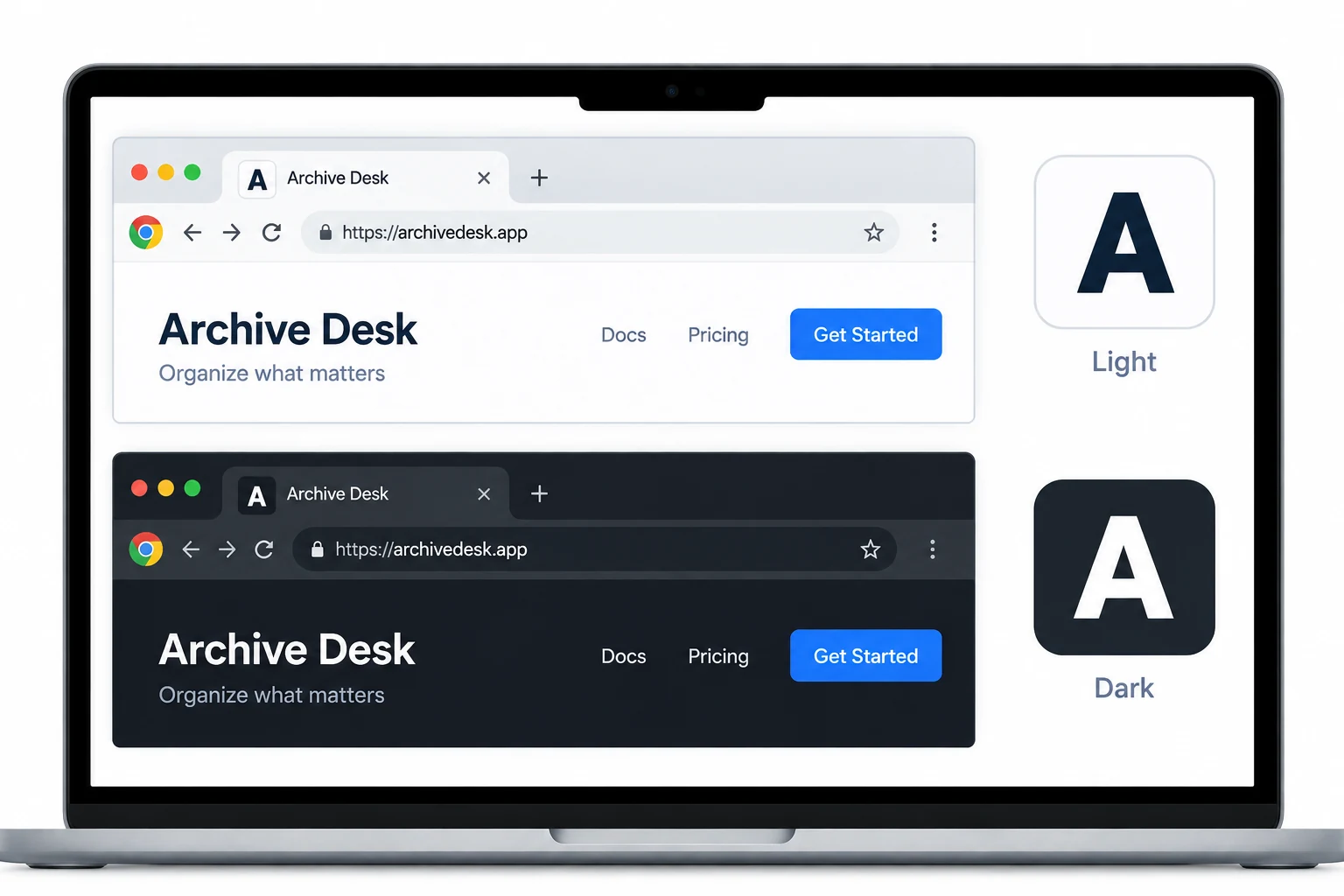
This is the trick an image favicon cannot match. An SVG can hold a style block, so it can carry two colour schemes and switch between them with the system. A logo that is dark on a light tab can turn light on a dark one, on its own.
<svg xmlns="http://www.w3.org/2000/svg" viewBox="0 0 64 64">
  <style>
    circle { fill: #1a1a1a }
    @media (prefers-color-scheme: dark) { circle { fill: #ffffff } }
  </style>
  <circle cx="32" cy="32" r="28"/>
</svg>
The prefers-color-scheme feature drives it, reading the system theme rather than any switch on your page. It works in Chrome, Firefox and Edge. Safari does not honour it in a favicon, so pick colours that still read on either theme as the safe default there. One thing to know, the media query reads the operating system theme, not a light or dark toggle on your own page, so the favicon follows the whole device.
Make the ICO Fallback
The SVG you already have. The other half of the pair, the .ico, is a raster file, and the Univik ICO Converter builds it from the same artwork.
- Feed it your artworkLoad your SVG or a large image into the converter.
- Export the ICOSave a multi size favicon.ico holding 16, 32 and 48.
- Drop it in the rootPlace favicon.ico next to your favicon.svg.
- Link both filesAdd the two tags to your head.
How each size in that .ico is drawn from the vector is covered in the SVG to ICO guide. Building the full icon set, Apple and manifest files included, is laid out in the pillar on adding a favicon to a website.
Turn your SVG or artwork into a multi size favicon.ico, the fallback that keeps Safari and older browsers covered while modern ones enjoy the SVG.
Free Download See All FeaturesWhat Your SVG Favicon Needs
A favicon SVG is a stripped down file, not a full illustration. A few things keep it rendering right in a tab.
- A square viewBox. Without one the browser cannot scale the art and may draw it cropped or blank. A value like
viewBox="0 0 32 32"is enough. - Simple shapes. The tab renders it as small as 16 pixels, so thin lines and fine detail disappear. Bold shapes hold up.
- No outside references. Linked fonts or images will not load in a favicon, so build the art from plain paths and inline styles.
- A small file. Keep it lean, ideally a couple of kilobytes, so it loads instantly.
The same small size discipline behind any good icon, bold shapes and strong contrast, is covered under Windows style app icons.
This Is Not the mask-icon Tag
One old tag muddies the water. Years back, Safari had a pinned tab feature that used rel="mask-icon" pointing at a flat one colour SVG. It is easy to assume that is the SVG favicon, and it is not.
That mask-icon is retired, and it was never a normal favicon, only a monochrome silhouette for a pinned tab. The modern SVG favicon is a full colour icon set with rel="icon" and the image/svg+xml type. If you see mask-icon in an old template, you can drop it.
Common SVG Favicon Mistakes
When an SVG favicon misbehaves, a short list of causes covers it.
Ship the SVG and the .ico together, give the SVG a viewBox and keep the art bold, and the favicon lands on every browser. To see how another site wires its icons up, the guide on getting a favicon from a website shows how to inspect them.
Frequently Asked Questions

Written and maintained by Leena Taylor Paul and the Univik team, developers of Windows data conversion and recovery software since 2013. The SVG favicon does something no icon file ever could, it recolours itself for dark mode, yet Safari still ignores it, so this guide pairs the SVG with the .ico fallback that keeps every browser covered. Last verified August 2026. Favicon missing in one browser? Contact our support team.