 Email Migration Guide
 By
By Decommission a legacy email archive in six moves: freeze it (stop ingestion, stubbing and shortcuts), prove the data is safe in its new home under a retention policy and any legal holds, reconcile item counts source against destination, build an evidence pack of export logs and sign-offs, shut the services and databases down in order, then sanitise the storage to NIST SP 800-88 and record a certificate of sanitisation. The archive is retired when legal can find a 2015 message in the new system and the old server is a line in the asset register. Not a box humming in a rack because nobody dared switch it off.
Every company has one. An Enterprise Vault server nobody has patched since the admin left. A SourceOne cluster that fell out of support at the end of 2024. An Autonomy EAS or GWAVA Retain box that still owns a decade of mail. The migration project moved the data months ago. The server is still on because switching it off feels like deleting evidence. This guide is the shutdown procedure that makes it safe to do. It covers what to prove first, what to keep, what order to stop things in and how to wipe the disks. Legal, audit and the next admin all end up satisfied.
- Before you decommission the archive
- Shut it down in 6 steps
- Step 1: Freeze ingestion, stubbing and shortcuts
- Step 2: Confirm retention and holds at the destination
- Step 3: Reconcile counts and get sign-off
- Step 4: Build the evidence pack
- Step 5: Stop services and databases in order
- Step 6: Sanitise storage and close the records
- Retention and legal hold in the new home
- Platform status and what to stop
- The evidence pack
- Retire, mothball or keep read-only
- After the shutdown
- Fix common problems
- Archive decommissioning questions
Before You Decommission the Legacy Email Archive
Where is the archive in its life? The card that fits tells you where to start.
- The migration reconciliationItem counts per archive, source against destination, with the delta explained. If the migration did not produce one, produce it now before anything else.
- The retention schedule and the live holds listWhich mailboxes and journal years must be kept and for how long. Which are under a legal or audit hold today. Signed by the owner of records, not by IT.
- Admin access to the old server and the destinationYou will stop services, take final backups and run searches on both sides. Note the service accounts, because they get disabled at the end.
- A records location for the evidence packA backed-up share or records system that will outlive the project team. The pack is kept as long as the data itself.
- Freeze
- Stopping the archive from changing: no new ingestion, no stubbing or shortcut creation, no retention expiry running. The state you reconcile against.
- Retention policy
- The rule in the destination that keeps items for a set period and, optionally, deletes them after. In Microsoft 365 this is a Purview retention policy or label.
- Legal hold
- A hold that overrides retention and stops deletion while a matter is open. In Microsoft 365 a Litigation Hold or an eDiscovery hold; it always wins over a retention policy.
- Reconciliation
- Matching what left the archive to what arrived in the destination. Every difference is explained: duplicates removed, items out of retention, items that failed.
- Evidence pack
- The folder of inventories, export logs, conversion reports, import reports, reconciliation and sign-offs that proves the archive was moved, not lost.
- Sanitisation
- Wiping storage so the data cannot be recovered, to a recognised standard. NIST SP 800-88 Revision 2, published in 2025, is the reference and includes a certificate template.
Decommission the Legacy Email Archive in 6 Steps
The order is deliberate for any legacy email archive. Freezing first makes the numbers stable. Proving the destination before reconciling means the reconciliation is against something real. Shutting down is the fifth step, not the first.
Freeze ingestion, stubbing and shortcuts on the archive
Stop the archive from taking in or changing anything. Disable the journaling rule or the connector that feeds it. Turn off stubbing or shortcut creation in the mailbox policies. Pause any retention expiry job so nothing is deleted while you count. On Enterprise Vault that is the archiving and expiry tasks. On Barracuda it is Enable Stubbing set to No and the journal account removed. On SourceOne it is the journaling and archive policies. Leave search and retrieval running. Users and legal still need the old archive until the new one is proven.
You should seeitem counts that stop moving. Take the inventory now: every archive, mailbox and journal with its item count and size. This is the left side of the reconciliation.
Confirm retention and legal holds exist where the archive went
Before you trust the new home, check that it holds the data the way the old one did. In Microsoft 365 that means a Purview retention policy on the mailboxes and holder mailboxes the archive was imported into. Its period must match the schedule. It also means a Litigation Hold or eDiscovery hold on every mailbox that is under a live matter. A hold always takes precedence over retention, so the two together are the safety net. In Mimecast it is the retention period on the account and legal hold on the affected data. Have the records owner and the compliance team confirm in writing that these controls match the schedule.
Reconcile archive counts against the destination and get sign-off
For each archive, compare the inventory count from Step 1 with a count in the destination. That can be an eDiscovery search in Purview across the holder mailboxes, a Mimecast search or a folder count in Outlook. Explain every delta. Duplicates the destination removed are fine. So are items past retention that were deliberately not moved. So are items that failed and were re-exported. Each one is written down. An unexplained gap is a stop. When every row is explained, the records owner and legal sign the register.
| Archive | Items exported | Items in destination | Delta | Holds | Sign-off | Status | |
|---|---|---|---|---|---|---|---|
| 1 | EV - Exchange Mailbox (386) | 14,208,411 | 14,206,902 | 1,509 dup | 2 cases | Legal 2026-08-28 | Ready |
| 2 | EV - Journal 2014-2026 | 9,812,455 | 9,812,455 | 0 | Litigation hold | Legal 2026-08-28 | Ready |
| 3 | EV - Shared (24) | 1,118,206 | 1,118,206 | 0 | none | IT 2026-08-20 | Ready |
| 4 | SourceOne - Finance | 2,401,880 | 2,399,014 | 2,866 | Audit hold | pending | Reconcile |
| 5 | Retain - GroupWise legacy | 640,112 | 640,112 | 0 | none | Records 2026-07-30 | Ready |
| 6 | Barracuda - Journal 2010-2014 | 3,108,540 | 0 | all | Retention expired | Records 2026-08-01 | Dispose |
Nothing is switched off until every row reads Ready or Dispose with a named sign-off.
Step 3Every archive on one sheet. Nothing is switched off until every row is Ready or Dispose with a named sign-off.
Build the archive evidence pack
Gather what proves the move. That is the inventory, the export logs from the old platform and the conversion reports with per-message logs. Add the import job reports from Purview or the destination, the reconciliation register and the sign-offs. Add the destination's retention and hold configuration as an export. Put it all on records storage that is backed up and will outlive the project. Note its location in the register. This pack is kept as long as the data itself. The question it answers, where did the 2015 mail go, will be asked years from now.
| Name | Date modified | Type | Size |
|---|---|---|---|
| 01-inventory | 2026-06-02 09:10 | File folder | |
| 02-export-logs | 2026-08-14 17:42 | File folder | |
| 03-conversion-reports | 2026-08-15 11:20 | File folder | |
| 04-import-job-reports | 2026-08-22 16:05 | File folder | |
| reconciliation-register.xlsx | 2026-08-28 10:31 | Excel Workbook | 212 KB |
| legal-signoff-2026-08-28.pdf | 2026-08-28 15:02 | PDF Document | 318 KB |
| retention-and-holds-destination.csv | 2026-08-28 15:10 | CSV File | 14 KB |
| certificate-of-sanitization-EVSRV01.pdf | 2026-09-05 12:44 | PDF Document | 96 KB |
Step 4The evidence pack. Kept for the retention period of the data, not the project.
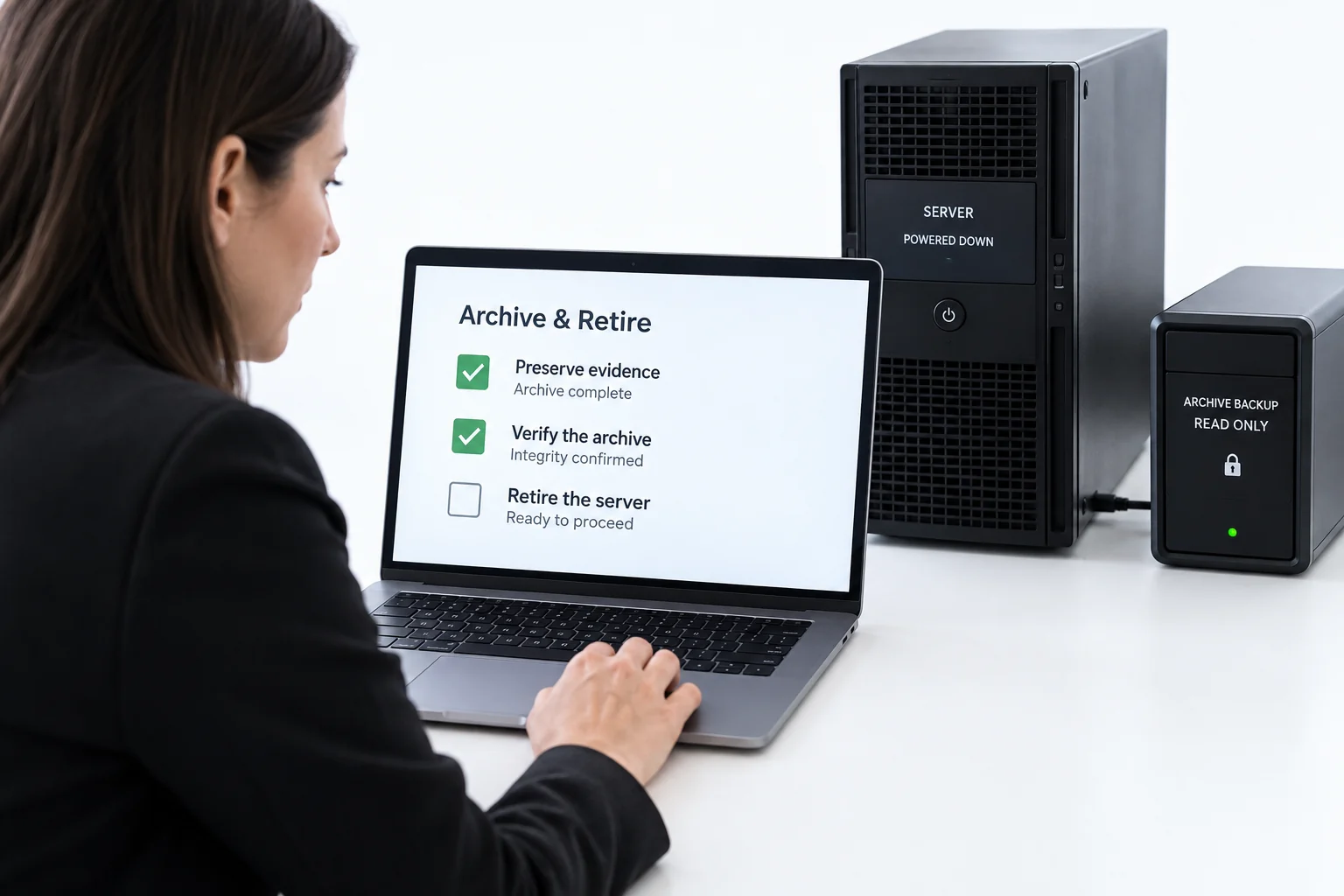
Stop the archive services and databases in order
Take a final full backup of the archive server, its databases and its storage locations. Add the backup manifest to the evidence pack. Then stop the platform in dependency order. Set each service to Disabled rather than Manual, so a reboot does not bring it back. Leave the server powered but idle for an agreed period as a fallback. Thirty days is typical. Only then power it down. Disable its service accounts and remove it from monitoring, backup schedules and DNS. Client add-ins for the old archive come out of the desktop build at the same time.
| Name | Status | Startup Type | Order |
|---|---|---|---|
| Enterprise Vault Task Controller Service | Stopped | Disabled | 1 |
| Enterprise Vault Indexing Service | Stopped | Disabled | 2 |
| Enterprise Vault Storage Service | Stopped | Disabled | 3 |
| Enterprise Vault Shopping Service | Stopped | Disabled | 4 |
| Enterprise Vault SMTP Service | Stopped | Disabled | 5 |
| Enterprise Vault Admin Service | Stopping | Disabled | 6 |
| Enterprise Vault Directory Service | Running | Manual | 7 |
| SQL Server (MSSQLSERVER) | Running | Manual | 8, after final backup |
| Message Queuing (MSMQ) | Running | Manual | 9 |
| World Wide Web Publishing Service | Running | Manual | 10 |
Step 5Tasks, indexing and storage first; Directory, SQL, MSMQ and IIS last. Disabled, not Manual.
Sanitise the archive storage and close the records
The vault store partitions, index locations, SQL databases and the appliance disks all held mail. Wipe them to NIST SP 800-88 Revision 2. That means cryptographic erase or purge for self-encrypting and solid state media. Magnetic disks are overwritten or degaussed. Media that leaves your control is physically destroyed. Record each device with serial number, method, tool and verifier on a certificate of sanitisation. Appendix C of the standard is a template. File the certificate in the evidence pack. Update the asset register and the CMDB. Cancel the maintenance contract and reclaim the licences.
You should seea closed change record, an updated asset register and an evidence pack with a certificate for every disk. That is what a decommissioned archive looks like on paper.
Retention and Legal Hold Where the Archive Now Lives
A legacy email archive stays on for years for one reason. Nobody is sure the new home holds the data as firmly as the old one. Make that certain rather than assumed. In Microsoft 365, a retention policy retains, deletes or retains and then deletes on a schedule. An eDiscovery hold or Litigation Hold overrides all of it while a matter is open. Litigation Hold needs an Exchange Online Plan 2 licence or Plan 1 with Exchange Online Archiving. Journal data imported into holder mailboxes needs both a retention policy and a hold. Those mailboxes have no user watching them. Mimecast applies retention by sent date and legal hold on top. Whatever the destination, export its retention and hold configuration for the evidence pack before the decommission goes ahead. The proof should not depend on someone logging in later.
Before sign-off, ask legal to find one message from each retention year in the destination, using only the destination's tools. Include one that carries a BCC recipient if journal data moved. If they can, the archive is redundant. If they cannot, it is not, whatever the counts say.
Legacy Archive Platform Status and What to Stop
Most legacy email archive decommissioning projects in 2026 involve one of these products. The status column is why the project exists. The last column is what you are switching off.
| Platform | Status | Freeze first | Components to stop |
|---|---|---|---|
| Veritas / Arctera Enterprise Vault | Active, 15.2; 12.x out of support since Jan 2024 | Archiving and expiry tasks, shortcut creation in mailbox policies | Task Controller, Indexing, Storage, Shopping, SMTP, Admin, Directory services; Directory, Vault Store, Fingerprint, Monitoring and Audit SQL databases; vault store partitions and index locations |
| Dell EMC SourceOne | End of support service 31 Dec 2024 | Journaling and archive policies | Master, Worker, Web and Mobile services; Native Archive roles; Activity, Native Archive and Search SQL databases |
| Enterprise Archive Solution (EAS, ex Autonomy and HP) | Owned by Capax since 2014, sold as Zantaz | Archiving and stubbing policies | EAS services, SQL databases, archive file stores |
| GWAVA Retain (now OpenText Retain Unified Archiving) | Active, 25.x releases | Module workers and jobs | Retain Server and Worker, database, storage path |
| Barracuda Message Archiver | BMA 150 end of sales Jan 2026; cloud mirror is the vendor path | Enable Stubbing to No, journal account removed | The appliance itself after a final backup; stubs must be restored first |
| Quest Archive Manager, MailStore Server | Active | Archive jobs and profiles | Services, databases, archive store folders |
Platform guides for the migration that comes before all this: Enterprise Vault to Office 365, Barracuda Message Archiver to Office 365, leaving Mimecast and Google Vault to Office 365. The converter that turns their exports into import-ready PST files is Univik Email Archive Converter, and its per-message logs are the middle section of the evidence pack.
The Archive Evidence Pack, Item by Item
- InventoryEvery archive, mailbox and journal with item count, size and owner as of the freeze date.
- Export logsThe old platform's own logs: Enterprise Vault export task logs, Barracuda export task lists, Mimecast export reports, with failures and re-runs.
- Conversion reportsPer-message logs from the converter showing each item written to each output file, with skipped items listed.
- Import reportsPurview Import job reports or the destination's equivalent, one per job, with item counts.
- Reconciliation registerThe sheet from Step 3 with every delta explained and the sign-offs.
- Destination controlsAn export of the retention policies and holds in force at sign-off.
- Disposal recordsThe final backup manifest and the certificate of sanitisation for each device.
Univik Email Archive Converter reads Enterprise Vault, SourceOne, Barracuda, Mimecast and 20 more archive exports, writes import-ready PST parts and logs every message it writes. The log goes in the pack; the converter runs offline on your own server.
Windows Server or Windows 11 / 10 · offline · the free trial converts a sample from each archive and writes the same log format
Retire, Mothball or Keep the Archive Read-Only
| Option | When it fits | Cost | Risk | What to do |
|---|---|---|---|---|
| Retire now | Destination proven, all rows Ready or Dispose | Lowest | None if the pack is complete | Steps 5 and 6 |
| Mothball 30 to 90 days | Destination proven but a matter is live or a migration re-run is possible | Power and licence for the period | Unpatched server on the network | Stop services, isolate the network, set a calendar date to retire |
| Keep read-only | Data that could not be moved and is still under retention | Licence, support, hardware for years | The thing you were trying to end | Move it instead; the converter route covers almost every export format |
| Dispose without migrating | Archives fully past retention with no hold | Lowest | Only if the records owner signs | Document the disposal decision, then Step 6 |
After the Archive Shutdown
- The server is powered off or destroyed, its service accounts are disabled and it is gone from monitoring, backup, DNS and the client build
- The evidence pack is on records storage with a certificate of sanitisation for every disk and a location noted in the register
- Legal has passed the read test in the destination and the retention and hold export is filed
Close the decommission change record and the maintenance contract and reclaim the licences. Tell the helpdesk the archive is gone, so tickets about it get the right answer. The wider migration playbook, for the next archive on the list, is the email archive migration guide.
Fix Common Archive Decommissioning Problems
Three things keep archive servers alive past their time. The red box is the blocker and the green box is how to clear it.
Do this: An unexplained delta. Break it down: duplicates removed by the destination, items past retention deliberately left, failed items re-exported. Each explained line moves to Ready. Anything that cannot be explained is re-exported from the still-running archive and re-imported.
Do this: The mailboxes were migrated before the stubs were removed. Bring the archive back online if it is mothballed. Import the archived items into the users' archive mailboxes, remove the stub message class, then retire again.
Do this: Disposal needs a records decision, not an IT one. Put the archive, its date range and the schedule clause in front of the records owner with a disposal form. If the answer is still no, migrate it. Keeping a server for it is the most expensive option on the table.
Retiring an archive and unsure which parts must move and which can be disposed of? Send our support team the platform, the archive list and the retention schedule. We will suggest the export order and what the evidence pack should contain.
Archive decommissioning questions
 About This Guide
Written and maintained by Leena Taylor Paul and the Univik team, developers of Windows data conversion and recovery software since 2013. Product lifecycle dates in this guide come from vendor documentation and trade sources as noted, the Microsoft 365 retention and hold behaviour from Microsoft Learn, and the sanitisation guidance from NIST SP 800-88 Revision 2. Last verified September 7, 2026. Need a hand? Contact our support team.
Sources checked: Microsoft Learn, Learn about retention policies and retention labels · NIST, SP 800-88 Rev. 2 Guidelines for Media Sanitization · Veritas, Enterprise Vault services · Veritas, Enterprise Vault SQL databases · Dell, SourceOne 7.2 SP9 Installation Guide · Archive360, Dell EMC SourceOne end of support