 Email Settings Guide
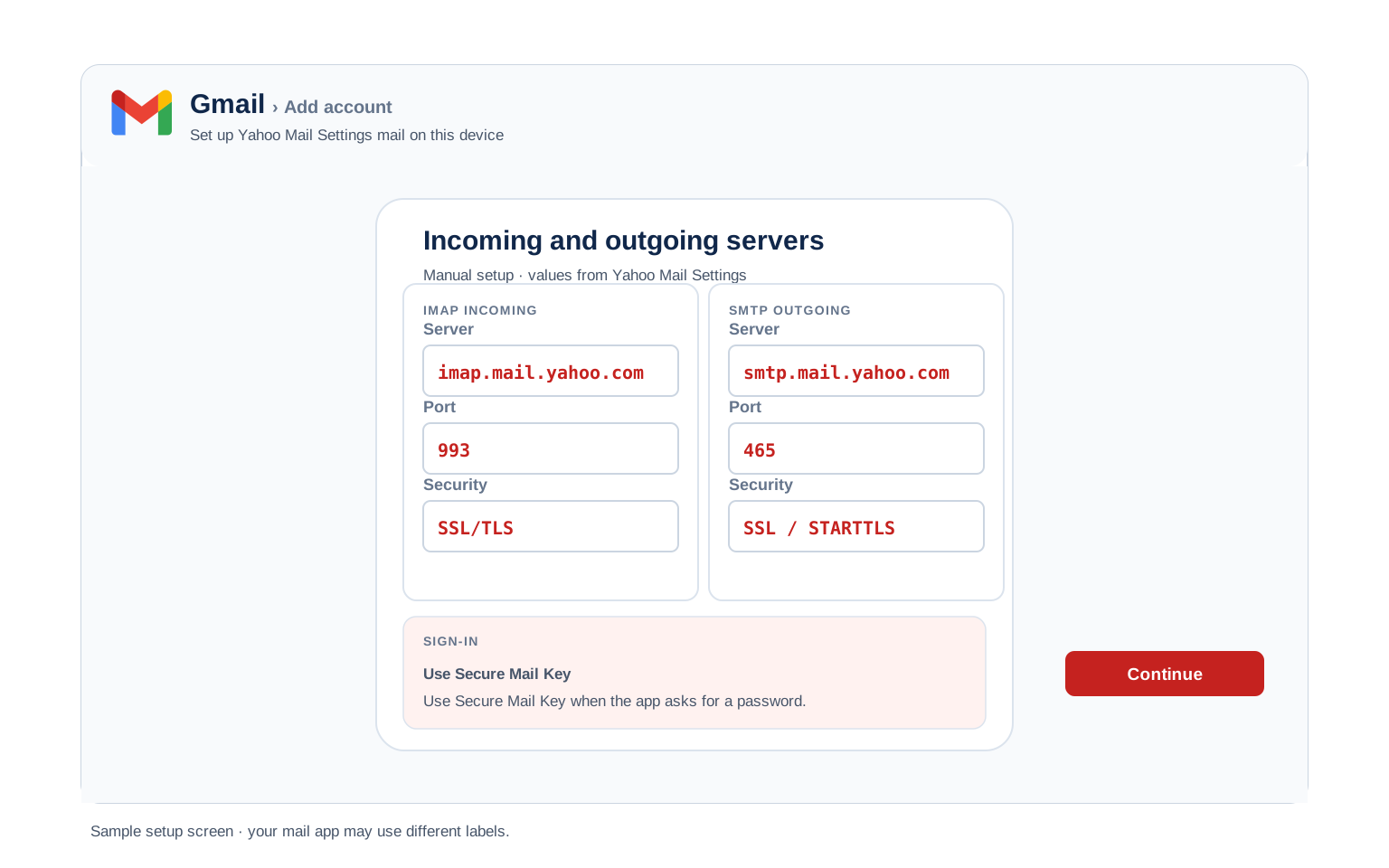
Quick answer: the Yahoo IMAP server is imap.mail.yahoo.com, port 993, SSL. SMTP is smtp.mail.yahoo.com, port 465 or 587. POP is pop.mail.yahoo.com, port 995. Sign in with your full address and an app password generated at Yahoo, because any app without Yahoo's own sign in window is refused a plain password.
What Changed Recently#
Related email providers: iCloud email settings, AOL IMAP settings, Mail.com email settings, CompuServe IMAP settings, Netscape email settings, Gmail IMAP settings
Yahoo has changed more about mailbox size than about servers lately. The hostnames below have been stable for years; what moved is how much you can keep in them.
Latest update
Free storage dropped from the old 1 TB allowance to 20 GB. Yahoo rolled the cut out region by region rather than overnight, so plenty of long standing accounts are only meeting it now. A mailbox over its limit stops accepting new mail and senders get bounces, which looks exactly like a broken email setup from the inside. Check your own figure under Settings → More Settings → Storage, then archive the heavy years rather than deleting them blind.
The linked mailbox shutdown
Yahoo stopped collecting other mailboxes that only had a password. If you used Yahoo Mail to pull in an outside account, Yahoo now requires that provider to support OAuth. Connections resting on a plain password were dropped, taking the linked mailbox with them. This is about mail coming into Yahoo, not about your Yahoo account in Outlook, which keeps working with an app password.
The Gmail change
Gmail stopped fetching Yahoo mail too. Google removed "Check mail from other accounts" from Gmail on the web, so reading a Yahoo address inside a Gmail inbox no longer works that way. Mail already pulled across stays in Gmail. Connect Yahoo directly in an email app with the settings below or move the mail properly if Gmail is where you actually live now.
Before You Begin#
Two Yahoo quirks decide whether your setup works. Neither has anything to do with the server fields.
1. Get an app password ready
Yahoo refuses your normal password to any app that doesn't use its own sign in window. That covers most manual IMAP setups, scanners and older clients. The code you generate is what goes in the password field.
Where: App password steps below →
2. Check your mailbox has room
With free storage now at 20 GB, older Yahoo accounts sit close to the ceiling. A full mailbox rejects incoming mail while everything else looks healthy, so rule it out before you rebuild an account that was fine.
Where: Storage limits below →
About Yahoo Mail#
Yahoo Mail launched in 1997 and is one of the oldest webmail services still running, with a mailbox estate that reaches far beyond addresses ending in yahoo.com.
That reach is the thing worth knowing before you touch any settings. Yahoo runs mail for other brands too, so an address on a completely different domain can sit on these exact servers. Meanwhile some addresses that look Yahoo shaped need their own provider page. The platform section sorts out which is which. For your own account, the rule that matters is simpler: Yahoo hands email apps an app password rather than trusting your real one.
| Service Name | Yahoo Mail |
| Running Since | 1997 |
| Email Domains | @yahoo.com, @ymail.com, @rocketmail.com and country domains like @yahoo.co.uk |
| Webmail URL | mail.yahoo.com |
| Protocols Supported | IMAP, POP3, SMTP |
| Password for Email Apps | App password or the Yahoo sign in window where an app offers it |
| Free Storage | 20 GB, cut down from the old 1 TB allowance |
| Attachment Limit | 25 MB per message, sending and receiving |
Yahoo Webmail Login#
Webmail is where app passwords are born and where you check whether a problem is your account or your app:
Webmail
Security and App Passwords
Storage Usage
Settings → More Settings → Storage
Which Sign In Mode Is Your Account In?#
Yahoo lets you secure an account in more than 1 way and the mode you are in decides what your email app will accept. This is the fork that sends people in circles, because 2 accounts with identical server settings behave differently.
You may also read that Yahoo hides an IMAP switch under Settings → More Settings → Mailboxes. That screen manages other accounts you have linked into Yahoo Mail, not IMAP access for your own mailbox. There is nothing to enable there before connecting an email app.
The practical shortcut: create an app password regardless of your mode. It works in every case, costs a minute and removes the guesswork entirely. If your app does offer a Yahoo branded sign in window, use that instead and skip the code.
Yahoo Mail IMAP Settings#
IMAP is the incoming protocol most people should use. Yahoo holds the mailbox and every device you connect shows the same view of it.
| IMAP Server | imap.mail.yahoo.com | |
| Port | 993 | |
| Encryption | SSL/TLS (required) | |
| Username | Your full email address, including @provider.com | |
| Password | App password | |
| Authentication | Required |
Yahoo Mail POP3 Settings#
POP3 downloads mail to 1 device. Only worth it for a single computer that wants its own copy. Not sure? See the comparison below.
| POP3 Server | pop.mail.yahoo.com | |
| Port | 995 | |
| Encryption | SSL/TLS (required) | |
| Username | Your full email address | |
| Password | App password |
Yahoo Mail SMTP Settings#
SMTP handles outgoing mail. Reading fine but sending failing? Start in this table.
| SMTP Server | smtp.mail.yahoo.com | |
| Port (SSL) | 465 | |
| Port (STARTTLS) | 587 | |
| Encryption | SSL or STARTTLS (required) | |
| Username | Your full email address | |
| Password | Same as incoming mail | |
| Authentication | Required. Yahoo rejects unauthenticated sending, so leave that box ticked in Outlook. |
Sending From Websites, Plugins and Devices
smtp.mail.yahoo.com is not only for email clients. WordPress plugins, contact forms, office scanners and help desk tools all send through Yahoo once 3 conditions are met. They need an app password, because a printer cannot open a Yahoo sign in window. Port 587 with TLS is the safest choice, since more software supports it than 465. And the From address has to be your Yahoo address or one you have verified on the account. Anything else earns a 553 error.
One caution worth stating plainly: a personal Yahoo mailbox is not a sending platform. It suits a contact form on a small site rather than a newsletter. Yahoo offers no relay service for higher volume the way business email providers do. If your sending grows, move it to a service built for it and keep Yahoo for your own mail.
Check Yahoo Mail IMAP Settings Online#
Checking Yahoo IMAP settings online takes nothing but this page: every value is verified and copies straight from the browser. Yahoo runs mail for other brands too, so if you are unsure whether your address belongs here, check it below.
Does my email address use these settings?
Runs in your browser only. Your address is never sent anywhere or stored.
To test the account itself, sign in at mail.yahoo.com and clear any prompts waiting there, which Yahoo recommends doing before you touch an email app. Then generate an app password and every table above will connect.
Look Up IMAP Settings for Any Email Domain#
Everything above applies to Yahoo Mail addresses. Setting up other mailboxes at the same time? Our free lookup database imapsettings.com returns the servers for any domain you type in.
imapsettings.com
Complete email settings database, by Univik
Enter any email address and get the incoming and outgoing server settings for that domain in 1 step:
Your address is used only to find the settings for that domain. Nothing is stored or shared.
Yahoo App Password Setup#
An app password is a generated code that stands in for your real password inside an email app. Yahoo issues them from the account security page and they are the answer to nearly every Yahoo authentication error.
- Open Yahoo Account Security and sign in.
- Find the External connections area and choose Create app password.
- Name it after the app that will use it, like Outlook or Office printer, then generate.
- Copy the code and paste it into the password field of your email app with your full Yahoo address as the username.
Set Up Yahoo Mail in Email Clients#
Yahoo appears by name in most clients, which is the easy path because it triggers the Yahoo sign in window. The manual routes below are for apps that don't offer it. Pick your client:
Outlook (Windows and Mac)
- Open Outlook → File → Add Account or Settings → Accounts → Add account in new Outlook.
- Type your Yahoo address. If Outlook opens a Yahoo sign in window, use it and you are done. Otherwise open Advanced options and tick "Let me set up my account manually".
- Choose IMAP and enter
imap.mail.yahoo.comport993(SSL) andsmtp.mail.yahoo.comport587(STARTTLS). - Paste your app password in the password box, never your Yahoo account password.
- Finish and mail yourself a test so both directions are proven before you rely on it.
Apple Mail (macOS)
- Apple Mail keeps this under Mail → Settings → Accounts, then Add Account.
- Select Yahoo from the list. Apple Mail then signs you in through Yahoo directly, so you need no app password at all.
- Only use Other Mail Account if you specifically want the app password route instead.
- If server fields appear, they take imap.mail.yahoo.com and smtp.mail.yahoo.com.
- Enable Mail in the checkbox list and finish.
iPhone and iPad
- iPhone: Settings → Apps → Mail → Mail Accounts, then Add Account.
- Tap Yahoo and sign in through the window that opens, which handles everything for you.
- Choose Other → Add Mail Account instead if you prefer manual IMAP with an app password.
- Leave IMAP selected and enter both servers if iOS asks for them.
- Tap Save and let iOS verify against Yahoo.
Android
- Open your mail app and add an account, picking Yahoo when the app lists it.
- Pick Other or Personal (IMAP) only when Yahoo is not listed by name.
- Enter your Yahoo address and app password, then choose Manual setup if the app cannot work it out.
- Enter the servers:
imap.mail.yahoo.com993 SSL incoming,smtp.mail.yahoo.com465 SSL outgoing. - Finish and pull to refresh so folders arrive.
Thunderbird
- Open Account Settings in Thunderbird, then Account Actions → Add Mail Account.
- Give Thunderbird your name, Yahoo address and app password, then Continue.
- Thunderbird recognises Yahoo and fills the hosts itself. Leave IMAP selected.
- Only configure manually if the detection comes back with the wrong outgoing port.
- Select Done. Folders sync on first open.
Yahoo Mail Webmail Settings#
Server settings connect your apps. These control the mailbox itself and they live at mail.yahoo.com under Settings → More Settings.
Signature
Under More Settings → Writing email. Yahoo keeps a signature per address, so check you picked the right one. Outlook and your phone keep their own.
Vacation Auto Reply
Under More Settings → Vacation response. Give it a start and end date so it stops on its own. Yahoo sends it from its own servers, so your computer can stay off.
Filters and Folders
More Settings → Filters. Yahoo sorts mail before your devices see it, which is the only kind of rule that works when your computer is closed.
Spam and Blocked Senders
Found in Security and privacy inside More Settings. Yahoo also files suspected spam automatically, so check that folder before deciding mail was lost.
Yahoo POP3 vs IMAP#
| Feature | IMAP | POP3 |
|---|---|---|
| Where mail lives | On Yahoo servers (imap.mail.yahoo.com) | Downloaded to 1 device (pop.mail.yahoo.com) |
| Multiple devices | ✅ Everything stays in sync | ❌ Each device sees different mail |
| Sent and deleted mail | ✅ Synced everywhere | ⚠️ Stays only on that device |
| Offline reading | ⚠️ Cached mail only | ✅ Full local copy |
| Server storage used | Yes, counts against your quota | Can be freed after download |
| Best for | Phone + computer, everyday use | Single PC, local archives |
Yahoo Storage and Sending Limits#
The storage cut is the single most consequential number here, because it turns a mailbox people treated as bottomless into one that fills up:
| Free storage | 20 GB, down from the old 1 TB allowance. Yahoo phased the change in by region, so check your own account under Settings → More Settings → Storage |
| Attachment limit | 25 MB total per message, incoming and outgoing, counting every attached file together |
| Paid plans | Yahoo Mail Plus adds storage and removes ads. It doesn't raise the 25 MB attachment ceiling |
| Ports to keep open | Yahoo names 995, 465 and 587. A firewall or antivirus blocking any of them stops the app connecting |
| What happens at the limit | Incoming mail is refused and senders receive bounces. Clear space or add storage to restore delivery |
Troubleshooting Yahoo Mail Connections#
Find the exact error your email app shows, then apply the fix:
| Error you see | What it means | Fix |
|---|---|---|
| Authentication failed / password rejected | The app sent your real Yahoo password and Yahoo will not take it | Paste an app password instead or re add the account through an option that opens the Yahoo sign in window. |
| Server password has changed | Usually an outdated app using retired security protocols | Update the app first. If the app can't be updated, a fresh app password keeps it alive. |
| Mail arrives but nothing sends | IMAP is fine and the problem sits entirely on the outgoing side | Treat SMTP as a separate login. Confirm smtp.mail.yahoo.com on 465 or 587, that outgoing authentication is ticked and that the same app password is saved there. Many clients store 2 passwords and only 1 gets updated. |
| 553 error when sending | Yahoo flags an unverified extra address on the account | Sign in to webmail, verify or remove the extra address under account settings, then send again from the app. |
| Mail stopped arriving, sending still works | The mailbox hit its storage limit | Check Settings → More Settings → Storage. Archive the big years to a local file, then clear them from the server. |
| Connects at home, not at the office | A firewall or antivirus is blocking a mail port | Yahoo needs 995, 465 or 587 open. Ask whoever runs the network or test on a phone hotspot to confirm the cause. |
| Settings look right but nothing works | The saved credential is corrupt or carries hidden characters | Yahoo's own advice: delete the account from the app entirely and add it again rather than editing fields. Paste the app password carefully. |
Reader Reported Fixes
Two fixes that came out of real Yahoo support threads, for when the standard steps leave you stuck.
Paste the app password without the spaces Yahoo shows. The code is displayed in readable blocks and some clients keep those spaces literally, which fails silently. Paste it into a plain text box first, strip the gaps and then paste it into the app.
One app password per device, not one shared everywhere. People generate a single code and reuse it on a laptop, a phone and a tablet, then cannot work out which device to blame when something goes wrong. Separate codes cost nothing and let you cut off exactly 1 device later.
Addresses That Run on Yahoo but Are Not yahoo.com#
Yahoo powers mail for other brands, which is why your neighbour's @att.net address behaves so much like yours. Those accounts sign in through their own provider though, so they get their own settings and their own page.
Using an AT&T address?
att.net, sbcglobal.net, bellsouth.net and the rest of the family run on this infrastructure but keep AT&T's own servers and a secure mail key instead of an app password. Everything you need is on our AT&T email settings page.
Using a comcast.net address?
Comcast mailboxes are moving onto Yahoo Mail by invitation. Before you accept, comcast.net servers apply. Afterwards, the values on this page do. Our Comcast email settings page covers both states and the migration gotchas.
Leaving Yahoo instead? The 20 GB ceiling pushes plenty of long time users to a different provider. The Univik Email Migration Tool copies every folder from Yahoo into the new account over IMAP using the settings above. Our Email Migration Services team will run the whole move if you would rather not.
Use These Settings in Univik Email Backup#
With free storage cut to 20 GB, a lot of Yahoo accounts now need pruning. Deleting mail you haven't copied anywhere is how people lose decades of it. A backup tool signs in with exactly the values printed above. Univik Email Backup writes the whole mailbox to PST, MBOX, EML or PDF on your own disk, which is what makes clearing space safe rather than final.
- Get Univik Email Backup installed on Windows.
- Pick Yahoo from the source list or IMAP if it is not named and paste the servers from above.
- Sign in with your full Yahoo address and an app password, the same code your email app uses.
- Typing servers by hand?
imap.mail.yahoo.comon993with SSL, plus an app password in place of your real one. - Choose PST, MBOX, EML or PDF and a destination, then run it. A 20 GB mailbox takes a while, so leave it going.
Univik Tools That Use These Settings#
Storage limits and provider moves bring most people to this page. All 3 tools sign in with the settings above:

Email Backup
Save the whole Yahoo mailbox as PST, MBOX, EML or PDF before you start clearing space to get under 20 GB.
Email Backup Tool →
Email Migration Tool
Move every Yahoo folder into Gmail, Microsoft 365 or another IMAP mailbox with the folder tree intact.
Email Migration Tool →
Email Converter Tool
Holding an old export or a mailbox someone sent you as MBOX? Convert them to PST, PDF or anything your next app understands.
Email Converter Tool →Rather someone else handled the move?
If app passwords and server fields are not how you want to spend an evening, hand it over. The team scopes the move, runs it, checks every folder arrived and hands over the report. Running since 2013, from 1 crowded Yahoo mailbox to entire domains.
Email Settings Glossary#
IMAP
Internet Message Access Protocol. The protocol behind imap.mail.yahoo.com. Mail stays on Yahoo servers and every device sees the same folders and read state.
POP3
Post Office Protocol version 3. The pop.mail.yahoo.com route. Yahoo POP hands over the Inbox only, so folders stay behind on the server. The veteran protocol, limited on Yahoo because it only fetches the Inbox.
SMTP
Simple Mail Transfer Protocol. Sends your outgoing mail. The sending half: smtp.mail.yahoo.com carries outgoing mail while IMAP and POP3 only receive.
SSL / TLS / STARTTLS
How the connection is secured. Yahoo uses SSL on 993, 995 and 465, with 587 as the alternate outgoing port.
App Password
A generated code that stands in for your Yahoo password inside an email app. Yahoo keeps each one alive until you delete it, so revoking 1 device leaves the others untouched.
OAuth
The Yahoo branded sign in window some apps open. Use it where offered and no app password is needed. Yahoo supports it, so use it whenever your client offers the choice.
How We Verify These Settings#
Yahoo is one of the busiest providers in Univik software and it got busier the moment free storage dropped. Every archive job opens a real IMAP session against imap.mail.yahoo.com, which is how a changed rule reaches us before it reaches most guides.
Three checks stand behind every value here. We open a live IMAP and SMTP session from Univik Email Backup, match every line against Yahoo's published help pages and create a fresh app password through the current security flow. Anything Yahoo announces sends us straight back to the tables. A scheduled recheck runs every quarter either way.
Found something that no longer matches what Yahoo Mail shows you? Point it out and we will retest, then log the correction in what changed recently.
 Help & Support
Yahoo Mail Settings: FAQ
Use imap.mail.yahoo.com on port 993 with SSL and smtp.mail.yahoo.com on port 465 or 587 for sending. Sign in with your full Yahoo address and an app password. The complete tables are in the IMAP settings section.
Because Yahoo does not accept account passwords from apps that lack its own sign in window. The password is right, the method is not. Generate an app password on the Yahoo security page and paste that instead.
No. It catches people out because Google works the other way round. A Yahoo app password keeps working after you change your main password. Deleting it on the security page is the only way to revoke it, so clear out codes for devices you no longer use.
20 GB, reduced from the 1 TB free accounts used to enjoy. Yahoo phased it in by region, so confirm your own figure under Settings → More Settings → Storage. Once the mailbox is full, incoming mail bounces back to senders until you clear space.
Related, but not the same. AT&T addresses run on Yahoo infrastructure while using AT&T servers and a secure mail key, covered on our AT&T page. Comcast mailboxes move onto Yahoo once you accept the Xfinity upgrade, which our Comcast page explains. The platform diagram shows how the 3 relate.
IMAP. Beyond the usual sync argument, Yahoo POP only downloads the Inbox, so every folder you have built up stays behind. POP works on pop.mail.yahoo.com port 995 if you want a single machine copy anyway.
Work through it in order. Swap your account password for an app password. Check that ports 995, 465 and 587 are not blocked by a firewall. If the settings still look perfect, delete the account from the app and add it again, which is Yahoo's own advice when saved credentials go bad.
Connect over IMAP with a backup tool and save everything as PST, MBOX, EML or PDF first, then delete from the server. That order matters now that free storage is 20 GB, because clearing space without a copy is permanent. See the walkthrough.
An email migration tool connects to both mailboxes over IMAP and rebuilds the folder tree on the far side. This page supplies the Yahoo side, including the app password that any migration tool will ask for.
Other Email Provider Settings
Summary: Yahoo Mail Settings at a Glance
- IMAP: imap.mail.yahoo.com, port 993, SSL/TLS
- POP3: pop.mail.yahoo.com, port 995, SSL/TLS
- SMTP: smtp.mail.yahoo.com, port 465 or 587
- Username is always your full email address
- App password required for third party apps
- Pick IMAP for phone + computer sync
- Attachment limit: 25 MB per message
- Username is always the full email address