 Email Settings Guide
Quick answer: the AT&T IMAP server is imap.mail.att.net, port 993, SSL. SMTP is smtp.mail.att.net, port 465 (587 also works in most apps). POP3 is inbound.att.net, port 995, sending through outbound.att.net. Use your full email address and a secure mail key. All 12 AT&T domains, including sbcglobal.net and bellsouth.net, use these settings.
What Changed Recently#
Related email providers: Verizon email settings, Comcast IMAP settings, Cox email settings, Spectrum IMAP settings, CenturyLink email settings, Frontier IMAP settings
AT&T changes login rules more often than server addresses. Here is the current status and what it means for your setup.
Latest update
AT&T confirmed it deletes secure mail keys when an account gets locked or blocked. If your email app suddenly fails after a security lock, your old key is gone. Create a new one and update every device. Keys otherwise never expire and survive normal password changes.
The Gmail change
Gmail stopped pulling AT&T mail into Gmail inboxes. Google switched off the "Check mail from other accounts" POP fetching in Gmail on the web. If your AT&T mail used to appear inside Gmail and quietly went silent, this is why. It's not an AT&T problem. Mail already imported stays in Gmail. To keep reading AT&T mail going forward, connect an email app with the IMAP settings below or move the mailbox to the account you actually use.
Our documentation recheck
AT&T refreshed its official POP3 and IMAP settings documentation. No values changed. Servers, ports and the secure mail key requirement all stayed the same, which we confirmed against the updated articles.
The webmail rebrand
AT&T Mail webmail became "Currently, from AT&T". You now read webmail at currently.com instead of att.net. Your address and the servers on this page did not change and new @currently.com addresses joined the same family.
Standing rule
Every email app needs OAuth or a secure mail key. AT&T documents this as the only 2 ways an app can access AT&T Mail. Any app without AT&T OAuth sign in must use a 16 character secure mail key instead of the account password. Still the top reason AT&T setups fail.
Before You Begin#
Get these 2 things right first. Skip either one and AT&T refuses the connection however perfect your server values are.
1. Create a secure mail key
Unless your app offers an AT&T or Yahoo sign in window (OAuth), your regular password won't work. You need a 16 character secure mail key as the password.
2. Match your outgoing server to your protocol
AT&T uses different outgoing servers: IMAP setups send through smtp.mail.att.net, POP3 setups send through outbound.att.net. Mixing the pairs is the classic "receives but cannot send" mistake.
Where: SMTP settings below →
About AT&T Mail#
AT&T Mail is the email service attached to AT&T internet and phone accounts, branded "Currently, from AT&T" since 2021 and run on Yahoo mail infrastructure.
The service collects addresses from decades of telecom mergers. SBC, BellSouth, Pacific Bell, Ameritech, Prodigy and other regional brands all folded into AT&T and their email domains came along. That is why a @sbcglobal.net or @bellsouth.net address signs in through AT&T and uses att.net servers. The 1 thing that makes AT&T setup different: older email apps must use a secure mail key instead of the account password. AT&T enforces this for every app without OAuth sign in.
@att.net, @sbcglobal.net, @bellsouth.net, @currently.com, @ameritech.net, @pacbell.net, @swbell.net, @flash.net, @prodigy.net, @snet.net, @nvbell.net and @wans.net all use the identical servers on this page. Your domain only changes the username, never the servers.
| Service Name | AT&T Mail (Currently, from AT&T) |
| Owned By | AT&T Inc. |
| Mail Platform | Yahoo infrastructure |
| Webmail Rebrand | currently.com |
| Email Domains | @att.net, @sbcglobal.net, @bellsouth.net, @currently.com and 8 more legacy domains |
| Webmail URL | currently.com |
| Protocols Supported | IMAP, POP3, SMTP |
| Password for Email Apps | Secure mail key (16 characters) or OAuth sign in |
AT&T Webmail Login#
You can always read your mail in a browser, whichever AT&T domain your address uses. The official pages are:
Webmail
Account and Mail Key
att.com/myatt → Profile
Password Recovery
att.com/support → Forgot password
AT&T IMAP Settings#
IMAP is the right incoming protocol for almost everyone with an AT&T address. The mailbox stays put on AT&T servers while your devices read from it.
| IMAP Server | imap.mail.att.net | |
| Port | 993 | |
| Encryption | SSL/TLS (required) | |
| Username | Your full email address including the domain, whether @att.net, @sbcglobal.net, @bellsouth.net or another AT&T domain | |
| Password | Secure mail key | |
| Authentication | Required |
AT&T POP3 Settings#
POP3 downloads mail to 1 device. Pick it only if you want a local copy on a single computer. Not sure? See the comparison below. Note the different servers: AT&T POP3 uses inbound.att.net, not the IMAP server.
| POP3 Server | inbound.att.net | |
| Port | 995 | |
| Encryption | SSL (required) | |
| Outgoing Pair | outbound.att.net port 465 SSL (POP3 setups only) | |
| Username | Your full AT&T email address, any domain | |
| Password | Secure mail key |
AT&T SMTP Settings#
SMTP handles outgoing mail. If you can read mail but not send it, the problem is here. These values pair with IMAP. POP3 setups send through outbound.att.net instead, as shown above.
| SMTP Server | smtp.mail.att.net | |
| Port (SSL) | 465, the port AT&T documents officially | |
| Alternate Port | 587 with STARTTLS connects in most clients, though AT&T's own documentation lists 465 | |
| Encryption | SSL or STARTTLS (required) | |
| Username | Your full email address | |
| Password | Same as incoming mail | |
| Authentication | Required. Check "My outgoing server requires authentication" in Outlook. |
Check AT&T IMAP Settings Online#
Checking AT&T IMAP settings online takes nothing more than this page. The lookup is this page itself, verified and copyable straight from the browser. Not sure your address belongs to the AT&T family? Type it below and find out instantly.
Does my email address use these settings?
Runs in your browser only. Your address is never sent anywhere or stored.
Want to verify the account itself before configuring an app? Two online checks settle it: sign in at currently.com, which confirms your address and password work, then confirm a secure mail key exists in your myAT&T profile. If both pass, any email app connects with the tables above.
Look Up IMAP Settings for Any Email Domain#
This page covers the AT&T family. Got an address on some other domain to configure too? imapsettings.com is our free lookup for exactly that.
imapsettings.com
Complete email settings database, by Univik
Enter any email address and get the incoming and outgoing server settings for that domain in 1 step:
Your address is used only to find the settings for that domain. Nothing is stored or shared.
AT&T Secure Mail Key Setup#
The most common AT&T setup failure is using the wrong password. A secure mail key is AT&T's name for an app password: a 16 character code that replaces your real password inside email apps. Here is which one works where:
| Where you sign in | Regular password | Secure mail key |
|---|---|---|
| currently.com webmail and myAT&T | ✓ Works | ✗ Not needed |
| Outlook, Thunderbird, phone apps (manual IMAP or POP3) | ✗ Rejected | ✓ Required |
| Apps with an AT&T or Yahoo sign in window (OAuth) | ✓ Works | Not needed |
How to Create a Secure Mail Key
- Sign in at att.com/myatt and go to Profile → Sign-in info.
- Select the email account you want the key for. A dropdown at the top switches between accounts if you have several.
- Scroll to Secure mail key and select Manage secure mail key, then Add secure mail key.
- Give it a nickname like "Outlook" or "iPhone Mail" and select Create secure mail key.
- Copy the 16 character key and paste it as the password in your email app. Create a separate key for each AT&T address and subaccount you set up.
Set Up AT&T in Email Clients#
AT&T offers no sign in window for apps to open, so you type the same values into each client below. Choose yours:
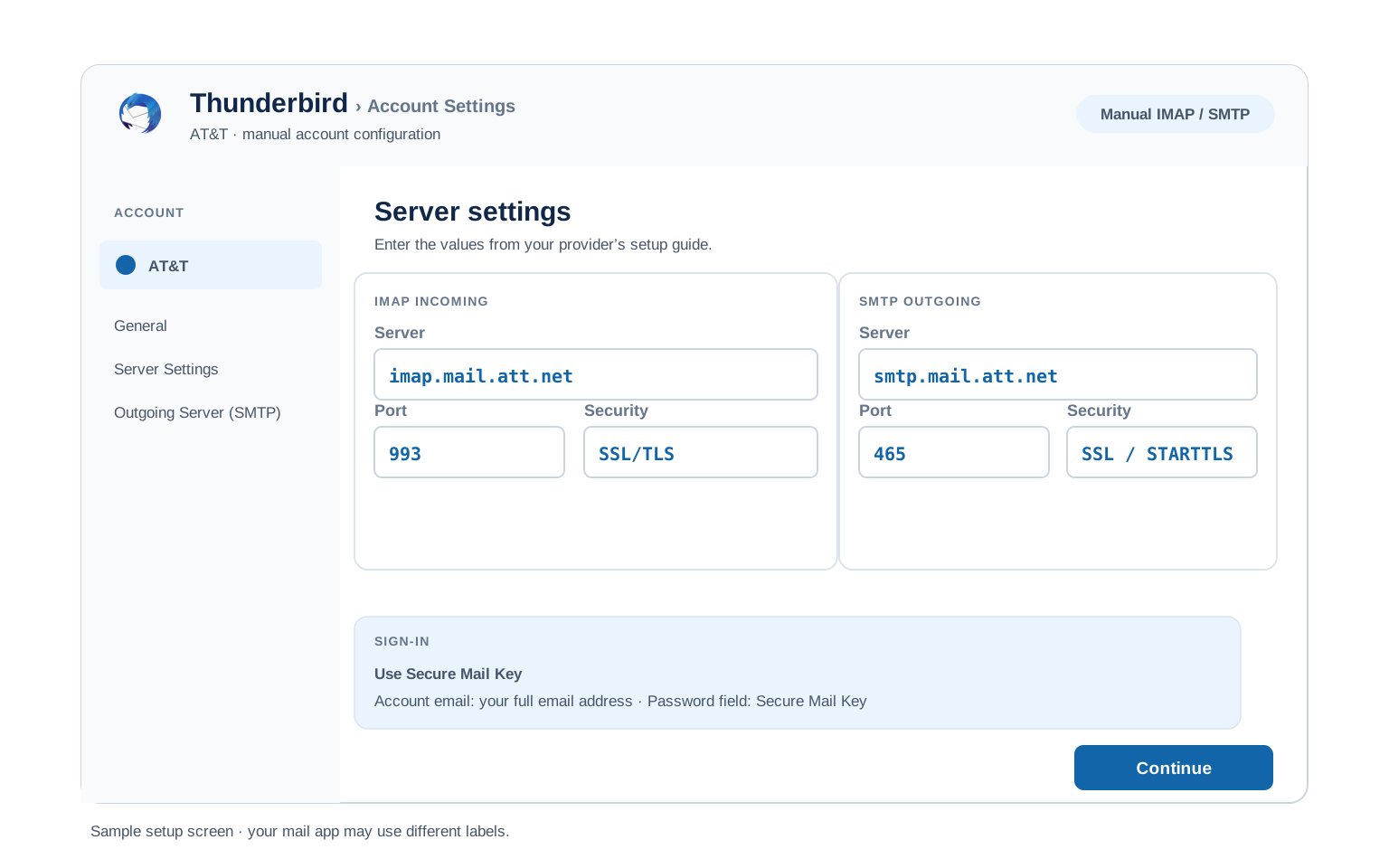
Outlook (Windows and Mac)
- Open Outlook → File → Add Account (new Outlook: Settings → Accounts → Add account).
- Enter your AT&T address, open Advanced options and check "Let me set up my account manually".
- Choose IMAP and enter
imap.mail.att.netport993(SSL) andsmtp.mail.att.netport465(SSL or 587 if your Outlook version insists on STARTTLS). - Paste the secure mail key where Outlook asks for a password.
- Finish and send 1 test message before you trust it with anything real.
Apple Mail (macOS)
- Open Mail → Settings → Accounts → Add Account.
- Select AT&T if listed, otherwise choose Other Mail Account.
- Enter your name, address and secure mail key, then continue.
- When server fields appear, feed them imap.mail.att.net and smtp.mail.att.net.
- Enable Mail in the checkbox list and finish.
iPhone and iPad
- Open Settings on the iPhone and go to Apps → Mail → Mail Accounts → Add Account.
- Tap AT&T if listed or tap Other → Add Mail Account.
- Enter your details with the secure mail key, then tap Next.
- Leave IMAP chosen and add both servers when iOS asks for them.
- Tap Save and wait for iOS to verify the account.
Android
- In Gmail, Samsung Email or whichever app you use, choose Add account.
- Choose Other (IMAP) when your provider is not in the list.
- Enter your address and secure mail key. If auto setup fails, pick Manual setup.
- Enter the servers:
imap.mail.att.net993 SSL incoming,smtp.mail.att.net465 SSL outgoing. - Finish setup and pull down to sync your inbox.
Thunderbird
- Thunderbird route: Account Settings → Account Actions → Add Mail Account.
- Enter your name, address and secure mail key, then select Continue.
- Thunderbird detects the servers for most providers. Select IMAP if it is not already picked.
- If it guesses wrong, switch to Configure manually and type the table values in.
- Select Done. Folders sync on first open.
AT&T Webmail Settings#
Server values get your apps talking. These settings decide how the mailbox behaves once they are. All of them live at currently.com webmail under the gear icon → More Settings. Bonus: press the ? key anywhere in webmail to see every keyboard shortcut.
Signature
More Settings → Writing email → Signature. Turn it on per account and format your text. These apply inside currently.com only, so Outlook and your phone keep whatever you set there.
Vacation Auto Reply
More Settings → Vacation response. Set start and end dates so it turns off by itself. The reply is sent from AT&T servers, so it works even when your computer is off.
Filters and Folders
More Settings → Filters → Add new filters. Rules made here run on AT&T servers, which sort your mail before your phone or Outlook ever sees it. Rules built inside an email app only fire while that app is running.
Spam and Blocked Senders
More Settings → Security and privacy → Blocked addresses. Add any address to stop its mail. AT&T also filters spam automatically into the Spam folder, which you should check before assuming mail was lost.
POP3 vs IMAP#
| Feature | IMAP | POP3 |
|---|---|---|
| Where mail lives | On AT&T servers (imap.mail.att.net) | Downloaded to 1 device (inbound.att.net) |
| Multiple devices | ✅ Everything stays in sync | ❌ Each device sees different mail |
| Sent and deleted mail | ✅ Synced everywhere | ⚠️ Stays only on that device |
| Offline reading | ⚠️ Cached mail only | ✅ Full local copy |
| Server storage used | Yes, counts against your quota | Can be freed after download |
| Best for | Phone + computer, everyday use | Single PC, local archives |
AT&T Sending and Storage Limits#
Hit a limit and AT&T blocks sending temporarily without a clear error. Know the numbers before you bulk forward or migrate a mailbox:
| Attachment size limit | 25 MB per message |
| Recipients per message | Around 100 (Yahoo infrastructure rule) |
| Daily sending limit | Not published. Bursts of outgoing mail trigger a temporary send block, usually lifted within 24 hours |
| Mailbox storage | Not published for legacy accounts. Very full mailboxes slow IMAP sync noticeably |
| What happens at the limit | Sending fails with a temporary error while receiving keeps working. Wait, then resume at a slower pace |
Troubleshooting AT&T Connections#
Find the exact error your email app shows, then apply the fix:
| Error you see | What it means | Fix |
|---|---|---|
| Password keeps being asked / invalid credentials | App is using your regular AT&T password | Delete the saved password and enter a secure mail key instead. This fixes most AT&T setup failures. |
| Key worked for months, suddenly rejected | AT&T locked or blocked the account, which deletes all secure mail keys | Sign in at currently.com to clear the lock, then create a fresh key and update every device. |
| Receives mail but cannot send | Outgoing server doesn't match your protocol | IMAP setups need smtp.mail.att.net, POP3 setups need outbound.att.net. Check "outgoing server requires authentication" too. See SMTP settings. |
| Cannot connect to server / 0x800CCC0E | Wrong port or encryption | Confirm IMAP 993 SSL or POP3 995 SSL and SMTP 465 SSL. Antivirus and VPN apps can also block these ports. |
| AT&T mail stopped showing up inside Gmail | Google removed Gmail's "Check mail from other accounts" POP fetching | Nothing on the AT&T side broke and nothing already imported is lost. Connect AT&T directly in an email app with the IMAP settings or use the Univik Email Migration Tool to move everything into your Gmail account for good. |
| Old mail missing after switching to IMAP | Previous POP3 setup downloaded and removed mail from the server | The mail lives only in the old app's local files. Export it there or use an email converter to move those files into your new setup. |
Reader Reported Fixes
Two fixes from real AT&T support cases, for the times the standard steps above come up empty.
Remove the account completely, then add it fresh with the secure mail key. Updating the password in place often fails because Outlook and iPhone Mail keep retrying old cached credentials, which can even trigger an AT&T lock. Deleting the account profile and re adding it with the key as the password from the start connects on the first try.
Sending fails only in an old POP3 profile: switch the outgoing server to outbound.att.net. Profiles created years ago sometimes hold smtp.mail.att.net with a POP3 incoming server. AT&T pairs the servers by protocol, so correcting the outgoing server to the POP3 pair restores sending without rebuilding the account.
Using an SBCGlobal, BellSouth or Other Legacy Address?#
Those brands were regional phone companies that merged into AT&T. Their email domains (sbcglobal.net, bellsouth.net, pacbell.net, ameritech.net, prodigy.net, swbell.net, snet.net, flash.net, nvbell.net, wans.net) all moved onto AT&T infrastructure years ago. There is no separate SBCGlobal or BellSouth mail server anymore. Any guide showing mail.sbcglobal.net or similar old hostnames is out of date.
Setting up any of these addresses? Use every value on this page exactly as written, with your full legacy address as the username and sign in at currently.com for webmail.
Planning to leave the address for good? Back up the mailbox first. Legacy addresses are tied to old AT&T service accounts and access can be lost when the underlying account closes, with no recovery once that happens.
Taking your mail to a new account? The Univik Email Migration Tool lifts every folder across into the account you are keeping. Enter the IMAP settings from this page for the AT&T side and your new provider's settings for the other. Rather not do it yourself? Our Email Migration Services team runs the transfer end to end and proves every folder arrived.
Use These Settings in Univik Email Backup#
The same IMAP settings above let you download your complete AT&T mailbox to your computer. Univik Email Backup writes the mailbox out as PST, MBOX, EML or PDF on your own disk, which outlives the AT&T account itself.
- Grab Univik Email Backup for Windows and open it.
- Select AT&T from the source list. If it isn't listed by name, choose IMAP.
- Sign in with your full email address and your secure mail key. A regular AT&T password is refused at this step too.
- For manual server entry, give it
imap.mail.att.neton993with SSL, exactly as printed in the IMAP table. - Pick a saving format and folder, then start the backup. Large mailboxes download in the background.
Univik Tools That Use These Settings#
Most people arrive here mid job, archiving a legacy address or moving off one. All 3 tools sign in with the settings above:

Email Backup
Download your complete AT&T mailbox to PST, MBOX, EML or PDF before switching or closing the account.
Email Backup Tool →
Email Migration Tool
Copy every folder from AT&T straight into Gmail, Microsoft 365 or any other account. No manual export needed.
Email Migration Tool →
Email Converter Tool
Old export sitting in MBOX, EML or OST? Convert it to PST, PDF or whatever opens today.
Email Converter Tool →Prefer to skip the DIY route entirely?
Rather not spend the evening in server fields and key screens? You don't have to. The team scopes it, runs the transfer, checks every folder landed and hands you the report. Doing this since 2013, from 1 att.net mailbox upward.
Email Settings Glossary#
IMAP
Internet Message Access Protocol. The protocol behind imap.mail.att.net. AT&T holds the mailbox while each device you connect shows the same folders and read state.
POP3
Post Office Protocol version 3. The inbound.att.net route, paired with outbound.att.net for sending. Mail lands on 1 machine. The veteran protocol, still fine for 1 machine that wants its own copy.
SMTP
Simple Mail Transfer Protocol. Sends your outgoing mail. The sending half. AT&T pairs it by protocol, which is why 2 outgoing hosts exist.
SSL / TLS / STARTTLS
Encryption for the connection. SSL/TLS encrypts from the start (ports 993, 995, 465). STARTTLS upgrades a plain connection (port 587).
Secure Mail Key (App Password)
A 16 character code that replaces your real password inside email apps. AT&T's name for what other providers call an app password. Revoke a single key and the rest of your devices carry on untouched.
OAuth
A sign in window run by the provider. AT&T apps that offer it can use your regular password. Where it appears, it replaces the secure mail key entirely.
How We Verify These Settings#
AT&T is one of the oldest providers in Univik software. Since 2013 our backup and migration tools have opened daily sessions against imap.mail.att.net. A changed AT&T rule lands in our connection logs long before the guides catch up.
Every value here clears 3 checks. A live IMAP and SMTP connection from Univik Email Backup. A line by line comparison with AT&T's own documentation. And a fresh secure mail key made through the current myAT&T flow. Any AT&T announcement sends us back to the tables. A scheduled pass runs quarterly either way.
Spotted a value that no longer matches what AT&T shows you? Tell us and it goes back through the same 3 checks, with the result logged in what changed recently.
 Help & Support
AT&T Email Settings: FAQ
Use imap.mail.att.net on port 993 with SSL. Sign in with your full email address (any AT&T domain) and a secure mail key. The complete table is in the IMAP settings section.
AT&T blocks regular passwords in email apps that lack OAuth sign in. Nothing is wrong with the password itself, only with how the app presents it. Create a secure mail key and use that 16 character code instead. If webmail at currently.com accepts your password, this is almost certainly your problem.
IMAP for almost everyone. It keeps your phone, computer and webmail in sync. POP3 earns its place on exactly 1 computer that wants its own downloaded copy. Full comparison here.
Yes, identical. All 12 AT&T family domains use the same servers, ports and secure mail key system. Only your username changes. The settings are also identical across iPhone, Android and Windows, only the menus differ, which the client setup guides cover.
No. Secure mail keys show only once. Create a new one at att.com/myatt under Profile → Sign-in info, it takes under a minute. The old key keeps working until you delete it, so your other devices are not affected.
Yes, when you use a secure mail key or OAuth sign in. A key only grants mailbox access, never account management and you can delete a single key at any time without touching your real password. Delete keys for devices you no longer use.
An email client pulls mail down as it syncs, but a backup tool finishes in 1 pass and writes files you can open without AT&T. See how to back up your AT&T mailbox. Already exported to another format years ago? An email converter turns those files into PST, PDF or whatever your new app opens.
Two usual causes. AT&T requires a secure mail key for every app without OAuth sign in, which broke old setups when the rule arrived. And AT&T deletes existing keys whenever it locks an account, so even a working key can vanish. Either way, the fix is a fresh secure mail key. Check what changed recently.
An email migration tool signs in to both mailboxes over IMAP and copies between them. You need the AT&T IMAP settings and a secure mail key for this side, plus the same details for the destination account. Every folder, label and date stays intact.
Several legacy addresses in the family? A mailbox nobody has touched in a decade? Our managed email migration service does the entire job for you.
Isolate the problem in 2 steps. First sign in at currently.com: if webmail works, your account and password are fine and the problem is your app, almost always the secure mail key. If webmail fails too, the account is locked or AT&T is having a service issue, so clear the lock at att.com or wait it out. Remember that clearing a lock deletes your keys, so create a fresh one after.
Other Email Provider Settings
Summary: AT&T Settings at a Glance
- IMAP: imap.mail.att.net, port 993, SSL/TLS
- POP3: inbound.att.net, port 995, SSL/TLS
- SMTP: smtp.mail.att.net, port 465 or 587
- Username is always your full email address
- Secure mail key required for email apps
- Pick IMAP for phone + computer sync
- Attachment limit: 25 MB per message
- POP3 setups send through outbound.att.net