 Email Settings Guide
Quick answer: the Comcast IMAP server is imap.comcast.net, port 993, SSL. SMTP is smtp.comcast.net, port 587 with TLS. POP3 is pop3.comcast.net, port 995. Sign in with your full @comcast.net address and your Xfinity password, but first switch on Third Party Access Security in webmail or every app is refused. Accounts already upgraded to Yahoo Mail use Yahoo servers instead.
What Changed Recently#
Related email providers: Cox email settings, Spectrum IMAP settings, CenturyLink email settings, Frontier IMAP settings, EarthLink email settings, Mediacom IMAP settings
Comcast email is in the middle of the biggest change in its history. Read this before you touch any server field.
Latest update
Comcast.net email is moving to the Yahoo Mail platform. Comcast now invites account holders to upgrade their @comcast.net mailbox to Yahoo Mail at no cost, in phases. Your address stays the same and your mail, folders and contacts come along. The catch for anyone reading this page: once you accept, the comcast.net servers stop being your servers and you have to reconfigure every email app with Yahoo settings. The Yahoo section below has those values and the migration gotchas.
Forwarding warning
Forwarding and filters do not survive the upgrade. Comcast states plainly that forwarding settings are not moved and all forwarding stops once your mailbox becomes a Yahoo mailbox. Filters go the same way. If mail from your comcast.net address has been quietly forwarding somewhere for years, rebuild it in Yahoo Mail settings straight after upgrading or those messages just stop arriving.
The Gmail change
Gmail no longer collects Comcast mail for you. Google retired the POP fetching that let Gmail collect mail from other accounts. Anyone reading comcast.net mail inside a Gmail inbox lost that feed. Mail already pulled in stays put. To keep reading, connect Comcast directly in an email app with the settings below or forward from the Comcast side while forwarding still exists.
The port retirement
POP port 110 is dead and port 25 was never supported. Comcast retired unencrypted POP on port 110 and requires port 995 with SSL instead. Old profiles carrying 110 fail silently. Port 25 stays blocked for outgoing mail to fight spam, which is why 587 is the outgoing port on this page.
Before You Begin#
Comcast has 2 gates that stop setups before any server value matters. Clear both and the rest is 5 minutes of typing.
1. Switch on Third Party Access Security
Comcast can refuse email apps at the account level. When that box is unchecked, Outlook and Apple Mail are rejected no matter how perfect your settings are and the error just says the password is wrong.
Where: The 4 step fix below →
2. Check which platform you are on
Comcast mailboxes are moving to Yahoo Mail one invitation at a time. Sign in at connect.xfinity.com: a prompt to accept Yahoo terms means you are being moved and a mailbox already on Yahoo needs Yahoo servers, not the comcast.net ones.
Where: Yahoo Mail settings below →
About Comcast Email#
Comcast email, branded Xfinity Email since Comcast introduced the Xfinity name in 2010, gives every Xfinity internet account a free @comcast.net mailbox.
Two things make it unusual among big providers. Comcast lets you keep the address after you cancel the service, so millions of @comcast.net mailboxes belong to people who left years ago. And Comcast blocks email apps by default through an account setting rather than a password system, which is why so many correct setups still fail. Comcast has now partnered with Yahoo to move these mailboxes onto Yahoo Mail, which changes the servers under the same familiar address.
@comcast.net, webmail is at connect.xfinity.com and your Xfinity ID signs you in to both.
| Service Name | Xfinity Email, still widely called Comcast email |
| Owned By | Comcast Corporation |
| Mail Platform | Comcast infrastructure, moving to Yahoo Mail by invitation |
| Email Domain | @comcast.net |
| Webmail URL | connect.xfinity.com |
| Protocols Supported | IMAP, POP3, SMTP |
| Password for Email Apps | Your Xfinity password, once third party access is on. Yahoo app password after the upgrade |
| Mailbox Storage | 10 GB per account |
Comcast Webmail Login#
Webmail settles most arguments about whether a problem is your app or your account and for Comcast it is also where the access setting lives:
Webmail
Access and Security
Webmail → gear icon → Settings → Security
Account Status and Help
Turn On Third Party Access Security#
This is the step that breaks more Comcast setups than every wrong port combined. Comcast keeps a switch that decides whether email apps may reach your mailbox at all. With it off, your app reports a rejected password while webmail signs in perfectly with that same password. People then hunt through server settings that were never the problem.
- Sign in to Xfinity Email at connect.xfinity.com with your Xfinity ID and password.
- Select the gear icon in the top right corner, then Settings.
- Open Security.
- Tick the box under Third Party Access Security to allow email apps in. Unticking it locks them back out, which is the point of the setting.
Comcast IMAP Settings#
IMAP keeps your mail on Comcast servers so every device shows the same inbox. Comcast recommends it over POP for exactly that reason and so do we.
| IMAP Server | imap.comcast.net | |
| Port | 993 | |
| Encryption | SSL/TLS (required) | |
| Username | Your full email address, including @comcast.net | |
| Password | Your Xfinity password. Comcast has no app password system, which is why the access switch matters instead | |
| Authentication | Required |
Comcast POP3 Settings#
POP3 downloads mail to 1 device. Comcast supports it but steers people away from it and the old unencrypted port is gone. Not sure which to pick? See the comparison below.
| POP3 Server | pop3.comcast.net | |
| Port | 995 | |
| Encryption | SSL (required). Port 110 is retired and will not connect | |
| Username | Your full @comcast.net address. Not your Xfinity ID if that is a mobile number | |
| Password | Your Xfinity password |
Comcast SMTP Settings#
SMTP handles outgoing mail. Comcast publishes 587 as the outgoing port with TLS and lists 465 with SSL as the fallback when an app insists on it. Port 25 is blocked outright to fight spam, so any guide offering it is years out of date.
| SMTP Server | smtp.comcast.net | |
| Port (TLS) | 587, the port Comcast documents | |
| Fallback Port | 465 with SSL, only if your app needs it. Port 25 is blocked | |
| Encryption | SSL or STARTTLS (required) | |
| Username | Your full email address | |
| Password | Same as incoming mail | |
| Authentication | Required. Comcast rejects unauthenticated sending, so that checkbox is not optional. |
Check Comcast IMAP Settings Online#
Checking Comcast IMAP settings online needs nothing but this page, where every value is verified and copies in 1 tap. The wrinkle for Comcast is which platform your mailbox sits on, so check the address here and read the Yahoo section if you have upgraded.
Does my email address use these settings?
Runs in your browser only. Your address is never sent anywhere or stored.
Testing the account itself takes 2 clicks. Sign in at connect.xfinity.com to prove the address and password work, then open Settings → Security and check that third party access is ticked. Pass both and every table above connects.
Look Up IMAP Settings for Any Email Domain#
The tables above are for comcast.net addresses only. Got other mailboxes to set up, maybe a work address on a company domain? Our free lookup database imapsettings.com covers those.
imapsettings.com
Complete email settings database, by Univik
Enter any email address and get the incoming and outgoing server settings for that domain in 1 step:
Your address is used only to find the settings for that domain. Nothing is stored or shared.
Which Password Does Comcast Want?#
Comcast works differently from Gmail and Yahoo here and knowing that saves an hour of searching for a page that does not exist. Comcast has no app password system. Your ordinary Xfinity password is the right password for Outlook, Apple Mail and your phone. The third party switch controls access here instead of a generated code.
| Where you sign in | Which password | Extra step |
|---|---|---|
| connect.xfinity.com webmail | Xfinity password | ✗ None |
| Outlook, Apple Mail, phone apps on comcast.net servers | Xfinity password | ✓ Third party access on |
| Any app, after the Yahoo upgrade | Yahoo app password | Generated at Yahoo |
Set Up Comcast in Email Clients#
There's no Comcast sign in window for apps to open, so each client below gets the values typed in. Switch on third party access before you start. Choose yours:
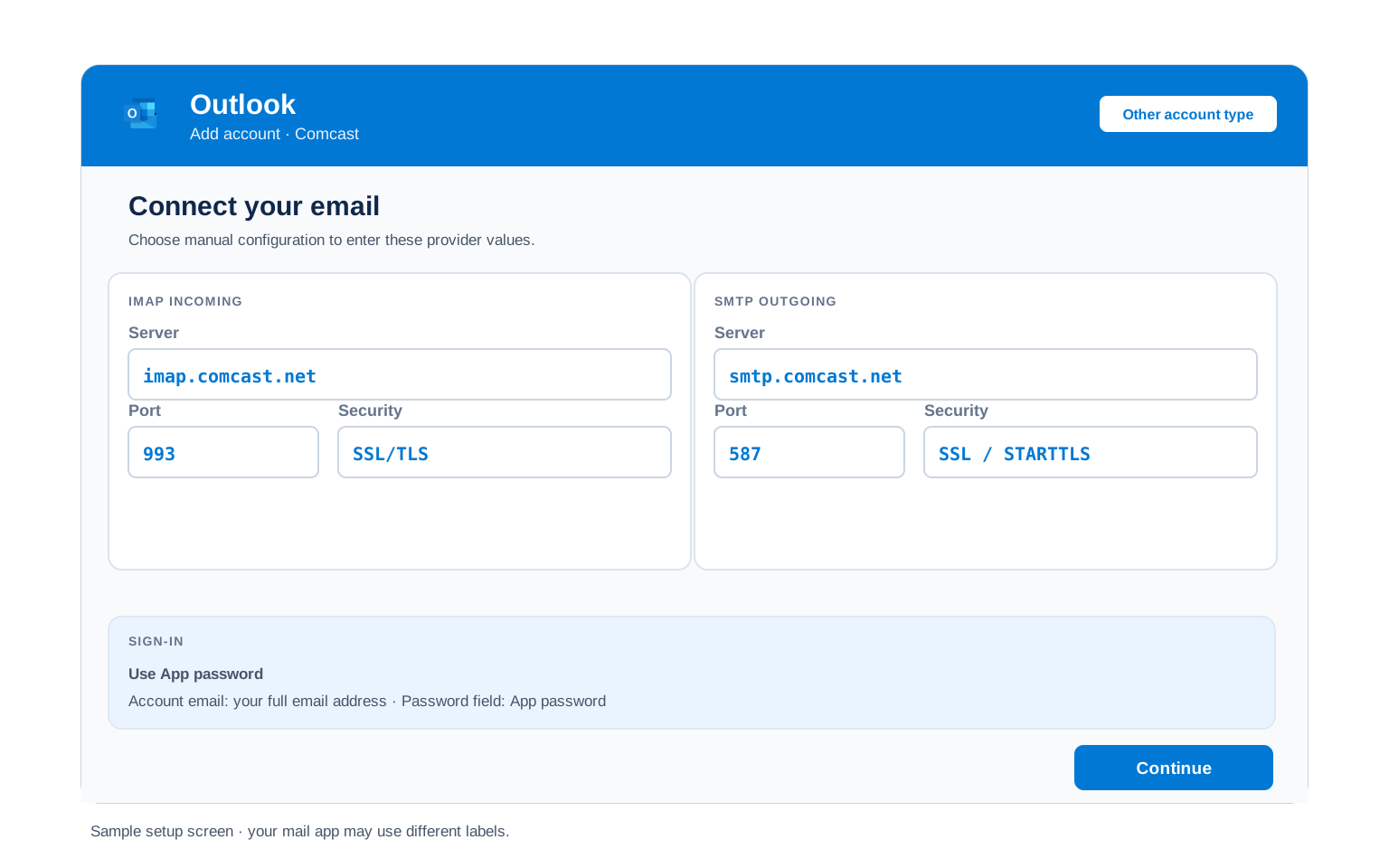
Outlook (Windows and Mac)
- Open Outlook → File → Add Account or Settings → Accounts → Add account in new Outlook.
- Put in your @comcast.net address, then open Advanced options and tick "Let me set up my account manually". Outlook can't autodiscover Comcast reliably, so skipping this is what produces the endless password prompt.
- Choose IMAP and enter
imap.comcast.netport993SSL incoming,smtp.comcast.netport587TLS outgoing. - Enter your Xfinity password and tick "My outgoing server (SMTP) requires authentication" with "Use same settings as my incoming mail server".
- Finish and send yourself a test. A rejected password here almost always means the access switch is still off.
Apple Mail (macOS)
- Open Mail → Settings → Accounts → Add Account and pick Other Mail Account, since Comcast isn't in Apple's list.
- Fill in your name, @comcast.net address and Xfinity password and carry on.
- Set the account type to IMAP when Apple Mail asks, not POP.
- Fill the server fields with imap.comcast.net and smtp.comcast.net when Apple Mail asks.
- Enable Mail in the checkbox list and finish.
iPhone and iPad
- On iOS the path runs Settings → Apps → Mail → Mail Accounts → Add Account → Other.
- Tap Add Mail Account and fill in your name, @comcast.net address and Xfinity password.
- Keep IMAP selected at the top of the next screen.
- Enter both servers exactly as written above, incoming and outgoing.
- Tap Save. Verification failing here points straight back at the access switch.
Android
- Open Gmail, Samsung Email or your mail app and add an account, choosing Other or Personal (IMAP).
- Enter your @comcast.net address and Xfinity password, then pick Manual setup if offered.
- Set the account type to IMAP, never POP3, so your phone stays in sync with your computer.
- Enter the servers:
imap.comcast.net993 SSL incoming,smtp.comcast.net465 SSL outgoing. - Finish up, then swipe down once to bring the folder list in.
Thunderbird
- Start at Account Settings → Account Actions → Add Mail Account in Thunderbird.
- Give it your name, @comcast.net address and Xfinity password, then Continue.
- Check what Thunderbird guessed. It often proposes the right hosts but the wrong outgoing port, so set 587 yourself and keep IMAP selected.
- Select Done and let the folder list build on first sync.
- Select Done. Folders sync on first open.
Comcast Webmail Settings#
The tables above connect your apps. This section covers the mailbox itself, all of it behind the gear icon at connect.xfinity.com.
Signature
Settings → Mail → Signature. Applies to webmail only, so Outlook and your phone keep their own signatures.
Vacation Auto Reply
Settings → Mail → Auto Reply. Comcast sends it from the server, so it runs with your computer off. Set an end date or it keeps replying long after you are back.
Filters and Folders
Settings → Mail → Filter Rules. These run on Comcast servers, which sort your mail before your devices see it. These filters do not survive the Yahoo upgrade, so keep a note of them.
Spam and Blocked Senders
Settings → Mail → Advanced Settings for spam handling and Blocked Senders for individual addresses. Check the Spam folder before deciding a message never arrived.
Comcast POP3 vs IMAP#
Comcast makes this choice easier than most providers. It recommends IMAP openly and it retired the unencrypted POP port that half the old guides still print.
| Feature | IMAP | POP3 |
|---|---|---|
| Where mail lives | On Comcast servers (imap.comcast.net) | Downloaded to 1 device (pop3.comcast.net) |
| Multiple devices | ✅ Everything stays in sync | ❌ Each device sees different mail |
| Sent and deleted mail | ✅ Synced everywhere | ⚠️ Stays only on that device |
| Offline reading | ⚠️ Cached mail only | ✅ Full local copy |
| Server storage used | Yes, counts against your quota | Can be freed after download |
| Best for | Phone + computer, everyday use | Single PC, local archives |
Comcast Sending and Storage Limits#
Comcast enforces a mailbox quota that stops incoming mail dead, which is worth knowing before it happens to you:
| Mailbox storage | 10 GB per account. Reach it and new mail is rejected with a quota notice from postmaster@comcast.net until you delete enough to drop below the line |
| Maximum message size | 25 MB total, counting attachments, headers and formatting together. Messages a little under 25 MB can still fail because encoding inflates attachments |
| Blocked attachments | Comcast refuses certain file extensions outright whatever the size, with the list published alongside its sending limits |
| Recipients per message | 100. A message addressed to more than 100 people is not delivered at all |
| Recipients per day | 1,000. Pass it and the account stops sending for the rest of the day, so 1 message to 100 people spends a tenth of the daily allowance |
| Outgoing port 25 | Blocked. Use 587 |
Troubleshooting Comcast Connections#
Find the exact error your email app shows, then apply the fix:
| Error you see | What it means | Fix |
|---|---|---|
| Password rejected in the app, accepted in webmail | Third Party Access Security is switched off | The signature Comcast failure. Tick the box in webmail under gear → Settings → Security, then try the app again without changing anything else. |
| Worked for years, stopped this week | Your Xfinity password changed or the mailbox moved to Yahoo | Update the saved password on every device first. Still failing? Sign in at connect.xfinity.com and look for a Yahoo prompt, then switch to the Yahoo servers. |
| Receiving works, sending fails | Outgoing port or authentication is wrong | Use smtp.comcast.net on 587 with TLS and tick outgoing server authentication. Port 25 never works on Comcast. |
| Cannot connect on POP, no error detail | An old profile is still pointed at port 110 | Comcast retired unencrypted POP. Change the incoming port to 995 with SSL or better, move the account to IMAP. |
| Comcast Email Sending Limit Exceeded | You crossed the 100 recipient line, went past 1,000 for the day or Comcast read the traffic as automated | The notice arrives from do-not-reply@comcast.net and sending unblocks on its own. Check for a mail app stuck in a retry loop, which quietly burns the allowance while you sleep. Genuine bulk sending belongs on a service built for it, not a residential account. |
| Mail stopped arriving, nothing looks broken | The 10 GB mailbox quota is full | Check the usage meter in webmail and clear space. Back up first so deleting years of mail is not a loss. |
| Account gone after leaving Xfinity | The address lapsed under Comcast's activity rules | Sign in on the Xfinity Email website and see whether it restores. This is why a local copy matters more for comcast.net than for most providers. |
Reader Reported Fixes
Two fixes straight out of Comcast support threads, for when the standard steps stall.
Tick the access box, then wait a minute before retrying. The setting is not always instant. People flip it, see the same rejection immediately and assume it did not help, then remove the account and start over. Give it a minute, quit the mail app fully and reopen it.
Delete the account from the app rather than editing it after the Yahoo upgrade. Changing hostnames in place leaves the old comcast.net entries cached in Outlook and iPhone Mail, which keeps failing against Yahoo. Removing the account and adding it fresh with the Yahoo values and an app password connects first time.
Upgraded to Yahoo Mail? Use These Settings#
Accepting the Yahoo terms keeps your @comcast.net address and moves the mailbox behind it. Your email app has no idea that happened, so it keeps trying comcast.net servers and failing. Swap in these values and it connects again.
| IMAP Server | imap.mail.yahoo.com, port 993, SSL | |
| POP3 Server | pop.mail.yahoo.com, port 995, SSL | |
| SMTP Server | smtp.mail.yahoo.com, port 465 or 587, SSL and authentication required | |
| Username | Your full @comcast.net address, unchanged | |
| Password | A Yahoo app password, created on the Yahoo account security page. Apps that open a Yahoo sign in window can use that instead |
What the upgrade moves and what it quietly leaves behind
| What | What happens |
|---|---|
| Your address | Stays @comcast.net |
| Messages, folders, contacts | Move across with the exceptions below |
| Mail with attachments over 25 MB | Not moved. Comcast parks it in a separate folder and gives you 30 days to download it |
| Folders | Up to 4,100 move. Anything beyond that is consolidated. Names over 240 characters get truncated |
| Contacts | Up to 10,000 move. Contacts beyond that are lost |
| Folders named like Yahoo system folders | Renamed, so a folder you called Sent will not stay Sent |
| Forwarding | Stops completely and is not recreated. Rebuild it in Yahoo Mail settings |
| Filters and other settings | Not retained. Expect to set them up again |
The 20 minutes that make this painless. Read that table again as a to do list. Download anything with a big attachment and write your forwarding rules and filters down. Thin out folders if you have thousands. Export contacts if you are near the 10,000 mark. Then accept the upgrade.
Want a copy of everything first? Univik Email Backup saves the whole mailbox to PST, MBOX, EML or PDF using the settings on this page. The 25 MB rule and the folder cap stop mattering once you hold a copy. Moving to a different provider entirely instead? The Univik Email Migration Tool copies every folder into the new account or our Email Migration Services team runs the whole move and verifies it landed.
Use These Settings in Univik Email Backup#
Comcast is the provider where a local copy earns its keep. A 10 GB ceiling, an activity rule that can retire an address and a platform move all landed in the same year. The IMAP settings above are what a backup tool signs in with. Univik Email Backup writes the whole mailbox to PST, MBOX, EML or PDF on your own disk, which outlives quotas, upgrades and cancelled accounts alike.
- Get Univik Email Backup running on Windows.
- Pick Comcast from the source list. Choose IMAP instead if it is not named there and paste the servers from above.
- Sign in with your full @comcast.net address and your Xfinity password, with third party access already switched on.
- For manual entry, the tool needs
imap.comcast.neton993with SSL. Switch on third party access before you run it. - Set the output to PST, MBOX, EML or PDF and pick a destination, then start it. Big mailboxes keep downloading in the background.
Univik Tools That Use These Settings#
Plenty of people reach this page mid move, either off Comcast entirely or onto the Yahoo platform. All 3 tools use the settings above:

Email Backup
Save every @comcast.net folder as PST, MBOX, EML or PDF before an upgrade, a cancellation or a quota clear out.
Email Backup Tool →
Email Migration Tool
Copy every folder from comcast.net into Gmail, Microsoft 365 or any IMAP account, keeping the folder tree intact.
Email Migration Tool →
Email Converter Tool
Inherited a mailbox as MBOX files? Exported one from an old client years ago? Turn it into PST, PDF or whatever opens today.
Email Converter Tool →Rather hand the whole move to someone else?
If server fields and access switches are not how you want to spend your weekend, skip them. The team plans the move, runs it, checks every folder arrived and sends the report. Doing this since 2013, from a single comcast.net mailbox upwards.
Email Settings Glossary#
IMAP
Internet Message Access Protocol. The protocol behind imap.comcast.net. Comcast holds the mailbox and each connected device shows the same folders and read state.
POP3
Post Office Protocol version 3. The pop3.comcast.net route, SSL only on port 995 now that Comcast retired port 110. Mail lands on 1 machine and leaves the server behind.
SMTP
Simple Mail Transfer Protocol. Sends your outgoing mail. The sending half: smtp.comcast.net on port 587 carries everything outbound while IMAP and POP3 only receive.
SSL / TLS / STARTTLS
Comcast requires SSL on 993 and 995 and TLS on 587. The unencrypted ports are retired, so an app offering 110 or 25 will never connect.
App Password
A generated stand in for your real password, used by apps on providers that issue them. Comcast does not, which is what makes its access switch unusual. Comcast is the exception that proves the rule: no key to generate, just a switch to tick.
OAuth
A sign in window run by the provider instead of a password typed into the app. Comcast does not offer it, which is why the access switch exists here.
How We Verify These Settings#
Comcast has been in Univik software since 2013, first as plain IMAP and now with a platform migration running underneath it. Comcast mailboxes pass through those tools constantly. The Yahoo upgrade pushed that volume higher still. A changed rule reaches our support queue within hours.
Every value here clears 3 checks before it goes live. The first is a working IMAP and SMTP session from Univik Email Backup. We match every line against Comcast's own support articles, plus Yahoo's published settings for upgraded mailboxes. Then we walk the third party access screens exactly as written above. Anything Comcast or Yahoo announces sends us back to the tables, with a scheduled pass every quarter regardless.
Seeing a value that Comcast now shows differently? Tell us and we will retest that week and log the correction in what changed recently.
 Help & Support
Comcast Email Settings: FAQ
Use imap.comcast.net on port 993 with SSL and smtp.comcast.net on port 587 with TLS for sending. Sign in with your full @comcast.net address and your Xfinity password. The IMAP settings section carries every value in full.
Because your account is refusing email apps, not your password. Comcast keeps a Third Party Access Security setting that blocks clients at the account level and the resulting error looks exactly like a wrong password. Tick the box in webmail and try again.
No. There is no app password page to find, which is why searching for one wastes so much time. Your Xfinity password is the correct password, paired with the access switch. That changes only after the Yahoo upgrade, where Yahoo app passwords take over.
Your address stays the same, but your servers do not. Swap your app to imap.mail.yahoo.com and smtp.mail.yahoo.com and sign in with a Yahoo app password. Also rebuild forwarding and filters, which Comcast confirms are not carried over. The Yahoo section lists every value and every exception.
IMAP and Comcast says the same. It keeps mail on the server so your phone, laptop and webmail agree. POP still works on pop3.comcast.net port 995, but the old port 110 is retired and POP suits only a single machine.
Yes, if you signed in through the Xfinity Email website during the 90 days before disconnecting. Keeping it afterwards depends on staying active and Comcast describes that window differently across its own pages, so sign in on the website every few months rather than relying on your email app. Keep a local backup as insurance.
Check your storage first. The mailbox holds 10 GB and once it is full Comcast rejects incoming mail while sending carries on working, so nothing in your app looks wrong. The usage meter in webmail confirms it in seconds.
Connect the account over IMAP with a backup tool and pull every folder down in 1 pass. That matters more here than elsewhere: a 10 GB ceiling, activity rules for former customers and the platform move all put comcast.net mail at more risk than most. See the walkthrough.
Use an email migration tool that signs in to both mailboxes over IMAP and copies folder by folder. This page supplies the Comcast side, including the access switch that has to be on before any tool can connect.
Check 4 things in this order, because the cause is rarely your server settings. Sign in at connect.xfinity.com and look at the storage meter first, since a full 10 GB mailbox makes Comcast refuse incoming mail while sending carries on working. Then open the Spam folder. Then check Settings → Mail → Filter Rules, because a rule made years ago can quietly file mail away. Only if webmail itself is missing the messages is it worth suspecting the sender or your email app.
Other Email Provider Settings
Summary: Comcast Settings at a Glance
- IMAP: imap.comcast.net, port 993, SSL/TLS
- POP3: pop3.comcast.net, port 995, SSL/TLS
- SMTP: smtp.comcast.net, port 587 with TLS
- Username is your full @comcast.net address
- Third party access must be ticked in webmail
- Pick IMAP for phone + computer sync
- Mailbox limit: 10 GB, then mail bounces
- Upgraded to Yahoo? Servers change