For a live dashboard, Tally's ODBC link feeds Power BI while TallyPrime runs.
For history, backups or a PC with no Tally, write the company to CSV or JSON and bring the files in through Get Data. Many companies call for the Folder connector. Set a locale on dates and compare one total with a Tally report.
A manager asks you for a dashboard from the books. Tally can print any statement you like, but it does not hand a model the tidy tables a model wants. The way across is either a live link or a set of files, and each road has a cost that you should know before you pick one.
Who Builds Dashboards on Tally Books?
Which description fits?
The sales team wants today's figures on a screen every morning, pulled from the live books without anyone exporting anything.
Weigh the two roads →No Tally is running here, only a folder or a .001 file and a report to build.
Pick a format →One model has to show several companies and years side by side.
Combine the files →Tally is made for posting vouchers and printing statements, while a model wants tidy tables it can join. Two roads lead from one to the other. The right one depends on two things: is Tally running, and how fresh must the figures be.
Live ODBC or Files: Which Road for Tally Data?
| Point | ODBC link | Files from the data folder |
|---|---|---|
| Tally running | Yes, with a company loaded | No |
| Freshness | Follows new entries | Snapshot of the export date |
| Scope | The vendor's page covers ledgers and stock items | Vouchers on screen, narrowed by search or type |
| Licence state | Needs a working Tally licence | Independent of it |
| Best for | A live management dashboard | History, audits and moved or archived books |
The vendor's ODBC page explains the ODBC setup that starts at Alt+Z. It is the right tool for a dashboard on a PC where Tally runs all day. It cannot help when the licence has lapsed or the books exist only as a folder.
Limitations of the ODBC road: Tally must be open on the company the whole time, the link serves one PC and one company at a time and a backup file cannot be queried at all.
Which road should you take? If Tally runs all day on the same PC and you want this morning's figures, use ODBC. If the books are a folder, a backup or several companies and years, write them to files. If you need both, do both. The two roads do not conflict.

CSV or JSON: Which Shape Works in Power BI?
| CSV | JSON | |
|---|---|---|
| Shape | A flat table, one row per voucher | One object with a list of vouchers |
| Power BI start | Text/CSV connector | JSON connector, then Expand |
| Cleanup | Types and locale | Expanding records and lists |
| Suits | Most reports | Scripts and data pipelines |
| Many files | Folder connector | Load each file |
Microsoft covers both paths. Its text and CSV page describes the first and its structured column page describes expanding records, lists and tables. CSV is the one to start with. JSON earns its place when you want the company name carried inside the file.
In the current build the CSV has these columns: Date, Type, Number, Party, Amount and a Dr or Cr marker, plus Narration when you tick it. Dates read like 05-Apr-2025. The JSON file holds a company name and a list of vouchers with the same fields.
Note: headings follow the app language, so open the first file in Notepad and confirm them before you record any Power Query steps, or every later file will break the query.
Load Tally Data Into Power BI Step by Step
- Decide live or filesUse ODBC for a dashboard that follows daily entries. Use files when Tally is not available or you need vouchers and history.
- Export from the data folderOpen each company folder or backup in Univik Tally Data Converter and save CSV for a flat table or JSON for one file per company. Both hold one record per voucher. Filter the Day Book first if you need only some vouchers.
- Load in Power BI DesktopOpen Get Data. Pick the Text/CSV connector for a single file, the JSON connector for a JSON file or the Folder connector for a batch.
- Fix types onceSet a locale on the date column. Set amounts to decimal numbers. Keep party and voucher numbers as text.
- Label every rowCarry the folder or file name into a column so the company and year stay attached to each record.
- Test one totalMatch a month of sales or a bank balance against a printed Tally report before anyone else sees the model.
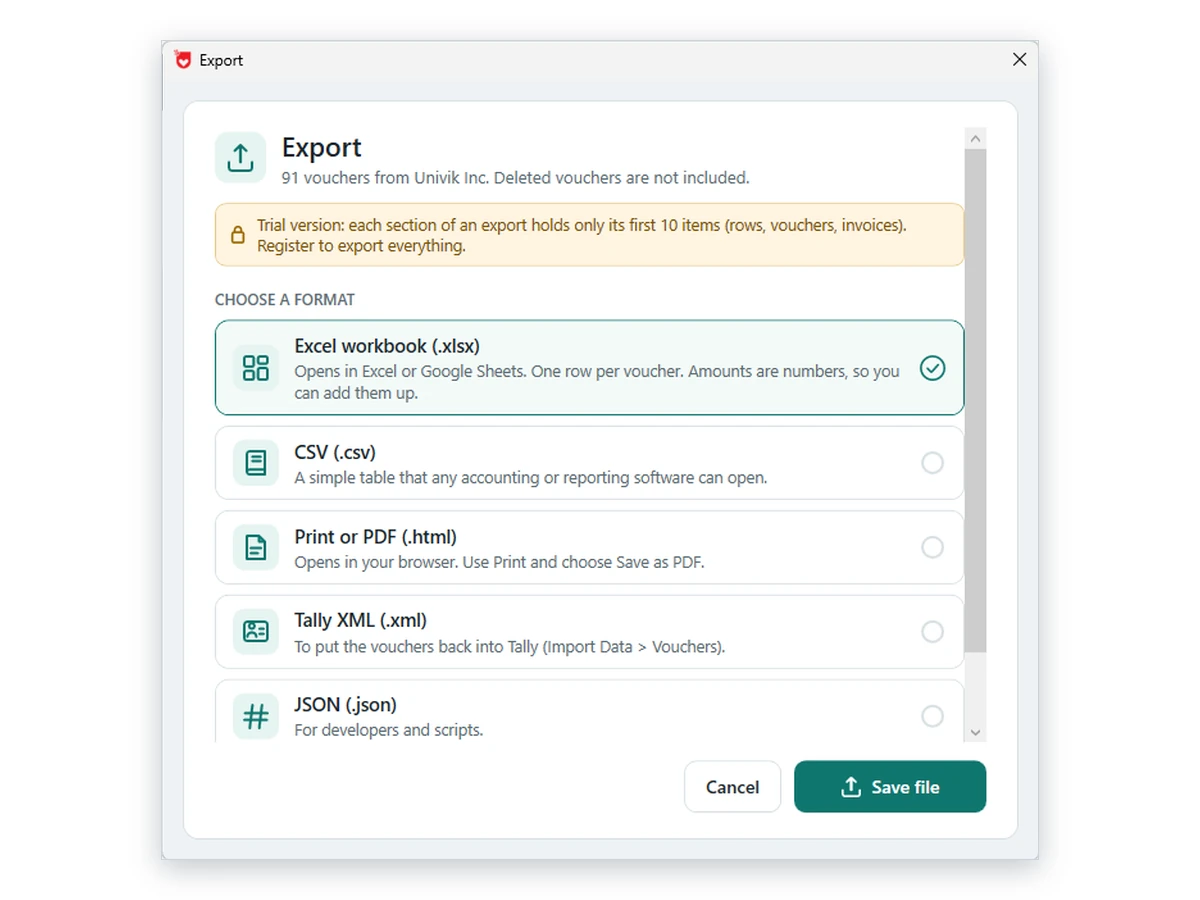
Univik Tally Data Converter turns a company folder or backup into files a model can read, with search and voucher type filters in the Day Book.
The bank columns in these files come from a round trip we ran through TallyPrime: 20 of 20 bank transaction types read by name (from Cheque to UPI and IMPS) and about 40 bank fields including instrument date, IFSC and account number. The 13,590 bank lines in our seven test companies all came through.
Download Free Trial Save Without Limits - From $99Runs under Windows 10 or 11. A free copy stops at ten saved items per section. Converter page
Combine Companies and Years Without Mixing Them Up
Store each export in a separate folder and aim the Folder connector at their common parent. The folder import page from Microsoft shows how Combine works and says the headers must match, which is the single rule people break. Narrow the file list to one section before you combine.
| Step | Action | Reason |
|---|---|---|
| Filter | Keep only the files of one section | Headers must match to combine |
| Label | Add the source name as a column | Ledger names can repeat across companies |
| Type | Set one locale on all date columns | Wrong order shifts days and months |
| Join | Use company with the ledger name | Stops two companies from merging |
For date trouble see Microsoft's locale page. For broken characters see its UTF-8 note.
- Sales for a chosen month equal the Tally figure for that month
- One bank ledger closes at the same amount on both sides
- Two exports of unchanged data give equal row counts
- A date axis runs oldest to newest with no swapped days
- Relationships carry the company name along with the ledger name
Fixes for Common Load Problems
Do this: A file with different columns sits in the folder, for example a CSV saved with Narrations ticked beside ones saved without. Filter the file list or save every file the same way and retry.
Do this: Check which vouchers were on screen when you saved and which financial year they belong to. Vouchers deleted in Tally do not appear in the file. If entries were edited or deleted, read the Edit Log guide.
Do this: Excel sheets stop at 1,048,576 rows. Power BI has no such cap, yet exporting year by year keeps files manageable. See the Excel export guide.
Need a hand with a layout? Contact support and attach the first few rows.
FAQ: Tally Data in Power BI

Univik staff reviewed the product notes. Tally's own page supplies the ODBC description and Microsoft Support supplies the Power Query behaviour. Our reading date was October 12, 2026. Choosing between the routes is our opinion.
Pages we read: Extract master data using ODBC (Tally) · Combine files from a folder (Microsoft) · Set a locale in Power Query (Microsoft) · Expand structured columns (Microsoft) · Open UTF-8 CSV files (Microsoft)