 Email Settings Guide
Quick answer: the Windstream IMAP server is imap.windstream.net on port 993 with SSL/TLS. The outgoing server is smtp.windstream.net on port 465 with SSL. The POP3 server is pop.windstream.net on port 995 with SSL. Sign in with your full email address and your normal Windstream password, since there is no app password to generate here. Kinetic is the brand name on the support site. The mailbox is still @windstream.net, so the two words mean the same service.
What Changed Recently#
Related email providers: HughesNet email settings, Sonic IMAP settings, Juno email settings, NetZero IMAP settings, Altafiber email settings, Armstrong IMAP settings
Windstream has left its server addresses alone for years. What has moved is everything around them, from the company name to whether you can still get a mailbox at all.
Latest update
New windstream.net mailboxes are no longer being created. Kinetic states this plainly on its own support pages. Existing addresses carry on working normally, so nothing breaks for you today. It does mean that if you lose access to this mailbox, there is no replacement to be issued. Anyone still using a Windstream address should treat it as irreplaceable rather than assume a new one can be set up later.
Earlier change
Uniti completed its merger with Windstream in August 2025. Windstream became a wholly owned subsidiary of Uniti Group, which trades on the Nasdaq as UNIT and lists Kinetic among its brands. Nothing about the mail servers changed. It does mean three company names now sit behind one mailbox, so ownership articles about Windstream written before that date are out of date.
Earlier change
The brand became Kinetic, the addresses did not. Kinetic by Windstream is the consumer name across the support site, while mailboxes stayed on @windstream.net. Legacy alltel.net, ctc.net and valornet.com addresses came across from absorbed companies and were never moved to different servers, so everything here applies to them unchanged.
Before You Begin#
Windstream asks less of you than most providers here. There is no switch to enable and no app password to create. Two things still catch people out.
1. Use the whole address, legacy included
Your username is the full address, not the part before the at sign. If yours ends in alltel.net, ctc.net or valornet.com, that is what you type. Those older domains still sign in through the same system.
Where: Address check below →
2. Turn on outgoing authentication
Kinetic requires the outgoing server to verify you as well as the incoming one. Mail arrives fine while this is off, which is why the symptom always looks like a sending fault rather than a login one.
Where: SMTP settings below →
About Windstream Mail#
Windstream is a US internet and phone provider whose consumer side trades as Kinetic by Windstream. Its mail service comes bundled with the internet connection rather than sold on its own.
The company took shape in 2006, when Alltel spun off its landline business and merged it with Valor Telecom. Windstream then bought CT Communications in 2007 for 585 million dollars. That history is the reason a single mail system answers for four different domains today. Windstream itself was bought in turn. Uniti completed a merger with it in August 2025, so the chain now runs Uniti at the top, then Kinetic as the consumer brand, then windstream.net on your actual address. Connecting a client here is refreshingly plain by modern standards. There is no app password, no toggle to find and no OAuth window. The one genuine catch is that the outgoing server insists on authentication of its own.
| Service Name | Windstream Mail |
| Owned By | Uniti Group Inc. (Nasdaq: UNIT), since the merger completed in August 2025. Kinetic is Uniti's consumer brand |
| Launched | 2006, from the Alltel and Valor merger |
| Email Domains | @windstream.net, plus legacy @alltel.net, @ctc.net, @valornet.com |
| Webmail URL | webmail.windstream.net |
| Protocols Supported | IMAP, POP3, SMTP. Kinetic recommends IMAP |
| App Password Needed | No. Your ordinary account password is what clients use |
| Free Storage | Bundled with the internet service rather than sold separately |
@windstream.net, @alltel.net, @ctc.net and @valornet.com all point at the same three hosts on this page. The domain changes what you type as the username. It never changes the server.
Windstream Webmail Login#
Webmail carries on working whatever your mail app is doing. These are the pages Kinetic actually runs:
Webmail
Account Security
Password Recovery
Which Address Do You Sign In With?#
There is no IMAP switch on this service. What there is instead is four domains answering to one mail system, which is where the confusion starts.
- An @windstream.net address. The current form. Type it in full as your username.
- An @alltel.net address. Carried over when Alltel's landline business became Windstream in 2006.
- An @valornet.com address. From Valor Telecom, the other half of that same 2006 merger.
- An @ctc.net address. From CT Communications, bought by Windstream in 2007.
- Kinetic or Windstream? One service, two names. Kinetic is the brand on the support site. Your mailbox stays on the older domain, so nothing about the settings below changes either way.
@earthlink.net runs on a separate company's servers and needs different settings. Plenty of pages still lump the two together. If your address ends in earthlink.net, this is the wrong page for you.
Windstream IMAP Settings#
IMAP is the incoming protocol Kinetic itself recommends. Mail stays on the server, so every device shows one identical inbox.
| IMAP Server | imap.windstream.net | |
| Port | 993 with SSL, which Kinetic recommends. Port 143 exists without it | |
| Encryption | SSL/TLS (required) | |
| Username | Your full email address, including @windstream.net | |
| Password | Your ordinary Windstream account password | |
| Authentication | Required on incoming and outgoing alike |
Windstream POP3 Settings#
POP3 pulls mail onto one machine. It fits a single computer keeping a local copy, little else. Unsure? The comparison sits below.
| POP3 Server | pop.windstream.net | |
| Port | 995 | |
| Encryption | SSL/TLS (required) | |
| Username | Your full email address | |
| Password | The same ordinary account password |
Windstream SMTP Settings#
SMTP carries outgoing mail. Reading fine but unable to send points straight at this section. On Windstream the cause is almost always outgoing authentication being switched off.
| SMTP Server | smtp.windstream.net | |
| Port (SSL) | 465, the one Kinetic recommends | |
| Alternate ports | 587, 1025, 2525 or 25. Kinetic publishes all four for networks that block 465 | |
| Encryption | SSL on 465. The alternate ports are plain, so treat them as a fallback | |
| Username | Your full email address | |
| Password | Same as incoming. There is no separate outgoing credential | |
| Authentication | Required. Check "My outgoing server requires authentication" in Outlook. |
Check Windstream IMAP Settings Online#
You don't need to download anything to check Windstream IMAP settings online. This page is the lookup: every value is verified, current and copyable straight from your browser. Not sure your address uses Windstream servers? Type it below and find out instantly.
Does my email address use these settings?
Runs in your browser only. Your address is never sent anywhere or stored.
Want to verify the account itself before configuring an app? Sign in at Windstream webmail, which confirms your address and password work, then confirm an app password exists. If both pass, any email app connects with the tables above.
Look Up IMAP Settings for Any Email Domain#
This page covers Windstream. For every other address, work email on a company domain included, we run a free online lookup database: imapsettings.com.
imapsettings.com
Complete email settings database, by Univik
Enter any email address and get the incoming and outgoing server settings for that domain in 1 step:
Your address is read in the browser to identify the domain. It is not sent anywhere or kept.
Your Windstream Password and Sign In#
This part is simpler on Windstream than almost anywhere else. One password does everything. Here is what that means in practice.
| Where you sign in | Your account password | Anything else |
|---|---|---|
| Kinetic webmail in a browser | ✓ Works | Nothing else exists |
| Outlook, Apple Mail, Thunderbird | ✓ Works | No app password to make |
| Phone mail apps set up by hand | ✓ Works | No app password to make |
| Outgoing server (SMTP) | ✓ Same password | Authentication must be ticked |
How to Reset a Windstream Password
- Sign in at my.gokinetic.com with your account details.
- Open the email management area and pick the mailbox you want to change.
- Choose the password reset option and follow the prompts.
- Mind the rules Kinetic sets. A Windstream password cannot contain your login name, your first name, your last name, the word "password" or the word "Windstream".
- Update every device afterwards. A changed password locks out each mail app still holding the old one, so expect a round of re-entry across your phone and computer.
Set Up Windstream in Email Clients#
All four domains take the same three hosts and the same password. Only the menus change. Pick your app:
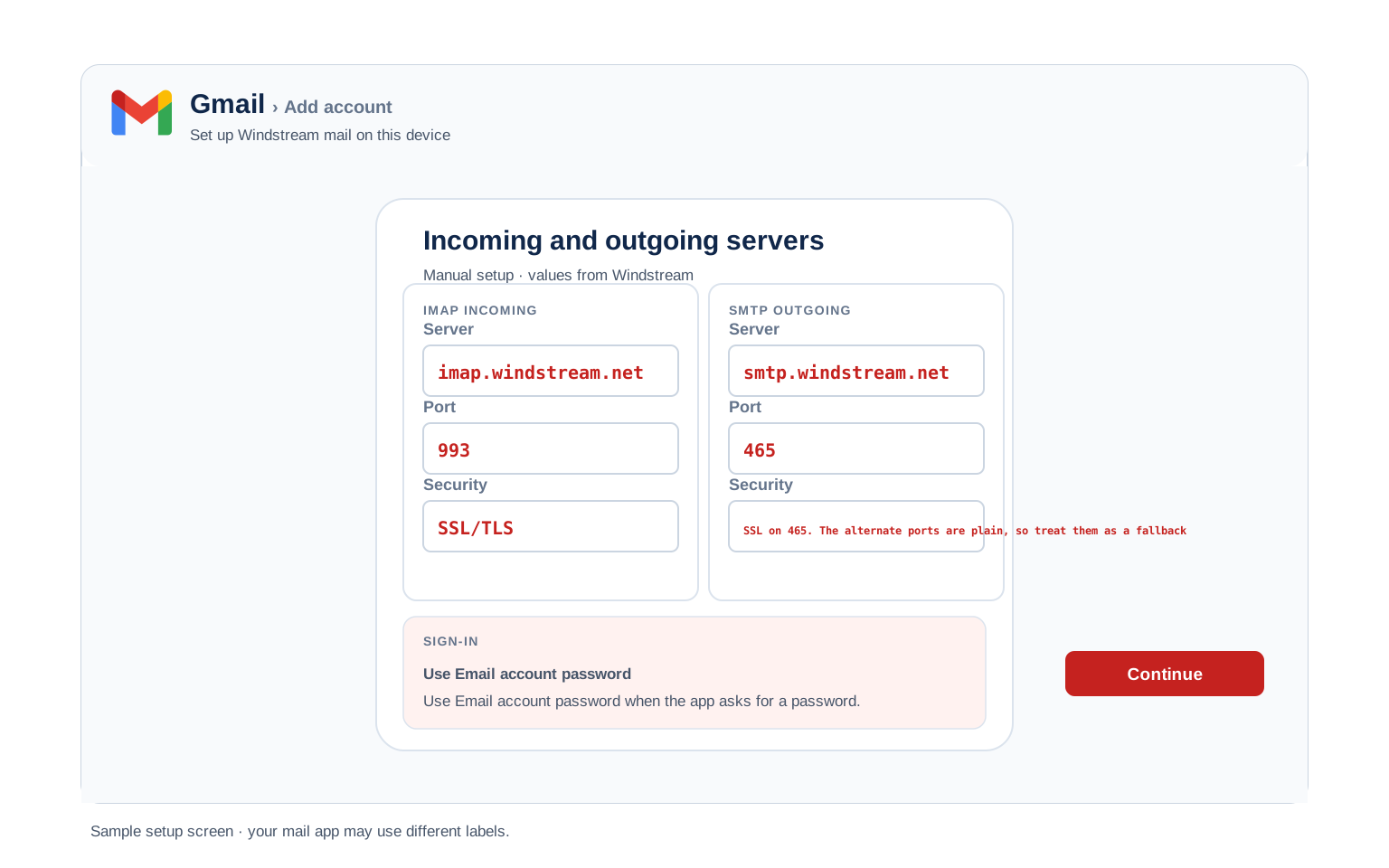
Outlook (Windows and Mac)
- In Outlook choose File, then Add Account. New Outlook keeps it under Settings, then Accounts.
- Enter your Windstream address, open Advanced options and check "Let me set up my account manually".
- Choose IMAP and enter
imap.windstream.neton port993with SSL, thensmtp.windstream.neton port465with SSL. - Enter your normal Windstream password, then tick the outgoing authentication box under More Settings. Skipping that box is what leaves mail sitting in the Outbox.
- Mail yourself a test message after setup, which proves both directions in one step.
Apple Mail (macOS)
- In Apple Mail open Settings, go to Accounts, then Add Account.
- Choose Other Mail Account. Apple carries no Windstream entry in its list of providers.
- Enter your name, full address and password, then continue.
- Should it want server names, take them from the IMAP and SMTP tables higher up.
- Tick Mail in the list of services, then finish.
iPhone and iPad
- On iOS go to Settings, then Apps, then Mail, then Mail Accounts, then Add Account.
- Tap Other, then Add Mail Account. iOS has no Windstream option built in.
- Enter your details using your normal password, then tap Next.
- Leave IMAP chosen, entering the incoming and outgoing hosts if iOS prompts for them.
- Tap Save, giving iOS a moment to confirm the account.
Android
- Open whichever Android mail app you use, then choose Add account.
- Pick Other, then IMAP, as Windstream will not appear in the provider list.
- Enter your full address and password. Where automatic setup fails, switch to Manual setup.
- Enter the servers:
imap.windstream.net993 SSL for incoming,smtp.windstream.net465 SSL for outgoing. - Complete the setup, then pull down on the inbox to start syncing.
Thunderbird
- In Thunderbird open Account Settings, then Account Actions, then Add Mail Account.
- Enter your name, full address and password, then select Continue.
- Let Thunderbird try automatic detection first, checking that IMAP is what it picked.
- Where detection falls short, switch to Configure manually and type in the table values.
- Choose Done. Your folders start syncing straight away.
Why a Windstream Mailbox Goes Quiet#
This section exists because two Windstream facts combine badly. An unused mailbox can be deactivated. Kinetic has also stopped issuing new windstream.net addresses. Most settings pages mention neither, so people troubleshoot server values for hours when the account itself has gone dormant.
| What happens | Why | What to do |
|---|---|---|
| Mail stops arriving completely, after a quiet spell | The account was deactivated for inactivity, widely reported at around 180 days with no webmail, POP or IMAP use | Reset the password at my.gokinetic.com, which brings the account back. Signing in to webmail now and then prevents it. |
| New mail bounces or never lands | The mailbox is full | Clear space in webmail. A full mailbox blocks delivery whatever your client settings say. |
| Mail is in webmail but not in your app | A client or device problem, not an account one | The account is fine. Work through the server settings fixes instead. |
| Expected messages are missing | Server side spam filtering caught them | Check the Spam folder in webmail, then use the spam options there to allow that sender. A rule in your mail app cannot retrieve what the server already filed. |
Windstream Webmail Settings#
The values above connect your apps. This next group changes how the mailbox behaves. All of it sits inside Kinetic webmail rather than your mail client.
Signature
Set one in webmail and it applies to mail you send from the browser. Outlook, Apple Mail and Thunderbird each keep a separate signature of their own, so most people write theirs out twice without realising why.
Vacation Auto Reply
Set an away message from webmail with a start and end date, so it stops without you remembering. It runs on the Kinetic server, which means replies keep going out with every device of yours switched off.
Filters and Folders
Rules built in webmail run on the server, sorting mail before any device collects it. A rule built inside Outlook only fires while Outlook happens to be running, which is why phone and desktop can disagree about where a message went.
Spam and Blocked Senders
Kinetic filters spam on its own servers before delivery. Check the blocked and allowed sender lists in webmail first when a message never arrives, because a client side rule cannot bring back something the server already filed away.
Windstream POP3 vs IMAP#
| Feature | IMAP | POP3 |
|---|---|---|
| Where mail lives | On the Windstream server | Downloaded to 1 device |
| Multiple devices | ✅ Everything stays in sync | ❌ Each device sees different mail |
| Sent and deleted mail | ✅ Synced everywhere | ⚠️ Stays only on that device |
| Offline reading | ⚠️ Cached mail only | ✅ Full local copy |
| Server storage used | Yes, counts against your quota | Can be freed after download |
| Best for | Phone + computer, everyday use | Single PC, local archives |
Windstream Account and Mailbox Limits#
Kinetic keeps quiet about most of these numbers, so treat any precise figure you see quoted elsewhere with caution. What the company does state is worth knowing:
| New mailboxes | No longer issued. Kinetic states it is not creating new windstream.net addresses at this time |
| Mailbox storage | Bundled with the internet service. Kinetic does not publish a figure |
| Password rules | Cannot contain your login name, first name, last name, the word "password" or the word "Windstream" |
| Outgoing ports | 465 with SSL. Fallbacks are 587, 1025, 2525 and 25 for networks that block it |
| Sending limits | Not published. Assume ordinary personal volumes rather than bulk sending |
| If the account lapses | Email is tied to the internet service, so cancelling the connection puts the mailbox at risk. Take a copy first |
Troubleshooting Windstream Connections#
Windstream throws up a small, predictable set of problems. Find your symptom below.
| Error you see | What it means | Fix |
|---|---|---|
| Mail receives but will not send | Outgoing authentication is switched off | The single most common Windstream fault. Tick the outgoing server authentication box and give it the same address and password as incoming. |
| Password rejected on a legacy address | Only the part before the at sign was entered | Type the address in full, alltel.net, ctc.net or valornet.com included. See which address to use. |
| Cannot connect to server | Wrong port or encryption | Check IMAP 993 SSL and SMTP 465. Should your network block 465, Kinetic publishes 587, 1025, 2525 and 25 as alternatives. Antivirus software and VPN apps are frequent culprits. |
| Password keeps being asked | The stored password is stale | Windstream has no app password, so this is your account password. Reset it at my.gokinetic.com, then update every device, since one password serves them all. |
| Nothing arriving at all, after weeks away | The account may have been deactivated for inactivity | Server settings are not the problem here. See why a mailbox goes quiet above, then reset the password to reactivate it. |
| Messages stuck in Outbox | SMTP authentication is off | Enable "outgoing server requires authentication" with the same login as incoming mail. |
Reader Reported Fixes
Sending blocked on a network that filters port 465. Hotel wifi, some office networks and a few mobile carriers quietly drop the standard secure SMTP port. Incoming mail keeps arriving, so it reads as a sending fault in the client. Kinetic publishes 587, 1025, 2525 and 25 for exactly this. Moving the outgoing port to one of them restores sending.
A legacy address that suddenly looks wrong. Someone with an alltel.net or valornet.com mailbox reaches a Kinetic branded page, assumes their old address has expired, then tries to sign in with a windstream.net version of it that never existed. The original address is still the right one. Nothing needs upgrading.
Legacy Domains and Moving Away#
Alltel, Valor or CT Communications customer? Those addresses moved onto Windstream infrastructure when the companies combined. They were never given separate servers, so every value on this page applies to an @alltel.net, @valornet.com or @ctc.net mailbox exactly as written. Sign in at Kinetic webmail with the full legacy address.
Leaving Windstream? Back up the mailbox before you cancel. This matters more here than on most services. ISP mailboxes are tied to the internet account. Kinetic is no longer issuing new windstream.net addresses, so an address lost on cancellation cannot be replaced by opening a fresh one.
Moving your mail somewhere else? The Univik Email Migration Tool copies every folder straight into the new account. Use the IMAP values above for the Windstream side and your new provider's for the other.
Taking your mail to a new account? The Univik Email Migration Tool copies every folder from the old account to the new one. Enter the IMAP settings from this page for the Windstream side and your new provider's settings for the other.
Rather not do it yourself? The Email Migration Services team plans the move, runs it, then verifies each folder landed.
Use These Settings in Univik Email Backup#
The same IMAP settings above let you download your complete Windstream mailbox to your computer. Univik Email Backup writes the whole mailbox to PST, MBOX, EML or PDF, files that outlive the account itself.
- Install Univik Email Backup on any Windows machine.
- Pick Windstream as the source. Where the name is absent, the generic IMAP option does the same job.
- Sign in with your full email address and your ordinary Windstream password. There is no app password to fetch first.
- If the tool asks for server details, use
imap.windstream.netwith port993and SSL from the IMAP table above. - Set an output format and a destination folder, then start it. A large mailbox carries on downloading in the background.
Univik Tools That Use These Settings#
Most readers arrive here part way through a migration or an archive. All 3 tools run on the IMAP values above:

Email Backup
Download your complete Windstream mailbox to PST, MBOX, EML or PDF before switching or closing the account.
Email Backup Tool →
Email Migration Tool
Copy every folder from Windstream straight into Gmail, Microsoft 365 or any other account. No manual export needed.
Email Migration Tool →
Email Converter Tool
Holding MBOX, EML or OST files from an older export? Reshape them into PST, PDF or whichever format your next app reads.
Email Converter Tool →Prefer to hand the whole migration to experts?
Server names and port numbers are nobody's idea of a good afternoon. The Univik migration team takes the whole job, from planning through transfer through verification, ending with a report that confirms each folder arrived. We have run these since 2013, for single mailboxes through to whole companies.
Email Settings Glossary#
IMAP
Internet Message Access Protocol. Reads mail that stays on the server, so all your devices see the same inbox, folders and read status.
POP3
Post Office Protocol version 3. Downloads mail to 1 device and can remove it from the server. Older method, still useful for local archives.
SMTP
Simple Mail Transfer Protocol. Sends your outgoing mail. Every account needs it next to IMAP or POP3, which only receive.
SSL / TLS / STARTTLS
Encryption for the connection. SSL/TLS encrypts from the start (ports 993, 995, 465). STARTTLS upgrades a plain connection (port 587).
App Password
A separate code standing in for your real password inside an app, letting you revoke one device without touching the others. Windstream does not offer these, so your account password is what every client holds.
OAuth
Signing in through a provider's own window rather than typing a password into the app. Several large providers have moved this way. Windstream has not, so you will type your password in directly.
How We Verify These Settings#
Univik has built email backup, migration and converter software since 2013. Our tools sign in to Windstream over IMAP and SMTP every day for thousands of users, so a changed server, port or login rule shows up in our connection logs before most guides notice it.
Every value on this page is confirmed with 3 checks: a live IMAP and SMTP connection from Univik Email Backup, a comparison against Kinetic's own published support pages and a sign in run through the current webmail. Any announcement from the provider triggers a recheck. We revisit the page quarterly regardless.
Seeing something that no longer matches your Kinetic screen? Let us know. We retest, fix the page, then note it in what changed recently.
 Help & Support
Frequently Asked Questions
Use imap.windstream.net on port 993 with SSL/TLS. Your username is the full address, legacy alltel.net, ctc.net and valornet.com addresses included. The password is your ordinary account one. The complete table sits in the IMAP settings section.
On Windstream the password is rarely the real problem, because your ordinary one is exactly what the client should have. Check three things instead. Are you typing the full address rather than the part before the at sign? Is outgoing authentication ticked? Has the password been reset recently on another device? Windstream has no app password, so there is nothing extra to generate.
IMAP for almost everyone. It keeps your phone, computer and webmail in sync. POP3 fits only a single computer setup where you want a local download. Full comparison here.
Yes. They hold across domains too. An @alltel.net or @valornet.com mailbox takes the same hosts as @windstream.net. Only the menu names move about, which is what the client setup guides deal with.
Windstream has no app passwords, so there is nothing of that sort to recover. If you have lost the account password, reset it at my.gokinetic.com. Remember that the reset applies everywhere at once, so every device holding the old one needs updating afterwards.
Yes, provided you stay on the encrypted ports. Kinetic still publishes plain ports at 143 and 110, which send your password across the network unprotected. Stick to 993, 995 and 465, which is what Kinetic recommends.
An IMAP client pulls mail down as it syncs, though a dedicated backup tool moves quicker and writes standard files that open anywhere. That matters on a Windstream address, since a replacement mailbox cannot be issued. See how to back up your Windstream mailbox. Already sitting on an export in some other format? An email converter reshapes it into PST, PDF or whatever your next app reads.
Two things account for most of these on Windstream. A password reset done on one device locks out every other device still holding the old one. Or the network you moved to blocks port 465, which stops sending while receiving carries on. See what changed recently for the wider picture.
An email migration tool copies mail directly between the 2 accounts over IMAP. You need the Windstream IMAP settings and your account password for this side, plus the same details for the destination account. Every folder, label and date stays intact.
When the risk feels high or there are many mailboxes involved, our managed email migration service handles all of it.
Other Email Provider Settings
Summary: Windstream Settings at a Glance
- IMAP: imap.windstream.net, port 993, SSL/TLS
- POP3: pop.windstream.net, port 995, SSL/TLS
- SMTP: smtp.windstream.net, port 465 with SSL
- Username is always your full email address
- No app password, your normal one works
- Tick outgoing authentication or sending fails
- Legacy alltel.net, ctc.net, valornet.com use these too
- Blocked 465? Try 587, 1025, 2525