Quick Answer
If you use the new Outlook for Windows, Kerio Outlook Connector will not work for you. GFI says the new client supports only web add-ins, but the connector is a COM add-in, an older kind of extension. IMAP is the only method left for a Kerio Connect account there. Calendars and contacts stay out of an IMAP sync.
The cache files from your old Outlook can still be read from a copy.
If you switched to the new Outlook for Windows and your Kerio account stopped working, the cause is an add-in mismatch. The Kerio connector for Outlook is a COM add-in, which is an older type of Outlook extension. The new Outlook does not load those. I opened three GFI pages to see what still works and what you can do with data that is already on your disk.
- If your Kerio account still works in classic Outlook, leave that install as it is until you have a copy of its cache files.
- If the server is already shut down, treat the cache files as your only copy of that mail.
- If you need calendars and contacts, remember that IMAP does not sync them.
Does Kerio Outlook Connector Work With the New Outlook?
Kerio Outlook Connector does not work with the new Outlook. GFI's new Outlook compatibility article answers this in its FAQ and says the new Microsoft Outlook only supports web add-ins. KOFF, the Kerio Offline Edition, is a COM add-in, so that page lists it as not compatible.
The table shows each way you can reach your Kerio account and what GFI says about the new Outlook.
| Way to reach Kerio | New Outlook for Windows | What GFI says |
|---|---|---|
| Kerio Offline Edition (KOFF) | Not compatible | KOFF is a COM add-in and new Outlook only supports web add-ins. |
| IMAP account | Works for mail | The page lists it as the only method left. |
| IMAP calendars and contacts | Not synced | The page says they stay out of an IMAP sync. |
| Exchange ActiveSync and COM add-ins | Missing | The page lists both as missing from the new client. |
What Do You Get From IMAP in the New Outlook?
On GFI's page, IMAP is the only method left for connecting a Kerio Connect account to the new Outlook. That page adds that calendars and contacts stay out of an IMAP sync. If you need only mail, an IMAP account is a workable temporary fix. If you also need your calendar, that page offers no other option for the new Outlook.
GFI says the new Outlook has a built-in sign-in for Gmail and Yahoo accounts. That page describes no built-in sign-in for Kerio, so IMAP with your Kerio password is what you are left with.
Where Did Your Offline Edition Data Go?
GFI's Kerio Outlook Connector article explains that KOFF caches your mail in an embedded Firebird database, which is a small database engine built into the connector. Each account has a common file named BASE.fdb plus one store database per mailbox. The mailbox databases are named with a GUID, which is a long random ID code. A background program named KoffBackend.exe does the caching. GFI recommends at least 4 GB of RAM and says network storage (NAS) is not recommended for the cache.
GFI describes no step that deletes those files when you switch to the new Outlook, so they should still sit on your disk as your last copy of mail from before the switch. If your Kerio server has been shut down, that copy matters, because the new Outlook cannot read it and IMAP has nothing to connect to.

How to Read a Kerio Outlook Connector Cache File
Univik Kerio Converter has a button for Outlook Connector cache files. The app opens them read-only on Windows, so your Outlook data stays as it is while you work on a copy.
- Close Outlook. Close classic Outlook completely so the cache files are not in use while you copy them.
- Copy the cache. Copy BASE.fdb and the GUID-named databases for your account to a spare disk. Keep them together in one folder.
- Load the copy. Start the app, then use Open Outlook Connector cache file (.fdb / .zip). Browse to your copy.
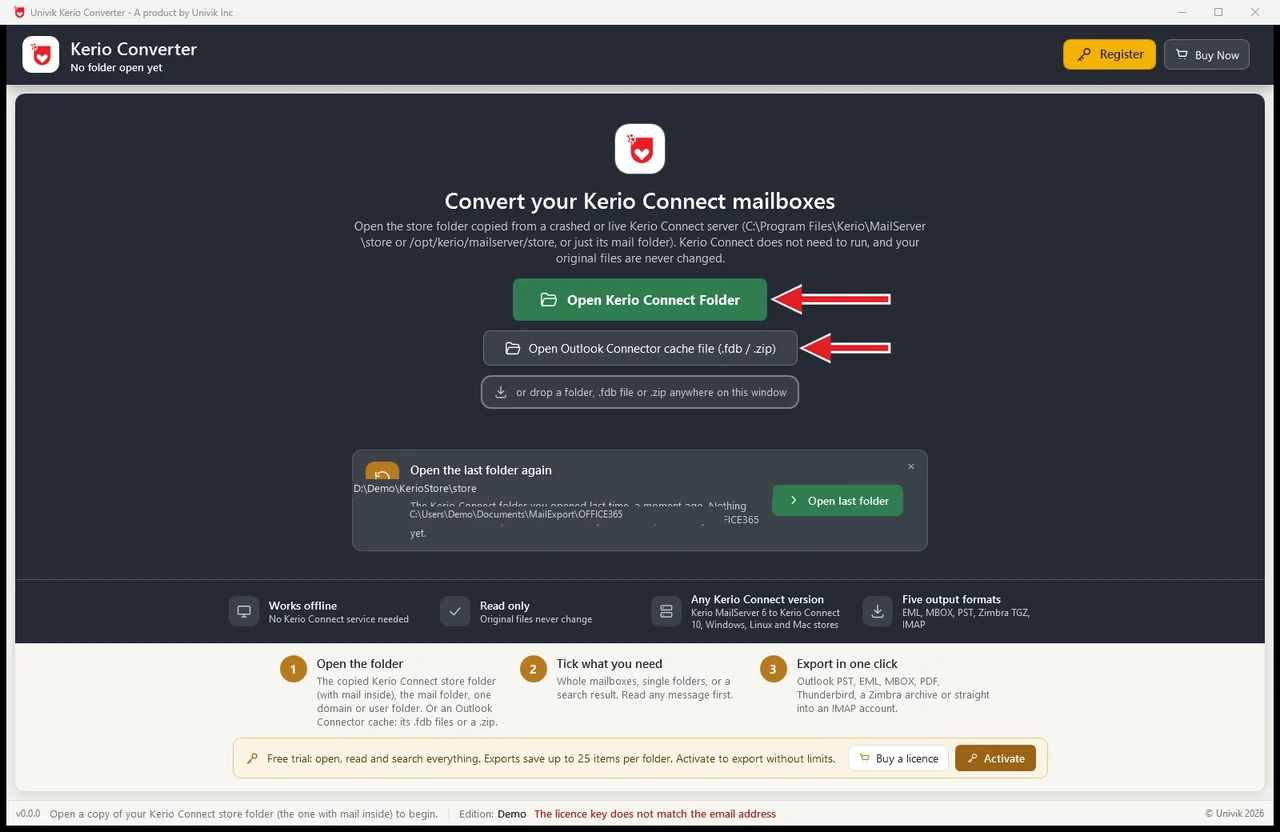
The second button on the start screen opens an Outlook Connector cache file. - Check the folders. Open the Mailboxes tab and look at its folder list. Mail, contacts and calendar folders show there.
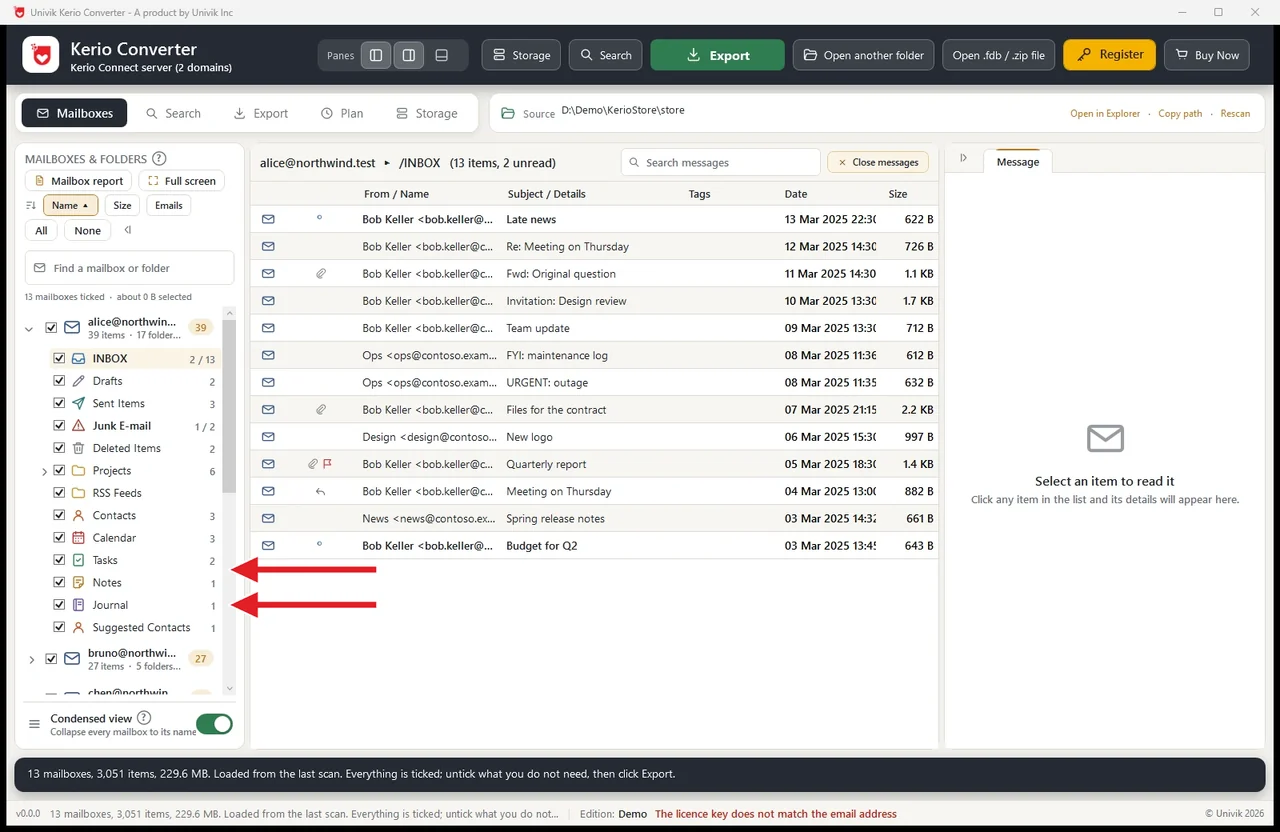
The mailbox tree lists the folders of the opened cache. - Export one folder. Select a single folder and send it to a target like PST or MBOX. Open the result before you plan the rest.
Limitations: The three GFI pages I read do not say where KOFF stores its cache on your PC, so I give no path here. I also did not test every cache size or account type. Try one account first and compare its mailbox list with what your Outlook used to show. The converter needs Windows 11 or Windows 10.
The converter opens a copy of your cache files on Windows without Outlook and without the Kerio server.
Download Free Trial Select a Licence - From $299Try one account in the trial and preview a message before you export more.
What If the New Outlook Still Will Not Show Your Kerio Mail?
When your account does not appear, check the add-in type first, because the new Outlook loads only web add-ins.
Do this: Use an IMAP account. GFI lists IMAP as the only method left for Kerio Connect and new Outlook.
Do this: You should expect that with IMAP. GFI says calendars and contacts stay out of an IMAP sync.
Do this: You need an Outlook that still loads COM add-ins. GFI says new Outlook supports only web add-ins and KOFF is a COM add-in.
If your cache files will not open, contact Univik support and tell them how large the files are.
Which GFI Pages Back This Outlook Guide?
On November 20, 2026 I opened three GFI pages. They are the new Outlook compatibility article, the Kerio Outlook Connector article and the KOFF and modern authentication article. All three show a publish date of March 18, 2025. The first page gives the new Outlook answer. The second describes the connector and the cache. The third covers modern authentication, the newer Microsoft sign-in method.
The three pages say nothing about tasks or notes in the new Outlook. They also give no full list of the Outlook builds that the connector supports. GFI points to a separate requirements article for that, which I did not read. Kerio Connect 10.0.3 is the first version GFI names for modern authentication with KOFF.
- GFI says web add-ins are the only kind that the new Outlook loads. The Kerio Offline Edition is a COM add-in.
- IMAP is the only method left for Kerio Connect with new Outlook. Calendars and contacts stay out of that sync.
- KOFF caches mail in Firebird files, with a BASE.fdb per account and one database per mailbox.
- Copy the cache files before you change your Outlook setup.
- You can open a copy of the cache read-only on Windows without Outlook.
FAQ: Kerio Outlook Connector and New Outlook
Does Kerio Outlook Connector work with the new Outlook?
No. GFI says the new Outlook only supports web add-ins and that the Kerio Offline Edition is a COM add-in.
How do I get Kerio mail into the new Outlook?
GFI lists IMAP as the only method left for linking Kerio Connect with new Outlook. Calendars and contacts stay out of that sync.
Does the new Outlook support Exchange ActiveSync for Kerio?
GFI lists Exchange ActiveSync and COM add-ins as missing from the new Outlook client.
What is a Kerio Outlook Connector cache file?
KOFF caches mail in an embedded Firebird database. GFI describes a BASE.fdb per account and one store database per mailbox, named with a GUID (a long random ID code).
Can I read my Kerio Offline Edition data without Outlook?
Yes. Univik Kerio Converter has a button for Outlook Connector cache files and opens a copy read-only on Windows. The trial saves the first 25 items of every folder.
Will the new Outlook delete my KOFF cache?
GFI does not describe that, so copy the cache files before you change your Outlook setup.
Which Kerio Connect version does modern authentication with KOFF need?
GFI says Kerio Connect 10.0.3 is the first version where the modern authentication interface is compatible with KOFF.
Does GFI say what happens to tasks and notes in the new Outlook?
No. The three pages say nothing about tasks or notes in the new Outlook.

I opened three GFI pages for the add-in, IMAP and cache facts.