Marg leaves a deleted row in its table file, flagged, until the data is packed.
Each row also carries the user who entered it, the time and the PC. An edited row adds the user who changed it. The files store no deletion time and no earlier value. Compare an older copy to see old values.
A bill was posted last month and cannot be found now, and two partners remember it differently. Before anyone argues, ask what the files still hold. Ask also what they never did, because the second answer settles more disputes than the first.
Who Needs to Find Deleted and Changed Entries in Marg?
What is your reason for looking? Choose a card to go straight to it.
A partner swears an invoice was entered last month and nobody can find it today, so you want to know whether the row still survives somewhere in the files.
See what the files keep →You want every deleted entry, every edit stamp and every gap in invoice numbers in one report that you can hand to a partner without a verbal explanation.
Run the report →The findings could reach a partner, a lawyer or an examiner. You need to know exactly what the data can and cannot prove.
Read the limits →Accounting software is built to show the books as they stand today and not to tell a story of what changed, and Marg is no exception. Still, the files keep more traces than the screens show. This guide explains what is there, what is not and how to read the evidence honestly.
What Does Marg Keep When an Entry Is Deleted or Edited?
| Question | What the files hold | Source of the answer |
|---|---|---|
| Is the record still there after a delete? | Yes. A deleted row remains in its table, flagged, until the data gets packed | Deleted flag in the table file |
| Who entered the record, when and on which PC? | Yes. Each row carries the entry user, the entry time and the PC name | Entry stamps on bills and ledger entries |
| Who last changed it, and when? | Yes, for edited records. The change user and time are empty until an edit | Change stamps |
| When was it deleted? | No. The files hold no deletion time | Not stored |
| What did a field say before an edit? | No. The edit overwrites the row | Only an older copy can show it |
Two of these gaps matter most in a dispute. A deleted row can tell you what was there and who entered it, but not when it was removed. An edited row can tell you who changed it and when, but not the value it replaced. Note: for the old value you need an older copy of the folder, and nothing else will do.
How to Run an Evidence Report on a Marg Data Folder
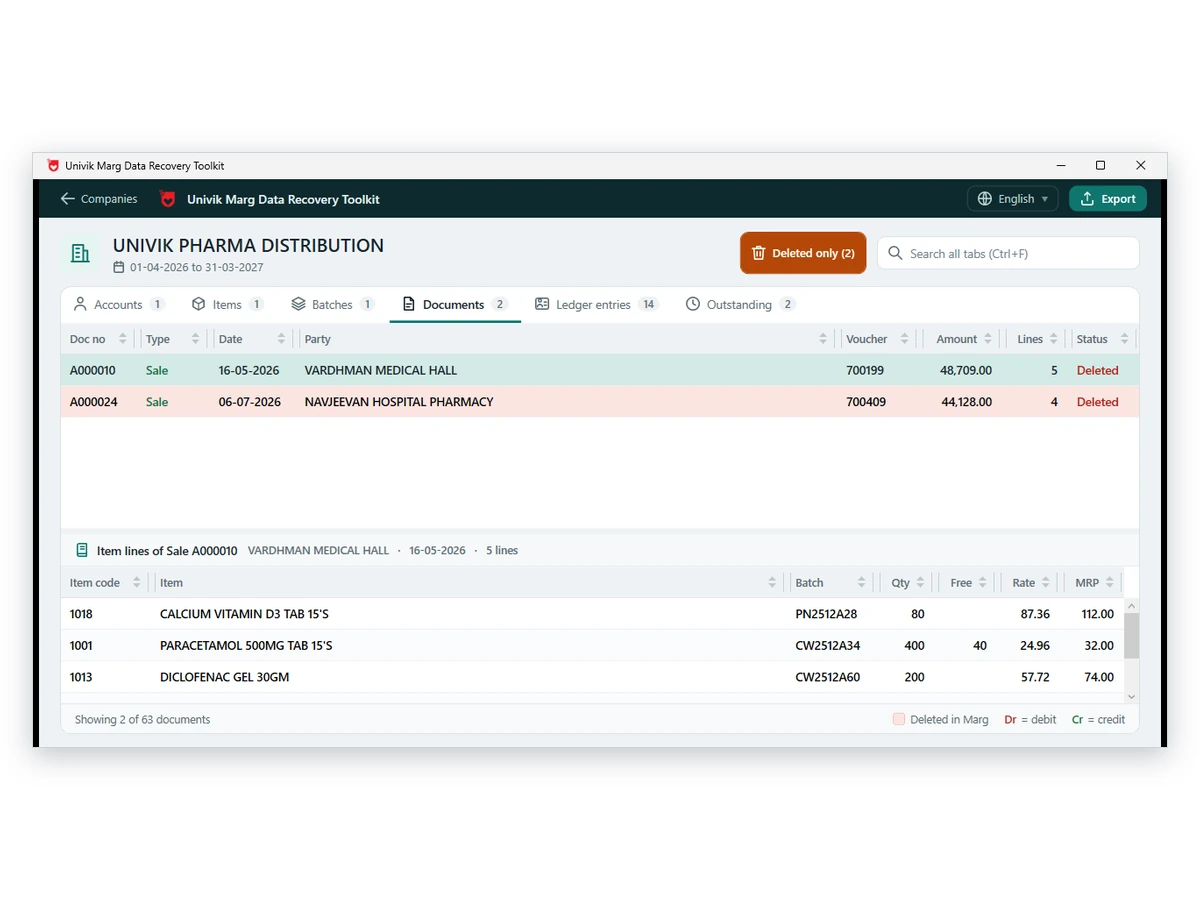
Univik Marg Data Forensic Analyzer is a module of Univik Marg Data Recovery Toolkit. It reads the table files itself, so the program does not have to be installed and nothing in the copy changes. Our advice is to copy before anything else, because packing the data later would erase the very rows you want.
The deleted and changed flags were tested on damaged copies too: in 178 separate damage scenarios there was not one crash, and at most 2 wrong rows were shown as healthy. The raw read had shown 3,004.
- Copy the Data folder and seal the originalCopy every table file and both ini lists to the examining PC. Keep the original as it arrived. Write down the date and where the copy came from.
- Open the company and periodStart setup-marg-data-recovery-toolkit.exe on a Windows 11 or 10 PC. Pick the copied folder and open the company and period you are reviewing.
- Run the Evidence reportChoose Evidence report. Enter a case reference and the examiner name. The software writes a PDF and an Excel workbook.
- Read the Checks page firstEach of the twelve checks is marked OK, Review or Info. Start with the Review lines, then move to the sections they point at.
- Compare with an older copy if you hold oneChoose Compare two copies and give it the older and the newer folder. It shows what was added, deleted since and changed, with old and new values.
Univik Marg Data Forensic Analyzer examines a duplicate of the folder and produces the Evidence report in PDF and Excel.
Download Free Trial Forensics Licence - $599Made for Windows 11 and 10. The free copy saves ten items from each section. Forensic analyzer page
What Does the Evidence Report Contain?
| Section | What it lists |
|---|---|
| Checks | Twelve tests of the books, each marked OK, Review or Info |
| Deleted invoices | Party, amount, entered date, operator and the ledger entries that remain |
| Deleted ledger entries | Whether the voucher is still active, which would mean it was edited |
| Deleted masters | Accounts, items and batches with the entries that still use their codes |
| Changed records | Entry and change stamps carrying operator and PC |
| Number gaps | Missing invoice numbers inside each series |
| Date checks | Entries made over 30 days late, dated after the day entered or outside the year |
| Operators | Every login with entry counts, earliest and latest times and the PCs involved |
| Source files | File size, modified time and a SHA-256 for every file |
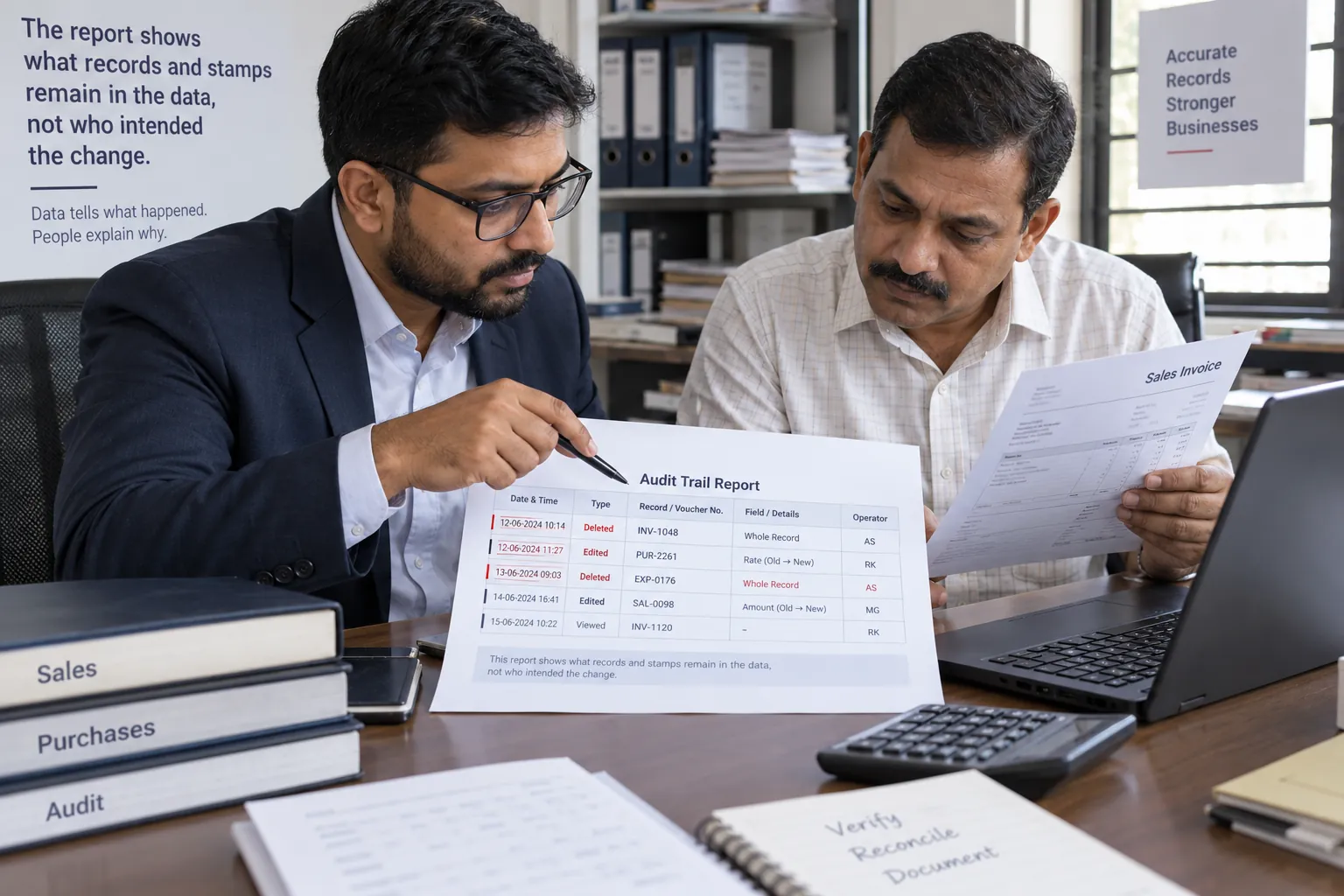
A deleted ledger entry under a live voucher is worth a look first, because it means the voucher was edited after it was posted. A deleted invoice with no ledger entries left means the whole bill went. Both are leads. Neither is a conclusion.
What Can the Evidence Not Prove?
Limitations: a deleted mark, a change stamp, a missing number and an unusual date show where to look. None of them proves who did what or why. Operator names and times come from the stamps Marg writes, and they are only as reliable as the PC clock and the login that was used, which in a small office can mean one login shared by four people.
- The analysis ran on a copy and the original was not opened
- Packed or rebuilt data cannot show records removed that way
- No deletion time and no earlier value are stored in the files
- A missing number may mean the number was never issued
Fix Common Problems When Looking for Deleted Entries
Do this: Either nothing was deleted or the data was packed since. Ask whether the company was cleaned, and look at older backups.
Do this: Compare two copies and read the field-by-field list. Balance fields move whenever vouchers are added, so they appear last. Look at the vouchers first.
Do this: Check the PC clock and the logins in use. The stamps are only as reliable as those two. Treat the finding as a question for the user concerned.
Need help reading a section? Contact our support team and name the section.
Questions About Deleted and Changed Entries in Marg

Univik contributed the product notes. The limits listed above are the same ones printed on the last page of the Evidence report. See the forensic analyzer page for the full feature list.